
Browser fingerprint analysis is a method of identifying unique browsers and devices by collecting and analyzing their distinctive attributes. Unlike cookies or IP addresses, fingerprints are harder to block or spoof because they combine multiple data points—such as browser version, installed fonts, screen resolution, time zone, and more—to create a digital “signature.” This makes fingerprinting invaluable for detecting suspicious or fraudulent activity, especially in bot defense.
What Is Browser Fingerprint Analysis?
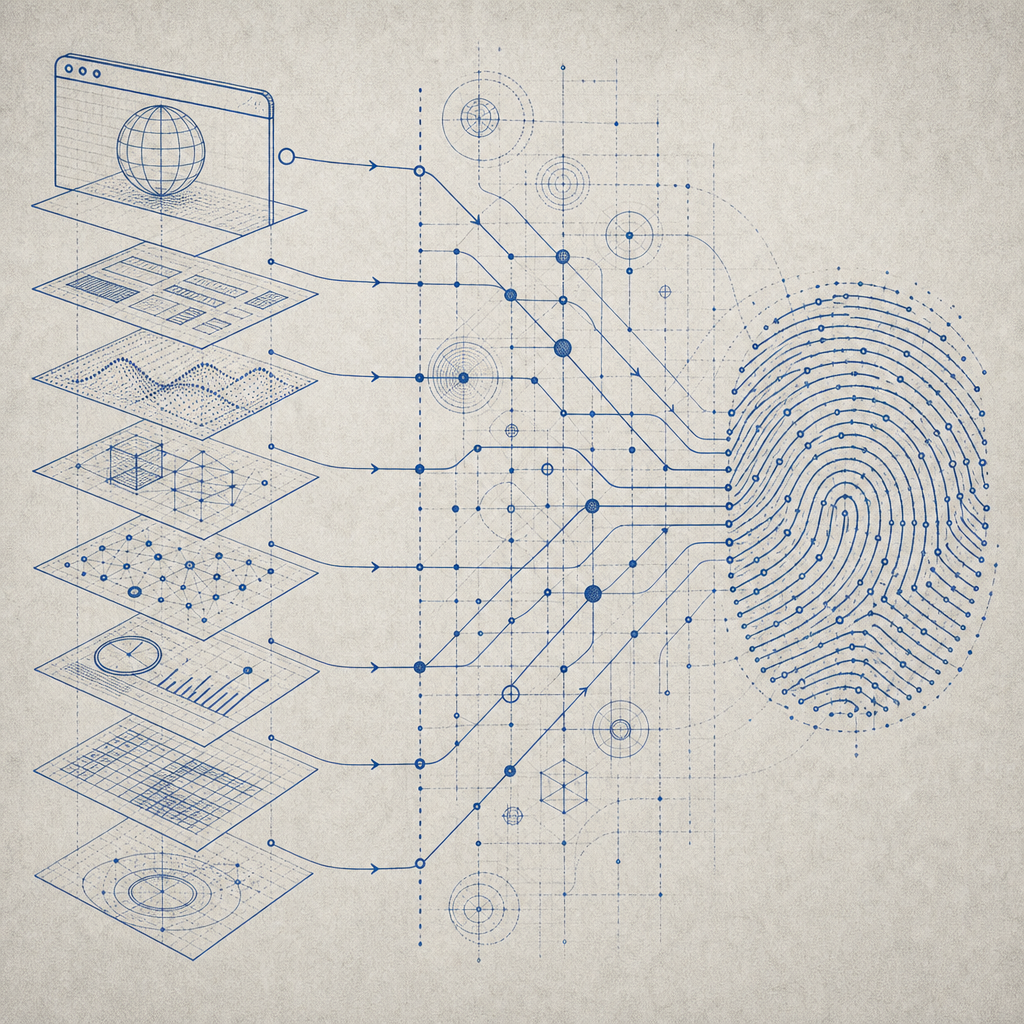
Browser fingerprint analysis involves gathering detailed information directly from a user’s browser environment. This data typically includes:
- HTTP headers
- JavaScript properties (e.g., canvas rendering)
- Installed plugins and fonts
- Device hardware details
- Timezone and language settings
By combining these elements, the resulting fingerprint is often unique enough to distinguish one visitor from another, even without relying on traditional trackers. Since bots often mimic common browser setups or leave inconsistent fingerprints, anomaly detection becomes possible.
Fingerprinting is used for purposes such as fraud prevention, managing user sessions, and especially for identifying bots attempting to bypass security measures. When paired with advanced machine learning and heuristics, it generates a reliable signal for bot detection.
Why Browser Fingerprint Analysis Matters in Bot Defense
Bots today are increasingly sophisticated and can simulate human browsing behavior to evade simpler checks. Traditional defenses like IP rate limiting or CAPTCHA challenges sometimes fall short because:
- IP addresses can be shared, proxied, or changed dynamically.
- Cookies can be cleared or blocked.
- User-agent strings can be spoofed easily.
In contrast, browser fingerprint analysis looks deeper at the browser and device characteristics that bots struggle to replicate consistently. This enables security systems to flag suspicious traffic that behaves unlike genuine users or displays signs of automation.
For services such as online commerce, account registrations, and content moderation, enhanced bot detection reduces fraud, protects resources, and improves user experience by applying challenges only when necessary.
Comparison: Fingerprint vs. Other Bot Detection Techniques
| Feature | Browser Fingerprint Analysis | IP Rate Limiting | Captcha Challenges |
|---|---|---|---|
| Uniqueness | High - lots of combined attributes | Low - IPs can overlap/shared | N/A - challenges human interaction |
| Spoof Resistance | Moderate - sophisticated bots can mimic | Low - IPs can be proxied | High - requires human solving |
| User Experience Impact | Minimal - operates transparently | Minimal - throttling only | Can disrupt UX by adding steps |
| Privacy Concerns | Moderate - collects extensive browser data | Low | Low |
Fingerprint analysis is often combined with other techniques, including CAPTCHA or behavioral analysis, to provide layered defenses.
Implementing Browser Fingerprint Analysis with CaptchaLa
At CaptchaLa, fingerprint analysis forms a core part of the bot-defense toolkit. CaptchaLa incorporates multiple data signals alongside behavioral metrics to build a probabilistic model of bot likelihood.
Some technical specifics of how CaptchaLa handles fingerprinting:
- Extensive Attribute Collection: The client SDK collects over 50 attributes about browser configuration and device environment via JavaScript.
- Cross-platform Support: Native SDKs exist for Web (JS, Vue, React), iOS, Android, Flutter, and Electron, allowing broad coverage.
- Server-Side Validation: Fingerprint data is sent securely to backend APIs (
https://apiv1.captcha.la/v1/validate) where risk scoring is computed. - Privacy-first Approach: Fingerprinting uses only first-party data to respect user privacy and comply with regulations.
- Integration Flexibility: Supports server SDKs in PHP and Go for smooth integration into your backend workflows.
Below is a simplified example showing how you’d initialize fingerprint collection on the client side with the CaptchaLa loader:
// Load CaptchaLa fingerprint library asynchronously
const script = document.createElement('script');
script.src = 'https://cdn.captcha-cdn.net/captchala-loader.js';
script.onload = () => {
  // Initialize fingerprint collection
  Captchala.collectFingerprint().then(fingerprintData => {
    // Send fingerprint with other form data to server for validation
    fetch('https://your-backend.example.com/validate', {
      method: 'POST',
      headers: { 'Content-Type': 'application/json' },
      body: JSON.stringify({ fingerprint: fingerprintData })
    });
  });
};
document.head.appendChild(script);
Comparing CaptchaLa with Market Alternatives
Other popular bot mitigation solutions like Google reCAPTCHA, hCaptcha, and Cloudflare Turnstile also utilize fingerprinting techniques but differ in focus and deployment.
- reCAPTCHA: Uses extensive fingerprinting combined with behavioral analysis but is a Google product, which may raise data governance concerns for some users.
- hCaptcha: Emphasizes privacy compliance and crowdsourced challenge solving, also leveraging fingerprinting in risk evaluation.
- Cloudflare Turnstile: A newer CAPTCHA alternative that integrates fingerprinting and invisibility to minimize user friction.
CaptchaLa differentiates itself by offering deep customization, first-party data control, and multiple native SDKs for diverse tech stacks, making it well-suited for privacy-conscious projects needing flexible bot defense.
Best Practices for Effective Fingerprint Analysis
Achieving reliable bot detection via browser fingerprinting requires thoughtful implementation:
- Combine Multiple Data Points: Use a diverse set of attributes—canvas, fonts, plugins, user agent, screen metrics—to increase uniqueness.
- Update Fingerprinting Techniques: Stay current with emerging browser APIs and bot evasion tactics; regularly refresh fingerprinting methods.
- Employ Risk Scoring: Rather than binary allow/block, use probabilistic models to assess bot likelihood and adjust defenses dynamically.
- Respect User Privacy: Anonymize data where possible and disclose fingerprint usage transparently in privacy policies.
- Layer Defense: Combine fingerprint analysis with behavioral signals, network reputation, and CAPTCHA challenges for the best coverage.

Conclusion: Enhancing Bot Defense with Browser Fingerprint Analysis
Browser fingerprint analysis provides a powerful layer of bot detection by harnessing unique browser and device characteristics that are difficult for bots to perfectly mimic. While no single solution is foolproof, combining fingerprinting with other methods results in a balanced and effective defense.
Platforms like CaptchaLa offer comprehensive fingerprinting capabilities alongside SDKs and APIs designed to fit within diverse application environments. Its privacy-forward architecture, flexible integration options, and thorough documentation at docs make it a practical choice for developers looking to bolster bot defenses.
For more details on how to implement fingerprint analysis and other anti-bot measures, check out CaptchaLa’s pricing and developer resources to explore plans that fit your project’s needs.