
A browser fingerprint addon is a tool that collects detailed information about a visitor’s browser and device to create a unique identifier. This “fingerprint” helps websites and security services distinguish real users from bots and fraudulent actors without intrusive methods like CAPTCHAs or tracking cookies. By analyzing data points such as screen resolution, installed fonts, browser plugins, time zone, and more, the addon builds a profile that’s surprisingly likely to be unique — making it a valuable tool for bot defense and fraud prevention.
How Browser Fingerprint Addons Work
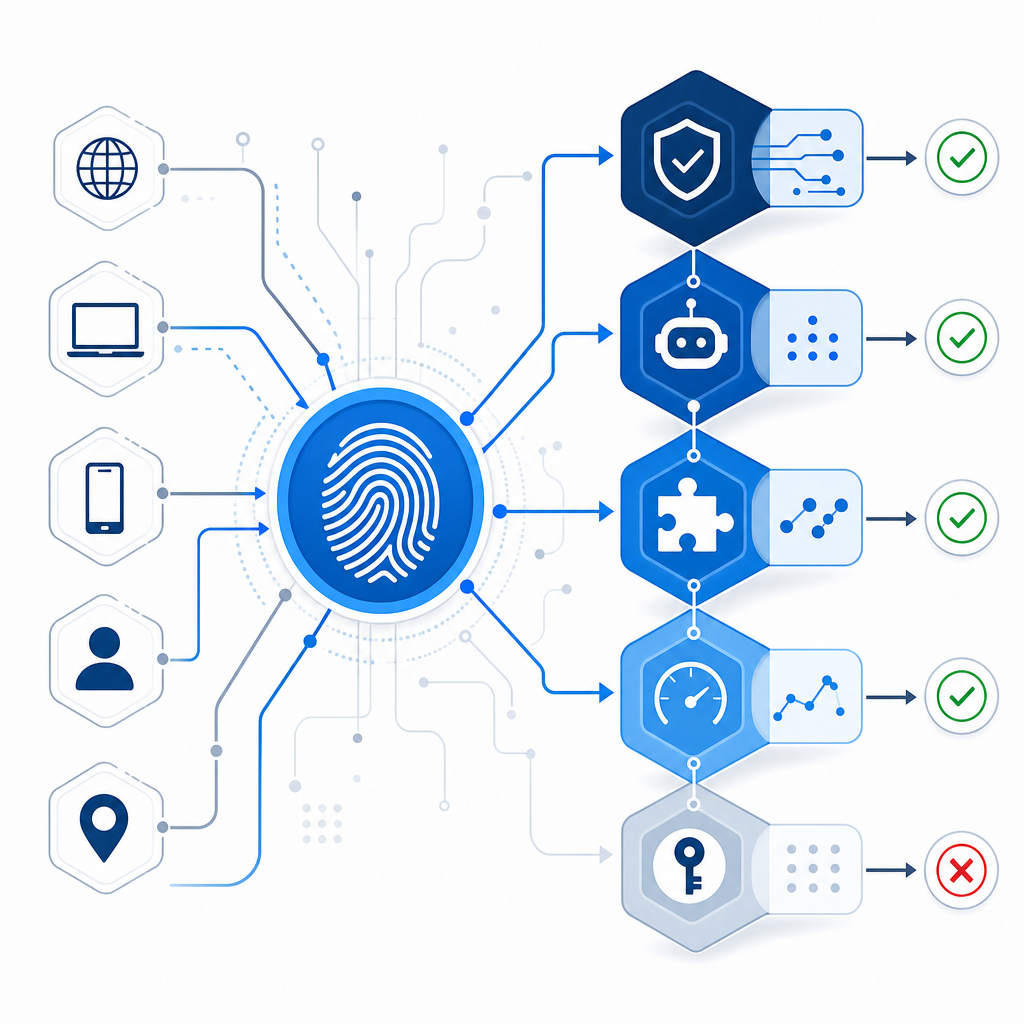
Browser fingerprinting works by combining dozens of small signals that, when taken together, produce a unique or near-unique identifier for a device. An addon facilitates this process by collecting these data points directly via JavaScript or native APIs with the user’s consent.
Common data categories include:
- HTTP headers (User Agent, Accept-Language)
- Browser and device features (canvas fingerprinting, WebGL capabilities)
- System settings (time zone, screen resolution, CPU cores)
- Installed fonts and plugins
- Rendering behaviors and quirks
The addon bundles this data into fingerprint hashes that servers receive alongside or instead of cookie identifiers. This assists services in tying requests to a particular browser instance even if cookie or IP data changes.
Why Use a Browser Fingerprint Addon?
Addons provide:
- More persistent identification across sessions or even private/incognito modes.
- Reduced dependency on cookies which users can clear or block.
- Enhanced accuracy in detecting sophisticated bots that mimic human browser behavior.
- Granular insight helpful in layered security solutions such as bot detection and fraud scoring.
However, fingerprinting raises privacy considerations, so addons often come with transparency controls or opt-in flows.

Browser Fingerprint Addons vs. Traditional Bot Defense
Let’s look at how browser fingerprinting compares with other common bot defense techniques like CAPTCHAs and major providers.
| Feature | Browser Fingerprint Addon | reCAPTCHA / hCaptcha / Turnstile | IP & Cookie-Based Filters |
|---|---|---|---|
| User friction | None or minimal | Some require user interaction | None |
| Tracking persistence | High (hard to reset) | Low (tokens expire, cookies cleared) | Medium (IPs may change) |
| Bot bypass resilience | Moderate to high (hard to spoof) | Variable (some advanced bypasses) | Low (IP rotation, cookie clearing) |
| Privacy concerns | Medium (browser data collected) | Medium (varies by provider) | Low |
| Implementation complexity | Moderate (needs client addon & server integration) | Low (ready-made widgets) | Low |
| Flexibility in deployment | High (customizable) | Moderate (provider-dependent) | High |
Browser fingerprinting works well as part of a layered defense alongside CAPTCHAs and IP filtering. For example, CaptchaLa integrates fingerprinting data with its challenge issuance logic to more accurately decide when to prompt a CAPTCHA, reducing unnecessary user friction.
Technical Details: Implementing a Browser Fingerprint Addon
If you’re building or integrating a browser fingerprint addon for bot defense, here are key technical considerations:
Data Collection Scope
Determine which fingerprinting vectors are necessary. Over-collecting may increase privacy risks while under-collecting reduces uniqueness. Common vectors include canvas fingerprinting, audio context, installed fonts, and WebGL stats.Client SDK Integration
Use available native or JavaScript SDKs for streamlined integration. For example, CaptchaLa offers native SDKs for Web (JS, Vue, React), iOS, Android, Flutter, and Electron — allowing seamless inclusion of fingerprint data alongside challenge tokens.Hashing and Normalization
Before sending data to your servers, normalize fields and generate hashes using consistent algorithms to avoid false mismatches caused by minor data variations.Privacy & Consent Handling
Include mechanisms to show users what data is collected and obtain required consent per regulations like GDPR or CCPA.Server-Side Validation
Combine incoming fingerprint hashes with other signals at your backend bot detection service. CaptchaLa’s API supports passing pass tokens and client IPs for validation:
// Example: Validate token + fingerprint hash
POST https://apiv1.captcha.la/v1/validate
Headers: X-App-Key, X-App-Secret
Body: {
  pass_token: "xyz123",
  client_ip: "203.0.113.5",
  fingerprint_hash: "abcde12345" // Optional field
}- Risk Scoring & Challenge Issuance
Use fingerprint matches or anomalies to feed risk scoring. Higher risk actions can trigger challenges—reducing false positives on legitimate users.
Privacy Considerations and User Impacts
Browser fingerprinting skirts the boundary between security and privacy. Many users and regulators express concerns about tracking without explicit consent. A responsible fingerprint addon should:
- Minimize data collection to what’s necessary for bot detection.
- Provide transparency with clear notices and consent prompts.
- Avoid uniquely identifying individuals beyond security context.
- Allow users to disable or reset fingerprints if desired.
CaptchaLa embraces first-party data only, never sharing or selling fingerprint information externally, aligning with privacy best practices and providing customizable localization in 8 UI languages.
How CaptchaLa Uses Browser Fingerprinting
CaptchaLa’s platform incorporates browser fingerprint addons into its multi-layer bot defense toolkit. The fingerprint data supplements traditional CAPTCHA challenges and risk signals to improve accuracy and reduce friction.
With SDKs for various platforms, developers can easily embed fingerprint collection alongside CaptchaLa challenges. This tight integration helps adapt challenge issuance dynamically—often avoiding challenges altogether for known legitimate users based on consistent fingerprinting data.
Compared to legacy solutions like reCAPTCHA, hCaptcha, or Cloudflare Turnstile, CaptchaLa emphasizes configurable, privacy-conscious fingerprint usage alongside an open, first-party data approach.
Where to go next? For an in-depth look at integrating browser fingerprint addons and CaptchaLa’s bot defense API, check out our docs. To explore pricing plans that suit your traffic scale, visit pricing.