
Bot detection text refers to the specific textual challenges or signals used by bot defense systems to differentiate human users from automated scripts or bots. These can include distorted characters, interactive prompts, or behavioral patterns captured in textual form, helping protect websites and applications from fraud, spam, and abuse. Understanding how bot detection text works is key to implementing effective bot mitigation measures.
What Is Bot Detection Text?
At its core, bot detection text consists of challenge-response sequences or hidden textual indicators embedded in web pages or apps that are difficult for bots to interpret but relatively straightforward for humans. This typically includes distorted text, nonsensical character combinations, or dynamically generated phrases that users must decipher or interact with, proving they’re not automated scripts.
CaptchaLa, for example, utilizes bot detection text alongside other signals to verify user authenticity. Unlike static CAPTCHA images from earlier generations, modern bot detection text is integrated with behavioral cues and server-side verification to reduce friction while maintaining security.
How Bot Detection Text Fits Into Overall Bot Detection Strategies
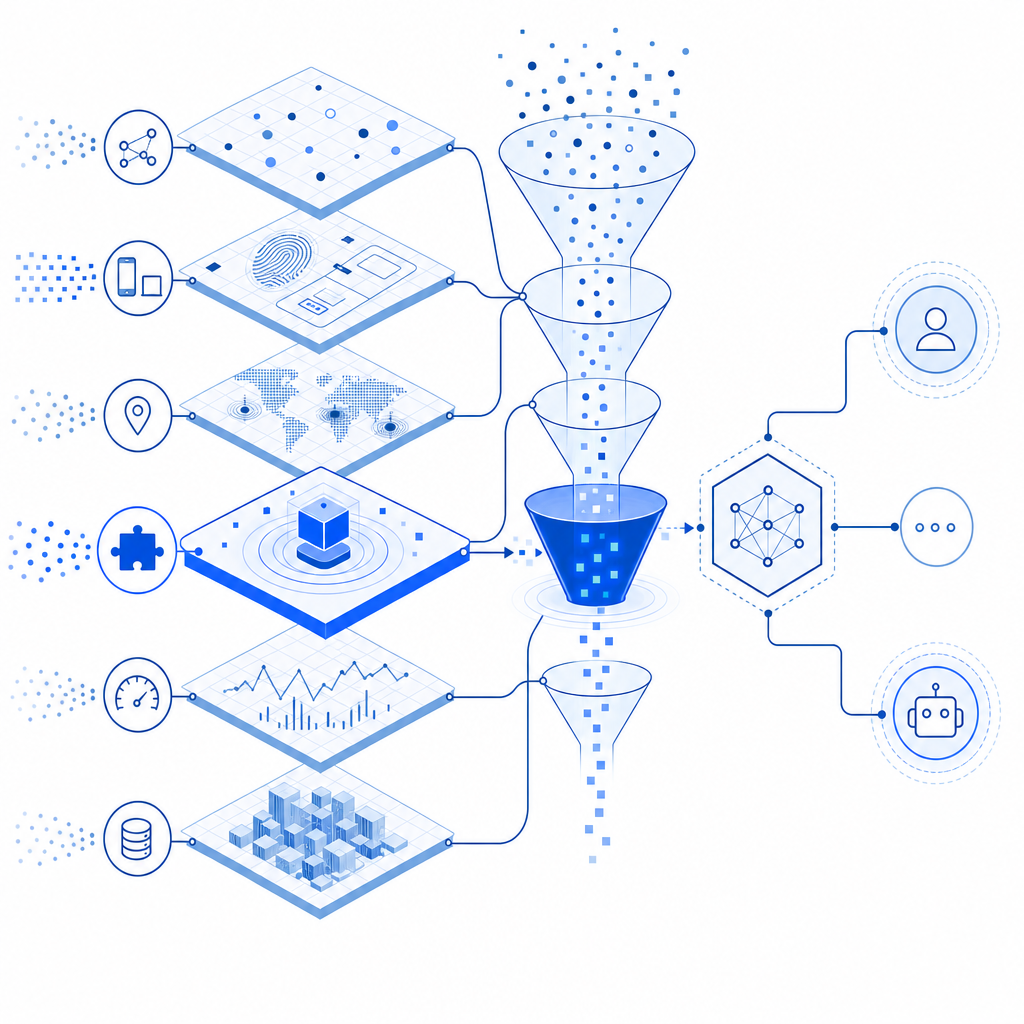
Multi-Layered Defense
Bot detection rarely relies solely on text-based challenges anymore; instead, it forms part of complex detection workflows including:
- Behavioral analysis: Tracking mouse movement, scroll speed, and typing patterns.
- Risk scoring: Combining IP reputation, geolocation, and request frequency data.
- Challenge issuance: Presenting bot detection text only when suspicion thresholds are met, reducing user friction.
Here's a simplified numbered list of how bot detection text is typically used technically:
- Initial Request — User visits a page; front-end JavaScript executes.
- Passive Analysis — Behavioral data is collected in the background.
- Challenge Trigger — If thresholds indicate potential automation, bot detection text is generated dynamically.
- User Interaction — The user inputs or responds to the text challenge.
- Server Validation — The response is validated via a backend API call (e.g., CaptchaLa’s
POST https://apiv1.captcha.la/v1/validate). - Access Granted or Denied — Based on verification, users proceed or face further scrutiny.
This layered approach balances security with user experience better than text alone.
Comparing Bot Detection Text Across Popular Providers
Here’s a high-level comparison of how bot detection text is incorporated by four major bot-defense services:
| Provider | Bot Detection Text Usage | Integration | User Experience | SDK Coverage |
|---|---|---|---|---|
| CaptchaLa | Dynamic text challenges plus behavior-based | Native SDKs for Web, Mobile, Electron | Customizable UI, 8 languages | Server SDKs: PHP, Go, etc. |
| reCAPTCHA | Image and text challenges, checkbox | JavaScript client API | Familiar, sometimes intrusive | Limited mobile SDKs |
| hCaptcha | Text and image puzzles | Widget + server validation | Paid plans for customization | Web-focused SDKs |
| Cloudflare Turnstile | Invisible tokens, occasional minimal text challenges | Edge integration, no CAPTCHA UI | Seamless experience | No dedicated client SDKs |
While providers like reCAPTCHA and hCaptcha use more visible puzzles, CaptchaLa’s approach emphasizes multi-language support, native SDKs across platforms, and backend validation APIs, offering flexibility in how bot detection text is employed.
Technical Implementation Highlights
Developers interested in integrating bot detection text challenges can leverage SDKs and APIs similar to those offered by CaptchaLa. Here is a simplified example flow in pseudocode illustrating interaction with such a system:
// Client-side: Load CaptchaLa bot detection text widget
loadScript("https://cdn.captcha-cdn.net/captchala-loader.js");

function onFormSubmit() {
  // Obtain bot detection text challenge token from client widget
  const passToken = getCaptchaLaToken();

  // Post to server for validation
  fetch('/api/validate', {
    method: 'POST',
    headers: { 'Content-Type': 'application/json' },
    body: JSON.stringify({ pass_token: passToken, client_ip: userIP }),
  })
  .then(response => response.json())
  .then(data => {
    if (data.success) {
      proceedWithFormSubmission();
    } else {
      displayError("Verification failed - please try again.");
    }
  });
}
Backend validation typically involves sending the pass_token and client IP to CaptchaLa’s validation endpoint (POST https://apiv1.captcha.la/v1/validate) with proper authentication headers (X-App-Key, X-App-Secret).
Challenges and Considerations When Using Bot Detection Text
- Accessibility: Text-based challenges must be readable and usable by people with disabilities. Solutions now include audio support or alternative validation modes.
- Localization: Since bot detection text often involves reading or entering characters, multi-language support, such as CaptchaLa’s 8 UI languages, helps maintain user comfort worldwide.
- Bot Evolution: As bots become sophisticated, simple text recognition is insufficient. Combining it with behavioral analysis and server-side risk scoring improves detection accuracy.
- User Experience: Frequent, intrusive CAPTCHA challenges frustrate users. Adaptive, intelligent bot detection text issuance during suspicious activity helps optimize engagement.
Providers like CaptchaLa, Cloudflare Turnstile, and others handle these concerns with different balances of security and usability. Developers should evaluate their needs, available SDKs, and how each service integrates bot detection text.

Conclusion
Bot detection text remains an important component of automated bot defense, providing a straightforward way to distinguish humans from bots. However, its effectiveness depends heavily on integration with behavioral signals, risk scoring, and flexible validation processes.
Independent SaaS solutions such as CaptchaLa offer robust bot detection text mechanisms alongside multi-platform SDK support, scalable pricing tiers, and easy API-driven validation. Reviewing documentation and pricing at docs and pricing can help teams find the right fit.
Where to go next? Explore the technical details or get started experimenting with bot detection text challenges to enhance your site’s resilience against automated abuse.