
A bot detection test page is a web page specifically designed to differentiate between legitimate human users and automated bots attempting to interact with your site. This page typically integrates CAPTCHA challenges or other bot-detection mechanisms to verify user authenticity before granting access or completing sensitive actions. Creating such a test page helps prevent fake registrations, fraudulent transactions, spam, and other malicious activities.
Bot detection test pages serve as a frontline defense by presenting interactive puzzles, behavioral analysis, or cryptographic proofs that are difficult or impossible for bots to solve accurately. The goal is to provide a seamless yet secure gatekeeper experience, minimizing friction for humans while blocking automated traffic that could harm your website’s integrity or resources.
What Makes an Effective Bot Detection Test Page?
Several factors contribute to building an effective bot detection test page that balances security and user experience:
- Robust challenge mechanisms. It should utilize CAPTCHA variants that adapt to different user environments, such as image recognition, click-based puzzles, or invisible behavioral detection.
- Fast and lightweight implementation. Slow or heavy pages lead to user frustration and abandonment. Efficient SDKs and CDN-delivered scripts aid performance.
- Accuracy and low false positives. It must minimize mistakenly blocking real users or allowing sophisticated bots through.
- Multi-language support and accessibility. Offering challenges in users’ languages with accessible UI options ensures inclusivity.
- Seamless integration with your backend. Server-side APIs must reliably verify responses to maintain security.
Platforms like CaptchaLa offer SDKs and APIs that meet these requirements with native support for Web (JS/Vue/React), mobile, and server environments.
How to Build a Bot Detection Test Page: Step-by-Step Guide
Here is a technical outline for implementing a bot detection test page using common practices and tools like CaptchaLa:
- Choose your CAPTCHA provider: Evaluate options including CaptchaLa, reCAPTCHA, hCaptcha, and Cloudflare Turnstile. Consider integration ease, pricing, and UX.
- Add the frontend challenge widget: Embed the CAPTCHA loader script and widget on your test page. For example, with CaptchaLa’s JavaScript SDK:
// Load CaptchaLa loader script
<script src="https://cdn.captcha-cdn.net/captchala-loader.js"></script>

// Initialize CAPTCHA widget on page load
CaptchaLa.init({
  siteKey: "your-site-key",
  containerId: "captcha-container",
  language: "en", // supports 8 UI languages
  onSuccess: function(passToken) {
    // Send passToken to server for verification
  }
});- Create a backend validation endpoint: Upon CAPTCHA completion, send the token along with the user's IP to CaptchaLa’s validation API:
POST https://apiv1.captcha.la/v1/validate
Headers: X-App-Key, X-App-Secret
Body: { "pass_token": "...", "client_ip": "..." }- Handle validation results: Accept or reject user actions based on the API response. A positive validation means the user passed the bot check.
- Provide fallback and error handling: If validation fails or times out, consider fallback puzzles or messaging to avoid blocking legitimate users.
- Monitor and Adjust: Track challenge pass rates, user feedback, and IP reputation to continually refine detection rules and thresholds.
Comparison of Popular Bot Detection Providers
| Feature | CaptchaLa | Google reCAPTCHA | hCaptcha | Cloudflare Turnstile |
|---|---|---|---|---|
| UI Languages | 8 | 100+ | 15+ | Several |
| Native SDKs | Web, iOS, Android, Flutter, Electron | Web, iOS, Android | Web, Mobile | Web |
| Server Validation APIs | Yes | Yes | Yes | Yes |
| Pricing | Free tier + tiered plans | Free + Enterprise | Free + Enterprise | Included with Cloudflare plan |
| User Experience | Configurable CAPTCHA types | Image-based + invisible | Similar to reCAPTCHA | Invisible, lightweight |
| First-Party Data | Yes | No | Limited | Yes |
These differences help guide which bot defense solution suits your specific needs. CaptchaLa distinguishes itself with strong first-party data privacy and multi-platform support.
Optimizing Your Bot Detection Test Page for Real-World Usage
Simply embedding a CAPTCHA isn’t enough for effective defense. Here are some technical tips to optimize your test page:
- Use Invisible CAPTCHA when possible: It reduces user friction by only presenting challenges when suspicious activity is detected.
- Localize UI language: CaptchaLa supports 8 languages, which improves user satisfaction worldwide.
- Respect accessibility standards: Ensure keyboard navigation and screen reader support for better inclusivity.
- Rate limit API validations: Prevent overload on backend validation endpoints by caching results or throttling attempts.
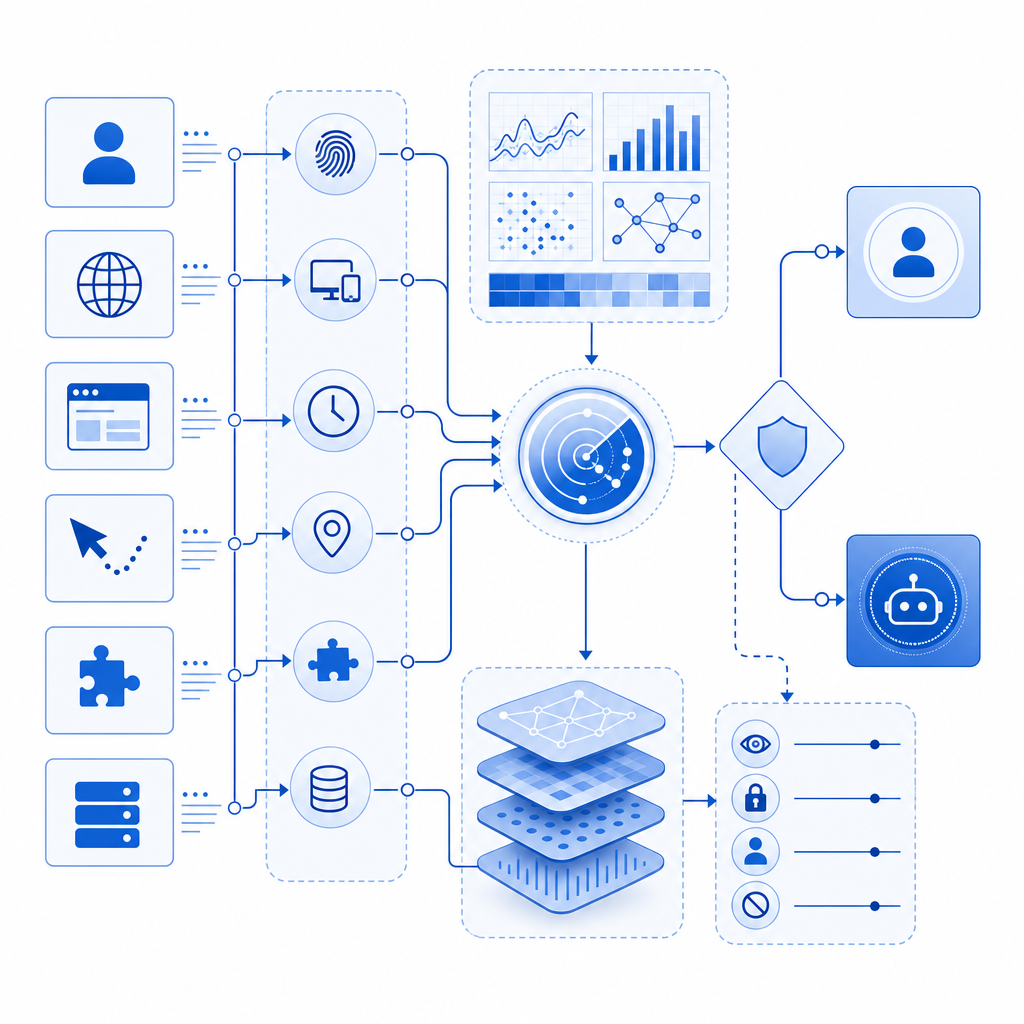
- Leverage behavioral signals: Combine CAPTCHA with behavioral analytics to detect bots with higher precision.
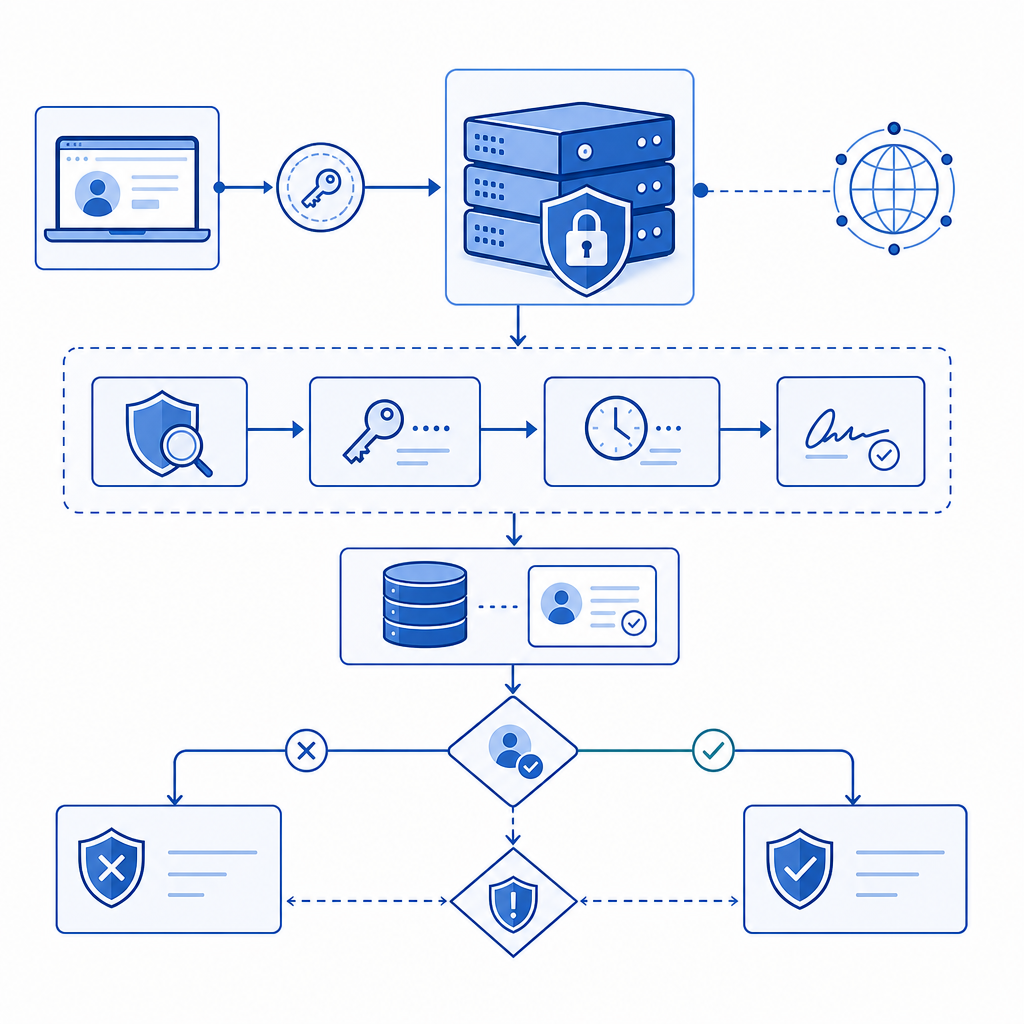
- Use server-side token issuance: Issue tokens from your server for enhanced security using CaptchaLa’s server-token endpoint:
POST https://apiv1.captcha.la/v1/server/challenge/issue
Headers: X-App-Key, X-App-Secret
This adds a verification layer preventing token forgery.
Final Considerations
While Google reCAPTCHA remains popular, many site owners choose alternatives like CaptchaLa for better data privacy control and customizable integrations. hCaptcha offers token-based monetization, while Cloudflare Turnstile emphasizes ease with an invisible, lightweight approach. Each has trade-offs in UX, pricing structure, and ecosystem fit.
Building a dedicated bot detection test page is essential for safeguarding sensitive user interactions, preserving infrastructure, and maintaining trust in your digital products. Leveraging proven SaaS tools and carefully tuning challenge parameters ensures an effective balance between security and usability.
Where to go next? Explore CaptchaLa’s pricing to find a plan suited for your traffic volumes or dive deeper into CaptchaLa’s documentation for integration details and SDK examples. Implement a reliable bot detection test page today to stay ahead of automated threats with confidence.