
A bot detection test website should prove that your anti-bot controls can tell real users from scripted traffic without blocking legitimate traffic, leaking sensitive signals, or breaking the user flow. If it cannot do those three things, it is not helping you much — it is just adding friction.
For defenders, the real question is not “can a challenge stop bots?” but “can the system observe, score, challenge, and validate requests reliably across browsers, devices, and app surfaces?” That means testing more than a single widget render. You want to verify token issuance, client behavior, server-side validation, failure handling, and what happens when traffic patterns change quickly.
What a bot detection test website should actually measure
A useful bot detection test website should measure detection quality, latency, resilience, and operational fit. That sounds broad, but it becomes concrete when you break it into a few checks.
First, it should confirm that normal users can complete the flow with minimal interruption. That includes desktop browsers, mobile browsers, embedded webviews, and app surfaces like iOS and Android. CaptchaLa supports native SDKs for Web (JS, Vue, React), iOS, Android, Flutter, and Electron, plus server SDKs for captchala-php and captchala-go, so one test surface should not be the only thing you trust.
Second, it should verify that challenge signals are tied to server-side validation, not just client-side appearance. A loader that renders correctly is useful, but a token that cannot be validated is not enough. With CaptchaLa, validation is a POST to https://apiv1.captcha.la/v1/validate using {pass_token, client_ip} with X-App-Key and X-App-Secret. That makes the server the source of truth.
Third, it should tell you whether the system stays manageable at scale. Here the practical questions are:
- Does the challenge add too much latency?
- Does token verification remain stable under load?
- Are logs and rejection reasons useful for incident response?
- Can you tune risk decisions without rebuilding the app?
A bot detection test website is less about “beating bots” and more about proving your defense behaves predictably under real traffic conditions.
A practical testing checklist for defenders
If you are setting up your own validation environment, use a checklist that mirrors production behavior instead of synthetic toy cases.
1) Test the full client-to-server path
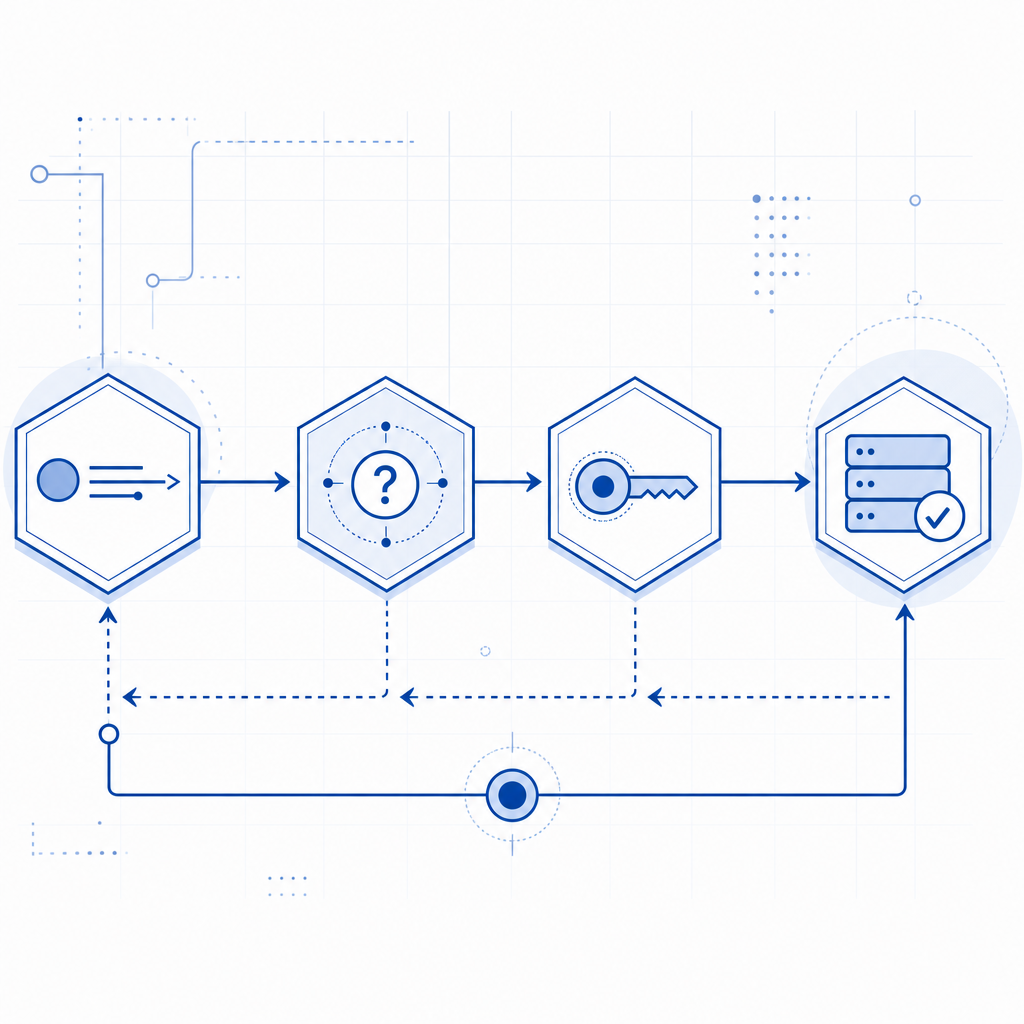
A challenge should be tested as a complete sequence:
- Page loads the loader from
https://cdn.captcha-cdn.net/captchala-loader.js - Client requests a challenge when needed
- User interaction or risk evaluation returns a
pass_token - Backend validates the token with
client_ip - Application decides allow, step-up, or block
If any one of those steps is skipped, you are testing only a fragment of the control.
2) Validate on multiple surfaces
The same bot defense can behave differently depending on the surface. A good test plan includes:
- Desktop Chrome, Safari, Firefox, Edge
- Mobile browsers on iOS and Android
- In-app webviews
- Hybrid app shells such as Electron
- Native app integrations through Flutter, iOS, Android SDKs
That matters because script automation, browser fingerprinting, and UI timing can differ materially from one surface to another. If your bot detection test website only covers a desktop browser, you may overestimate coverage.
3) Measure both friction and false positives
A simple pass/fail count is not enough. Track:
- Completion rate for legitimate users
- Median challenge completion time
- Token validation success rate
- Challenge retry frequency
- False positive rate by traffic segment
Those metrics make it easier to compare providers like reCAPTCHA, hCaptcha, and Cloudflare Turnstile objectively. Each has a different operational profile, and the right choice depends on your app’s risk tolerance, privacy posture, and UX goals.
Comparison points that matter in the real world
Here is a compact way to compare a few common options when you are evaluating a bot detection test website or a production deployment.
| Area | What to verify | Why it matters |
|---|---|---|
| Client integration | JS, mobile, embedded, framework support | Reduces implementation gaps |
| Server validation | Dedicated API, signed secret handling | Prevents client-only trust |
| Language coverage | UI languages and localization | Helps global conversion |
| Deployment control | Challenge triggering and fallback behavior | Supports gradual rollout |
| Data handling | First-party data only | Improves privacy posture |
| Logging and observability | Validation outcomes and error reasons | Speeds debugging and incident response |
CaptchaLa supports 8 UI languages and keeps the integration model focused on first-party data only, which is important if your security and privacy teams both need to sign off. If you want to inspect implementation details, the docs are the right place to start.
When comparing with reCAPTCHA, hCaptcha, or Cloudflare Turnstile, it helps to ask whether the product aligns with your policy constraints, not just whether it “works.” For example, one team may prefer a frictionless challenge style, while another may care more about explicit server validation, SDK breadth, or data retention boundaries.
A defender-friendly test pattern
A bot detection test website is most valuable when it exercises failure modes, not just happy paths. Here is a simple pattern you can adapt:
1. Load the app page and verify the loader initializes.
   # Check that the widget can render without blocking the page.

2. Trigger a normal user flow.
   # Confirm that genuine users receive a valid pass_token.

3. Send the token to the backend for validation.
   # Use X-App-Key and X-App-Secret on the server, never in the client.

4. Test an expired or malformed token.
   # Confirm the backend rejects it cleanly and logs the reason.

5. Replay a previously accepted token.
   # Verify the response is rejected or marked invalid.

6. Simulate higher request volume.
   # Watch for latency, queueing, and timeout behavior.

7. Test a fallback path.
   # Make sure the app still responds gracefully if the challenge service is unavailable.
A few technical specifics are worth keeping in mind:
- Validation endpoint:
POST https://apiv1.captcha.la/v1/validate - Challenge issuance endpoint:
POST https://apiv1.captcha.la/v1/server/challenge/issue - Server validation inputs:
pass_token,client_ip - Loader script:
https://cdn.captcha-cdn.net/captchala-loader.js - Packaging references: Maven
la.captcha:captchala:1.0.2, CocoaPodsCaptchala 1.0.2, pub.devcaptchala 1.3.2
If you use CaptchaLa, you can wire the same control pattern into web and native apps without inventing separate logic for every client. That keeps your test website aligned with how you will actually deploy the defense.

What “good” looks like after the test
If your bot detection test website is doing its job, you should walk away with a few clear answers.
You should know whether:
- legit users complete the flow quickly enough
- the challenge behaves consistently across platforms
- validation happens server-side and cannot be faked by the client
- logs are sufficient to investigate suspicious traffic
- your rollout strategy can support gradual changes
You should also know what the product is not solving. No bot defense eliminates every automated attempt, and no provider should be evaluated as if it were magic. The goal is to reduce abuse, raise attacker cost, and preserve user trust.
That is why teams often pair a bot challenge with rate limiting, device reputation, IP heuristics, and endpoint-specific checks. The CAPTCHA layer is only one part of the control stack, but it is often the part users notice first. If it is brittle, everything downstream suffers.
For pricing decisions, it is sensible to map traffic volume to plan fit early. CaptchaLa’s free tier includes 1,000 monthly requests, Pro covers 50K–200K, and Business supports 1M. If you are validating a new deployment or a pilot, pricing can help you align test volume with expected production use.
Where to go next
If you are building or auditing a bot detection test website, start with the integration docs, then validate one real user flow end to end, and finally stress the failure cases. For implementation details, see the docs; for rollout planning, review pricing.