
A bot detection system is a layered decision engine that separates likely humans from automated traffic, then applies the lightest possible response that still protects your app. At minimum, it combines client-side signals, server-side validation, rate and behavior analysis, and a challenge flow for suspicious sessions.
What makes this hard is not the word “bot” itself; it’s the range of things bots do. Some are obvious scrapers, others are credential stuffing tools, signup farms, or low-and-slow abuse that looks almost normal until you line up the signals. A good system doesn’t rely on one magic score. It uses multiple checks, keeps latency low, and avoids punishing legitimate users who happen to have odd network conditions, privacy tools, or accessibility needs.
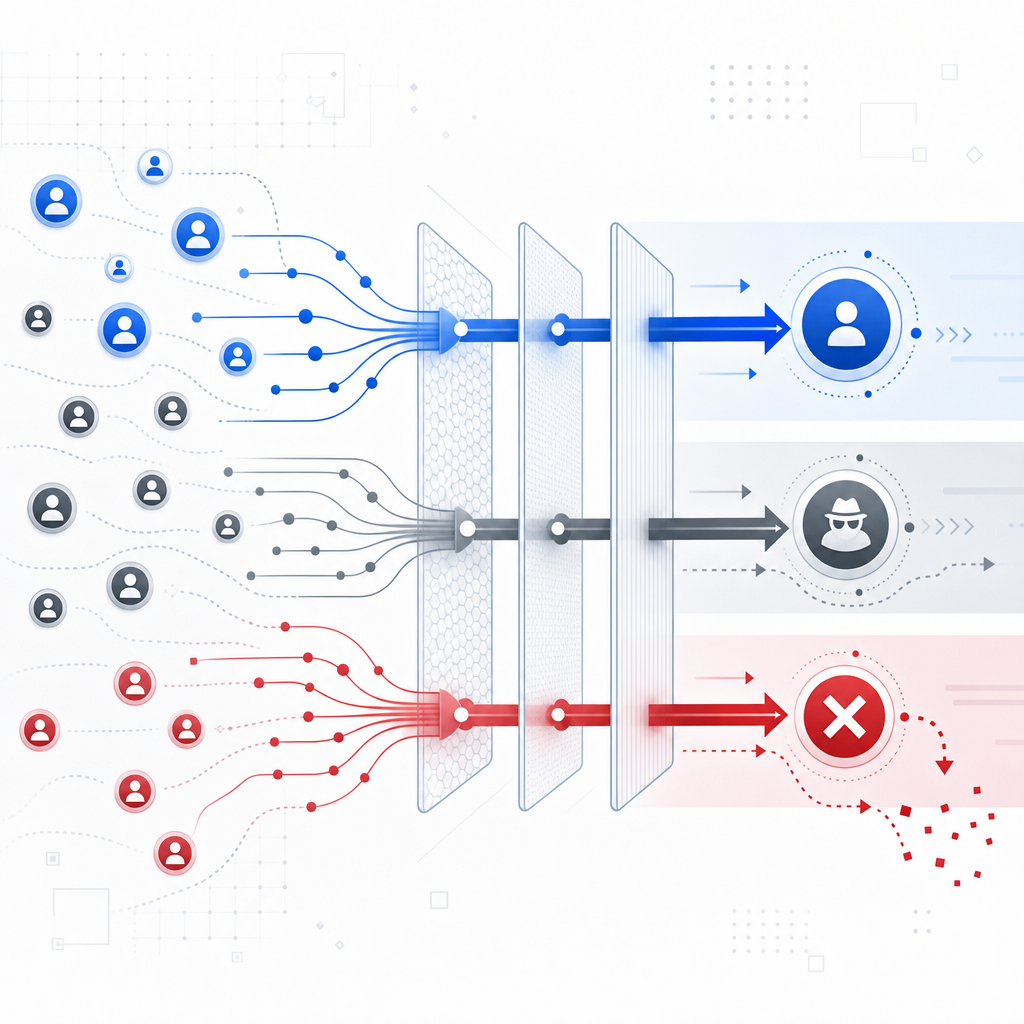
What a bot detection system actually checks
A practical bot detection system usually evaluates three categories of evidence:
Client integrity
- Is the request coming from your expected web or mobile SDK?
- Does the session include a valid, fresh pass token?
- Does the user agent and browser behavior look internally consistent?
Request context
- Source IP, ASN, geolocation roughness, and request velocity
- Device/session reuse across many accounts
- Mismatch between client-side state and server-side submission timing
Behavioral patterns
- Repeated form fills with identical timing
- Navigation that skips normal page flows
- Bursts of failures, retries, or highly uniform interaction paths
The important point is that no single field is decisive by itself. For example, IP reputation can be useful, but it can also be noisy behind corporate NATs or mobile carriers. Browser signals help, but they should be combined with session freshness and server validation. The stronger your evidence chain, the less often you need to escalate to a challenge.
A useful mental model is: detect, score, then act. “Act” may mean allow, log, throttle, challenge, or block. The response should match risk.
Common actions in order of severity
- Allow silently for low-risk traffic
- Step-up challenge for uncertain traffic
- Rate limit when the pattern suggests automation
- Block when confidence is high
- Review when the pattern is novel or business-critical
Architecture: keep the decision close to the request
A lot of teams start with client-side scripts alone, then wonder why abuse slips through. Client-side checks are useful, but they should not be your only line of defense. The server needs to verify what the client says, because the server is where you can trust state, tie events to accounts, and make enforcement decisions.
One clean architecture looks like this:
- The page loads a challenge or loader script.
- The client receives a pass token after completing the interaction.
- Your backend sends that token, plus
client_ip, to a validation endpoint. - The validation response determines whether the request proceeds or gets challenged again.
For CaptchaLa, that server-side validation happens with a POST to https://apiv1.captcha.la/v1/validate using X-App-Key and X-App-Secret, with a body like:
{
  "pass_token": "token-from-client",
  "client_ip": "203.0.113.10"
}
If you need to issue a server-side challenge token, there is also POST https://apiv1.captcha.la/v1/server/challenge/issue. That lets you keep enforcement logic on your backend instead of trying to infer everything in the browser.

A few implementation details matter more than people expect:
- Token freshness: tokens should expire quickly so they are hard to replay.
- IP binding: including
client_ipreduces token reuse from another network. - Backend-only secrets: never expose your server secret in frontend code.
- Graceful fallback: if validation is temporarily unavailable, define whether to fail open, fail closed, or degrade by endpoint.
Choosing signals and thresholds without overfitting
The hardest part of a bot detection system is calibration. Too strict, and you block real users. Too loose, and bots keep flowing. Teams often make the mistake of tuning for one abuse pattern and then shipping a brittle rule set.
A better approach is to define risk by endpoint and business impact.
Endpoint-specific policy
| Endpoint | Typical abuse | Sensitivity | Response |
|---|---|---|---|
| Signup | fake accounts, referral abuse | High | challenge first, then allow |
| Login | credential stuffing | High | rate limit + challenge |
| Password reset | account takeover | Very high | strict verification |
| Search / content access | scraping | Medium | throttle based on volume |
| Checkout | carding, fraud | Very high | step-up checks |
Notice that not every endpoint should use the same threshold. A search endpoint can tolerate more false positives than account recovery can. A checkout flow may need more friction if the cost of abuse is high, while an article page should stay as frictionless as possible.
Signals worth tracking
Velocity
- Requests per minute per IP, device, and account
- Burstiness over short windows
- Repeated failures from the same fingerprint
Consistency
- Browser headers that contradict each other
- Sudden locale or timezone changes across a session
- Token reuse across accounts
Sequence
- Page visit order
- Form field focus timing
- Retry patterns after error responses
Outcomes
- Challenge pass/fail rates
- Account creation success after verification
- Conversion drop after adding friction
The last category is often forgotten. Your bot detection system should be measured by both security and user experience. If legitimate conversions fall after a rule change, the rule needs rethinking.
Building for multiple platforms and teams
If your product spans web, mobile, desktop, and backend services, your bot defense should not force every team into a separate integration path. Consistency matters more than novelty.
CaptchaLa supports multiple client environments and server integrations, which is useful if you want one policy model across platforms:
- Web SDKs: JavaScript, Vue, React
- Mobile: iOS, Android, Flutter
- Desktop: Electron
- Server SDKs:
captchala-php,captchala-go
For teams that ship in Java or mobile-native stacks, the published packages are straightforward to wire in:
- Maven:
la.captcha:captchala:1.0.2 - CocoaPods:
Captchala 1.0.2 - pub.dev:
captchala 1.3.2
And because product localization often affects completion rates, having 8 UI languages can reduce friction for users who would otherwise abandon a challenge they do not fully understand.
If you want to see how the pieces fit together, the implementation notes in the docs are the place to start. For deployment planning, pricing shows the tiers, including a free tier at 1,000 validations per month, then Pro at 50K–200K and Business at 1M. CaptchaLa is also built around first-party data only, which matters if your security review is strict about data handling.
A simple integration flow
Client loads loader script
    -> user completes challenge or interaction
    -> client receives pass_token
    -> backend validates token with client_ip
    -> backend allows, throttles, or blocks request
How it compares with common alternatives
Teams often compare reCAPTCHA, hCaptcha, and Cloudflare Turnstile before choosing a bot detection system. That comparison is sensible, because they solve related problems with different tradeoffs.
| Tool | Strengths | Tradeoffs |
|---|---|---|
| reCAPTCHA | familiar, widely recognized | can add noticeable friction depending on mode |
| hCaptcha | flexible deployment options | challenge UX may vary by audience |
| Cloudflare Turnstile | low-friction verification | works best when your stack aligns with Cloudflare-centered workflows |
| CaptchaLa | multi-platform SDKs, server validation endpoints, first-party data only | newer teams may want to validate fit against their exact abuse model |
This is not a question of “winner takes all.” The right choice depends on your users, your endpoints, and how much control you want over validation logic. Some teams prefer a managed edge-centric approach. Others want a more explicit server-side verification loop they can tune themselves.
A good evaluation checklist is simple:
- Can I validate on my backend, not just in the browser?
- Can I adapt friction by endpoint?
- Can I support web and native apps consistently?
- Can I keep false positives low enough to protect conversion?
- Can I explain the decision path to security and product teams?
If the answer is yes, you are much closer to a sustainable bot detection system than if you only have a checkbox captcha on one page.
Where to go next
Start by mapping your highest-risk endpoints, then wire a validation path that makes every request prove itself before it gets expensive. If you want to inspect the API shape or see the SDKs, the docs are the fastest next step, and pricing is useful if you are estimating rollout volume.