
Playwright traffic is not automatically malicious, but it is absolutely something you should be able to detect, score, and challenge when it behaves like automation. The right approach is not to block Playwright by default; it is to combine browser signals, server-side validation, and risk-based responses so you can protect forms, login flows, and abuse-prone endpoints without punishing legitimate users.
The reason this matters is simple: Playwright is used by QA teams, developers, and attackers alike. If your bot defense only looks for one obvious fingerprint, it will miss a lot. If it only relies on client-side checks, it will be easy to spoof. A practical bot detection strategy for Playwright has to treat the browser as one input among many, then confirm behavior on the server.
What “bot detection playwright” really means
When people search for bot detection Playwright, they are usually asking one of two things:
- How do I detect automated browsers built with Playwright?
- How do I stop abuse coming from Playwright without breaking normal users or test automation?
The defender’s answer starts with recognizing that automation is not a binary state. A Playwright session can look human enough at the JavaScript layer while still revealing patterns in timing, navigation, headers, and challenge completion. Conversely, some real users may trigger suspicion because they use accessibility tools, privacy extensions, or unusual browsers.
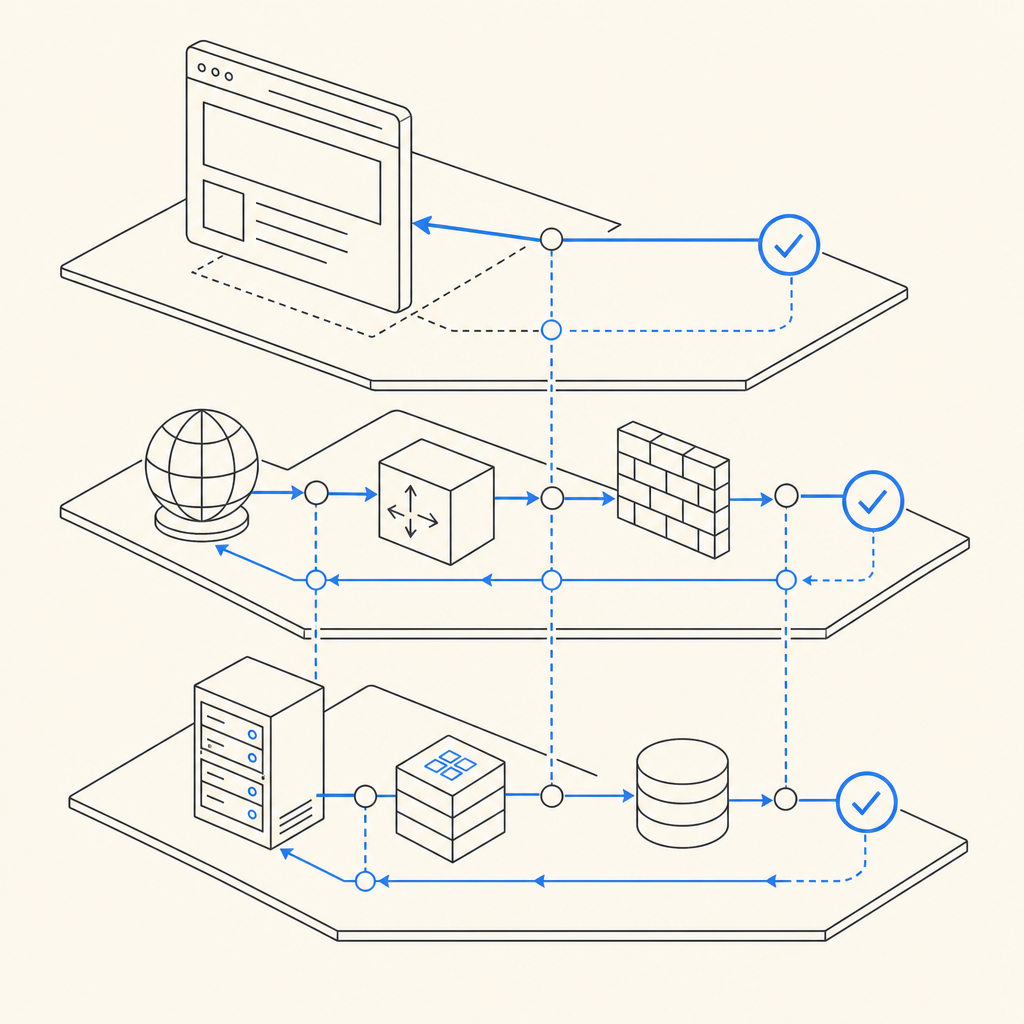
That is why good detection is layered:
- Client-side signals: environment consistency, interaction timing, and challenge state
- Network and request signals: IP reputation, velocity, ASN, geo, and header coherence
- Server-side validation: verify that a token or challenge result was issued by your own backend
- Policy decisions: allow, step-up, rate limit, or block based on risk
Playwright specifically is important because it is a modern automation tool used across Chromium, Firefox, and WebKit. A defender should assume that some signals can be simulated. Your job is not to “spot Playwright” with one magic trick; it is to make abuse expensive and noisy.
Signals that help distinguish automation from real users
A solid bot detection stack looks at signals in combination, not isolation. Here are the most useful categories for Playwright-driven traffic.
1) Timing and interaction patterns
Human interaction is messy. It includes hesitation, backtracking, variable click intervals, and imperfect scrolling. Automated flows often show:
- near-constant time between page load and form submit
- identical mouse paths or no pointer activity at all
- unnaturally fast field completion
- repeated sequence timing across many sessions
These are not definitive alone, but they are useful when combined with other evidence.
2) Browser and environment consistency
A Playwright session can have mismatches that are hard to hide cleanly, such as:
- inconsistent user agent and platform hints
- timezone, locale, and language combinations that do not line up
- WebGL or canvas values that are rare for the claimed device profile
- missing or unusual browser capabilities for the stated environment
Treat these as scoring signals rather than hard fails. False positives are easier to avoid when you aggregate several weak indicators instead of overreacting to one odd field.
3) Request and session behavior
Even if a client looks plausible, the session itself may betray automation:
- very high request velocity from one IP or subnet
- repeated failure patterns across accounts
- rapid retries after validation errors
- short-lived sessions with no browsing context before conversion
Server-side correlation matters here. A bot can replay a page, but it has a harder time looking like a normal user over time.
4) Challenge response quality
If you use a CAPTCHA or challenge, measure more than pass/fail. Look at:
- time to solve
- how often a challenge is abandoned
- whether the token is reused
- whether the token matches the same client IP and session context
That last point is especially important: challenge results should be validated on the server, not trusted because the browser says they succeeded.
A practical detection pipeline
The most reliable setup is a step-up pipeline: collect signals, score the session, and only challenge when needed. This reduces friction for real users and gives automation fewer obvious targets.
Here is a simple defender-oriented flow:
Assign a risk score at the edge or application layer
- IP reputation
- request velocity
- account age
- form sensitivity
- session history
Serve a challenge only when the score crosses a threshold
- login
- signup
- password reset
- ticketing, scraping-sensitive, or inventory-sensitive endpoints
Validate challenge results server-side
- verify the token with your backend
- bind it to the expected client IP when appropriate
- reject stale, replayed, or malformed responses
Log outcomes for tuning
- challenge pass rates
- per-route failure rates
- IP clusters
- user-agent families
- false positive reports
Iterate on thresholds
- lower friction for trusted traffic
- increase scrutiny for high-abuse paths
- separate monitoring for test environments
A good way to think about Playwright detection is as an evidence model. If a session looks scripted, arrives at impossible speed, and fails your challenge flow repeatedly, you do not need perfect certainty before taking action.
Example validation flow
Below is a server-side pattern you can adapt. The important part is that the browser never decides trust on its own.
# Validate the pass token server-side
# Replace placeholders with your actual backend logic

import requests

def validate_captchala(pass_token, client_ip, app_key, app_secret):
    url = "https://apiv1.captcha.la/v1/validate"
    headers = {
        "X-App-Key": app_key,
        "X-App-Secret": app_secret,
        "Content-Type": "application/json",
    }
    payload = {
        "pass_token": pass_token,
        "client_ip": client_ip,
    }

    response = requests.post(url, json=payload, headers=headers, timeout=5)
    response.raise_for_status()
    return response.json()
If you issue your own challenge server token first, the flow can start with POST https://apiv1.captcha.la/v1/server/challenge/issue and then validate the resulting pass token at POST https://apiv1.captcha.la/v1/validate. That keeps trust decisions where they belong: on the server.
How CaptchaLa fits into a Playwright-aware defense
A useful bot defense product should make integration straightforward without forcing you into a brittle one-size-fits-all setup. CaptchaLa supports that with web and mobile coverage plus server validation you control.
A few practical facts:
- 8 UI languages
- Native SDKs for Web (JS, Vue, React), iOS, Android, Flutter, and Electron
- Server SDKs for PHP (
captchala-php) and Go (captchala-go) - App setup centered on first-party data only
- Loader:
https://cdn.captcha-cdn.net/captchala-loader.js
If your stack includes Playwright for test automation, that is fine. The key is separating test traffic from production abuse and making sure the same validation path exists in both environments. CaptchaLa’s docs at docs are useful for wiring up the client and server pieces cleanly.
For teams evaluating rollout cost, the published tiers are also straightforward: free tier at 1,000/month, Pro at 50K–200K, and Business at 1M. You can review the details on the pricing page.
It is also worth comparing options objectively. reCAPTCHA, hCaptcha, and Cloudflare Turnstile are all common choices, and each has tradeoffs around UX, privacy posture, configurability, and integration style. If you already use one of them, the same defender mindset applies: don’t rely on a single client-side result; verify server-side and monitor behavior over time.
Comparing approaches for Playwright-heavy traffic
Here is a compact comparison of how teams often think about the options:
| Approach | Strengths | Tradeoffs | Best use |
|---|---|---|---|
| reCAPTCHA | Familiar, widely recognized | Can add friction; implementation choices vary | Broad web forms |
| hCaptcha | Flexible and commonly used | Still needs server validation and tuning | Abuse-prone signups and logins |
| Cloudflare Turnstile | Low-friction experience | Works best inside a broader Cloudflare-centric setup | Edge-protected sites |
| Custom bot scoring | Highly tailored | Higher maintenance and tuning burden | High-value or unusual abuse patterns |
| CaptchaLa | First-party data focus, SDK coverage, server validation | Still requires thoughtful policy design | Teams that want integrated challenge + verification |
The main lesson is that no challenge system is enough by itself. If the underlying abuse pattern is scripted and fast, the winning move is layering controls, not chasing one fingerprint.
Tuning for false positives and legit automation
One of the most common mistakes in bot detection is treating all automation the same. Not all Playwright traffic should be blocked. Your QA suite, internal monitors, accessibility testing, and partner integrations may all use automated browsers.
To keep that from becoming a support headache:
- Whitelist known test ranges or authenticated internal traffic
- Tag automated test environments distinctly
- Use different thresholds for production and staging
- Monitor challenge friction by route
- Review account recovery and login failure reports regularly
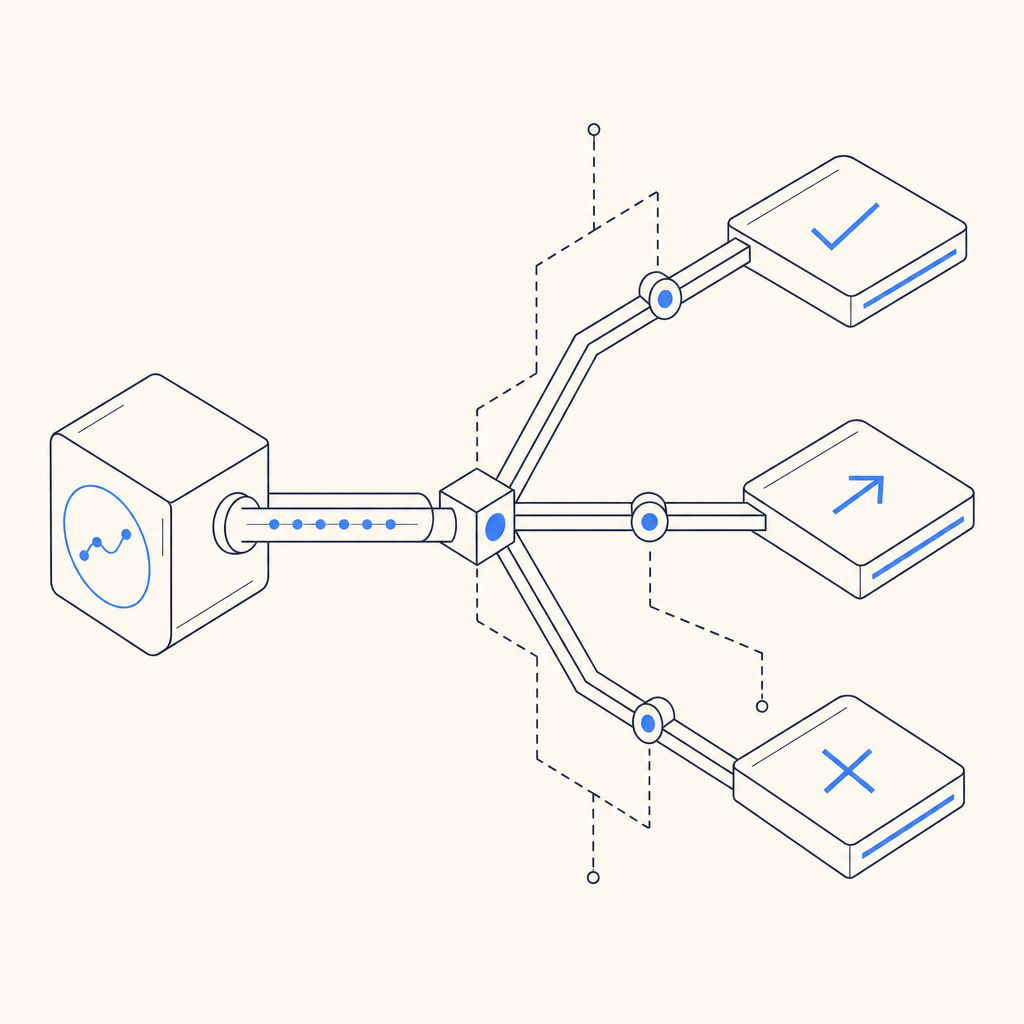
If you are unsure whether a session is legitimate, step-up controls are better than immediate denial. A lightweight challenge or additional verification can separate real users from scripted traffic while preserving conversion.
A useful pattern is to require stronger checks only when a session crosses a threshold based on behavior, not just browser identity. That gives you room to tolerate legitimate Playwright use while still catching abusive automation.
Where to go next
If you are building bot detection for Playwright traffic, start with server-side validation, route-level risk scoring, and measured challenge escalation. Then layer in client signals only as one part of the picture. For implementation details, see the docs or review pricing if you are planning a rollout.