
A bot detection platform identifies automated traffic and suspicious client behavior so you can stop abuse without blocking real users. The practical goal is simple: separate legitimate humans, known-good automation, and malicious bots before they can spam forms, scrape content, abuse signups, or drain API resources.
That sounds straightforward, but the quality of the decision matters. A weak system adds friction and false positives; a strong one combines client-side signals, server-side validation, and configurable policy so your team can act on confidence instead of guesses. If you’re evaluating options, focus on how the platform collects signals, how it validates them, and how easy it is to integrate across web and mobile.

What a bot detection platform actually does
At a high level, a bot detection platform helps you answer three questions:
- Is this request likely from a real user or automation?
- Does this client-session combination look consistent enough to trust?
- What action should your app take next: allow, challenge, step up, rate-limit, or deny?
The best systems do not rely on a single signal. They look at the full request lifecycle, including:
- device and browser characteristics
- token issuance and validation
- IP and session consistency
- challenge completion behavior
- request timing and repetition patterns
That matters because modern bots often mimic ordinary traffic well enough to fool a purely client-side check. A platform that only checks the browser is easier to evade. A platform that only checks the server misses useful context. The useful middle ground is a flow where the client receives a token after interacting with a challenge, and your server verifies that token before granting access.
CaptchaLa follows that model with a loader hosted at https://cdn.captcha-cdn.net/captchala-loader.js, then validation on the server through POST https://apiv1.captcha.la/v1/validate using {pass_token, client_ip} plus X-App-Key and X-App-Secret. That separation is important: the client experience stays lightweight, while trust decisions happen where your app actually enforces policy.
How to evaluate a platform without overcomplicating it
You do not need a hundred scoring features to make a good choice. You do need a system that fits your stack and operational risk. A practical evaluation usually comes down to implementation breadth, localization, validation design, and pricing fit.
Here’s a useful comparison view for teams comparing common options:
| Platform | Typical strength | Integration breadth | Server-side verification | Notes |
|---|---|---|---|---|
| reCAPTCHA | Familiar, widely supported | High | Yes | Often chosen for ubiquity, but UX and transparency vary by deployment |
| hCaptcha | Flexible challenge model | High | Yes | Common in abuse-heavy environments |
| Cloudflare Turnstile | Low-friction challenges | Medium to high | Yes | Often attractive when already using Cloudflare |
| CaptchaLa | Multi-platform SDK coverage and first-party data only | Web, iOS, Android, Flutter, Electron | Yes | Useful when you want a straightforward bot defense layer across app types |
A few criteria are worth weighting heavily:
1) Integration time
The real cost of a platform is not just subscription price. It is engineering time, maintenance, and the number of places you need to wire it in. For web, native SDK support for JS, Vue, and React can reduce custom glue code. For mobile and desktop, support for iOS, Android, Flutter, and Electron makes it easier to keep policy consistent across apps.
2) Verification design
Look for a platform that lets your backend verify the result independently. Server-side validation should be easy to automate and should not depend on trusting the browser alone. A typical flow is:
POST /v1/validate
X-App-Key: your-key
X-App-Secret: your-secret
Content-Type: application/json

{
  "pass_token": "token-from-client",
  "client_ip": "203.0.113.42"
}
That pattern is useful because your app can make a policy decision after validation, rather than assuming the client is honest.
3) Deployment flexibility
If you run multiple products or have a mix of public website, account portal, and mobile app, you want one platform that can cover them all. CaptchaLa supports 8 UI languages, which also matters if you serve international audiences and want challenge messaging to feel native rather than bolted on.
4) Data handling
For regulated or privacy-sensitive products, first-party data only is a meaningful constraint. It simplifies governance and can reduce the number of vendors involved in the trust decision.
Implementation patterns that hold up in production
The most reliable implementation pattern is to treat bot detection as one step in a broader authorization flow. Do not use it as a binary “good user / bad user” oracle. Instead, use it as a confidence signal.
A simple production sequence looks like this:
- Render the challenge or loader on the client.
- Receive a pass token after the client completes the challenge.
- Send the token to your backend.
- Validate the token with your server credentials.
- Attach the result to the user or session state.
- Apply route-specific policy.
That final step is where many teams get value. A signup page might require a valid token every time, while a password reset form might require it only after repeated failures. An API endpoint might accept traffic normally but require a challenge after a suspicious burst.
For teams using CaptchaLa, the server-side flow can be implemented with the provided SDKs or direct API calls. Available server SDKs include captchala-php and captchala-go, and mobile/web SDK coverage includes:
- Web: JS, Vue, React
- iOS
- Android
- Flutter (
captchalaon pub.dev version 1.3.2) - Electron
- Java via Maven
la.captcha:captchala:1.0.2 - iOS CocoaPods
Captchala 1.0.2
If you want to see implementation details, the docs are the right place to start.
Practical tips for integration
- Keep the validation call on your server, never in exposed client code.
- Bind validation to the request context where possible, including
client_ip. - Log failures and response metadata so your fraud or security team can inspect trends.
- Use route-specific policies instead of one global rule for everything.
- Treat token validation as a prerequisite for sensitive actions, not a replacement for rate limiting.
Choosing the right friction level for users
A good bot detection platform should be adaptive. Your users should not feel the same friction on every page, and bots should not get the same treatment as verified sessions.
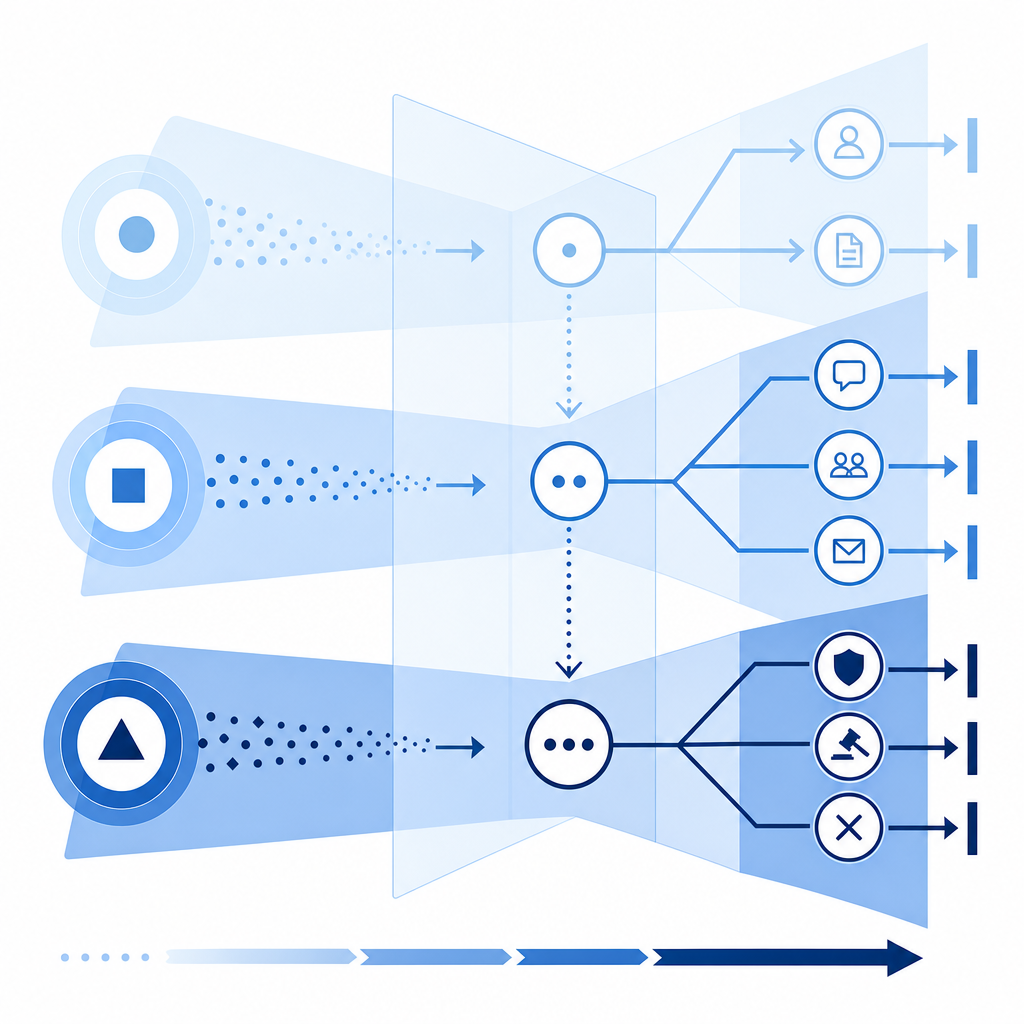
Think in terms of policy tiers:
- Low risk: allow with passive checks only
- Medium risk: challenge before action
- High risk: require validation plus rate limits or account safeguards
- Critical risk: block, queue, or escalate for review
This is where teams often overcorrect. If you challenge everyone, you increase abandonment. If you challenge no one, you create a wide opening for abuse. The right policy usually depends on the endpoint and the current abuse pattern.
For example, signup abuse may justify stricter checks than content browsing. Account recovery may need stronger verification than newsletter subscription. A checkout flow may need step-up validation only after suspicious signals appear. The more clearly your platform supports this kind of routing, the easier it is to tune without rebuilding the system.
When pricing is part of the decision, compare it against actual traffic volume and abuse risk. CaptchaLa’s published tiers — Free at 1,000 requests per month, Pro at 50K-200K, and Business at 1M — make it easier to map spend to usage rather than guessing early. You can review that directly on the pricing page.
What to measure after launch
Once a platform is live, the work shifts from selection to tuning. Measure both security impact and user impact.
Useful metrics include:
- challenge pass rate by endpoint
- validation failure rate by IP range or ASN
- signup completion rate before and after deployment
- false positive reports from support
- automated abuse volume over time
- median time added to sensitive flows
If your validation rate is high but abuse is still rising, the issue may be policy, not detection. If abuse drops but conversions crater, your friction is probably too aggressive. The point is to tune the system as a control loop, not a one-time integration.
You should also verify that logging is useful. A token validation result without enough context is hard to investigate later. Capture endpoint name, timestamp, request class, outcome, and any relevant correlation IDs. That gives your team a way to explain why a request was challenged or allowed.
Where a platform like CaptchaLa fits
CaptchaLa is a good fit for teams that want straightforward bot defense across web, mobile, and desktop apps without juggling separate mechanisms for each client. It supports client SDKs across major app stacks, server verification via API, and a public docs trail that lets engineers implement without much guesswork. Just as importantly, it keeps the trust decision on the server, where your application policy already lives.
If you are comparing options across reCAPTCHA, hCaptcha, and Cloudflare Turnstile, the right question is not “which one has the most names attached to it?” It is “which one fits our apps, our traffic, and our operating model with the least long-term complexity?”
Where to go next: see the implementation details in the docs or review plan fit on the pricing page.