
If your captcha is not working on Safari, the usual culprit is not “Safari being broken” so much as Safari’s stricter privacy behavior, blocked scripts, third-party cookie restrictions, or a mismatch between how the widget is loaded and how your app validates the token. In practice, that means you should check script delivery, storage access, same-site settings, and server-side verification first.
For teams shipping a modern challenge flow, Safari issues often show up only on certain pages or only for returning users. That pattern is a clue: the browser is probably preserving less state than you expect, or a resource is being treated as cross-site and quietly blocked.

Why Safari breaks captcha flows more often than other browsers
Safari is more aggressive about privacy protections than many developers account for. That doesn’t make it incompatible with captcha, but it does mean assumptions that work in Chrome can fail on Safari.
The most common failure points are:
Third-party storage access
- If the widget or challenge depends on cookies/local storage from a different site, Safari may block or limit that state.
- This is especially visible in embedded contexts, iframes, or multi-domain setups.
Script loading and tracking prevention
- Safari may delay or block a script that looks like a cross-site tracker, especially if it’s loaded from an unfamiliar domain.
- If the loader never finishes, the widget may render partially or not at all.
Strict SameSite behavior
- Cookies used during the challenge or validation flow need the correct
SameSite,Secure, and domain configuration. - A token may be issued, but the verification session never survives the round trip.
- Cookies used during the challenge or validation flow need the correct
Content blockers and extensions
- Ad blockers or privacy extensions can remove the widget, the challenge iframe, or the validation request.
- This can look like “captcha not working” when the real problem is selective network blocking.
Cross-site iframes
- Safari is particularly strict when a captcha is embedded inside a cross-origin frame.
- If your widget depends on parent-page communication, that handshake can fail.
If you’re evaluating providers, the underlying pattern matters more than the logo. reCAPTCHA, hCaptcha, and Cloudflare Turnstile all need to operate within Safari’s privacy rules, though their implementation details differ. The right fix is almost always in integration details, not in “trying a different browser.”
A practical checklist to debug the issue
Start from the outside and work inward. This is faster than guessing at JavaScript bugs.
1) Confirm the loader is actually running
Check that the captcha loader is reachable and not blocked:
<script src="https://cdn.captcha-cdn.net/captchala-loader.js" async></script>If you use CaptchaLa, that loader is part of the standard web integration flow. Open Safari DevTools and verify:
- the script returns
200 - there are no mixed-content warnings
- no extension is removing the script
- the page is not delaying execution behind another blocked asset
2) Verify the token on the server, not just the client
A client-side “success” event is only half the story. Your backend should validate the pass token every time.
CaptchaLa’s validate endpoint is:
POST https://apiv1.captcha.la/v1/validate- body:
{ pass_token, client_ip } - headers:
X-App-KeyandX-App-Secret
If the browser looks fine but validation fails, Safari may be changing the client IP context, the token may be expiring too quickly, or the token may be getting lost in a redirect flow.
3) Inspect cookies and same-site behavior
Use a numbered test sequence:
- Open the page in a private Safari window.
- Disable content blockers for the site.
- Reproduce the captcha flow.
- Check whether any cookie is missing after the widget loads.
- Compare with Chrome on the same network.
If the Safari session works only when the captcha is first-party and fails when embedded elsewhere, that strongly suggests storage isolation or SameSite misconfiguration.
4) Check CSP, CORS, and frame policies
A captcha flow can fail silently if your Content Security Policy blocks the loader, challenge frames, or validation endpoints.
Pay particular attention to:
script-srcframe-srcconnect-srcimg-srcif the widget uses beacon-style resources
For embedded flows, also review:
X-Frame-Optionsframe-ancestors- CORS on your validation endpoints
5) Test mobile Safari separately
Desktop Safari and iOS Safari are related, but they are not identical for debugging purposes. If you support mobile web, test both. A flow that passes on macOS may still fail on iPhone because of viewport changes, script timing, or aggressive memory cleanup.
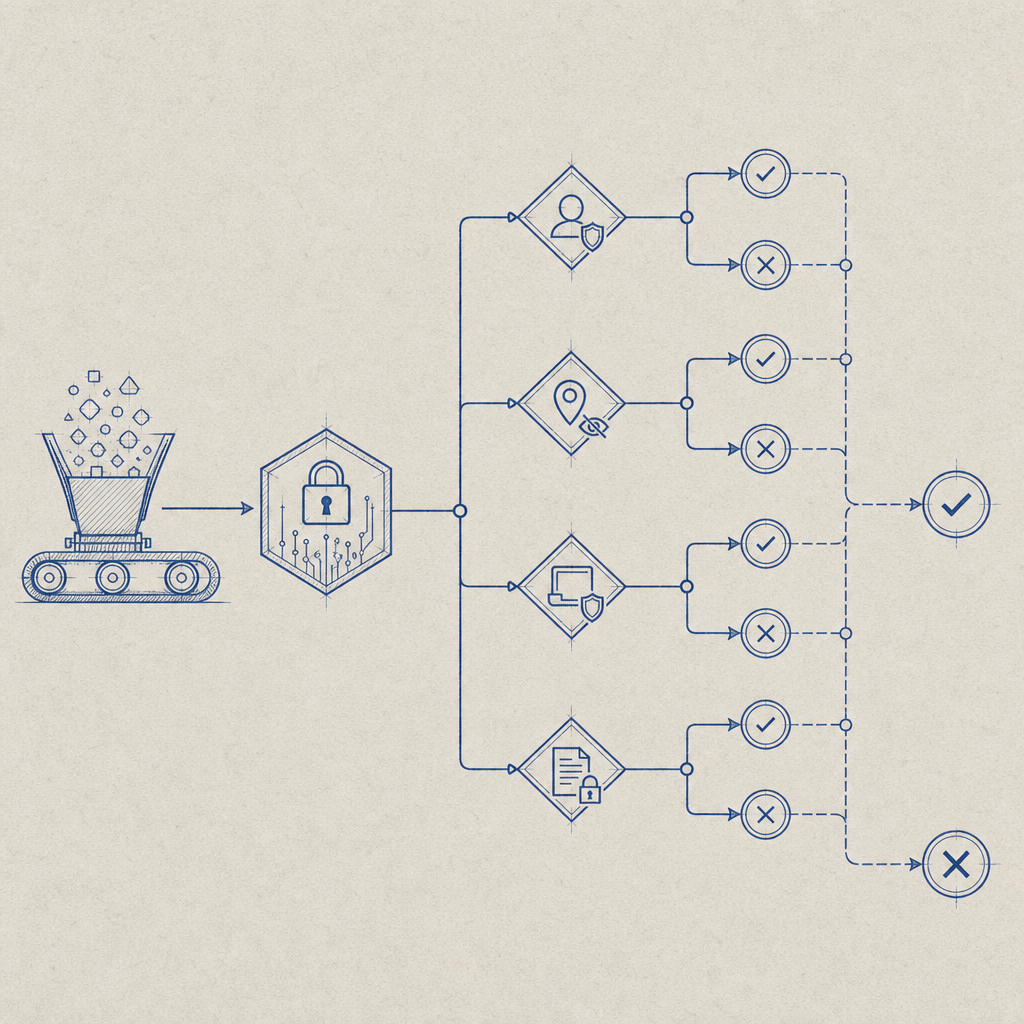
What usually fixes captcha on Safari
The right fix depends on where the flow breaks, but these are the most reliable remedies.
Make the widget as first-party as possible
Whenever possible, host and validate the flow in a first-party context. Safari is less likely to interfere with same-site resources than cross-site ones.
CaptchaLa is designed around first-party data only, which helps keep the integration simpler and more predictable under privacy restrictions.
Avoid relying on fragile browser state
Do not depend on a long-lived cookie alone to remember a challenge result. Treat the pass token as the source of truth and revalidate server-side on each protected action.
Keep the challenge flow short
Shorter flows fail less often on Safari. That means:
- load the script early
- issue the challenge only when needed
- validate immediately after success
- avoid redirect chains between challenge and submission
Use the SDK that matches the platform
If you’re not using plain web, platform-specific SDKs can reduce edge-case bugs.
CaptchaLa supports:
- Web: JS, Vue, React
- iOS
- Android
- Flutter
- Electron
- Server:
captchala-php,captchala-go
It also ships multiple package options, including Maven la.captcha:captchala:1.0.2, CocoaPods Captchala 1.0.2, and pub.dev captchala 1.3.2. For mixed-stack apps, that can make Safari behavior easier to isolate because the browser-facing layer is narrower.
How to compare provider behavior on Safari
If you’re evaluating why captcha not working on Safari is happening in your stack, it helps to compare the operational model, not just the branding.
| Provider | Safari sensitivity | Typical integration note | Validation style |
|---|---|---|---|
| reCAPTCHA | Medium to high | Can be affected by privacy controls and iframe/context constraints | Server-side token verification |
| hCaptcha | Medium | Often similar browser/privacy considerations | Server-side token verification |
| Cloudflare Turnstile | Medium | Generally lighter client UX, still depends on browser policy compatibility | Server-side token verification |
| CaptchaLa | Medium | First-party approach and explicit validate API help isolate failures | POST /v1/validate with pass_token and client_ip |
The key point is that Safari can impact any browser challenge. The goal is not to “beat” Safari; it’s to build a flow that gracefully survives privacy restrictions.
If you need to test pricing tiers while you debug or stage a rollout, pricing is straightforward to review, and the free tier can be enough for initial validation in lower-volume environments.
A quick implementation pattern that behaves well
A reliable pattern is:
- load the widget from a stable, expected script URL
- collect the pass token on success
- submit the token with your form
- verify it on the server immediately
- reject protected actions if validation fails
Example server-side logic:
# Receive form submission
token = request.body.pass_token
client_ip = request.ip

# Verify with captcha service
response = POST https://apiv1.captcha.la/v1/validate
  headers:
    X-App-Key: your_app_key
    X-App-Secret: your_app_secret
  body:
    pass_token: token
    client_ip: client_ip

# Allow only if verification succeeds
if response.success:
  continue_request()
else:
  reject_request()
If you need the challenge issued server-side, CaptchaLa also provides POST https://apiv1.captcha.la/v1/server/challenge/issue, which can be useful when you want tighter control over the challenge lifecycle.
For integration details, the docs are the best place to confirm the exact request/response format for your stack.
Where to go next
If Safari is the only browser where your captcha behaves oddly, start by checking loader delivery, same-site settings, and server validation. Those three fixes resolve a large share of “captcha not working on Safari” reports.
If you want to compare integration steps or confirm your setup, head to the docs or review pricing for the plan that matches your traffic volume.