
Bot detection on website means identifying automated traffic before it can spam forms, scrape content, stuff credentials, or drain free-tier resources. The practical goal is not to “block every bot” — that is unrealistic — but to make abusive automation expensive, noisy, and easy to verify while keeping legitimate users moving quickly.
The most reliable approach combines client-side signals, server-side validation, and risk-based handling. A single checkbox or fingerprint rarely tells the full story; a layered workflow does. That’s why modern defenses often pair a browser challenge with a token validation step on your backend, so you can make a decision using your own rules instead of trusting the client alone.

What bot detection actually needs to stop
When teams say they need bot detection, they usually mean one of a few concrete problems:
Form abuse
Newsletter signups, contact forms, registration flows, and password reset endpoints get flooded with automated submissions.Credential stuffing and account attacks
Attackers try large volumes of leaked username-password pairs and probe login endpoints for weak accounts.Scraping and inventory abuse
Catalog pages, pricing pages, or search endpoints get harvested at scale.Fraud and free-tier abuse
Trial signups, promo claims, and API credits can be drained by scripted traffic.
The mistake is to treat every bot the same. Good automation can be helpful: search indexing, uptime monitoring, accessibility tools, and partner integrations may all look “bot-like.” So the real question is not “human or bot?” but “is this request trustworthy enough for the action it wants to take?”
That framing changes implementation. You stop relying on brittle heuristics alone and start using evidence: browser interaction patterns, device/session consistency, request rate, IP reputation, token freshness, and server-side verification.
A practical architecture for bot detection on website
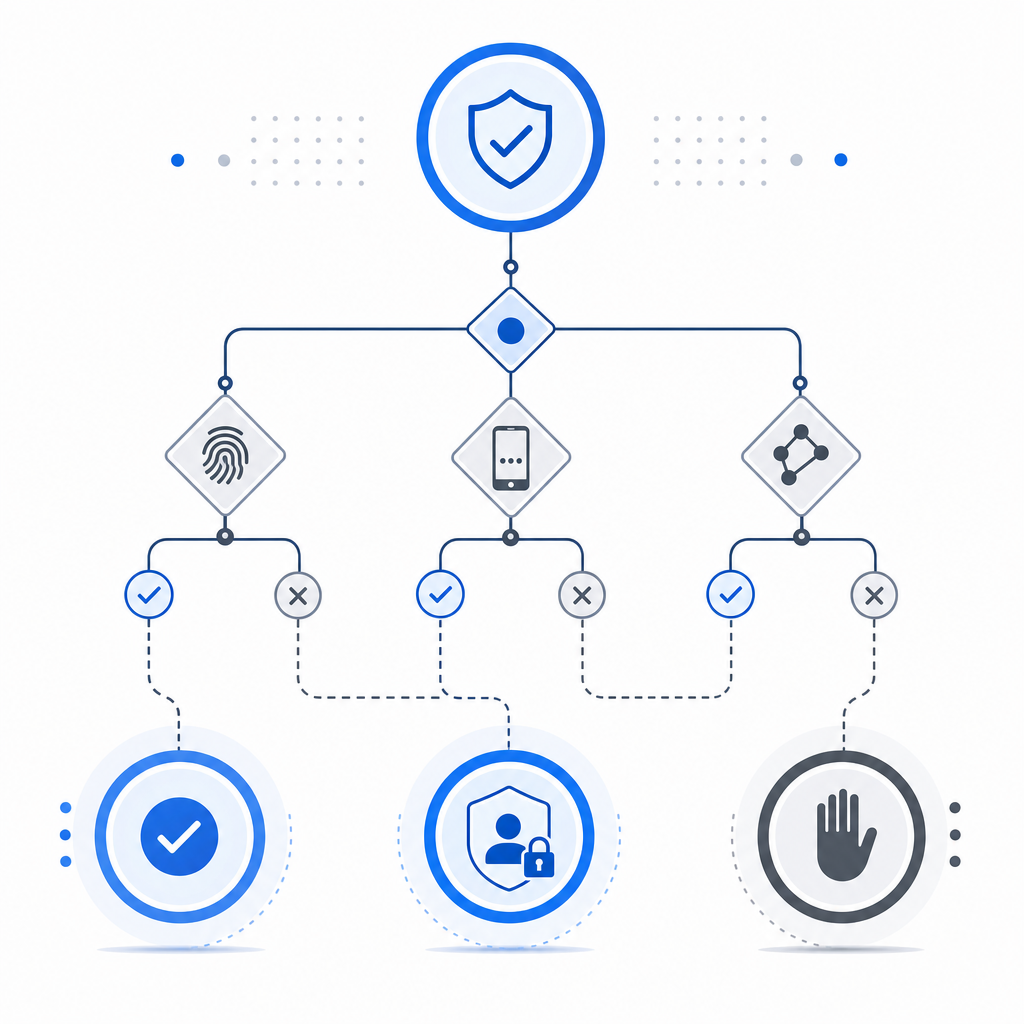
A solid setup usually has three layers: challenge, validation, and policy. Here’s the logic.
1. Present a lightweight challenge
The client gets a challenge widget or loader that can establish the user’s browser context and issue a pass token. For example, CaptchaLa provides a browser loader at https://cdn.captcha-cdn.net/captchala-loader.js, along with native SDKs for Web (JS/Vue/React), iOS, Android, Flutter, and Electron. That matters if your app spans multiple surfaces and you want consistent controls without building separate defenses for each platform.
2. Validate on your server
Never trust the browser alone. Your backend should validate the token against your verification endpoint and decide whether to proceed.
A typical validation request looks like this:
POST https://apiv1.captcha.la/v1/validate
X-App-Key: your_app_key
X-App-Secret: your_app_secret
Content-Type: application/json

{
  "pass_token": "token_from_client",
  "client_ip": "203.0.113.42"
}
That server-side step is where your protection becomes meaningful. If the token is missing, expired, reused, or inconsistent with the request context, you can reject, rate-limit, or escalate to a stronger challenge.
3. Apply policy based on risk
Not every failure should be a hard block. In many systems, a better sequence is:
- allow verified traffic immediately,
- rate-limit suspicious traffic,
- require a stronger step-up check on sensitive actions,
- hard-block only repeated abuse.
This keeps false positives lower. It also lets you tune friction by endpoint. A login page can tolerate more scrutiny than a newsletter signup.
Signals that are useful, and signals that are overhyped
Teams often overinvest in a single “bot score” and underinvest in the workflow around it. Here’s a more grounded view.
| Signal type | Useful for | Limitations |
|---|---|---|
| Token validation | Confirming a fresh challenge result | Must be checked server-side |
| IP reputation | Catching obvious abuse clusters | Shared networks and mobile IPs can be noisy |
| Request velocity | Detecting bursts and automation | Needs endpoint-specific thresholds |
| Session consistency | Spotting cookie or device churn | Legitimate users also change devices |
| Browser interaction | Finding absent or unnatural interaction | Not all bots are obvious from JS alone |
| ASN / geo patterns | Large-scale abuse clustering | Can unfairly impact traveling users or VPNs |
A strong system uses several of these signals together. None is perfect on its own.
What to log
If you want to improve detection over time, log enough detail to answer:
- Which endpoint was targeted?
- Was the token valid?
- What IP, user agent, and session state were involved?
- Was the request allowed, stepped up, or blocked?
- Did the same pattern repeat later?
That historical trail helps you tune thresholds and understand whether a spike is a real attack or a marketing-driven traffic surge.
Choosing between CaptchaLa, reCAPTCHA, hCaptcha, and Turnstile
There is no universal winner. The right choice depends on your product, privacy posture, developer workflow, and traffic profile.
| Product | Typical strengths | Things to check |
|---|---|---|
| reCAPTCHA | Familiar to many teams, broad recognition | UX friction can vary; review privacy and integration needs |
| hCaptcha | Common alternative, flexible deployment | Evaluate user experience and server-side flow |
| Cloudflare Turnstile | Lightweight user experience in many cases | Works best if your stack already aligns with Cloudflare |
| CaptchaLa | Multi-platform SDKs, server validation flow, first-party data only | Review fit for your stack and deployment model |
If you’re building for web plus mobile, the multi-SDK approach can reduce integration drift. CaptchaLa also supports native SDKs and server SDKs such as captchala-php and captchala-go, which can be useful when your backend is split across services. The docs are the best place to see the current setup details: docs.
The important takeaway: compare tools on implementation cost, user experience, privacy constraints, and how much control you keep on the backend. Vendor names matter less than whether the verification flow matches your risk model.
Implementation tips that actually reduce abuse
Here’s a simple deployment checklist that tends to work well:
Protect the right endpoints first
Start with login, signup, password reset, checkout, and any form that creates value.Validate server-side every time
Treat client-side success as a hint, not proof.Use endpoint-specific thresholds
A comment form and a payment form should not share the same tolerance.Keep tokens short-lived
Freshness reduces replay risk.Return the same public error shape
Don’t tell attackers exactly why they failed; keep responses generic.Monitor challenge failure rates
If legitimate users are getting blocked, tune friction before you scale enforcement.Test across devices and locales
Accessibility, browser differences, and low-bandwidth environments can affect challenge success.
If you prefer to issue a server-side token for a challenge step, CaptchaLa also provides a server-token endpoint at POST https://apiv1.captcha.la/v1/server/challenge/issue. That can be helpful when your backend needs to orchestrate the flow rather than simply verify a browser result.
For teams planning rollout, pricing tiers are useful to sanity-check volume: CaptchaLa lists a free tier at 1,000 monthly requests, Pro at 50K–200K, and Business at 1M. You can review current details at pricing.
A minimal backend pattern
Here is a simplified flow you can adapt:
// English comments only
// Receive the form submission from the client
// Extract the pass token and client IP
// Send both to the validation endpoint
// Allow the action only if validation succeeds
// Otherwise return a generic rejection message

async function verifyCaptcha(passToken, clientIp) {
  const response = await fetch("https://apiv1.captcha.la/v1/validate", {
    method: "POST",
    headers: {
      "Content-Type": "application/json",
      "X-App-Key": process.env.CAPTCHALA_APP_KEY,
      "X-App-Secret": process.env.CAPTCHALA_APP_SECRET
    },
    body: JSON.stringify({
      pass_token: passToken,
      client_ip: clientIp
    })
  });

  return response.json();
}
In a production system, you would also add retries for transient failures, strict timeout handling, and structured logging. You may even decide to degrade gracefully — for example, allow low-risk actions during a temporary verification outage while still protecting high-risk endpoints.
That kind of decision-making is where bot detection on website becomes a product feature instead of just a security checkbox.
Where to go next: if you’re evaluating a setup or planning an implementation, start with the docs and compare fit against your usage on pricing.