
Bot detection in Nginx involves configuring the web server to identify and block automated traffic that can harm your site. Nginx, as a high-performance reverse proxy and web server, provides flexible options to detect bots by analyzing request patterns, headers, and leveraging external CAPTCHA services. By combining Nginx’s built-in filtering capabilities with third-party API integrations, you can create a robust defense to reduce fraud, scraping, and abuse effectively.
How Nginx Supports Bot Detection
Nginx itself does not include complex bot detection out of the box, but it’s highly extensible. You can use native modules and custom configurations to detect suspicious behavior based on user agents, IP reputation, request frequency, and HTTP headers. More advanced detection often requires integrating CAPTCHA challenges or external validation APIs.
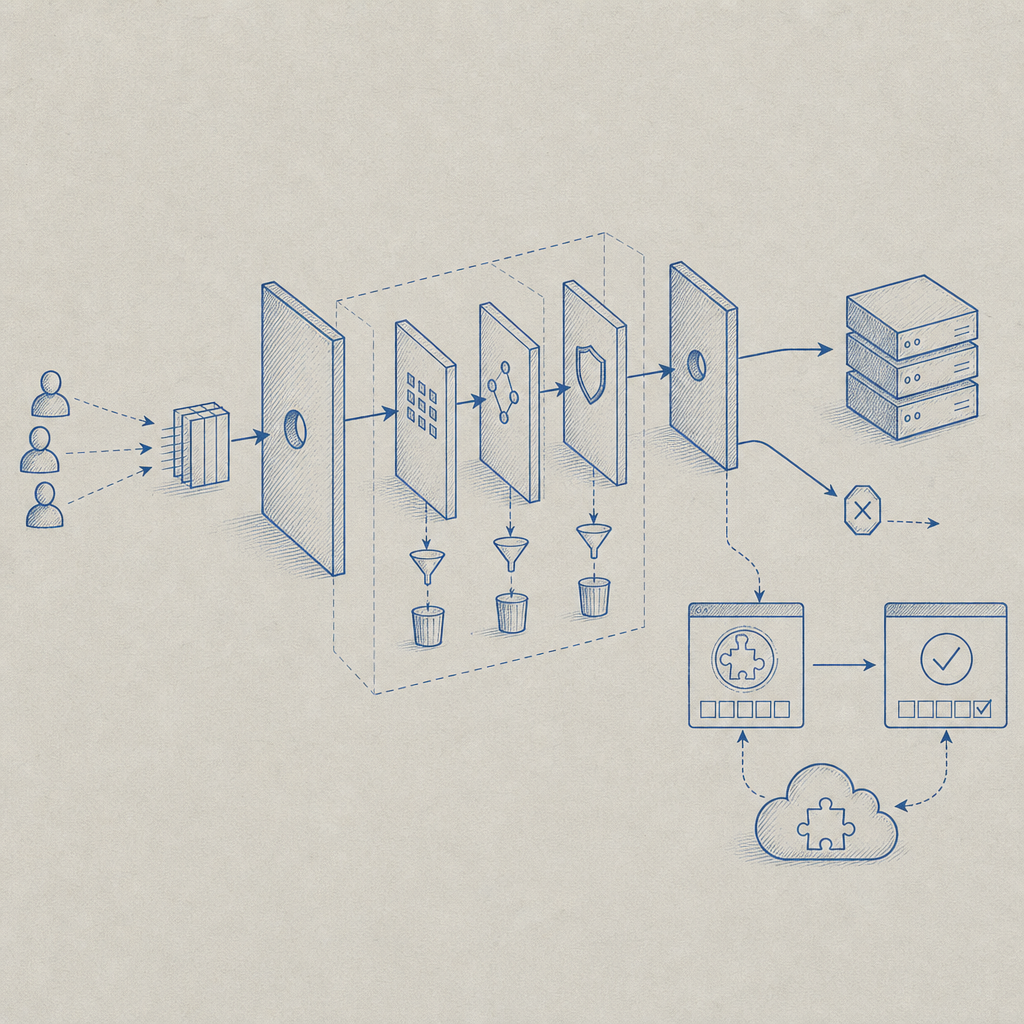
Typical Nginx techniques used for bot detection include:
- Filtering based on User-Agent strings commonly associated with bots or crawlers
- Rate limiting to restrict rapid, repeated requests from single IP addresses
- Access control rules to blacklist known malicious IPs or block TOR exit nodes
- Request header inspection for anomalies or missing values indicative of automated clients
However, these methods have limitations in accuracy, as sophisticated bots can spoof user agents or rotate IPs. That’s where API-driven solutions like CaptchaLa come in, offering modern CAPTCHA challenges and risk assessments that integrate seamlessly with Nginx.
Implementing Bot Detection with Nginx: Step-by-Step
Here’s a practical outline to boost bot defense on Nginx:
Basic Filtering by User Agent
Add rules in your Nginx config to block or challenge suspicious user agents:
nginxmap $http_user_agent $bad_bot { default 0; "~*bot|crawler|spider|curl|wget" 1; } server { if ($bad_bot) { return 403; } ... }This blocks known bot user agents but may also risk false positives.
Rate Limiting to Throttle Requests
Limit request rate to prevent rapid-fire attacks:
nginxlimit_req_zone $binary_remote_addr zone=one:10m rate=10r/s; server { location / { limit_req zone=one burst=20 nodelay; ... } }Integrate CAPTCHA Challenges
Use external APIs like CaptchaLa to challenge suspicious visitors dynamically.
- Configure Nginx to route traffic to a backend that calls CaptchaLa’s server SDK (e.g.,
captchala-phporcaptchala-go) - On failed validation or high risk, require users to solve a CAPTCHA challenge
- Configure Nginx to route traffic to a backend that calls CaptchaLa’s server SDK (e.g.,
Logging and Monitoring
Enable detailed logging of blocked requests to fine-tune rules and watch for evolving bot patterns:
nginxlog_format bot_blocked '$remote_addr - $remote_user [$time_local] ' '"$request" $status $body_bytes_sent ' '"$http_referer" "$http_user_agent"'; access_log /var/log/nginx/bot_blocked.log bot_blocked;
By combining these layers, you can build an Nginx-based solution that balances performance with proactive bot filtering.
Comparing Bot Detection Options for Nginx Integration
Here is a summary comparison including CaptchaLa and major alternatives:
| Feature | CaptchaLa | Google reCAPTCHA | hCaptcha | Cloudflare Turnstile |
|---|---|---|---|---|
| Nginx-friendly SDKs | PHP, Go, JavaScript SDK available | Official APIs, but no direct SDK | APIs, no official Nginx modules | Requires Cloudflare proxy |
| Customizable UI | Yes, 8 UI languages supported | Limited customization | Moderate customization | Minimal UI customization |
| Privacy Considerations | Uses first-party data only | Sends data to Google | Data collected by hCaptcha | Relies on Cloudflare network |
| Pricing | Free tier (1,000/mo), Pro and Business plans | Free with usage limits | Free tier + paid plans | Free for Cloudflare users |
| Challenge Types | Classic CAPTCHAs & invisible options | Image, checkbox, invisible | Image challenges & invisible | Invisible challenge |
Each service fits different needs. CaptchaLa is especially suited for privacy-aware deployments and those wanting native SDKs tailored for various backend environments, including seamless validation from an Nginx proxy.
Integrating CaptchaLa with Nginx
CaptchaLa provides REST APIs and SDKs that can be integrated behind Nginx to add dynamic bot verification based on risk scores.
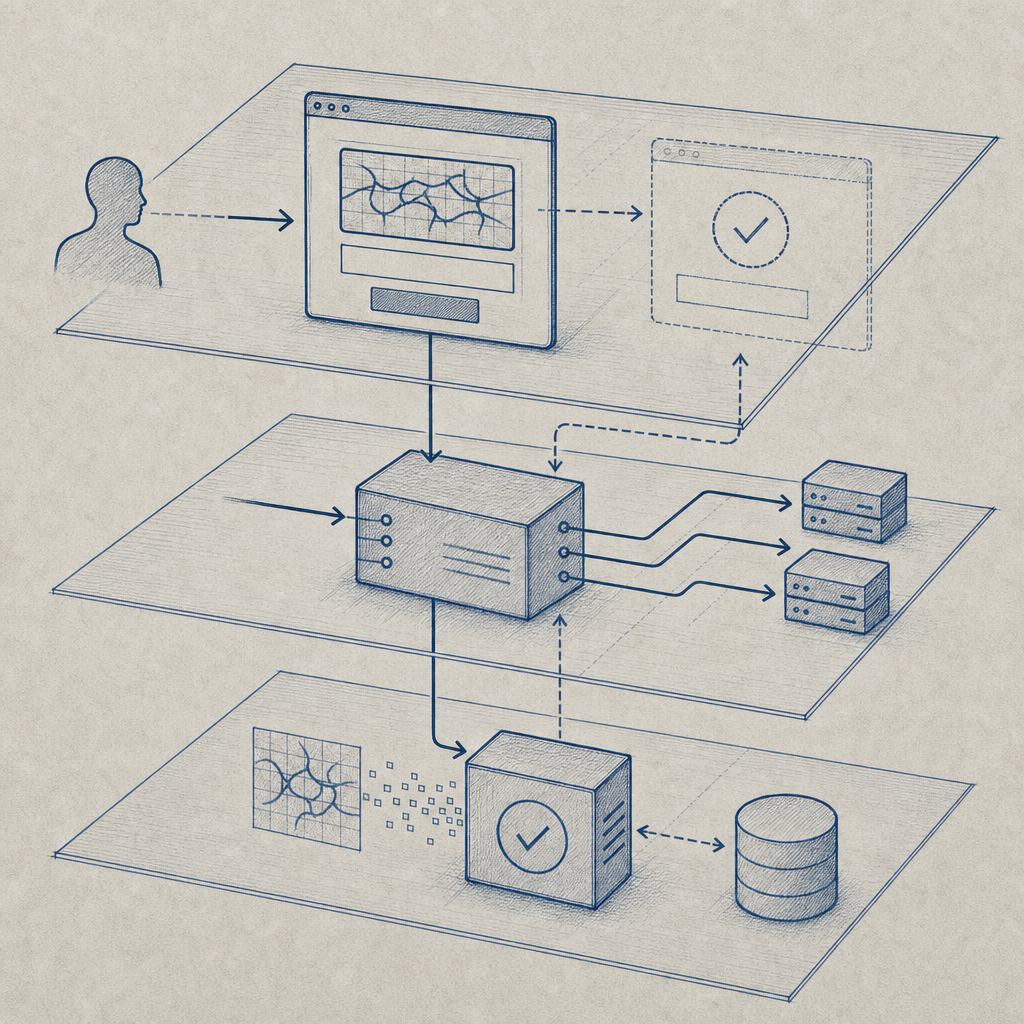
A typical flow:
- Nginx forwards suspicious requests to your web app
- Your app requests a challenge token from CaptchaLa’s server API (
POST /server/challenge/issue) - The challenge token is passed to the frontend loader script (
https://cdn.captcha-cdn.net/captchala-loader.js) which presents the CAPTCHA challenge to the user - After solving, the frontend sends the
pass_tokenalongside the user request to your backend - Backend validates the token via CaptchaLa’s validation API (
POST /v1/validate) - Depending on success/failure, Nginx serves or blocks the request
This decouples bot detection processing from Nginx, allowing flexibility and easy updates without changing your web server logic.
Here is an example snippet to call CaptchaLa validation from a PHP backend linked to an Nginx deployment:
<?php
// PHP example to validate CaptchaLa token server-side
$pass_token = $_POST['pass_token'] ?? '';
$client_ip = $_SERVER['REMOTE_ADDR'];

$response = file_get_contents('https://apiv1.captcha.la/v1/validate', false, stream_context_create([
    'http' => [
        'method' => 'POST',
        'header' => "Content-Type: application/json\r\nX-App-Key: YOUR_APP_KEY\r\nX-App-Secret: YOUR_APP_SECRET\r\n",
        'content' => json_encode(['pass_token' => $pass_token, 'client_ip' => $client_ip]),
    ]
]));

$result = json_decode($response, true);
if ($result['success'] ?? false) {
    // allow request
} else {
    // block request or serve CAPTCHA
}
?>
This integration keeps Nginx lean while leveraging CaptchaLa’s accurate bot detection and challenge system.
Tips for Successful Nginx Bot Detection Deployments
- Avoid overly aggressive blocking to reduce false positives; incorporate monitoring and manual review of logs
- Use API-based CAPTCHA services like CaptchaLa that respect privacy and support your native language and platform needs
- Combine rate limiting with challenge-response workflows for best outcomes
- Regularly update blocklists and user-agent filters as bot tactics evolve
- Test bot detection flows across different browsers and devices to ensure beneficial users are not inconvenienced
CaptchaLa offers extensive documentation with examples for Nginx and server SDKs, making integration straightforward. They also provide flexible pricing plans usable for projects ranging from small-scale sites to enterprise deployments.
For teams looking to enhance web defense on Nginx, combining native server rules with third-party CAPTCHA validation services provides a reliable balance of performance, security, and user experience. Explore CaptchaLa to get started with transparent, privacy-focused bot detection tailored for your stack. Check out the documentation to see detailed setup guides and SDK references.