
A bot detection kick is the moment your system decides a session looks automated enough to deny, challenge, or disconnect it. Done well, it stops scraping, credential stuffing, signup spam, and fake traffic without punishing legitimate users.
The important part is not just “blocking bots,” but deciding when to kick, what signal triggered the kick, and how to recover gracefully. A good implementation treats bot detection as a risk decision: allow, step up friction, or terminate the session based on confidence and context.
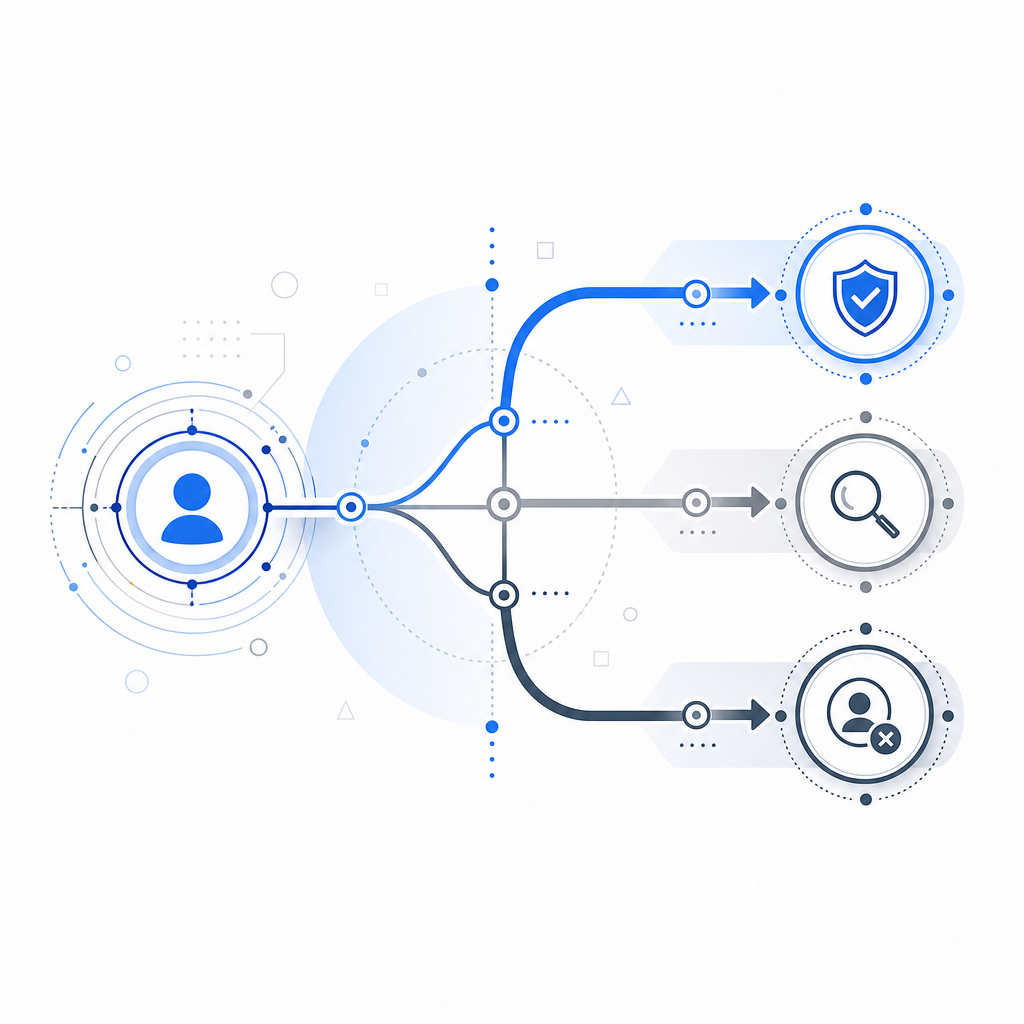
What a bot detection kick actually does
A bot detection kick is a defensive action taken after your system evaluates signals such as request velocity, browser integrity, token validity, IP reputation, device consistency, and interaction patterns. The “kick” can be immediate, or it can be one step in a graduated response.
In practical terms, a kick may look like one of these:
- Rejecting a request at the edge with a 403 or 429.
- Invalidating a session or one-time token server-side.
- Requiring a fresh challenge before sensitive actions continue.
- Detaching a websocket, event stream, or authenticated flow.
- Flagging the account for review while letting the user finish a lower-risk action.
The exact response should match the value of the protected action. A newsletter signup can tolerate more friction than a checkout session or admin login. That distinction matters because over-kicking legitimate traffic creates support tickets, abandoned carts, and angry users.
Signals that justify a kick
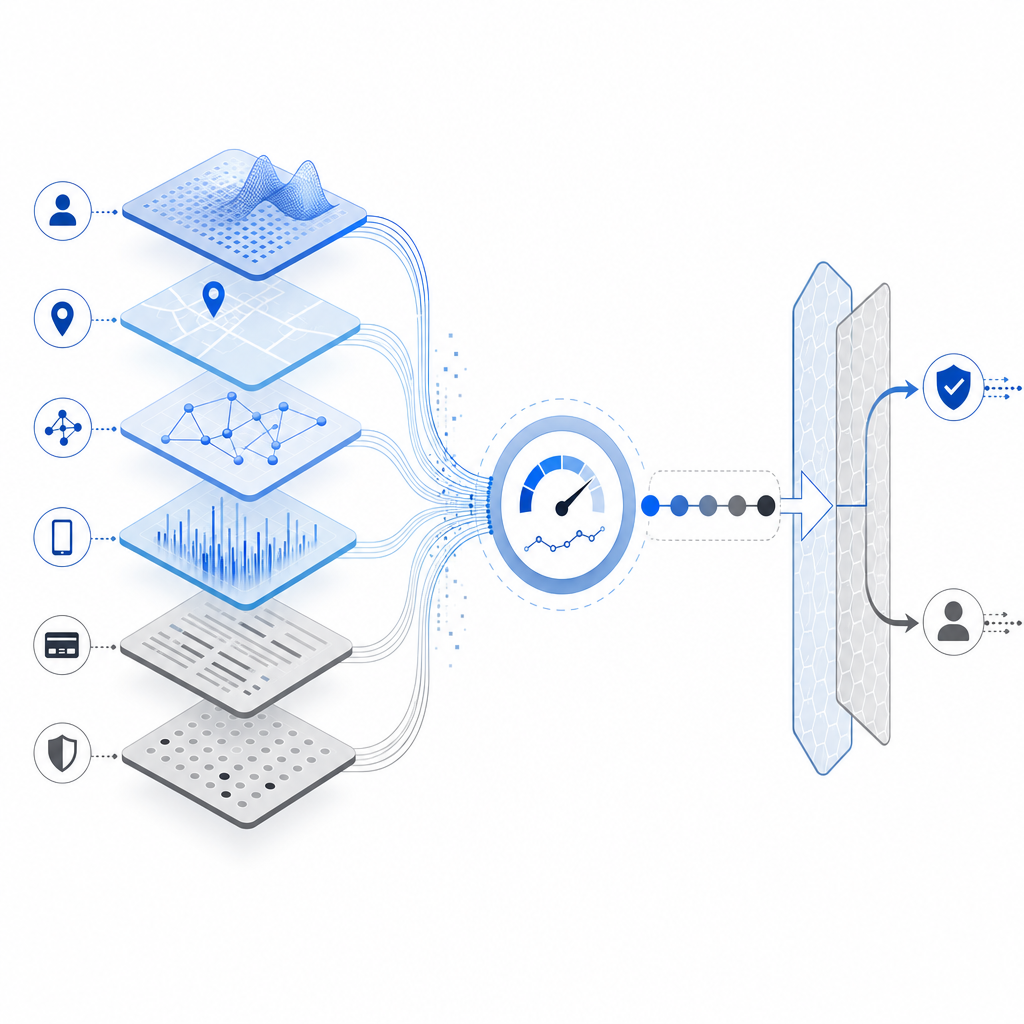
Good bot detection is rarely based on one signal alone. A meaningful kick is usually the result of several weak indicators lining up. That makes the decision more robust and harder to game.
Common inputs include:
- Rate anomalies: repeated requests from the same IP, subnet, device fingerprint, or account in a short interval.
- Token misuse: expired, replayed, malformed, or missing validation tokens.
- Behavioral mismatch: impossible mouse movement, no focus changes, or form submission timing that is too fast to be human.
- Session inconsistency: IP or user-agent shifts that do not match normal user movement.
- Request context: suspicious referrers, unusual endpoints, or attempts against high-value routes.
If you want a simple way to think about it, use three buckets:
- Low confidence: log and observe.
- Medium confidence: challenge.
- High confidence: kick.
That kind of escalation reduces false positives. It also gives your team room to tune policy by route, account age, geography, and transaction value instead of relying on one global threshold.
Building a bot detection kick that does not hurt real users
A harsh kick policy can be easy to implement and hard to live with. The better pattern is to separate signal collection, risk scoring, and enforcement.
1) Collect first-party signals
Use signals you can trust and explain. First-party data is especially valuable because it is gathered directly from your own application and request flow. That makes it easier to interpret and less dependent on opaque third-party heuristics.
CaptchaLa supports this style of implementation with web, mobile, and backend SDKs, plus validation endpoints you can call from your server. It also ships in 8 UI languages and supports native SDKs for Web (JS/Vue/React), iOS, Android, Flutter, and Electron, which helps teams keep the user experience consistent across surfaces.
2) Validate server-side before you kick
Client-side checks are useful, but a real kick decision should be confirmed server-side. One common pattern is:
- Frontend collects a pass token.
- Backend posts the token and client IP to your validation endpoint.
- Your application decides whether to allow, challenge, or deny.
A typical validation request looks like this:
POST https://apiv1.captcha.la/v1/validate
Headers:
  X-App-Key: your_app_key
  X-App-Secret: your_app_secret
Body:
  {
    "pass_token": "token_from_client",
    "client_ip": "203.0.113.10"
  }
For flows that need a one-time server token, CaptchaLa also provides a server-token endpoint:
POST https://apiv1.captcha.la/v1/server/challenge/issueThat separation is useful because it lets you treat the client token as a signal, not a final source of truth. If the token fails validation, or the request context looks wrong, you can kick the session with confidence.
3) Make the kick proportional
A proportional response is usually better than an immediate hard stop. For example:
- For a suspicious login: require a challenge.
- For repeated checkout abuse: block the cart or payment attempt.
- For mass signup abuse: rate-limit and invalidate disposable sessions.
- For API scraping: return 429 with a short retry window, then escalate to deny.
That approach preserves legitimate traffic while raising the cost of abuse. It also makes your logs easier to interpret because each enforcement step corresponds to a specific risk level.
How major CAPTCHA and bot-defense options compare
Different products optimize for different tradeoffs. Some are focused on ease of deployment, others on user experience, and others on broader edge protection.
| Tool | Typical fit | Notes |
|---|---|---|
| reCAPTCHA | Broad web coverage | Widely recognized; often used for challenge-based protection. |
| hCaptcha | Privacy-conscious deployments | Frequently chosen when teams want an alternative challenge flow. |
| Cloudflare Turnstile | Lightweight friction reduction | Good for reducing user interaction in many web flows. |
| CaptchaLa | App, API, and multi-platform validation | Supports web, mobile, desktop, and server-side validation with first-party data only. |
If you are comparing options, the real question is less “which brand is stronger” and more “which enforcement model fits my stack?” If your app spans web plus mobile plus Electron, you may value shared validation semantics and SDK consistency more than a single-page website would.
CaptchaLa’s public docs at docs are useful if you want to see the implementation details before you commit, and the pricing page is straightforward if you are estimating volume. The available plans are designed around practical usage bands: Free tier at 1,000 checks per month, Pro at 50K–200K, and Business at 1M.
A practical implementation pattern
Here is a simple defender-side flow that works well for signup, login, and high-risk forms:
- Render the challenge or loader in the client.
- Collect a pass token after the user passes the interaction.
- Send the token to your backend with the request’s client IP.
- Validate the token against the server API.
- If validation fails, kick the session or require step-up verification.
- If validation succeeds, attach a short-lived trust flag to the session.
- Re-check trust for sensitive actions instead of assuming one pass lasts forever.
In pseudocode, that can look like this:
// English comments only
async function handleProtectedAction(req, res) {
  const { pass_token, client_ip } = req.body;

  const validation = await validateTokenOnServer({
    pass_token,
    client_ip
  });

  if (!validation.ok) {
    // Kick the request if the token is invalid or reused
    return res.status(403).json({ error: "bot-detected" });
  }

  // Allow the protected action
  return res.status(200).json({ ok: true });
}
The key design choice is that the kick happens after a trustworthy server decision, not just because the client looked odd. That lowers false positives and makes auditing much easier when you review logs later.
Tuning your kick policy over time
You do not want to set a bot detection kick once and forget it. Attackers adapt, traffic patterns drift, and product flows change.
A better tuning loop looks like this:
- Review false positives by route, device type, and geography.
- Track conversion impact on challenged versus kicked sessions.
- Separate abuse cases by type: credential stuffing, scraping, fake signup, carding, and promo abuse.
- Adjust thresholds for high-value actions first.
- Keep challenge copy and fallback paths clear for real users.
Also, pay attention to observability. If you cannot answer “why was this session kicked?” then the policy is too opaque. Log the signal set, the score, the threshold, and the final decision. That makes it possible to explain outcomes to support, security, and product teams without guessing.
A well-tuned kick policy should feel boring in the best possible way: few surprises for real users, higher costs for attackers, and clear evidence for every enforcement decision.
Where to go next: if you are planning a rollout, start with the docs or review pricing to match volume to your expected traffic.