
Bot detection for Instagram is the practice of identifying automated activity—fake signups, credential stuffing, mass follows, spam DMs, scraping, and scripted abuse—before it distorts your product, analytics, and user trust. If you run an Instagram-connected app, campaign, or login flow, you need both client-side signals and server-side validation to separate real users from automation.
That matters because Instagram-adjacent abuse usually looks “human enough” at first glance. The traffic may come from real browsers, rotate IPs, and pace requests to avoid simple rate limits. Good detection therefore has to look at behavior, device consistency, challenge outcomes, and server-verified tokens, not just whether a request came from a known bad IP.

What bot abuse looks like around Instagram
When people say “bot detection Instagram,” they often mean more than one problem:
- Fake account creation to inflate reach, farm referrals, or test stolen emails.
- Credential stuffing against login endpoints.
- Spam actions such as repetitive likes, follows, comments, and DMs.
- Scraping public profiles, follower graphs, hashtags, or posts.
- Promo abuse where bots repeatedly claim coupons, freebies, or contest entries.
From a defender’s point of view, the challenge is that each abuse pattern leaves different signals. Signups may come in bursts from the same ASN. Scraping may use headless browsers with odd timing. DM spam may reuse content with tiny variations. A solid bot-defense plan doesn’t rely on one rule; it layers several.
Signals worth watching
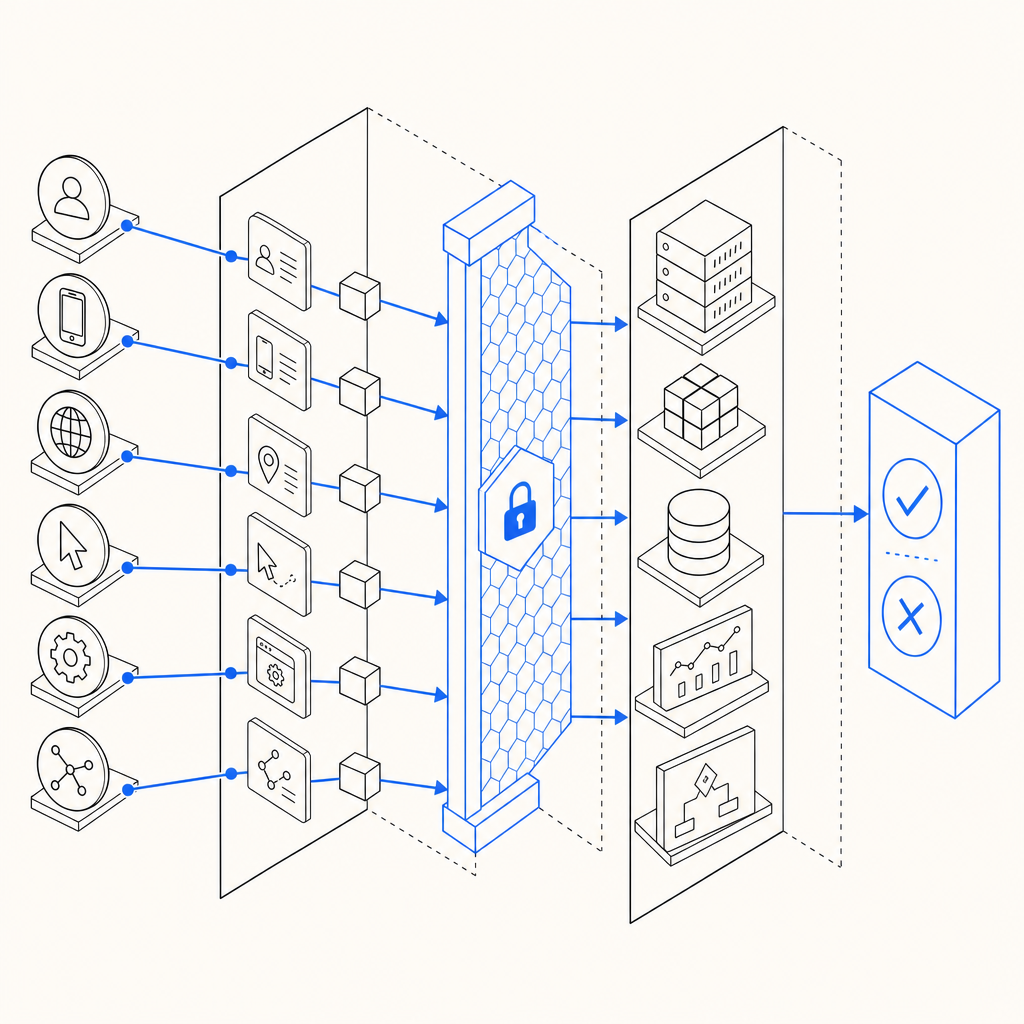
A practical detection stack usually combines:
- Request velocity: too many attempts per minute from one IP, subnet, account, or device fingerprint.
- Behavioral consistency: identical mouse movement, keystroke timing, or scroll depth across sessions.
- Browser integrity: unexpected JavaScript environment changes, missing APIs, or automation fingerprints.
- Token reuse: the same challenge response appearing multiple times.
- Risky account patterns: newly created profiles that immediately mass-act on others.
The key is to score these signals together. A single suspicious signal might be a false positive; several together can justify a challenge or a block.
What effective bot detection should do
Bot detection is not only about blocking. On Instagram-related flows, you usually want a graduated response:
- Allow low-risk users with no friction.
- Challenge uncertain traffic with a CAPTCHA or similar step.
- Deny or throttle high-confidence abuse.
- Log enough evidence to tune rules later.
This is why server verification matters. Client-side checks can detect automation hints, but attackers can still tamper with the browser. The server should validate that a challenge token was issued for the current session and that the token is tied to your app’s secret.
For example, CaptchaLa’s validation flow is built around first-party verification: your backend sends a pass_token and client_ip to the validation endpoint with your app credentials, and the decision comes back from the server rather than being trusted in the browser. That makes it much harder to spoof than a purely client-side check. CaptchaLa also supports native SDKs for Web, iOS, Android, Flutter, and Electron, which helps if your Instagram workflow spans mobile and desktop.
A quick comparison of common approaches
| Approach | Strengths | Weaknesses | Good fit |
|---|---|---|---|
| reCAPTCHA | Familiar to many teams; broad ecosystem | Can add friction; some users dislike the UX | General web forms, login gates |
| hCaptcha | Strong abuse coverage; flexible deployment | Still a visible challenge step | High-abuse public forms |
| Cloudflare Turnstile | Low-friction for many sites | Best when you already use Cloudflare | Edge-protected web properties |
| First-party CAPTCHA + server validation | More control over UX and telemetry | You must integrate and tune it | Apps that need custom flows and tighter control |
None of these are universally “better.” The right choice depends on your traffic, threat model, and how much control you want over the user experience.
How to wire bot detection into an Instagram-related flow
If you’re protecting an Instagram-related sign-in, signup, promo, or content submission flow, use a simple integration pattern:
- Render the challenge on risky actions only. Don’t interrupt every page view.
- Collect the challenge result on the client.
- Send the result to your backend immediately.
- Validate server-side before completing the action.
- Bind the token to the current IP or session context when possible.
- Log outcomes for tuning and incident review.
A backend validation step is the difference between “the browser says this is fine” and “our server verified this response for this user.”
Here’s a minimal example of how a validation check can look in code:
// English comments only
async function verifyCaptcha(passToken, clientIp) {
  const res = await fetch("https://apiv1.captcha.la/v1/validate", {
    method: "POST",
    headers: {
      "Content-Type": "application/json",
      "X-App-Key": process.env.CAPTCHALA_APP_KEY,
      "X-App-Secret": process.env.CAPTCHALA_APP_SECRET
    },
    body: JSON.stringify({
      pass_token: passToken,
      client_ip: clientIp
    })
  });

  if (!res.ok) {
    throw new Error("Validation failed");
  }

  return await res.json();
}
If you need to issue a server-side challenge token first, CaptchaLa also exposes a server-token endpoint at POST https://apiv1.captcha.la/v1/server/challenge/issue. That can be useful when your workflow is initiated from trusted backend logic rather than directly from the browser.
For teams integrating quickly, the product docs are worth skimming before implementation: docs. If you want to estimate usage against your traffic, pricing shows the free and paid tiers clearly. CaptchaLa’s loader is available at https://cdn.captcha-cdn.net/captchala-loader.js, and its server SDKs include captchala-php and captchala-go.
Tuning your rules without punishing real users
The most common mistake in bot detection is over-blocking. Instagram communities can be highly mobile, highly shared, and highly global. Real users may:
- switch devices often,
- use carrier NAT,
- browse through privacy tools,
- or submit forms in bursts during campaigns.
So your bot defense should be adaptive, not rigid.
Start with a risk ladder
A useful policy ladder looks like this:
- Low risk: no challenge, normal flow.
- Medium risk: require a CAPTCHA or email verification.
- High risk: require challenge plus rate limiting.
- Very high risk: block, quarantine, or escalate to manual review.
This keeps friction proportional to the confidence of your signal. It also gives you a path to soften restrictions if a rule starts catching legitimate traffic.
Log the right evidence
When you review abuse patterns, capture:
- timestamp,
- IP and ASN,
- user agent,
- challenge outcome,
- endpoint hit,
- account age,
- request frequency,
- and whether the action was completed.
That data helps you answer questions like: “Are we seeing one bot swarm or many?” and “Is the abuse concentrated on signup or on messaging?”
If you use CaptchaLa, make sure your backend logs the validation result alongside the request metadata. That gives you a clean audit trail when you need to refine thresholds or investigate a spike.
Building for real traffic, not just tests
A lot of detection logic works fine in a lab and then collapses under real-world use. Instagram-related traffic is noisy, international, and bursty. The goal isn’t perfect bot elimination; it’s reducing abuse enough that it stops being economical.
To keep the system practical:
- test on real traffic samples, not just synthetic bots,
- measure false positives separately from block rate,
- review borderline cases weekly,
- and keep the user journey as short as possible when friction is required.
Also remember that first-party data is the safest basis for decision-making. If your app can observe the action directly—timing, session continuity, token issuance, and server validation—you’re in a stronger position than if you rely on third-party lists or assumptions.
For many teams, the right setup is a blend: platform-level rate limits, application-level risk scoring, and a challenge layer for uncertain cases. That combination tends to work better than any single gate.
Where to go next: if you’re mapping out a rollout, start with the docs and compare usage tiers on the pricing page.