
Bot detection in Qualtrics is about separating real respondents from automated traffic before it pollutes survey results, quotas, and downstream analysis. The practical answer is: use layered checks, place challenge logic at the right entry points, and validate responses server-side so a scripted submission never looks like a legitimate human response.
Qualtrics is often used for surveys, research panels, onboarding flows, and event forms, which makes it a tempting target for spam, duplicate submissions, and scripted abuse. If you only rely on simple rate limits or hidden fields, bots will eventually find a way around them. A better approach is to combine behavioral filtering, challenge tokens, and backend validation so you can score or block suspicious traffic without turning every respondent experience into a hurdle.
Why Qualtrics surveys attract bots
Survey abuse usually isn’t glamorous. It’s more like a slow leak: a few fake starts here, a flood of duplicate completes there, and suddenly your sample quality is off. Common patterns include:
- Automated form fills that test open survey links at scale.
- Duplicate response farming to claim incentives or quotas.
- Spam submissions that pollute open-ended questions with nonsense text.
- Credential or link-sharing abuse in private research panels.
- “Low and slow” traffic that looks human enough to bypass basic thresholds.
The reason bot detection in Qualtrics needs special care is that surveys are designed for accessibility and low friction. That’s good for real respondents, but it also means bots don’t need much effort to submit a form. If your research or customer operations depend on accurate response data, the cost of false submissions is not just noise; it’s wrong decisions.
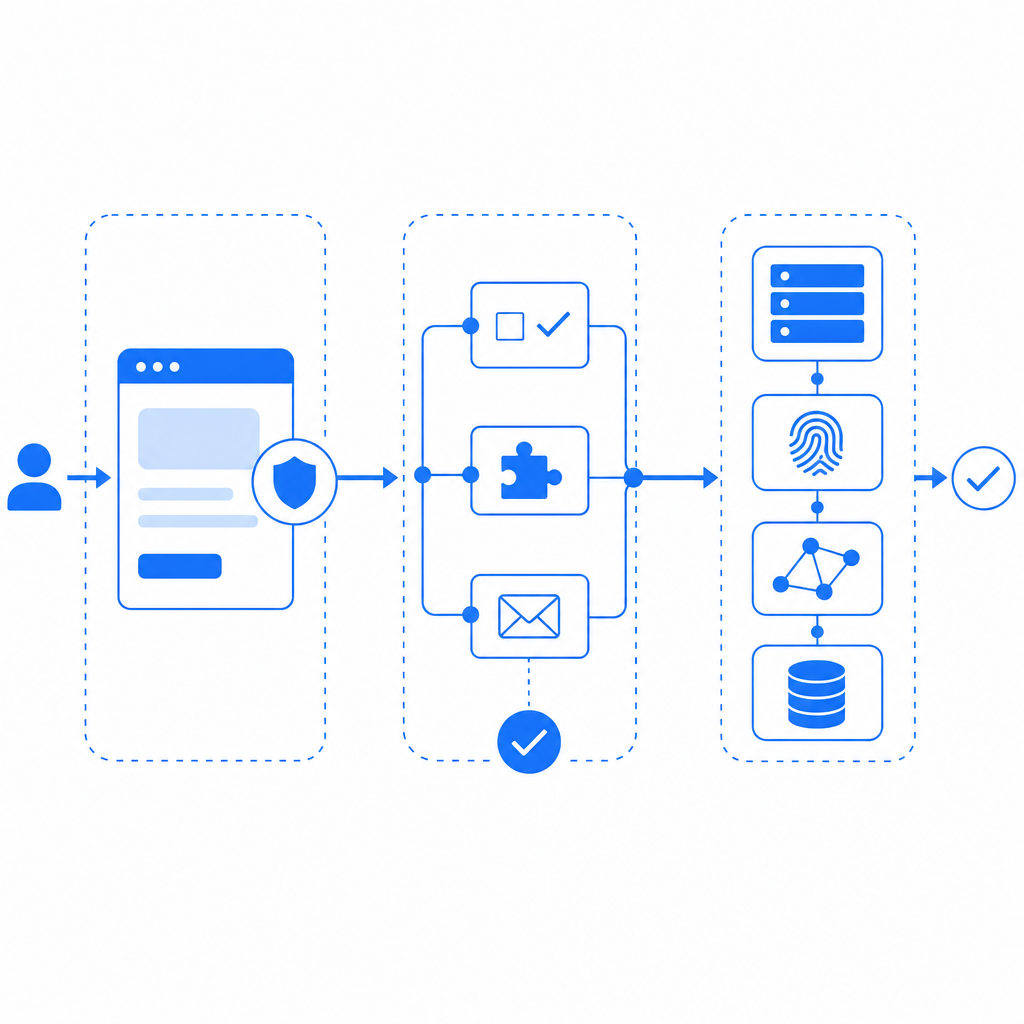
A useful mental model is to treat the survey as a trust pipeline. You can collect signals at the page level, the session level, and the server level. The more independent signals you have, the harder it becomes for automation to blend in.
What a good defense layer should do
A strong defense for Qualtrics-adjacent workflows should not depend on a single checkbox or a single JavaScript trick. It should do three things well: detect suspicious patterns, issue a verifiable pass token, and validate that token on your backend before you accept a response.
Here’s a simple comparison of common approaches:
| Approach | Strengths | Weaknesses | Best use |
|---|---|---|---|
| Basic hidden field | Easy to add | Trivial to bypass | Very low-risk forms |
| IP rate limiting | Fast, simple | Shared networks can cause false positives | Burst control |
| reCAPTCHA / hCaptcha / Turnstile | Widely recognized, decent friction balance | UX tradeoffs vary; integration effort differs | Public forms, login-like gates |
| Server-side token validation | Stronger trust boundary | Requires backend work | High-value surveys and incentives |
| Behavioral + token layering | Best coverage | More setup | Research, panels, and fraud-sensitive intake |
If you want better coverage without building everything from scratch, a service like CaptchaLa can sit in front of the submission flow and return a pass token that your server verifies. The important detail is that the validation happens on your server, not only in the browser. That keeps the trust decision away from client-side code a bot can tamper with.
CaptchaLa also supports first-party data only, which matters if your survey or research program has stricter data handling requirements. It includes 8 UI languages and native SDKs for Web (JS, Vue, React), iOS, Android, Flutter, and Electron, so you can place the challenge where the respondent actually interacts with the form rather than bolting on a separate experience.
How to wire bot detection into a Qualtrics flow
Qualtrics implementations vary a lot, so the exact integration point depends on how you collect responses. The pattern below is the same whether you’re embedding a form, redirecting to a hosted intake page, or passing respondents through a custom front end before they land in Qualtrics.
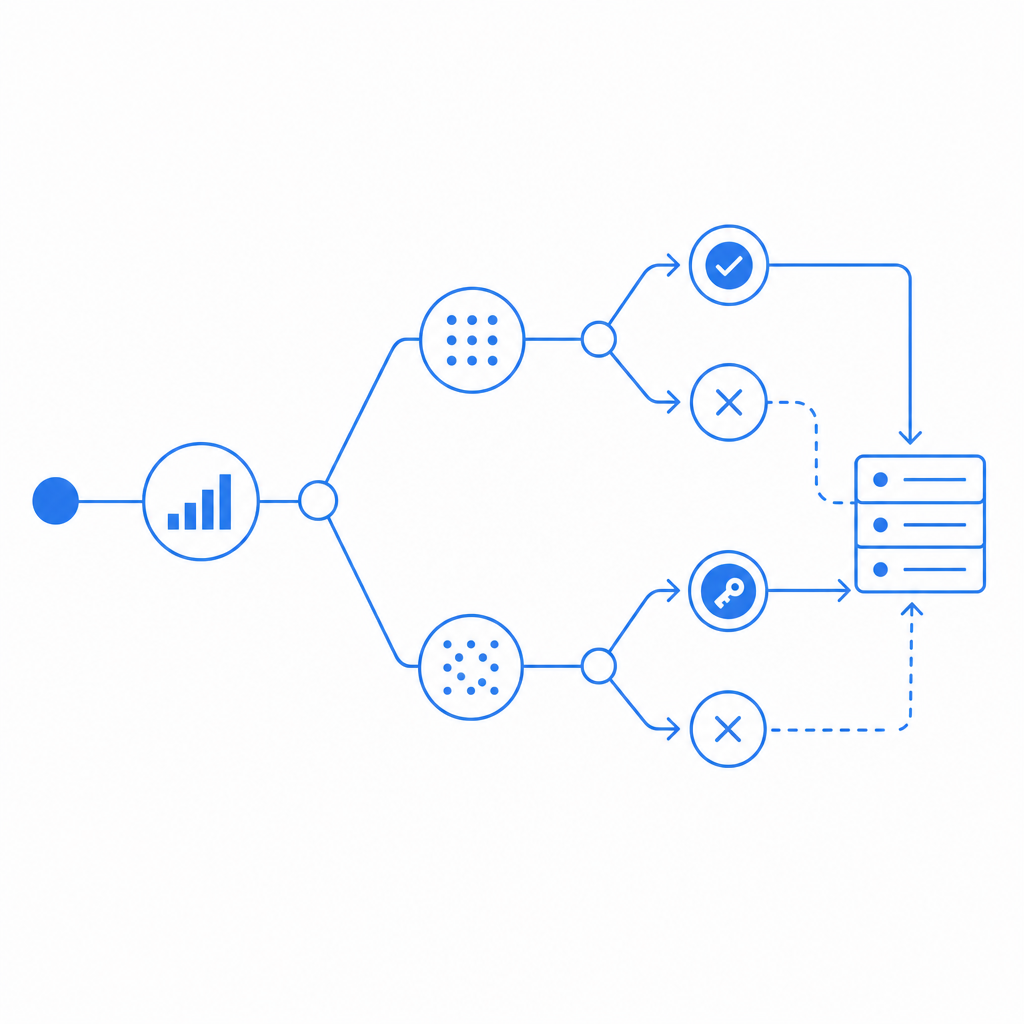
A practical flow
- Load the client script on the entry page.
- Render the challenge only when the session looks suspicious or the route is high risk.
- Receive a pass token after the challenge succeeds.
- Submit the token alongside the form payload.
- Validate the token on your backend using your app key and secret.
- Only then forward, store, or mark the response as accepted.
A minimal server-side validation call looks like this:
# Verify the pass token before accepting the survey submission
curl -X POST "https://apiv1.captcha.la/v1/validate" \
  -H "X-App-Key: YOUR_APP_KEY" \
  -H "X-App-Secret: YOUR_APP_SECRET" \
  -H "Content-Type: application/json" \
  -d '{
    "pass_token": "TOKEN_FROM_CLIENT",
    "client_ip": "203.0.113.10"
  }'
If you need to issue a server token for a challenge orchestration flow, the endpoint is:
# Create a server-side challenge token when your rules decide it is needed
curl -X POST "https://apiv1.captcha-la/v1/server/challenge/issue" \
  -H "X-App-Key: YOUR_APP_KEY" \
  -H "X-App-Secret: YOUR_APP_SECRET"
You can also serve the loader from:
https://cdn.captcha-cdn.net/captchala-loader.jsFor teams using Java backend stacks, the Maven package is la.captcha:captchala:1.0.2. iOS teams can use Captchala 1.0.2 via CocoaPods, and Flutter projects can use captchala 1.3.2 from pub.dev. Server-side SDKs are available as captchala-php and captchala-go, which makes it easier to keep the trust decision in your application layer instead of in the survey client alone.
Where to place the check
You usually get the most value from bot detection in Qualtrics when you protect one of these points:
- The initial landing page before the survey starts
- A registration or panel-gating page
- Any incentive claim or completion confirmation step
- A redirect page that feeds the final response into Qualtrics
If you only challenge after the respondent has already spent ten minutes answering questions, you may still end up paying the cost of fake traffic. Earlier is usually better, but you should avoid challenging every single user if your traffic mix is mostly legitimate. Risk-based gating is often the sweet spot.
Choosing between CaptchaLa and other CAPTCHA options
reCAPTCHA, hCaptcha, and Cloudflare Turnstile all solve related problems, and the right choice depends on your traffic, privacy posture, and implementation preferences. The main difference is usually not “does it work?” but “how much friction, integration effort, and data handling do I want?”
A quick objective view:
- reCAPTCHA: familiar to many users, broad adoption, but the UX can feel heavier depending on the version and configuration.
- hCaptcha: common in security-conscious deployments, flexible, and often chosen when teams want a CAPTCHA-style step with strong bot pressure.
- Cloudflare Turnstile: aims for lower-friction verification and works well when you are already in the Cloudflare ecosystem.
- CaptchaLa: useful when you want a first-party data posture, multiple SDK options, and a server-validated token flow you can fit into custom survey or intake paths.
For Qualtrics use cases, the best tool is the one that matches your operational constraints. If your research workflow already has a backend, you can make the validation decision there and keep the respondent experience minimal. If you need to support multiple platforms, the availability of native SDKs can save time, especially for mobile and hybrid entry points.
Operational tips for keeping false positives low
Bot defense is only useful if real respondents can still get through. A few practical habits help a lot:
- Log validation failures separately from ordinary submission errors.
- Compare response timing, IP repetition, and token success rates over time.
- Whitelist internal QA traffic and test devices explicitly.
- Watch for unusual completion spikes by referrer, geography, or ASN.
- Revisit challenge thresholds when you launch a new panel or incentive.
It also helps to think of your protection as a policy layer, not just a widget. For example, a high-risk survey might require a challenge on the first visit, while a low-risk feedback form only triggers it after suspicious velocity or repeated submissions. That keeps your response rate healthy while still reducing abuse.
If you want to evaluate how this would fit into your setup, the docs are a useful place to start, and the pricing page can help you map expected volume to a plan before you wire anything into production.
Where to go next: review the integration examples in the docs and compare plan tiers on pricing so you can choose a setup that fits your Qualtrics workflow.