
Bot detection in Auth0 is about strengthening authentication flows to distinguish real users from automated bot traffic. Since Auth0 handles user identity and access management, protecting login, signup, and password reset endpoints from abuse is critical. Implementing bot detection efficiently minimizes credential stuffing, brute force attacks, and fake registrations — all of which compromise account security and user experience.
Auth0 provides flexible extensibility for adding bot defense mechanisms, but selecting the right approach involves balancing security, user friction, and integration complexity. This guide explains how bot detection works with Auth0, compares common CAPTCHA options, and highlights integration best practices, including practical tips for using the independent CAPTCHA provider CaptchaLa.
Bot Detection Mechanisms in Auth0 Explained
By default, Auth0’s primary goal is to authenticate users correctly; it does not provide built-in advanced bot detection. Instead, Auth0 enables integration of third-party CAPTCHA and bot mitigation services via rules, actions, or hooks.
How CAPTCHA Enhances Bot Detection in Auth0
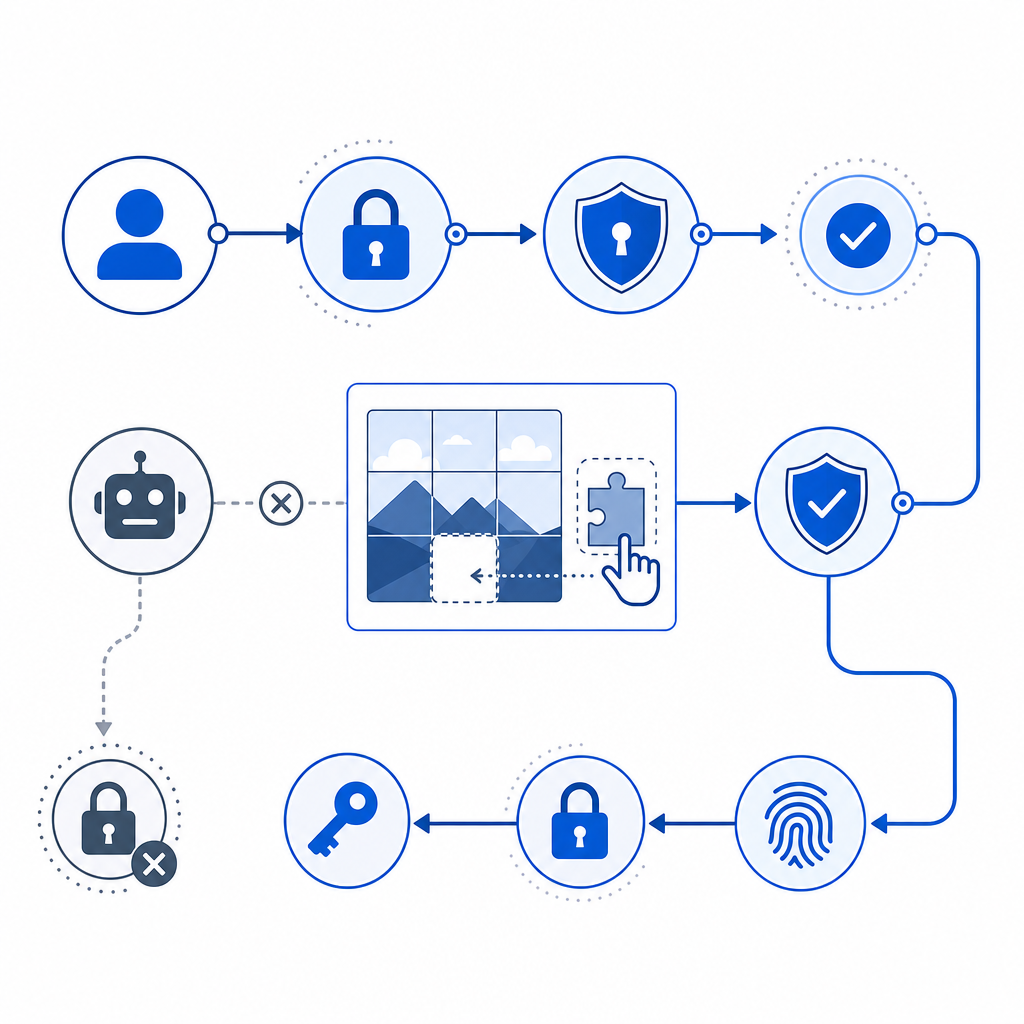
A CAPTCHA challenges suspicious interactions to verify humans via puzzles, image selection, or behavioral analysis. Within Auth0, CAPTCHA typically integrates at:
- Login screen to block automated brute-force password attempts
- Signup page to prevent mass fake account creation
- Password reset requests to curb abuse or spam
CAPTCHA solutions provide tokens that can be verified server-side before allowing authentication to proceed. This additional layer deters bots without requiring full custom bot-detection system development.
Native Auth0 Features Supporting Bot Defense
Auth0 includes features such as:
- Login Attempts Anomaly Detection: Flags unusual numbers or patterns of failed login attempts
- Actions and Rules: Custom logic point to insert CAPTCHA challenges or additional verification
- Bot Deterrent Rules: Pattern detection for suspicious IP addresses or rapid-fire requests
However, combining these with CAPTCHA solutions enhances bot detection significantly.
Comparing CAPTCHA Solutions for Auth0 Integration
Popular CAPTCHA providers compatible with Auth0 include:
| Feature | reCAPTCHA (Google) | hCaptcha | Cloudflare Turnstile | CaptchaLa (captcha.la) |
|---|---|---|---|---|
| Challenge Types | Image, checkbox, invisible | Image, checkbox, invisible | Invisible, checkbox | Image, behavioral and interactive |
| Privacy Focus | Google data processing | Privacy-focused | Privacy-focused (Cloudflare) | Emphasizes first-party data, limiting 3rd-party tracking |
| UI Languages Supported | Limited | Multi-language | Limited | 8 supported languages |
| SDKs | Web JS | Web JS | Web JS | Web (JS/Vue/React), native iOS, Android, Flutter, Electron SDKs |
| Server Token Validation | Yes | Yes | Yes | Yes, with POST validation and server token issuance |
| Free Tier | Generous | Generous | Included with Cloudflare plan | Free 1000/month, scaling to 1M with Pro/Business |
| Customization Options | Limited UI customization | Moderate | Minimal | Configurable UI, brandable challenge experience |
Each service comes with trade-offs in privacy, ease of integration, customization, and user experience. For example, Google reCAPTCHA is widely used but may send user data to Google. hCaptcha and Turnstile prioritize privacy but differ in UI style and SDK maturity.
CaptchaLa stands out by focusing on first-party data usage and providing native SDKs for multiple platforms, including Web frameworks and mobile, simplifying deep integration in Auth0 custom flows without third-party tracking concerns.
Implementing Bot Detection in Auth0 with CAPTCHA
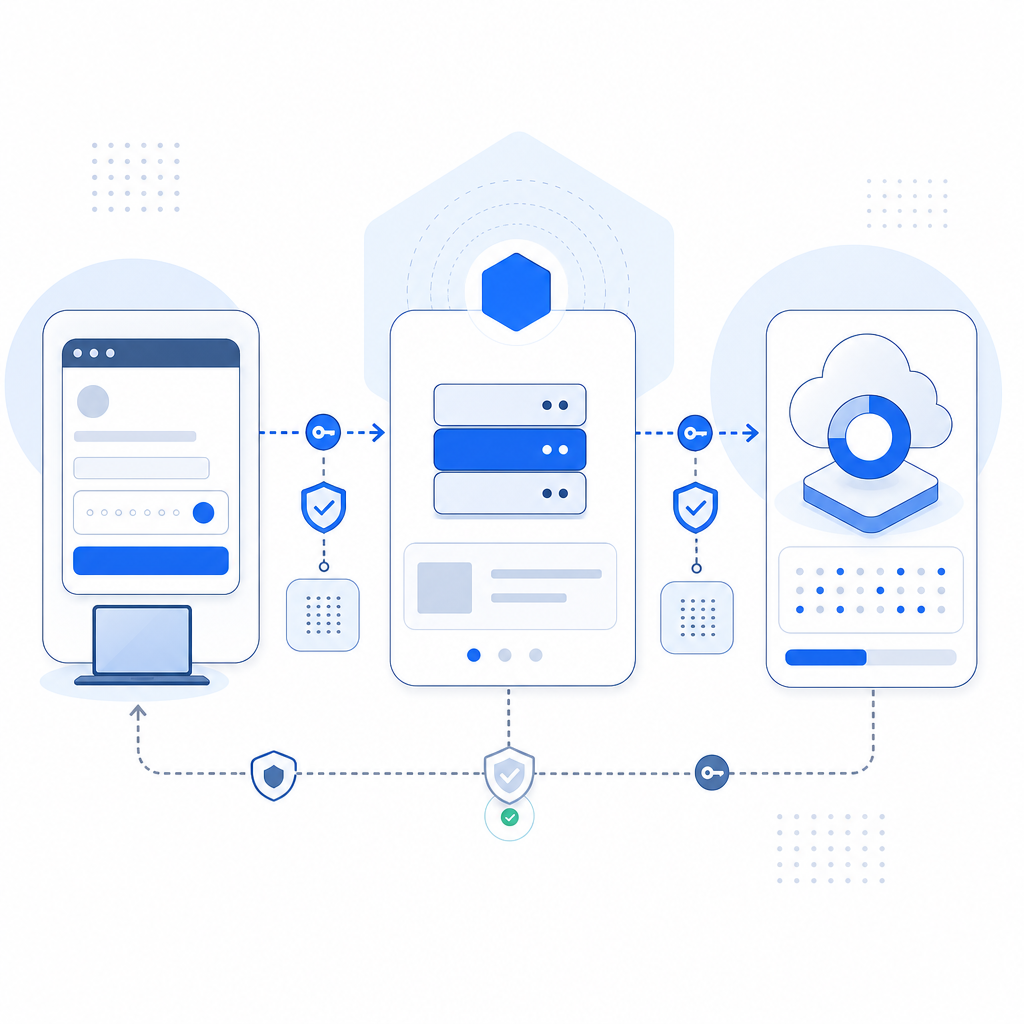
Here’s a high-level workflow for adding CAPTCHA to your Auth0 login:
- Embed CAPTCHA Widget: Add the CAPTCHA JavaScript widget to the login or signup page.
- User Interaction: End user solves CAPTCHA challenge during authentication attempt.
- Submit Token: The CAPTCHA widget generates a token upon success, sent alongside login credentials.
- Backend Verification: Auth0 rules or Actions call the CAPTCHA provider API server-side to verify token validity.
- Authentication Decision: If CAPTCHA passes, proceed with login; if not, reject with error.
Sample Rule Snippet for CaptchaLa Validation
// Auth0 Rule to verify CaptchaLa token during login
function (user, context, callback) {
  const axios = require('axios');
  const token = context.request.body.pass_token;
  const ip = context.request.ip;

  if (!token) {
    return callback(new UnauthorizedError('Missing CAPTCHA token'));
  }

  axios.post('https://apiv1.captcha.la/v1/validate', {
    pass_token: token,
    client_ip: ip
  }, {
    headers: {
      'X-App-Key': configuration.CAPTCHALA_APP_KEY,
      'X-App-Secret': configuration.CAPTCHALA_APP_SECRET
    }
  })
  .then(response => {
    if (response.data.success) {
      callback(null, user, context);
    } else {
      callback(new UnauthorizedError('CAPTCHA verification failed'));
    }
  })
  .catch(() => callback(new UnauthorizedError('CAPTCHA service error')));
}
This rule ensures only successfully validated CAPTCHA tokens allow authentication to proceed, effectively blocking bots from abusing login endpoints.
Integration Tips
- Use native SDKs by CaptchaLa for smoother frontend integration: React, Vue, or plain JS.
- Configure multi-language support to accommodate global users.
- Test CAPTCHA triggers carefully to avoid hurting user experience with unnecessary challenges.
- Monitor CAPTCHA failure rates via analytics to adjust sensitivity.
When to Use a Dedicated CAPTCHA SaaS for Auth0 Bot Detection
While Auth0’s anomalies detection and rules are helpful, sophisticated bot attacks require robust CAPTCHA layers. Dedicated CAPTCHA providers like CaptchaLa offer:
- Lower false positives and more reliable human verification
- Control over data privacy and localization
- Multiple challenge formats for accessibility and security balance
- Faster innovation with SDK updates and reporting
If your Auth0 tenant involves high attack exposure or regulatory constraints around data privacy, a standalone CAPTCHA service integrated via Auth0 Actions or Rules is a practical choice.
Conclusion
Bot detection in Auth0 depends heavily on complementing native user authentication with proven CAPTCHA systems. Evaluating options like reCAPTCHA, hCaptcha, Cloudflare Turnstile, and CaptchaLa enables selection tailored to security needs, privacy requirements, and user experience priorities.
CapthcaLa’s support for multiple frontend frameworks, mobile SDKs, and a free tier makes it a flexible solution worth considering when integrating bot defense into Auth0 authentication flows.
For detailed integration guides, SDK references, and pricing plans, visit the CaptchaLa docs and pricing pages.
Where to go next? Explore the CaptchaLa SDKs and start adding CAPTCHA challenges that strengthen your Auth0 security without compromising convenience.