
Bot detection imperva is usually about one question: how do you tell legitimate traffic from automated abuse without breaking real users? The short answer is that strong bot detection combines passive signals, challenge flows, server-side validation, and clear operational controls. Imperva is often part of that conversation because it’s known for web application protection and bot management, but the right choice depends on your traffic mix, risk tolerance, and how much control you want over the challenge experience.
If you’re evaluating bot defense, the most useful lens is not “which vendor has the loudest claims,” but “which system can reliably separate humans, headless browsers, mobile automation, and scripted API abuse while staying maintainable for your team.” That’s where implementation details matter more than branding.
What “bot detection Imperva” usually means in practice
When teams search for bot detection imperva, they’re often trying to compare one of three things:
- Detection quality — can the system classify obvious bots, stealth automation, and session replay tools?
- Operational fit — can your security and product teams tune it without constant support tickets?
- User impact — does it avoid unnecessary friction for real users, especially on mobile and high-conversion paths?
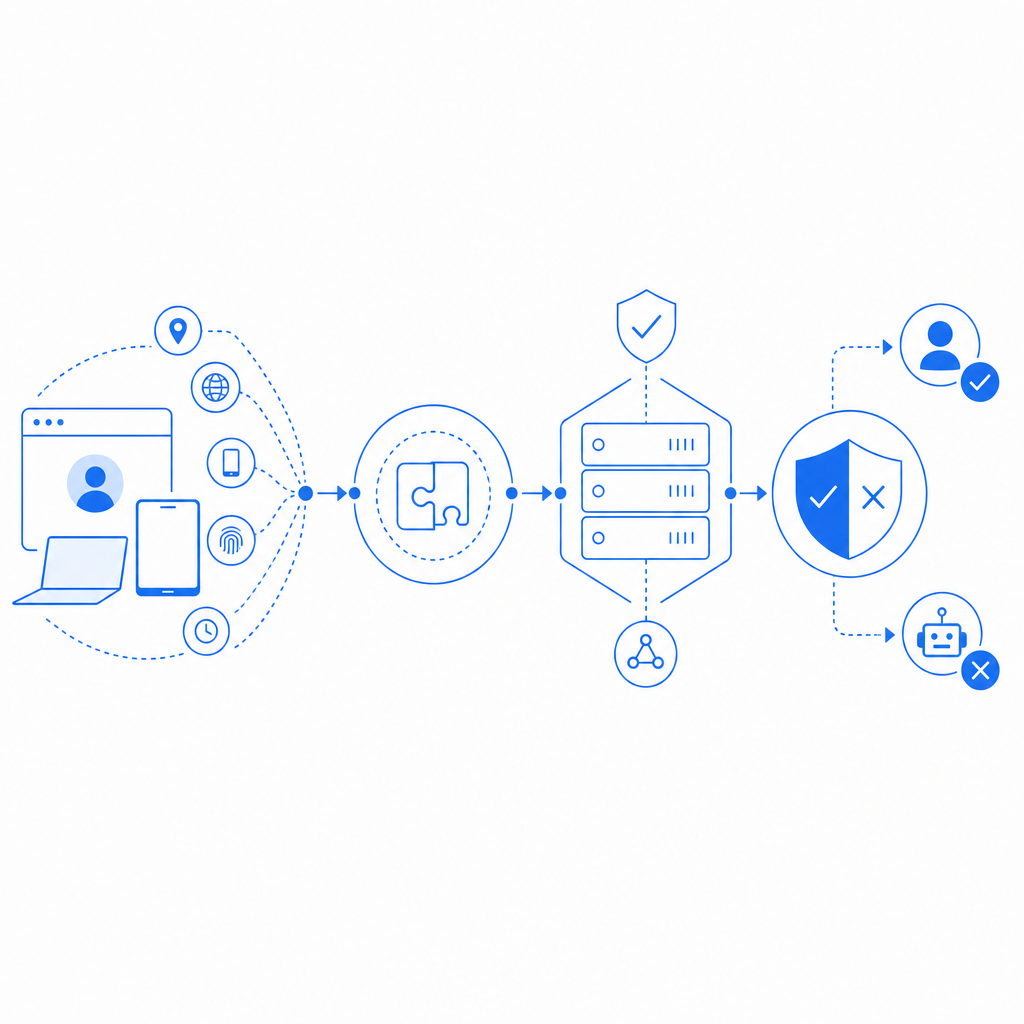
At a technical level, bot detection is rarely just a single score. It’s a layered decision engine that may combine:
- IP reputation and ASN context
- Device and browser consistency
- Request rate and sequence analysis
- Session continuity and cookie integrity
- JavaScript execution signals
- Token validation on the server
- Behavioral or interaction checks for uncertain sessions
The important part is how these layers are combined. A system can be very aggressive and block more bots, but that’s not helpful if it also creates too many false positives for login, checkout, or account recovery.
Imperva, reCAPTCHA, hCaptcha, Turnstile, and what to compare
There isn’t a universal winner here. Imperva, reCAPTCHA, hCaptcha, and Cloudflare Turnstile all serve the same broad goal, but they optimize differently.
| Product | Typical strength | Typical tradeoff | Best fit |
|---|---|---|---|
| Imperva | Web protection suite, bot management, WAF adjacency | Can be heavier to operationalize in some stacks | Teams already invested in broader app protection |
| reCAPTCHA | Familiar to users and developers, broad adoption | User friction and Google dependency concerns for some orgs | Simple web forms and low-friction rollout |
| hCaptcha | Flexible challenge model, privacy-conscious positioning | Can still add friction depending on risk level | Sites that want an alternative to reCAPTCHA |
| Cloudflare Turnstile | Low-friction challenge flow, easy on many pages | Works best inside Cloudflare-centric setups | Teams wanting lightweight bot checks |
| CaptchaLa | Flexible bot-defense flow with server validation and native SDK support | You still need to tune policies like any other system | Product teams wanting direct control over integration and workflow |
The right comparison isn’t only about whether something blocks bots. It’s about whether it fits your product architecture.
For example, if you need native support across web and mobile, you’ll want to look at SDK coverage and server verification patterns, not just a widget. CaptchaLa, for instance, supports 8 UI languages and native SDKs for Web (JS/Vue/React), iOS, Android, Flutter, and Electron, which matters if you’re protecting the same account system across multiple clients.
How to evaluate detection quality without guesswork
A good way to test any bot system is to run it against your own traffic patterns and inspect outcomes in a disciplined way. Don’t just look for “blocks.” Look for signal quality.
Here’s a practical evaluation checklist:
Segment traffic by intent
- Login
- Registration
- Password reset
- Search
- Checkout
- API endpoints
- High-value content scraping targets
Measure false positives by business flow
- Track challenge pass rates
- Track abandonment after challenge
- Track support tickets tied to failed verification
- Compare conversion drop before and after rollout
Test on real client types
- Desktop Chrome, Safari, Firefox
- iOS and Android webviews
- Native mobile apps
- Headless browsers and automation frameworks in a controlled lab
Check server-side assurance
- Ensure the client token is verified on your backend
- Confirm the validation response is authoritative
- Log the decision reason for audits and tuning
Look for adaptability
- Can you tune thresholds per endpoint?
- Can you step up from passive detection to a challenge only when needed?
- Can you keep friction low for trusted users?
If the platform can’t explain why it flagged a session, tuning becomes guesswork. That’s a sign you’ll end up depending on support escalations instead of your own policy.
Why server validation matters
Client-side signals are useful, but they’re not enough on their own. A defender should always verify the token or pass result on the backend before granting access to a protected action. A clean architecture often looks like this:
# Client side
User opens page
Loader initializes and collects device/session signals
Challenge is issued when risk exceeds threshold
Client receives pass token

# Server side
Application receives pass token and client IP
Application validates token with CAPTCHA service
Application only allows action after successful validation
That backend step is where automation checks become enforceable. Without it, you’re mostly observing behavior rather than controlling access.
Implementation details that reduce friction
One common mistake is treating bot defense as a UI-only project. In reality, the best deployments are integrated into your app flow and telemetry stack.
A few implementation details to care about:
- Loader delivery: keep the challenge bootstrap lightweight. CaptchaLa’s loader is served from
https://cdn.captcha-cdn.net/captchala-loader.js, which is straightforward to integrate into web flows. - Server verification endpoint: build validation into your backend so the decision is not trusted solely on the client. CaptchaLa validates via
POST https://apiv1.captcha.la/v1/validatewith{pass_token, client_ip}and headersX-App-KeyplusX-App-Secret. - Server-token issuance: if your flow uses server-side challenge issuance, the endpoint is
POST https://apiv1.captcha.la/v1/server/challenge/issue. - SDK coverage: if you’re protecting mobile or desktop clients, native SDKs matter. CaptchaLa supports Web, iOS, Android, Flutter, and Electron, plus server SDKs like
captchala-phpandcaptchala-go. - Package versions: if you need concrete install references, CaptchaLa provides Maven
la.captcha:captchala:1.0.2, CocoaPodsCaptchala 1.0.2, and pub.devcaptchala 1.3.2.
That mix is useful when the same authentication or signup logic needs to work across different front ends without inventing a separate bot-defense story for each one.
Choosing between high friction and low friction
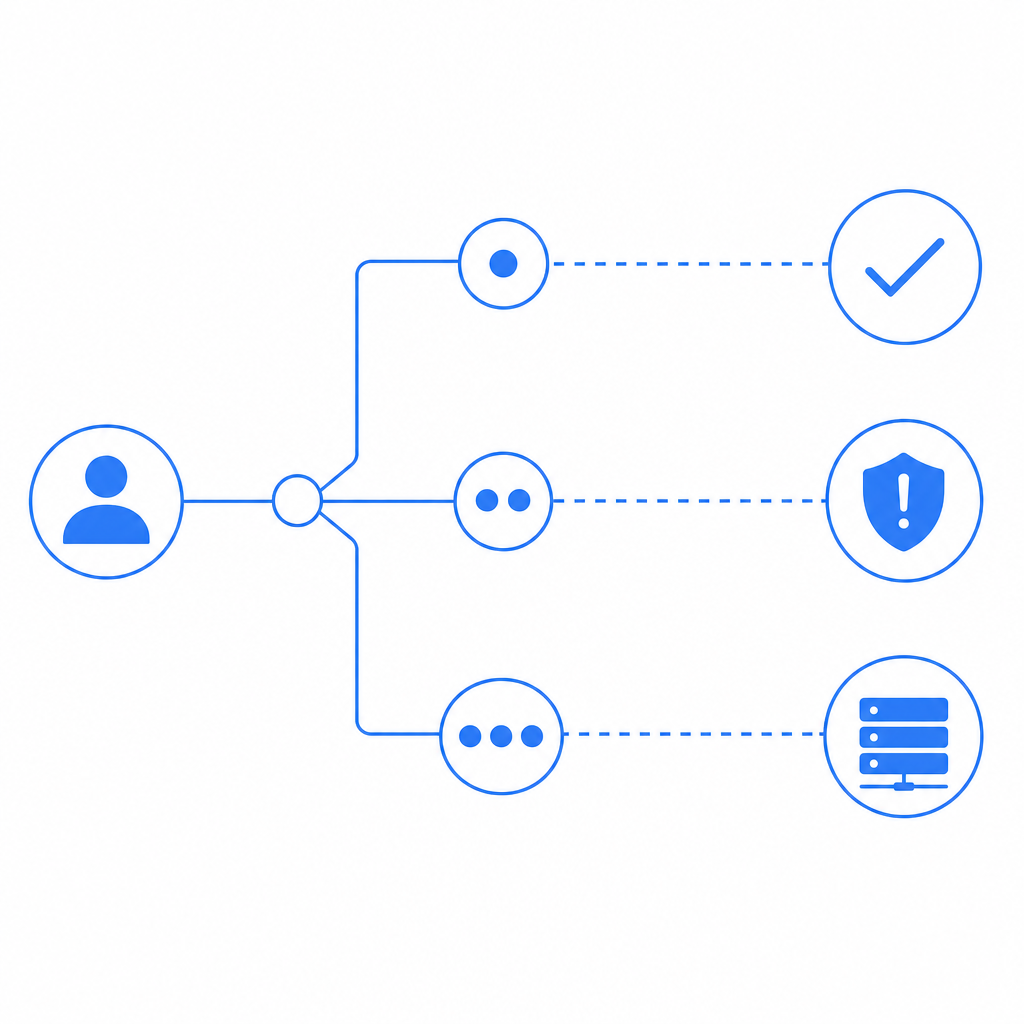
Not every page needs the same level of scrutiny. A login endpoint under credential-stuffing pressure may justify stronger steps than a newsletter signup. A search page might need invisible risk checks, while a money movement workflow may require explicit challenge and audit logging.
A practical policy model looks like this:
- Low risk: passive detection only
- Medium risk: invisible challenge or token check
- High risk: explicit challenge plus server validation
- Critical risk: additional step-up controls, rate limiting, or temporary cooldowns
This is also where first-party data matters. Your own traffic history, device continuity, and session patterns are usually more useful than generic assumptions. CaptchaLa’s approach emphasizes first-party data only, which can be appealing if you want tighter control over what gets collected and used in decisioning.
Pricing also matters when you’re deciding where to deploy stronger checks. Some teams only need a free tier for a few protected pages; others need sustained coverage across larger traffic volumes. CaptchaLa’s published tiers include Free at 1000/month, Pro at 50K-200K, and Business at 1M, which makes it easier to match budget to enforcement scope.
Bottom line for teams comparing bot detection Imperva
If you’re comparing bot detection imperva options, focus on how the system behaves under real traffic, not just how it sounds in a vendor overview. The winning setup is usually the one that gives you reliable server-side validation, manageable false positives, good SDK coverage, and clear policy tuning across channels.
Imperva can make sense for teams that want bot defense as part of a larger protection stack. reCAPTCHA, hCaptcha, and Cloudflare Turnstile each have their place too. But if your priority is direct control over integration details, backend validation, and multi-platform support, it’s worth evaluating a product that lets your own app make the final access decision.
Where to go next: review the docs for implementation details, or check pricing if you’re planning a rollout across multiple endpoints.