
A captcha mobile jkn error usually means the app, SDK, or backend validation chain is breaking somewhere between challenge issuance and token verification. In practice, the fix is rarely “just retry” — it’s more often a bad app key, an expired token, a network/TLS issue, or a mismatch between the mobile client and your server-side validation logic.
The good news: if you treat it as a flow problem instead of a single error string, you can isolate it quickly. For defender teams, the goal is to keep legitimate users moving while making bot traffic expensive and noisy. That means checking the mobile SDK path, the server callback path, and the device/network conditions together.
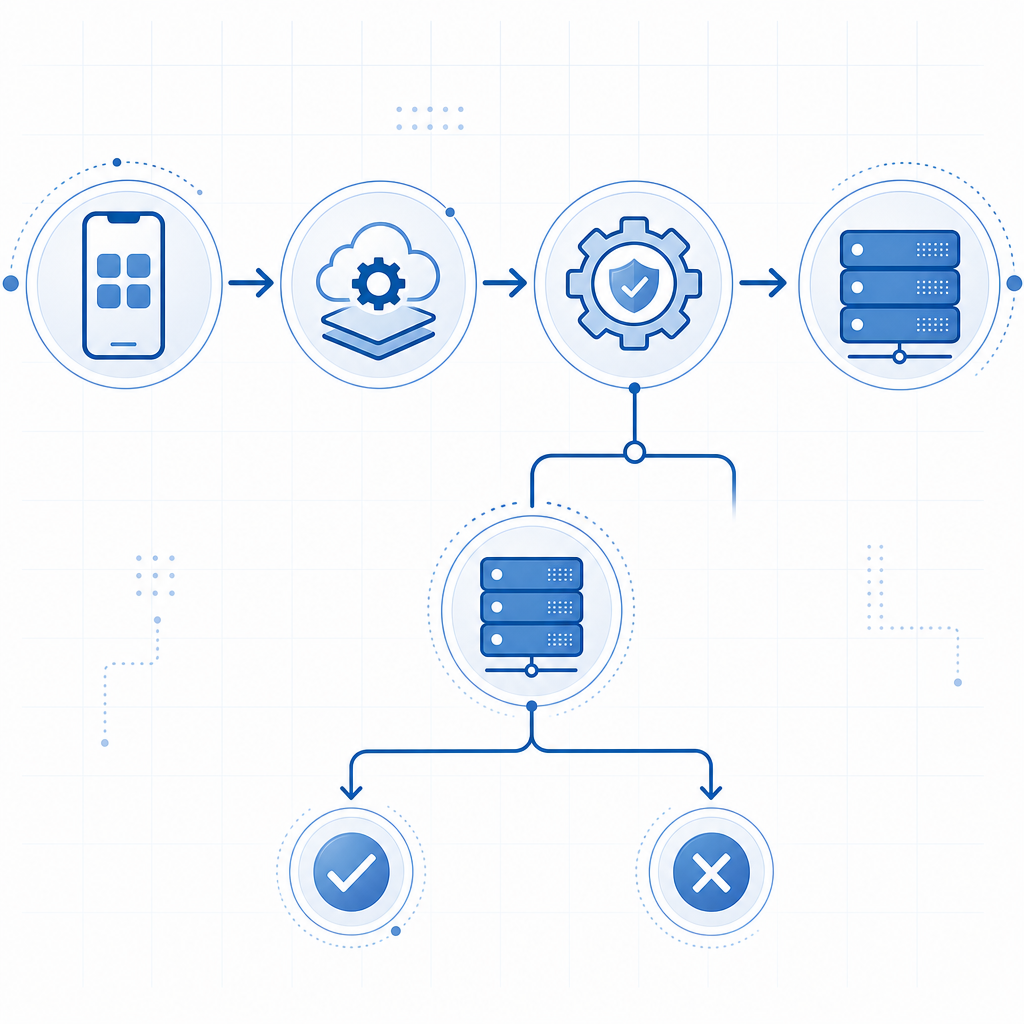
What a captcha mobile jkn error usually indicates
Most mobile CAPTCHA failures fall into one of four buckets:
Challenge never loads
- The SDK can’t fetch the loader or challenge script.
- Common causes: network restrictions, blocked CDN, incorrect initialization, or malformed app configuration.
Challenge loads but token is invalid
- The app received a token, but it was already expired, reused, or tampered with.
- This often shows up when the token is cached too long or submitted from a different session than the one that created it.
Server validation fails
- The backend posts the token to the validation endpoint with the wrong credentials or payload.
- A missing
client_ip, incorrect headers, or secret mismatch can trigger rejection.
Device-specific mobile friction
- WebView differences, aggressive battery/network optimization, captive portals, VPNs, or packet loss can interrupt the flow.
- On Android, WebView and device security settings can make errors appear “random” even when the app code is fine.
If you’re using CaptchaLa, the key is to confirm that the client token is generated on-device, then validated on your server using the documented API path and credentials. The app should not be making trust decisions locally.
Start by checking the mobile-side integration
If the error appears on mobile, verify the integration before touching your backend logic. The mobile path differs depending on whether you’re using native SDKs, a web wrapper, or an embedded WebView.
CaptchaLa supports native SDKs for Web (JS/Vue/React), iOS, Android, Flutter, and Electron, plus multilingual UI support across 8 interface languages. That matters because some “error” reports are actually localization or rendering failures rather than auth failures.
A practical mobile checklist
Confirm the loader is reachable
- The client needs to access
https://cdn.captcha-cdn.net/captchala-loader.js. - If your app runs inside a restrictive network, test on a different carrier or Wi-Fi.
- The client needs to access
Check SDK version alignment
- Mixed versions between app and backend can produce token format mismatch.
- For mobile apps, pin a compatible release and upgrade in a controlled rollout.
Verify the challenge token lifecycle
- Tokens should be short-lived and single-use.
- Don’t store them in persistent state or reuse them after the user navigates away.
Inspect WebView behavior
- Some WebView implementations block third-party resources or have stale caches.
- Clear cache, disable aggressive resource blocking, and test in a minimal WebView shell.
Look for time drift
- If device time is badly skewed, expiry checks may behave oddly.
- This is less common, but it’s worth checking on rooted, emulated, or heavily customized devices.
A useful rule: if the challenge UI never appears, the problem is almost always before validation. If the challenge appears but submission fails, focus on the token and server-side checks.
How server validation should work
A lot of captcha mobile jkn error reports trace back to the backend not validating correctly. The mobile app may be fine; the server is where the trust decision happens.
CaptchaLa’s server validation endpoint is:
POST https://apiv1.captcha.la/v1/validate
Use this body:
{
  "pass_token": "token-from-client",
  "client_ip": "203.0.113.10"
}
And include these headers:
X-App-KeyX-App-Secret
If either header is missing or incorrect, the validation request should fail. That’s expected. The important part is that your backend, not the mobile client, performs the verification.
Example validation flow
1. Mobile app receives challenge
2. User completes challenge
3. App sends pass_token to your backend
4. Backend POSTs to /v1/validate with X-App-Key and X-App-Secret
5. Backend accepts or rejects the request based on the response
Why this flow matters
- It prevents token replay from the client side.
- It lets you add rate limits, device checks, and session binding on your own server.
- It gives you a clean place to log errors without exposing secrets to the app.
If your app is calling validation directly from the client, move that logic server-side. Even when the mobile UI looks simpler, the security model becomes weaker and debugging becomes harder.
Common causes, symptoms, and fixes
Here’s a compact way to separate the likely cause from the symptom.
| Symptom | Likely cause | What to check first |
|---|---|---|
| Challenge doesn’t render | Loader blocked or init failed | CDN reachability, SDK init, WebView restrictions |
| Token submits but validation fails | Secret mismatch or expired token | Server headers, payload, token age |
| Works on Wi-Fi but not mobile data | Carrier/DNS/proxy issue | DNS resolution, packet loss, captive portal |
| Works on iOS but not Android | WebView or device-specific behavior | Android WebView version, cache, permissions |
| Random failures under load | Race condition or token reuse | Session binding, retry logic, duplicate submissions |
A few extra notes for defenders:
- Log the token age at submission time.
- Compare the IP observed by your backend with the
client_ipsent to validation. - Reject duplicate submissions cleanly and idempotently.
- Correlate failures with app version, OS version, and network type.
That combination will tell you whether you have a real integration issue or just noisy mobile conditions.
If you’re choosing a CAPTCHA stack for mobile
If you’re comparing providers, the relevant differences are usually integration style and operational control, not just the puzzle style the user sees.
- reCAPTCHA is familiar and broadly documented, but teams sometimes find mobile behavior opaque when debugging edge cases.
- hCaptcha is a solid alternative with a different risk and privacy profile.
- Cloudflare Turnstile is popular for lower-friction flows and can be attractive if you already use Cloudflare infrastructure.
For mobile apps, the practical questions are:
- Can you validate server-side with a simple endpoint?
- Is the SDK available for your target platform?
- Can you keep first-party data only?
- Can you instrument failures without leaking secrets?
CaptchaLa is designed around those operational questions. It offers native SDKs, straightforward validation, and server SDKs like captchala-php and captchala-go when you want to keep implementation tidy on the backend. If you’re prototyping, the free tier covers 1,000 requests per month; larger teams can look at Pro usage bands around 50K–200K and Business at 1M, depending on volume.
A quick debugging sequence you can reuse
When a captcha mobile jkn error hits production, use this order:
Reproduce on a clean device
- Fresh install, no VPN, no custom DNS, current OS.
Check loader fetch
- Confirm the client can load
captchala-loader.js.
- Confirm the client can load
Capture token issuance
- Verify the challenge creates a token at all.
Validate on the server
- Confirm
POST /v1/validateincludes correct headers and payload.
- Confirm
Inspect timing
- Measure time from issuance to validation.
- If it’s too long, your token may simply be expiring.
Segment by platform
- Compare iOS, Android, and WebView behavior separately.
Review logs for duplicates
- Replayed submissions can look like “random” failures if you don’t track idempotency.
This sequence usually reveals the issue in minutes, not hours. And once you’ve fixed it, keep the logging in place; mobile bot traffic tends to test the same weak point repeatedly.
Where to go next: if you want the implementation details, see the docs. If you’re estimating traffic or rollout size, check pricing.