
Bot detection with Cloudflare works well for filtering obvious automation at the edge, but it is not a complete answer on its own. The practical approach is to treat Cloudflare as one layer in a broader defense stack: use edge signals to stop noisy traffic early, then add challenge-based verification and server-side validation for the requests that still matter.
For teams evaluating bot detection Cloudflare alongside CAPTCHA products, the main question is not “which one wins?” It is “which control belongs at which point in the request flow?” Cloudflare excels at network-scale mitigation, rate control, and traffic screening. A purpose-built CAPTCHA layer helps when you need explicit human verification, session binding, or a portable challenge flow across web and mobile apps.
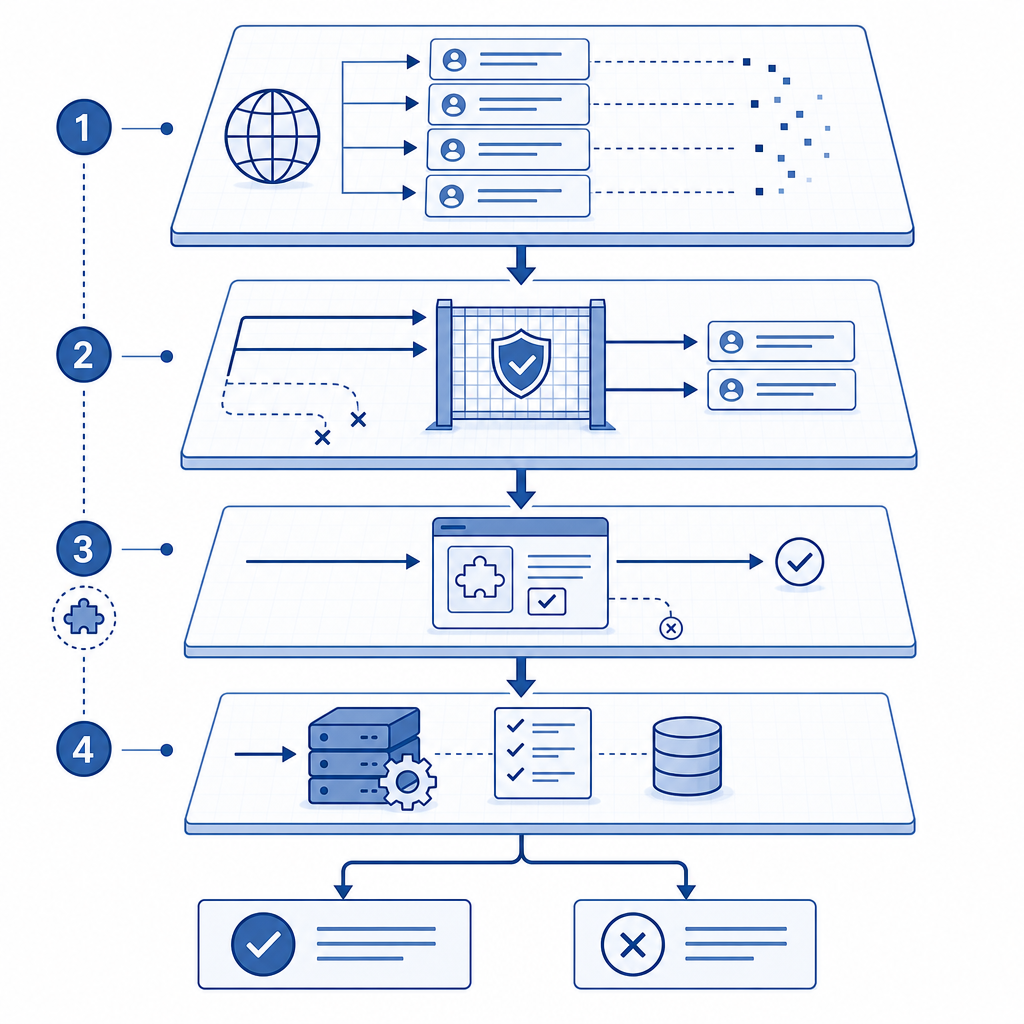
How bot detection Cloudflare actually fits into your stack
Cloudflare bot detection usually sits very early in the request path. That placement is valuable because it can drop or challenge suspicious traffic before it reaches your application servers. If your site is under credential stuffing, scraping, inventory hoarding, or signup abuse, edge screening can remove a large amount of noise.
That said, edge bot detection and human verification solve different problems:
- Edge detection asks: “Does this request look automated?”
- CAPTCHA asks: “Can this client complete a challenge and present a valid pass token?”
- Server validation asks: “Can I trust this token for this session, endpoint, or action?”
The last step matters. A client-facing challenge without server validation can be copied, replayed, or integrated too loosely. A stronger workflow ties the token to the request and validates it on your backend, ideally with a short-lived token and a clear policy for failure.
A useful mental model is:
- Cloudflare screens and rate-limits at the perimeter.
- Your app requests a challenge when risk remains.
- The browser or device solves the challenge.
- Your server validates the returned pass token with request context.
That division of labor reduces friction for real users while keeping stronger checks available for sensitive actions like login, registration, password reset, checkout, and API abuse prevention.
When Cloudflare alone is enough
Cloudflare alone can be sufficient when your main goal is coarse traffic shaping. For example:
- Blocking obviously abusive IP ranges
- Throttling request bursts
- Screening low-value scraping
- Protecting static content from basic abuse
In these cases, you may not need a user-facing challenge at all. The edge policy can do the heavy lifting, and your app never sees the traffic.
When you need an added challenge layer
You usually want an additional challenge layer when:
- The action is high-value or state-changing
- You need explicit proof of a solved challenge
- You support multiple app surfaces, not just a website
- You want a portable verification system across web and mobile
- You need first-party data control and direct server validation
That is where a product like CaptchaLa can complement an edge provider. It provides native SDKs for Web, iOS, Android, Flutter, and Electron, plus server SDKs for PHP and Go. It also supports 8 UI languages, which can matter if your audience is multilingual and you want the challenge experience to feel native rather than bolted on.
Comparing Cloudflare, reCAPTCHA, hCaptcha, and Turnstile
There is no single correct stack for every team. Cloudflare, reCAPTCHA, hCaptcha, and Cloudflare Turnstile each have a place depending on your risk model, privacy posture, and integration constraints.
| Option | Typical strength | Common fit | Tradeoff |
|---|---|---|---|
| Cloudflare bot management | Edge filtering, traffic scoring, rate control | Sites already on Cloudflare | Not always a full user-verification layer |
| reCAPTCHA | Broad familiarity, mature ecosystem | Traditional web forms | Heavier UX and external dependency |
| hCaptcha | Verification with flexible challenge styles | Sites wanting a CAPTCHA alternative | Still a separate challenge step |
| Cloudflare Turnstile | Low-friction challenge experience | Web apps wanting simple integration | Best when your needs align with Cloudflare’s ecosystem |
| CaptchaLa | Challenge + server validation + native SDKs | Web and app workflows needing first-party data | Requires explicit integration and policy design |
The point is not that one replaces the others universally. It is that different layers solve different failure modes. Cloudflare can reduce attack volume at the edge, while CAPTCHA validates a user action when your application needs stronger assurance. If you rely only on perimeter scoring, you may miss cases where a suspicious client looks “normal enough” until it attempts account creation, promo abuse, or repeated form submissions.
For teams that prefer first-party data only, that distinction matters even more. The more your workflow depends on external telemetry, the more careful you need to be about privacy, data sharing, and what information leaves your domain.
A practical architecture for sensitive endpoints
If you are designing bot defense for login or signup, keep the flow simple and explicit. Here is a common pattern:
- The frontend requests a challenge token.
- The user completes the challenge.
- The client sends the pass token to your backend.
- Your backend validates the token before accepting the action.
- If the token is invalid, expired, or missing, the request is denied or escalated.
CaptchaLa’s validation endpoint is straightforward: POST https://apiv1.captcha.la/v1/validate with a body containing {pass_token, client_ip} and authentication via X-App-Key + X-App-Secret. For server-side issuance, there is also POST https://apiv1.captcha.la/v1/server/challenge/issue.
A minimal backend flow might look like this:
// English comments only
async function verifyCaptcha(passToken, clientIp) {
  const response = await fetch("https://apiv1.captcha.la/v1/validate", {
    method: "POST",
    headers: {
      "Content-Type": "application/json",
      "X-App-Key": process.env.CAPTCHALA_APP_KEY,
      "X-App-Secret": process.env.CAPTCHALA_APP_SECRET,
    },
    body: JSON.stringify({
      pass_token: passToken,
      client_ip: clientIp,
    }),
  });

  if (!response.ok) {
    throw new Error("Captcha validation failed");
  }

  return response.json();
}
A few implementation details are worth getting right:
- Send the client IP consistently, especially if you are using proxy headers.
- Keep the secret server-side only.
- Treat validation as time-sensitive.
- Decide whether a failed validation blocks the request or routes the user to a second check.
If you are using docs, look for the SDK examples that match your stack. CaptchaLa publishes Maven la.captcha:captchala:1.0.2, CocoaPods Captchala 1.0.2, and pub.dev captchala 1.3.2, which makes it easier to cover both web and app surfaces without inventing custom challenge plumbing for each platform.
What to measure before and after rollout
Bot protection succeeds when it reduces abuse without punishing legitimate users. Before you change the stack, establish a baseline for:
- Signup completion rate
- Login success rate
- Form abandonment
- Challenge solve rate
- False positive rate on real users
- Peak abuse volume per endpoint
- Error rate on backend validation
After rollout, compare those metrics by endpoint and by region. If you are using Cloudflare plus a challenge layer, watch whether the edge already eliminates most abuse. If so, you may only need to challenge a narrow subset of requests, such as suspicious geographies, high-risk ASNs, or repeat attempts against a single account.
Also pay attention to distribution across platforms. Web-only tuning can miss issues in mobile apps or desktop clients. That is where native support matters. CaptchaLa’s Web SDKs, plus iOS, Android, Flutter, and Electron support, are useful when the same policy has to follow the user across devices.
A final note on pricing and rollout planning: a free tier of 1000 monthly validations can be enough for prototypes or internal tools, while Pro tiers in the 50K–200K range and Business at 1M suit production traffic that needs predictable scaling. You can check pricing if you want to estimate challenge volume before shipping.
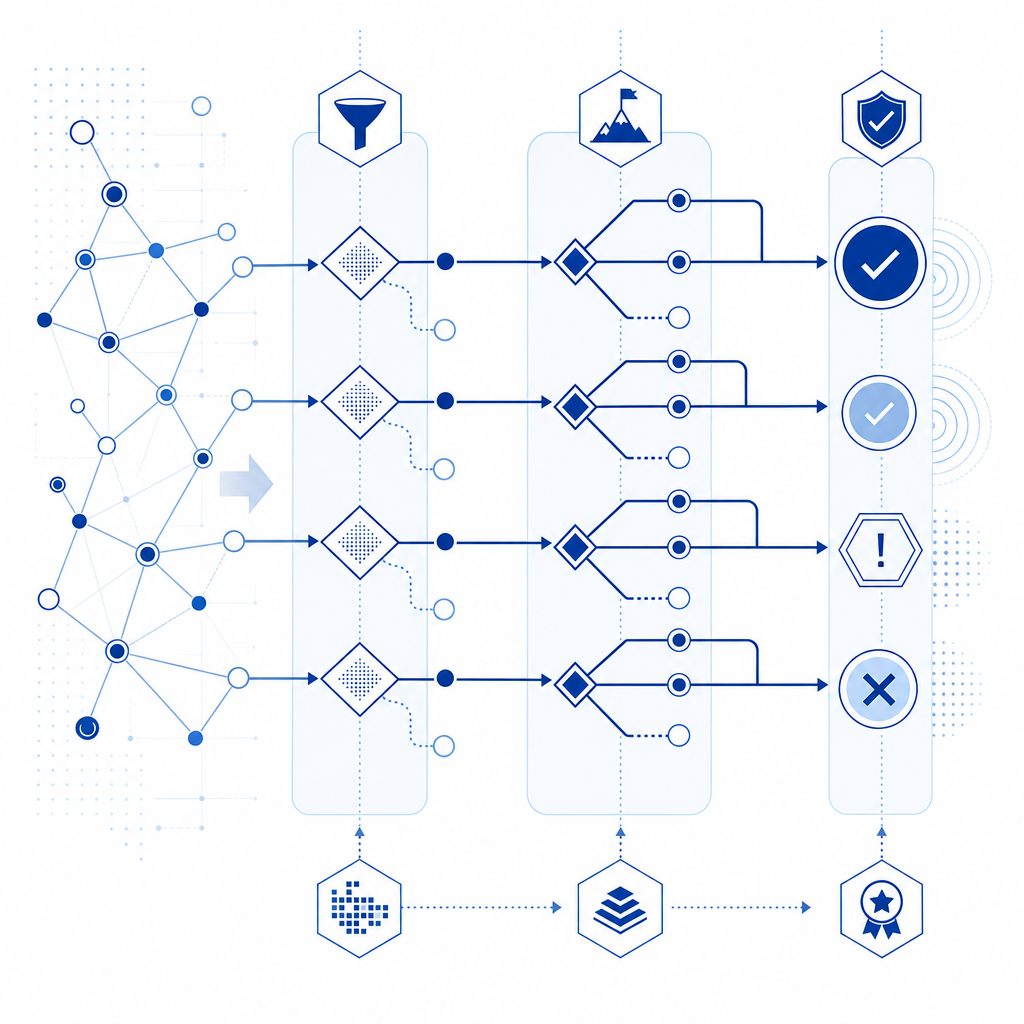
The right way to think about bot detection Cloudflare
The best bot defense is usually layered, not monolithic. Cloudflare can stop a lot at the edge. CAPTCHA can provide explicit human verification. Your backend can enforce the final trust decision with server-side validation. When those layers are aligned, you get better protection with less user friction than any single tool can provide.
If you are already on Cloudflare, you do not need to replace it. You may just need a challenge system that fills the gaps Cloudflare is not designed to cover. That is the main reason teams pair edge screening with a product like CaptchaLa: the edge handles broad traffic shaping, while the app keeps control over verification policy and data.
Where to go next: read the docs for integration details, or review pricing to estimate the right tier for your traffic.