
A bot detection captcha is a challenge-and-validation layer that helps you tell real users from automated traffic before abuse reaches your forms, logins, signups, or checkout flow. In practice, it is not just a visual puzzle; it is a signal system that combines client behavior, challenge tokens, and server-side verification so you can block scripted abuse without turning your product into a maze for humans.
That distinction matters because “CAPTCHA” now covers a wide range of approaches. Some flows are highly interactive, others are nearly invisible, and the right choice depends on your risk level, traffic mix, and tolerance for friction. The goal is not to punish users. It is to make automation expensive enough that it stops being worth the effort.
What a bot detection captcha actually does
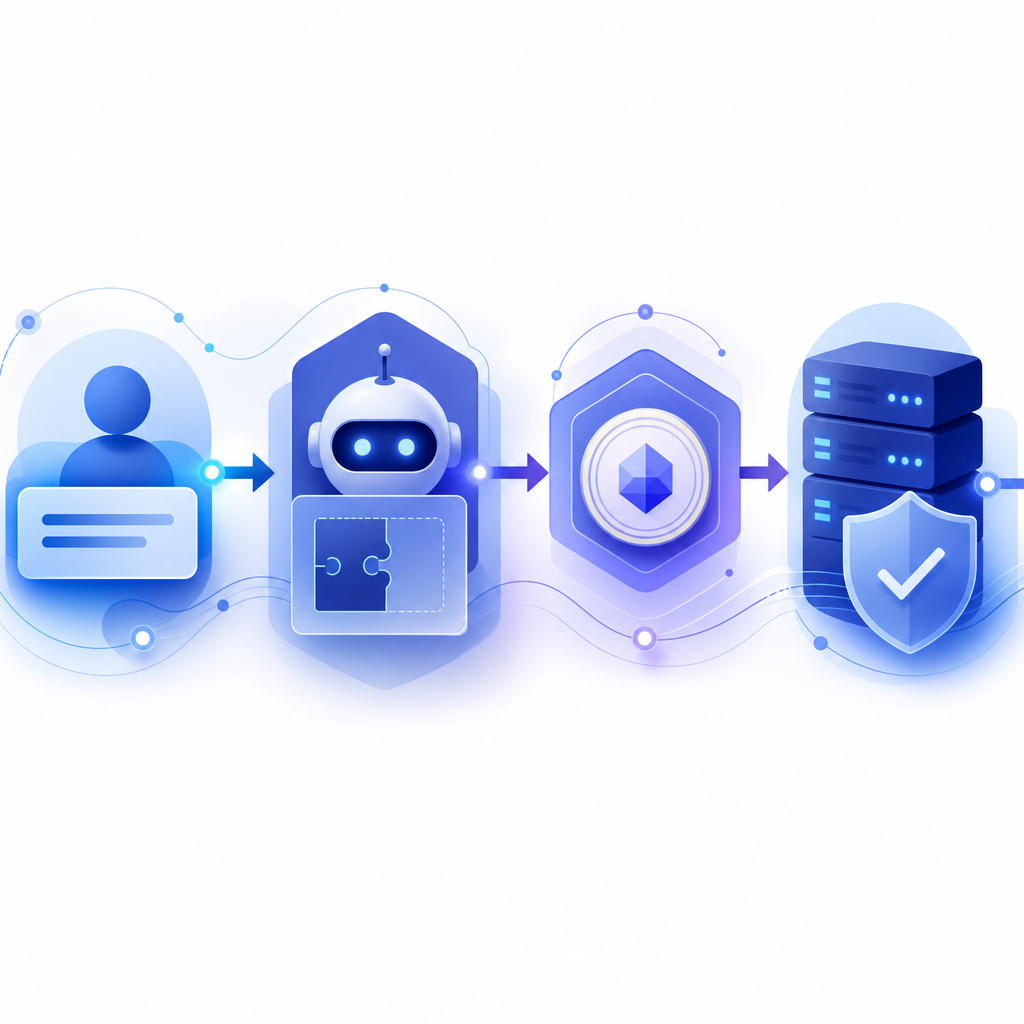
At a high level, a bot detection captcha sits between a user action and the action’s final acceptance. The client receives a challenge or risk signal, the user completes the interaction if needed, and the browser or app returns a token to your backend. Your server then validates that token before allowing the sensitive operation.
That sounds simple, but the value comes from timing and context. If you validate at signup submission, you can stop disposable account creation. If you validate on password reset, you can reduce takeover attempts. If you validate at checkout, you can cut down coupon abuse, carding, and inventory hoarding.
A useful way to think about it is this:
- Client-side collection: The SDK loads and gathers the minimum data needed for challenge orchestration and abuse detection.
- Challenge issuance: When risk is elevated, the system issues a tokenized challenge rather than relying on a static puzzle.
- User completion: The real user completes the challenge, often with little or no visible friction.
- Server verification: Your backend checks the token with your secret key before committing the action.
- Decisioning: Accept, reject, rate-limit, queue for review, or request additional verification.
The strongest implementations are designed around server authority, not browser trust. A token displayed in the frontend is not enough by itself; your backend has to make the final call.
Bot detection captcha vs reCAPTCHA, hCaptcha, and Turnstile
There is no single perfect choice for every product. reCAPTCHA, hCaptcha, and Cloudflare Turnstile each solve the same broad problem with different tradeoffs.
| Solution | Typical friction | Integration style | Good fit for | Notes |
|---|---|---|---|---|
| reCAPTCHA | Low to medium | Web-focused, widely known | General web forms, broad familiarity | Strong ecosystem, but some teams want more control over data and UX |
| hCaptcha | Low to medium | Web-first | Abuse prevention with monetization-sensitive or privacy-conscious teams | Often chosen when teams want an alternative to reCAPTCHA |
| Cloudflare Turnstile | Low | Web-focused | Low-friction web verification | Good for many public web flows, especially when already using Cloudflare |
| CaptchaLa | Low to medium | Web, iOS, Android, Flutter, Electron | Teams wanting first-party data flow and SDK coverage across apps | Supports multiple UI languages and server-side validation patterns |
The comparison is not about naming a winner. It is about matching architecture to product needs. If you only need a standard web form gate, a lighter web-native option may be enough. If you need native SDKs across mobile and desktop, a multi-platform approach matters more.
CaptchaLa supports 8 UI languages and native SDKs for Web (JS, Vue, React), iOS, Android, Flutter, and Electron, which helps when the same abuse control needs to follow users across devices. For backend teams, there are server SDKs for PHP and Go, plus a straightforward validation endpoint for custom stacks.
What to check before you ship one
A bot detection captcha is only useful if it fits your operational reality. Before you add one, evaluate the following:
1. Validation must happen on the server
Client-side checks are helpful, but they are not authoritative. Your backend should verify the pass token and the client IP where appropriate, then make the allow/deny decision.
A typical validation request looks like this:
POST https://apiv1.captcha.la/v1/validate
X-App-Key: your_app_key
X-App-Secret: your_app_secret
Content-Type: application/json

{
  "pass_token": "token_from_client",
  "client_ip": "203.0.113.42"
}
The important part is not the exact shape of the request; it is the pattern: the browser gets a token, the server checks it with secret credentials, and your app trusts the server response, not the frontend.
2. Your integration should match your app surface
If your product spans a marketing site, a mobile app, and an Electron desktop client, a web-only widget can become awkward fast. Native SDK coverage reduces glue code and helps keep behavior consistent across surfaces.
CaptchaLa’s SDK options are useful here:
- Web: JS, Vue, React
- Mobile: iOS, Android, Flutter
- Desktop: Electron
- Backend: PHP, Go
That breadth matters when the same abuse pattern shows up in multiple places, such as signup fraud on web and repeated OTP attempts on mobile.
3. Your privacy posture should be understandable
Users and compliance teams both benefit when the data path is clear. “First-party data only” is easier to explain than a sprawling chain of third-party trackers. If your legal or security review is strict, keep the explanation simple: what is collected, why it is collected, and how long it is retained.
4. You need a path for hard cases
Not every suspicious session should be treated the same way. A bot detection captcha can be one signal among several:
- token validity
- velocity checks
- device or session consistency
- IP reputation
- behavioral anomalies
- account age and trust level
That layered approach lets you reserve the strictest challenge for the riskiest traffic.

Implementation patterns that reduce friction
The best bot detection captcha flows are nearly invisible for legitimate users. A few patterns help with that:
Progressive challengeing
Start with passive checks. Only escalate when the request pattern looks risky. This avoids showing everyone a challenge just because one endpoint is sensitive.
Context-aware enforcement
Different actions deserve different thresholds. A login from a known device may need less friction than a password reset from a new IP. A newsletter signup is not the same as a gift-card purchase.
Fast server validation
If validation is slow, users feel it. Keep your backend callback efficient and fail closed for sensitive actions when necessary. CaptchaLa provides a server-token issuance path at POST https://apiv1.captcha.la/v1/server/challenge/issue when your workflow needs server-initiated challenge control, which can be useful for stricter flows.
Clear fallback behavior
If verification cannot complete, decide in advance whether to retry, degrade gracefully, or block. Ambiguous failure handling creates both abuse gaps and support tickets.
Here is a simple defender-side flow you can adapt:
# English comments only

if request.targets_sensitive_action():
    challenge = get_client_token()
    result = validate_token_on_server(challenge, client_ip)

    if result.is_valid:
        allow_action()
    else if result.is_transient_error:
        retry_once_or_queue()
    else:
        deny_action()
else:
    continue_with_standard_checks()
This is intentionally boring. Boring is good in security infrastructure.
Choosing the right fit for your traffic
The right captcha strategy depends on what you are trying to protect and how much friction you can tolerate.
If your main issue is generic web form spam, a familiar web-first option may be enough. If you operate across multiple platforms, a system with broader SDK support can reduce integration drift. If your team wants a server-verified flow with clear data handling and native mobile coverage, that changes the shortlist.
For teams evaluating options seriously, it helps to inspect both documentation and pricing before implementation. CaptchaLa keeps the product focused on bot defense rather than marketing noise, and the docs are where the integration details live. If you are mapping usage to environment size, the pricing page shows a free tier at 1,000 validations per month, Pro at 50K–200K, and Business at 1M, which is enough to estimate whether the fit is right before engineering time is spent.
The broader point is this: a bot detection captcha should help you reduce abuse without becoming the main character in your user experience. If it is doing its job well, most legitimate users will barely notice it.
Where to go next: review the integration guide in the docs or check the plan details on pricing to see how it fits your traffic.