
A bot detection app should identify automated traffic fast enough to stop abuse without turning every visitor into a puzzle. At minimum, it should distinguish likely humans from scripts, support server-side verification, fit into your existing stack, and avoid collecting unnecessary data. If it can do that while keeping friction low for real users, you’re looking at something useful rather than just another checkbox on a security page.
That sounds simple, but the practical details matter. The right app needs to handle signups, logins, checkout, scraping, credential attacks, and fake account creation differently. It should also let you tune policy by risk level, not force one blunt challenge on everyone. If you’re comparing products, the key question is less “Can it stop bots?” and more “Can it stop bots without breaking legitimate traffic?”
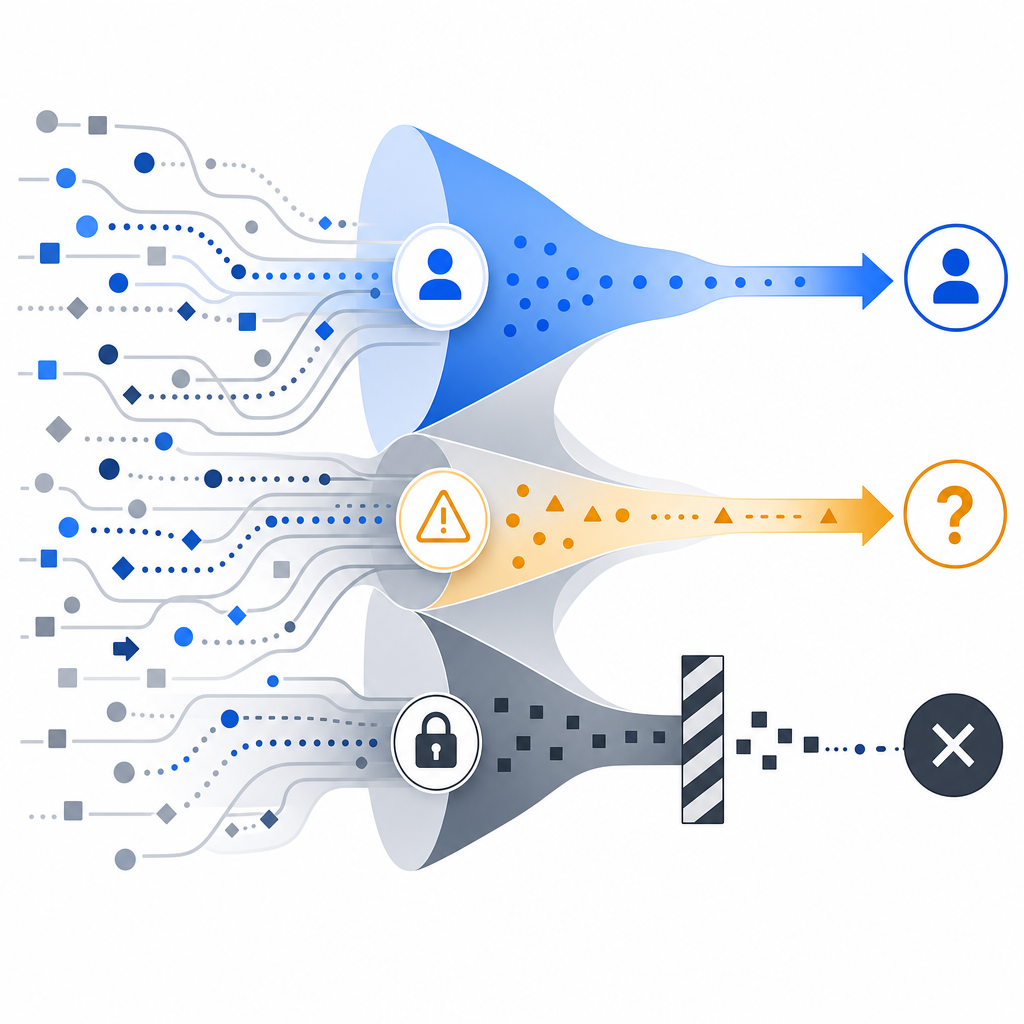
What a bot detection app actually does
A bot detection app sits between your public form, endpoint, or page and the action you want to protect. Instead of assuming every request is valid, it evaluates signals and returns a token or decision you can verify on your backend. That gives you a cleaner model than relying only on IP blocks, rate limits, or hidden fields.
At a technical level, a good bot detection app usually combines three things:
- Client-side collection of lightweight signals, such as browser behavior and interaction timing.
- Server-side validation, so your backend can confirm the token came from a real challenge flow.
- Policy control, so you can vary friction based on endpoint sensitivity, user risk, and traffic patterns.
This matters because automated abuse is not one problem. A signup bot, a scraping script, and a credential-stuffing attack all behave differently. A useful app should let you apply different defenses to each surface, rather than treating every request as equally suspicious.
For example, CaptchaLa exposes a validation flow where your backend sends pass_token and client_ip to POST https://apiv1.captcha.la/v1/validate with X-App-Key and X-App-Secret. That server-side step is important: it keeps the trust decision on your infrastructure instead of letting the browser decide for itself.
What to look for before you integrate
When teams evaluate a bot detection app, they often focus on the visible widget and ignore the operational fit. That usually creates trouble later. Here are the criteria that matter most.
1) Integration options across your stack
If your site is web-only, a JavaScript widget may be enough. But many teams need consistency across multiple surfaces: web app, native mobile app, desktop app, or backend service.
Look for support that matches your actual stack:
- Web SDKs for JS, Vue, and React
- Native SDKs for iOS and Android
- Flutter and Electron support
- Server SDKs such as
captchala-phpandcaptchala-go
That breadth helps when the same abuse pattern appears in multiple channels. It also reduces the risk that one platform becomes a weak link.
2) Verification model and trust boundaries
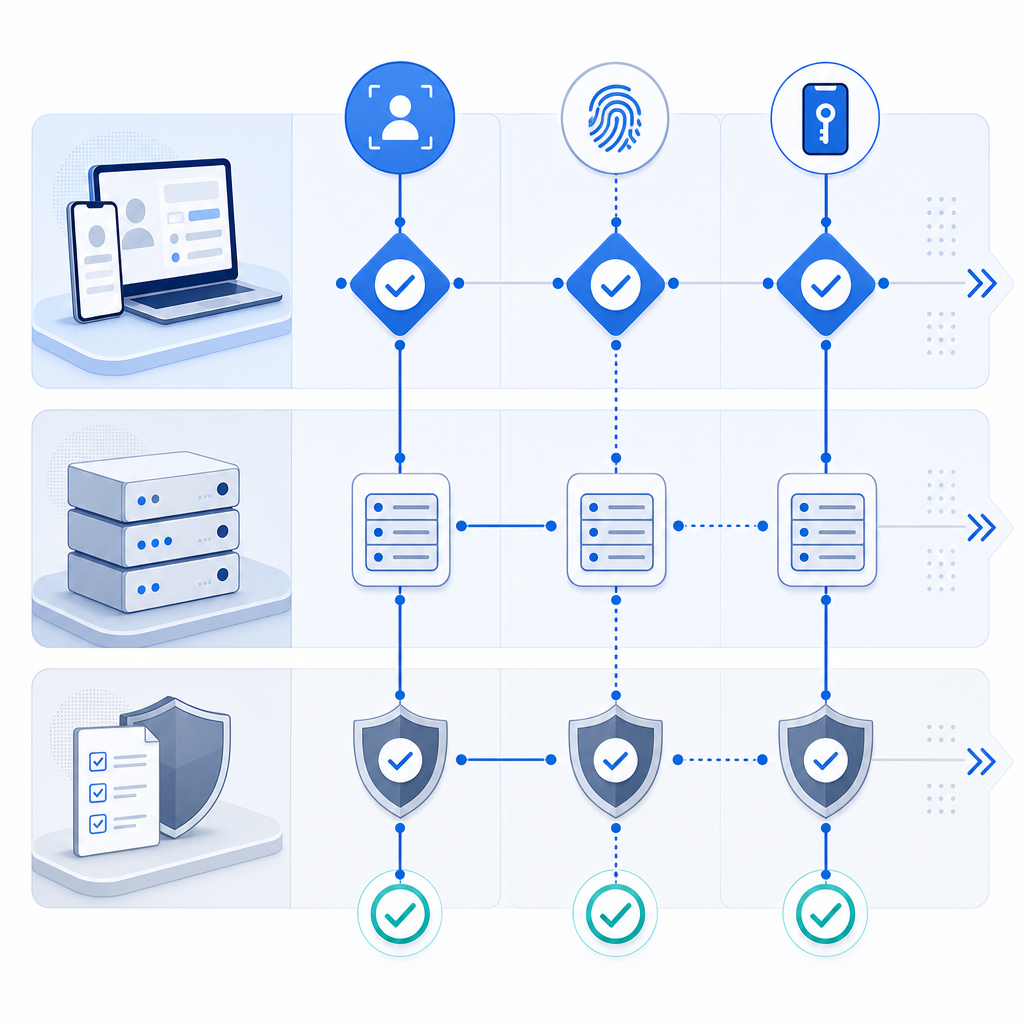
A serious app should support server-side validation, not just client-side signaling. Client checks are useful, but they are not the final authority. Your application should verify the result before allowing the protected action.
A typical backend flow looks like this:
# Client completes challenge and receives pass_token
# Backend receives form submission with pass_token and client_ip
# Backend validates token with the CAPTCHA service
POST /v1/validate
Headers:
  X-App-Key: your_app_key
  X-App-Secret: your_app_secret
Body:
  {
    "pass_token": "token_from_client",
    "client_ip": "203.0.113.10"
  }
# If valid, process the request
# If invalid, deny or challenge again
That pattern keeps the trust decision close to your app logic. It also makes audit and incident response easier, because you can log decisions at the edge of your own system.
3) Localization and accessibility
If you serve users globally, UI language support matters more than it first appears. A bot detection app that frustrates users in one region can create avoidable support load and drop-off.
CaptchaLa, for instance, supports 8 UI languages. That’s useful not because translation is glamorous, but because a challenge that users can understand is less likely to become a conversion problem.
4) Data handling and privacy posture
Some tools lean heavily on large-scale telemetry and cross-site signals. Others keep things narrower. If your compliance requirements are strict, you should ask what data is collected, where it is stored, and whether the system relies on first-party data only.
That distinction affects more than privacy policy text. It influences vendor risk, consent language, and how confidently you can roll out the tool across regulated markets.
How common options compare
There’s no universal winner here, and different teams prioritize different tradeoffs. The point is to match the tool to the job.
| Tool | Strengths | Tradeoffs | Good fit |
|---|---|---|---|
| reCAPTCHA | Widely recognized, mature ecosystem | Can add visible friction; experience varies by implementation | General web protection where familiarity matters |
| hCaptcha | Flexible challenge options, commonly used in anti-abuse flows | Challenge UX can still be noticeable | Sites prioritizing explicit challenge-based defense |
| Cloudflare Turnstile | Low-friction experience, easy if you already use Cloudflare | Best aligned with Cloudflare-centric setups | Teams already standardized on Cloudflare services |
| CaptchaLa | Native SDK coverage, server validation, first-party data only | Requires a dedicated integration like any standalone service | Teams wanting product-level control across platforms |
The right question is not which brand is “strongest.” It’s which one fits your traffic shape and your operational constraints. If your app spans web, mobile, and desktop, a multi-SDK approach can simplify rollout. If you only need a basic form gate, a lighter integration may be enough.
CaptchaLa’s public docs are also worth reviewing before you commit to architecture decisions. The docs explain the request flow, while pricing helps you map expected traffic to cost tiers.
A practical implementation pattern
If you’re adding bot detection to an existing app, the safest rollout is incremental. Start where abuse hurts most, then expand once you trust the signal quality.
A sensible deployment plan looks like this:
- Protect one high-value endpoint first, such as signup, password reset, or checkout.
- Verify the token on the server before completing the action.
- Log both accepted and rejected attempts with a request ID.
- Add risk-based branching, so suspicious traffic gets stricter treatment.
- Monitor false positives by region, browser, and device class.
- Expand to adjacent endpoints only after the first flow is stable.
That sequence avoids the classic mistake of hardening everything at once and then spending weeks debugging legitimate user failures. It also gives you a clean baseline for measuring impact. If abuse drops and conversion remains stable, your integration is doing its job.
For teams using CaptchaLa, the loader is served from https://cdn.captcha-cdn.net/captchala-loader.js, and the server-issued challenge flow can start from POST https://apiv1.captcha.la/v1/server/challenge/issue when you need a server-token path. Those details matter when you want to keep the client and server responsibilities clearly separated.
Choosing the right friction level
Not every user should see the same challenge. A good bot detection app lets you adapt friction to the risk of the request. For example, you might use a lighter pass for a returning user with a healthy session and a stronger challenge for a burst of signups from one subnet.
That flexibility is especially important when you balance security with growth. Too much friction can hurt legitimate conversions. Too little leaves you open to automated abuse that inflates costs, pollutes analytics, and weakens trust in your product.
The best deployments treat bot detection as part of a larger abuse-prevention system, alongside rate limiting, email verification, device checks, and manual review for edge cases. It’s one layer, not the whole stack.
If you want to see how this can fit into your own environment, CaptchaLa’s pricing and docs are the quickest places to start, especially if you need coverage across web and native apps with first-party data only.
Where to go next: review the integration guide in the docs or compare plans on pricing to estimate rollout cost and traffic fit.