
Bot detection in Adobe Analytics is crucial for maintaining accurate data about user interactions. Without effective bot detection, analytic reports can be skewed by automated traffic, leading to false conclusions about engagement, conversion, and user behavior. Adobe Analytics offers some native bot filtering features but integrating specialized bot detection solutions significantly enhances accuracy by identifying sophisticated bots that can mimic humans. This post will delve into how bot detection works with Adobe Analytics, outline key technical approaches, and explore how SaaS tools like CaptchaLa fit into this ecosystem.
Understanding Bot Traffic and Its Impact on Adobe Analytics
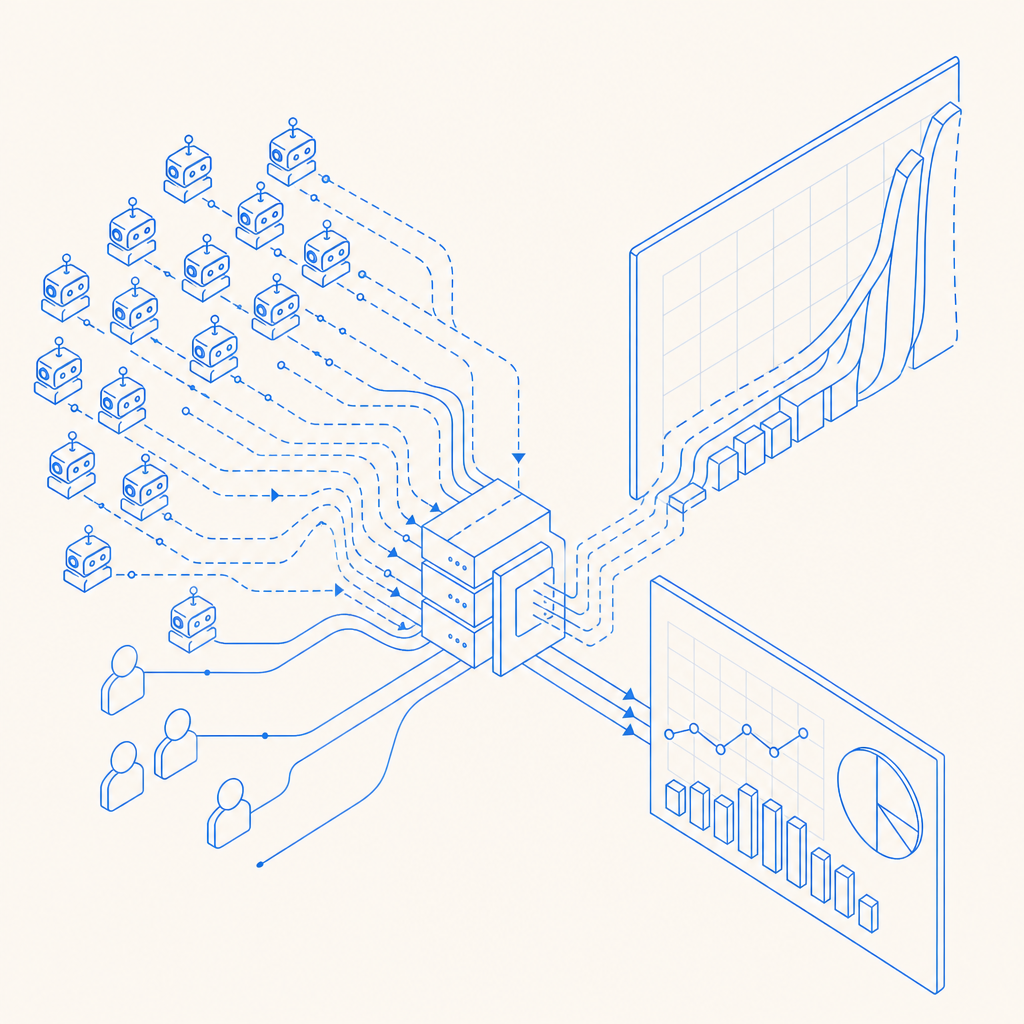
Bot traffic consists of automated scripts or bots that browse websites to scrape content, probe for vulnerabilities, or inflate impressions and clicks. These bots can be benign, malicious, or promotional. When Adobe Analytics collects data from bots, it can distort essential metrics such as page views, session duration, and conversion rates. This undermines the value of reports used to optimize marketing, UX, and product decisions.
Adobe Analytics provides default bot filtering options based on known crawler IPs and user-agent strings, but these are often insufficient:
- Advanced bots rotate IP addresses and spoof user-agents, bypassing filters.
- Real-time bot activity can artificially raise bounce rates or reduce conversion quality.
- Without deeper bot detection, business decisions may be based on inaccurate user profiles.
To remedy this, integrating dedicated bot detection with Adobe Analytics offers deeper insights and cleaner data.
Technical Approaches to Bot Detection in Adobe Analytics Implementations
There are multiple strategies to enhance bot detection in Adobe Analytics setups:
1. Behavioral and Interaction Analysis
Bots often behave differently from humans despite mimicking user-agents. Key behavioral signals include:
- Extremely high or uniform interaction speeds (e.g., clicks or page views per second).
- Lack of mouse movements, scrolls, or keyboard inputs.
- Navigation patterns that don’t match typical user journeys.
JavaScript-based bot detection libraries capture these signals on the client side and flag suspicious activity for filtering or challenge.
2. CAPTCHA and Challenge-Response Mechanisms
Integrating CAPTCHAs in user flows can effectively distinguish bots from legitimate users. Solutions like CaptchaLa provide easy-to-integrate challenges that work via native SDKs for Web (JavaScript, Vue, React), mobile (iOS, Android, Flutter), and Electron apps.
By issuing challenges selectively based on risk scoring—rather than all visitors—businesses minimize user friction while blocking automated threats before their traffic hits Adobe servers.
3. Server-Side Validation and IP Intelligence
Server-side detection involves validating tokens from client challenges and cross-referencing IP reputation databases. CaptchaLa’s API enables secure validation by POST requests with tokens and IP addresses to confirm user authenticity before input reaches analytics pipelines.
Combining server-token issuance and validation API calls helps block high-risk bots and prevents corrupted data from being ingested into Adobe Analytics.
4. Filtering and Segmenting Bots in Adobe Analytics Reports
Once bot traffic is detected, filtering it out or segmenting it in reports is essential. Adobe Analytics allows custom data segments based on variables associated with bot detection tools (e.g., a “bot score” or “challenge passed” flag).
This approach leads to:
- Cleaner dashboards and KPIs.
- Separate analysis of bot vs. human traffic patterns.
- More accurate marketing attribution and conversion analysis.
Comparing Bot Detection Options Compatible with Adobe Analytics
| Feature | CaptchaLa | reCAPTCHA | hCaptcha | Cloudflare Turnstile |
|---|---|---|---|---|
| Native SDKs (web & mobile) | JS, Vue, React, iOS, Android | JS, Android, iOS | JS, Android, iOS | JS only |
| Server-Side Token Validation | Yes, flexible API | Yes | Yes | Yes |
| Challenge Types | Customizable, user friendly | Image/text CAPTCHA | Image/text CAPTCHA | Invisible, risk-based |
| Data Privacy | First-party data only | Google-managed data | Third-party data | Cloudflare managed data |
| Pricing Model | Free tier, flexible tiers | Free, paid enterprise plans | Free, paid tiers | Included with Cloudflare plans |
| Integration Complexity | Simple loader + API calls | Well documented | Moderate | Very simple |
Each solution has merits. Organizations prioritizing privacy and first-party data control may prefer CaptchaLa's model. Larger sites with Google ecosystem ties often opt for reCAPTCHA. Cloudflare Turnstile offers seamless integration for sites already on Cloudflare’s platform but is limited to web SDKs only.
Implementing CaptchaLa with Adobe Analytics: A Practical Guide
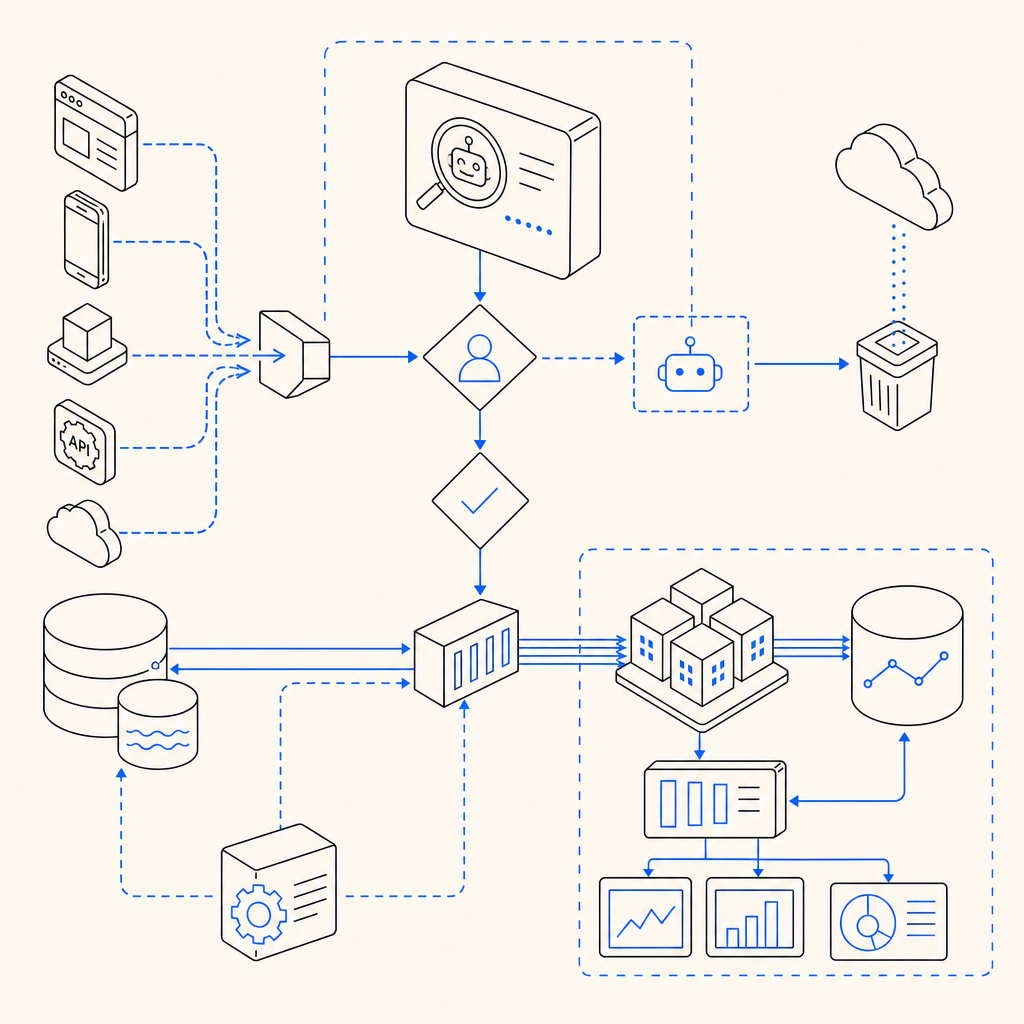
Here’s a high-level flow on integrating bot detection with Adobe Analytics using CaptchaLa:
Add CaptchaLa’s JavaScript loader to your web pages:
javascript// Load CaptchaLa widget asynchronously const script = document.createElement('script'); script.src = 'https://cdn.captcha-cdn.net/captchala-loader.js'; document.head.appendChild(script);Use CaptchaLa’s client SDK to trigger challenges conditionally based on risk heuristics (e.g., unusual activity).
After user interaction, send the
pass_tokenandclient_ipto your backend.Validate the token with CaptchaLa’s server API:
javascript// Example server-side token validation pseudocode const response = await fetch('https://apiv1.captcha.la/v1/validate', { method: 'POST', headers: { 'X-App-Key': APP_KEY, 'X-App-Secret': APP_SECRET }, body: JSON.stringify({ pass_token: userToken, client_ip: userIp }) }); const validation = await response.json(); if (validation.success) { // Mark user as verified, proceed to log interaction in Adobe Analytics } else { // Flag or block suspicious traffic }Forward the verified user interactions to Adobe Analytics, potentially adding a custom variable marking bot status.
Filter or segment out unverified visits when analyzing data, maintaining integrity.
To explore detailed implementation guides, visit CaptchaLa docs.
Conclusion: Why Bot Detection Complements Adobe Analytics
Relying solely on Adobe Analytics’ default bot filters leaves data vulnerable to sophisticated automation that can distort your reports and business insights. Incorporating a specialized bot detection layer—whether via CaptchaLa, reCAPTCHA, or other trusted solutions—helps maintain data integrity by filtering malicious or non-human traffic early.
Such integrations strengthen the reliability of analytics, optimize marketing spend, and improve the quality of user experience data driving product decisions. By ensuring your analytics reflect real human behaviors, you build a stronger foundation for growth and security.
For more on pricing plans and integration examples, check out CaptchaLa pricing and dive deeper at CaptchaLa docs.