
A bls captcha api is, at its core, a server-side way to validate that a challenge was completed successfully before you trust a request, session, or form submission. If you are implementing one, the important questions are not just “does it work?” but “where do I verify it, what do I send, and how do I keep the integration resilient under real traffic?”
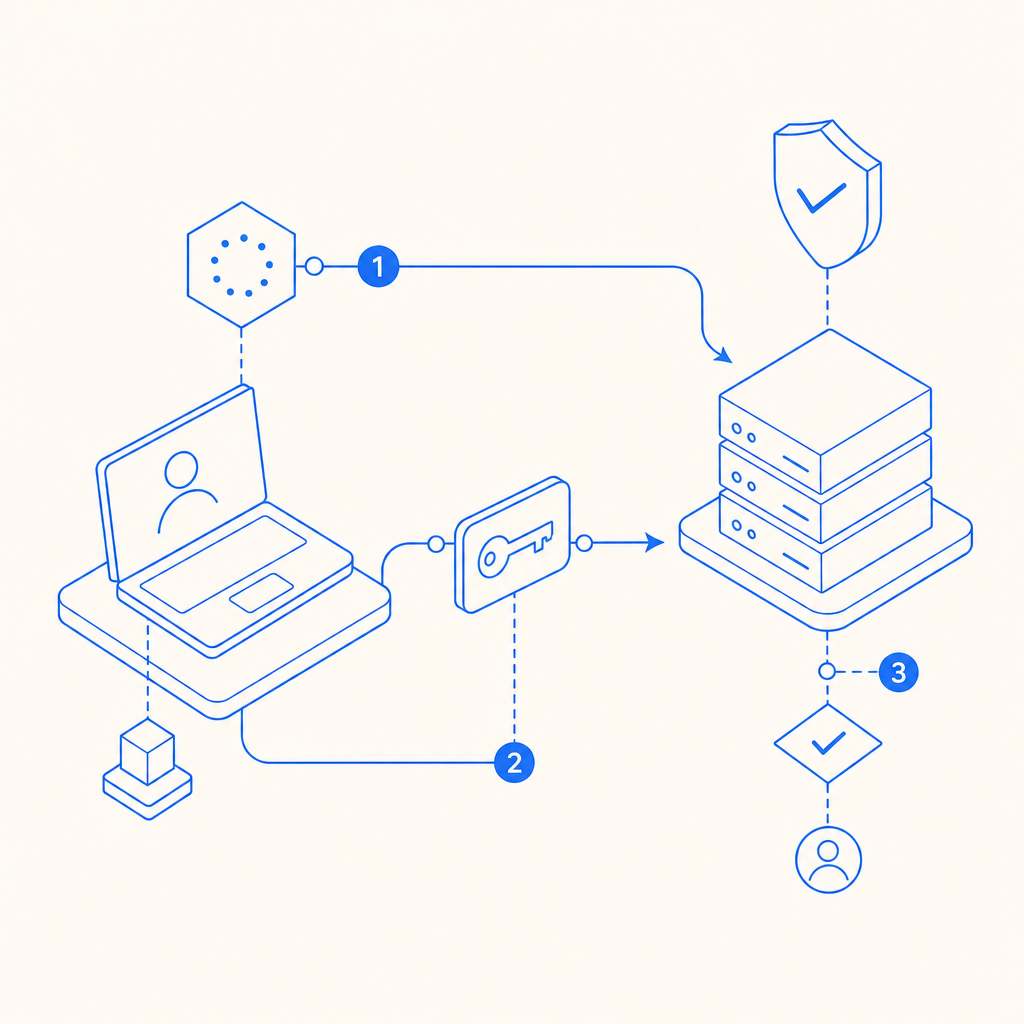
For defenders, the pattern is straightforward: a client completes a challenge, receives a pass token, and your backend validates that token with a trusted API call. That keeps the decision server-side, which is where it belongs when you want to limit automation, reduce false trust, and avoid exposing verification logic to the browser. Products such as CaptchaLa follow that model, with server validation designed for straightforward integration across web and mobile stacks.
What a BLS CAPTCHA API actually does
A CAPTCHA API in this category usually supports two related jobs:
- Issue or render a challenge on the client.
- Validate the result on the server with a signed or opaque token.
The key idea is separation of concerns. The browser or app handles the user interaction, while your backend makes the final trust decision. That matters because client-side checks are easy to observe, replay, or tamper with if you rely on them alone.
A practical integration often looks like this:
- The frontend loads the CAPTCHA widget or script.
- The user solves the challenge.
- The widget returns a
pass_token. - Your backend sends that token to the validation endpoint.
- The API returns a success or failure verdict.
- Your application allows or blocks the action accordingly.
That pattern works well for signups, login risk checks, checkout flows, password resets, and API endpoints that receive suspicious bursts.
If you are comparing providers, the architectural pattern is similar across reCAPTCHA, hCaptcha, Cloudflare Turnstile, and similar systems. The differences are usually in developer experience, privacy posture, challenge style, pricing, and how much customization you get around language support and SDK coverage. CaptchaLa also supports 8 UI languages and native SDKs for Web, iOS, Android, Flutter, and Electron, which can simplify multi-platform deployments.
Server-side validation flow
The server side is the part that matters most. If the validation step is weak, the rest of the system is just decoration.
For CaptchaLa, the validation endpoint is:
POST https://apiv1.captcha.la/v1/validate
The request body includes:
pass_tokenclient_ip
And the request uses:
X-App-KeyX-App-Secret
That means your application should keep secrets only on the server, never in frontend code. A typical validation handler might look like this:
// Example server-side validation flow
// English comments only

async function validateCaptcha(passToken, clientIp) {
  const response = await fetch('https://apiv1.captcha.la/v1/validate', {
    method: 'POST',
    headers: {
      'Content-Type': 'application/json',
      'X-App-Key': process.env.CAPTCHALA_APP_KEY,
      'X-App-Secret': process.env.CAPTCHALA_APP_SECRET
    },
    body: JSON.stringify({
      pass_token: passToken,
      client_ip: clientIp
    })
  });

  const result = await response.json();

  if (!response.ok) {
    throw new Error('CAPTCHA validation request failed');
  }

  return result;
}
A few implementation details are worth being careful about:
- Use the real client IP, not a proxy IP from your app server.
- Treat a missing
pass_tokenas invalid immediately. - Validate only on the backend, never in the browser.
- Make the CAPTCHA result one input into your decision logic, not the only signal.
- Log failures, but avoid storing secrets or raw tokens longer than necessary.
If your product includes high-risk actions, you can combine validation with rate limits, device reputation, IP heuristics, and step-up verification. That layered approach is more robust than relying on a single control.
Integration choices: web, mobile, and backend
The implementation details vary by platform, but the operational pattern is consistent. You load a client component, collect a token, then verify it on your server.
Common delivery options
CaptchaLa exposes a loader at:
https://cdn.captcha-cdn.net/captchala-loader.js
And it provides server and client ecosystem coverage including:
- Web SDKs for JS, Vue, and React
- Native mobile SDKs for iOS and Android
- Flutter and Electron support
- Server SDKs:
captchala-php,captchala-go
For teams already using Java, iOS, or Flutter tooling, the published packages can reduce glue code:
- Maven:
la.captcha:captchala:1.0.2 - CocoaPods:
Captchala 1.0.2 - pub.dev:
captchala 1.3.2
Here is a practical comparison of the major CAPTCHA options from a defender’s point of view:
| Provider | Typical strength | Integration note | Privacy / data posture |
|---|---|---|---|
| reCAPTCHA | Broad recognition, familiar workflow | Common on web, often paired with Google ecosystem | Often viewed as more data-heavy |
| hCaptcha | Flexible deployment and anti-bot focus | Good alternative for privacy-sensitive teams | Generally positioned as privacy-conscious |
| Cloudflare Turnstile | Low-friction challenge flow | Attractive if you already use Cloudflare | Best fit when Cloudflare is already part of the stack |
| CaptchaLa | Server-validation-first integration | Useful when you want first-party data only and multi-SDK coverage | Designed around first-party data only |
That last point matters for compliance-conscious teams. If your policy is to minimize third-party data sharing, it is worth checking whether the vendor’s data handling aligns with your requirements. CaptchaLa states first-party data only, which may fit teams that are trying to reduce unnecessary telemetry.
Practical deployment patterns and failure handling
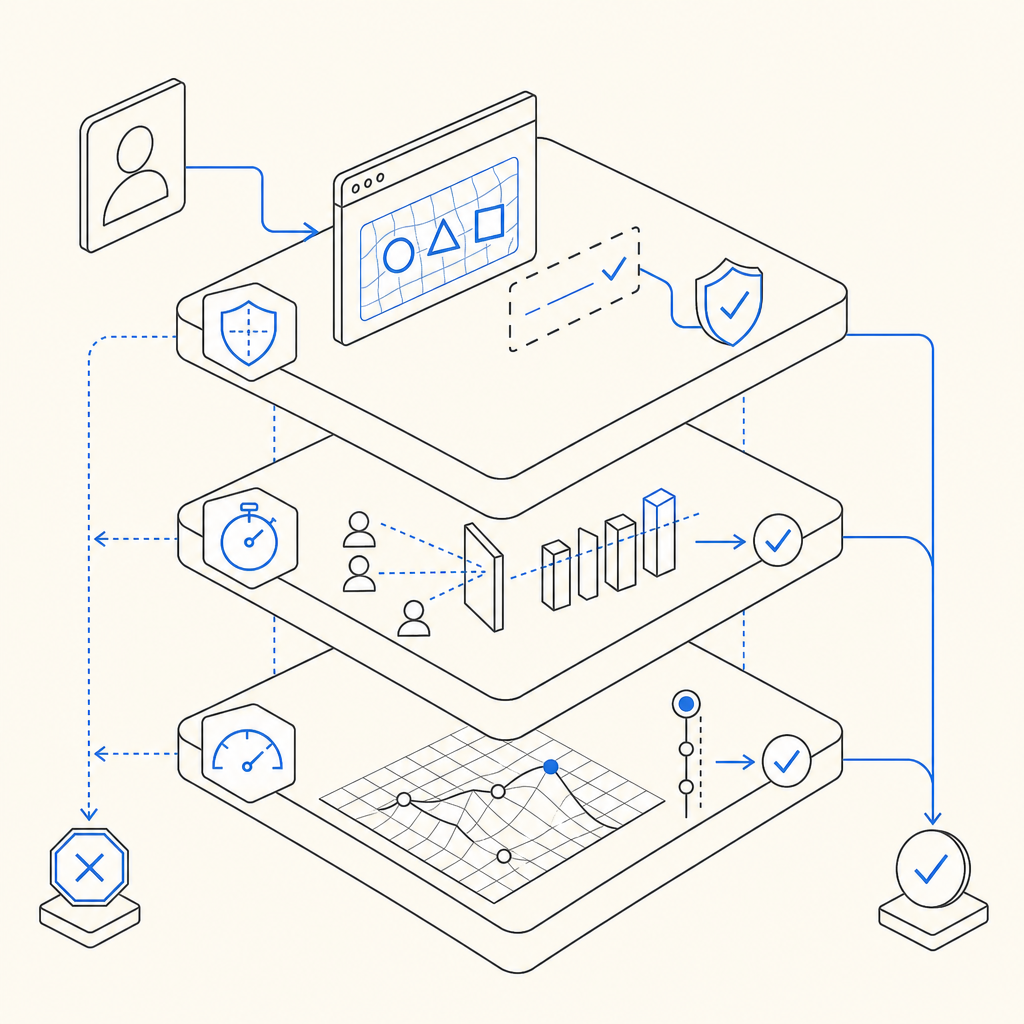
A CAPTCHA should not become the fragile point in your request pipeline. The best integration is the one that fails safely and predictably.
Consider this simple sequence for a protected endpoint:
- Client requests the challenge.
- User completes the interaction.
- Frontend submits the pass token with the form.
- Backend validates the token.
- Backend checks additional risk rules.
- Backend approves or rejects the action.
When you design the failure path, decide what should happen if validation cannot be completed due to timeouts or upstream errors. For example:
- For account creation, you may reject and ask for a retry.
- For login, you may allow a retry with a fresh token.
- For low-risk actions, you might soft-fail and queue a secondary check.
- For abuse-prone endpoints, you should fail closed.
You should also pay attention to token freshness. Even if the API response is valid, stale tokens should not be reused. Tokens should be treated as single-use or short-lived trust assertions.
A few technical habits help a lot:
- Cache nothing about token validity unless the provider explicitly allows it.
- Correlate validation events with request IDs for debugging.
- Keep validation latency low by calling the API from the nearest backend region you control.
- Rotate secrets if you suspect leakage.
- Test your integration with both success and failure cases before shipping.
If you want implementation guidance, the docs are the right place to start, especially when wiring the loader into a web app and connecting it to your backend validation route.
When this approach is the right fit
A BLS CAPTCHA API style integration is a good fit when you want a clear server-side trust boundary and a lightweight way to gate risky actions. It is especially useful if you manage:
- Signups and account creation
- Credential stuffing defenses
- High-volume form abuse
- Scraper-sensitive content
- Checkout or promo-code abuse
- API endpoints that attract automated noise
It may be less useful as a standalone control if your threat model includes sophisticated human-assisted abuse, because no CAPTCHA alone stops every form of misuse. That is why mature defenses combine CAPTCHA with device signals, behavioral analysis, and rate limiting.
For teams evaluating cost and scale, the plan structure matters too. CaptchaLa’s public tiers include a free tier with 1,000 requests per month, Pro at 50K–200K, and Business at 1M, which can make it easier to start small and expand as traffic grows.
The main question is not “which CAPTCHA is magical?” It is “which integration fits our stack, our privacy goals, and our operational constraints?” If your answer includes multi-platform SDKs, straightforward server validation, and first-party data only, then this API pattern is worth a close look.
Where to go next: review the implementation details in the docs or check the pricing page to match your traffic needs to a plan.