
Captcha keys are the credentials that let your app talk to a CAPTCHA or bot-defense service: one key is usually public and embedded in the client, while the other is secret and kept on the server to verify responses. Used correctly, they let you challenge suspicious traffic without exposing your backend to spoofed form submissions or automated abuse.
The important part is not just “having keys,” but knowing where each key lives, what it can do, and how validation flows from browser or device to your server. That separation is what keeps a CAPTCHA setup useful instead of merely decorative.
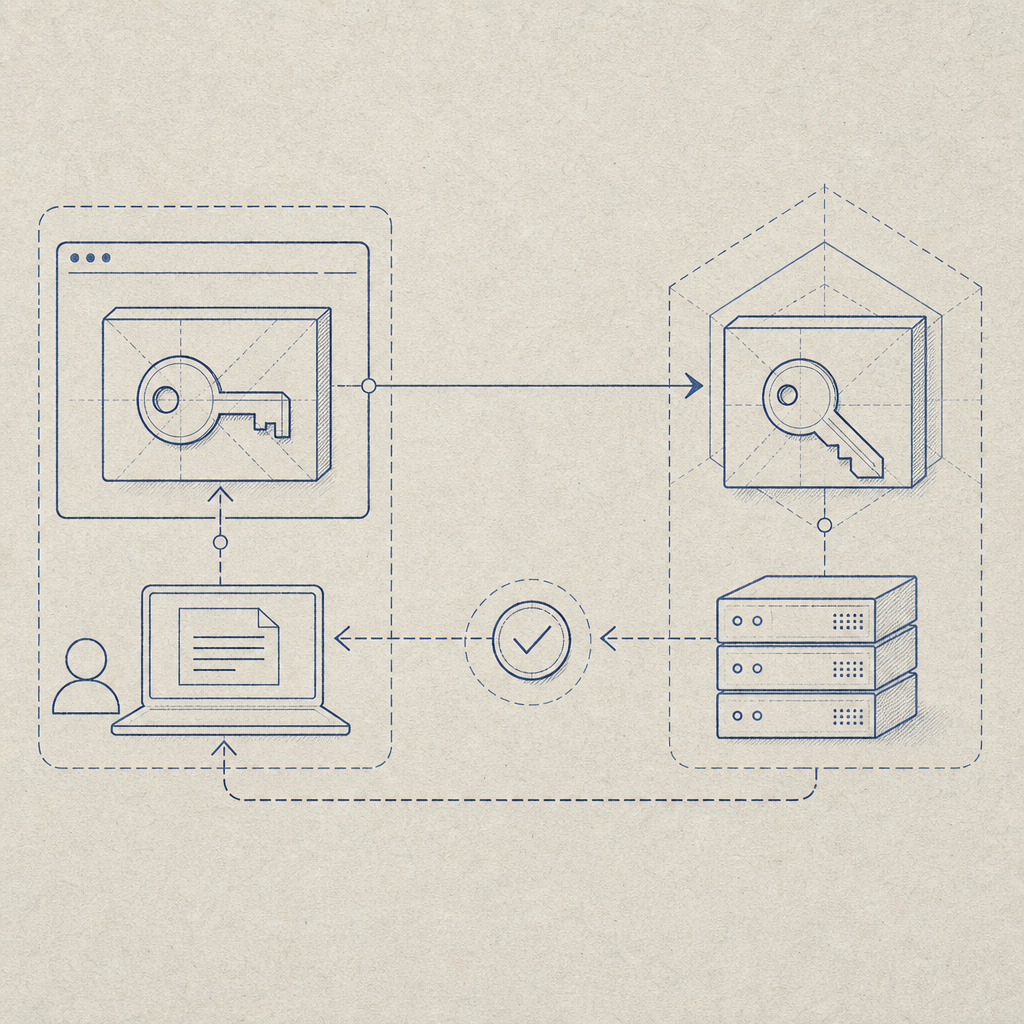
What captcha keys actually do
A CAPTCHA integration usually has two trust zones:
Client-side key
This key is safe to expose in the browser or mobile app. It identifies your site or app to the challenge loader and tells the SDK which account/configuration to use.Server-side key
This key never ships to end users. It is used by your backend to verify the pass token returned after a challenge succeeds. If someone steals this key, they can impersonate your server-side verification flow.
That split is why captcha keys are not interchangeable. The client key is for rendering and collecting proof; the server key is for validation and trust decisions.
With CaptchaLa, the public loader is served from https://cdn.captcha-cdn.net/captchala-loader.js, and the backend validation flow uses a dedicated API call: POST https://apiv1.captcha.la/v1/validate with pass_token and client_ip, authenticated by X-App-Key and X-App-Secret. That structure makes it easy to keep the sensitive part on your server only.
How to use captcha keys safely
The most common mistake is treating captcha keys like generic API keys. They are not.
A practical rule set
Expose only the client key in the frontend.
If your SDK or loader needs a site identifier, that is the one safe to bundle in the browser, mobile app, or Electron shell.Store the secret key in environment variables or a secrets manager.
Never hardcode it in client bundles, Git history, or public config files.Validate server-side before accepting a form, signup, login, or API action.
The challenge result should be treated as an input to your backend logic, not as proof by itself.Bind validation to the request context.
Include the end user’sclient_ipwhen your backend validates the pass token, so the verification signal is tied to the request that actually arrived.Expire and rotate credentials when needed.
If a key leaks, rotate both keys and invalidate any assumptions your app made about prior tokens.
Here’s a simplified server-side pattern:
// English comments only
async function verifyCaptcha(passToken, clientIp) {
  const response = await fetch("https://apiv1.captcha.la/v1/validate", {
    method: "POST",
    headers: {
      "Content-Type": "application/json",
      "X-App-Key": process.env.CAPTCHALA_APP_KEY,
      "X-App-Secret": process.env.CAPTCHALA_APP_SECRET,
    },
    body: JSON.stringify({
      pass_token: passToken,
      client_ip: clientIp,
    }),
  });

  if (!response.ok) {
    throw new Error("Captcha validation request failed");
  }

  const data = await response.json();

  if (!data.success) {
    throw new Error("Captcha validation did not pass");
  }

  return data;
}
That flow keeps the decision point on the server, where it belongs. The browser may collect the proof, but your app decides whether the request is trustworthy.
Comparing captcha key models across vendors
Different vendors use slightly different naming and deployment patterns, but the security model is similar: public identifiers live in the client, and secret credentials stay server-side.
| Service | Client-side credential | Server-side credential | Validation style | Notes |
|---|---|---|---|---|
| reCAPTCHA | Site key | Secret key | Server verification | Widely used, familiar patterns |
| hCaptcha | Sitekey | Secret key | Server verification | Common alternative with similar split |
| Cloudflare Turnstile | Sitekey | Secret key | Server verification | Often used for low-friction challenges |
| CaptchaLa | App key / client-facing setup | App secret | Server validation via API | Supports web, mobile, and server SDKs |
The exact names differ, but the principle stays the same: the frontend gets a public identifier, and the backend keeps the secret verification credential.
Where teams often get tripped up is assuming that because a CAPTCHA is “low friction,” it can also be “low ceremony.” It still needs a clean trust boundary. Even a fast challenge is only useful if the validation step happens somewhere the user cannot tamper with.
Implementation details that matter
If you are wiring captcha keys into a real product, the details below matter more than the marketing copy.
SDK and platform support
CaptchaLa supports 8 UI languages and native SDKs for:
- Web: JS, Vue, React
- iOS
- Android
- Flutter
- Electron
For server-side implementations, there are SDKs for:
captchala-phpcaptchala-go
For mobile packaging, the published artifacts include:
- Maven:
la.captcha:captchala:1.0.2 - CocoaPods:
Captchala 1.0.2 - pub.dev:
captchala 1.3.2
That matters because captcha keys are not only a web concern. If your checkout, registration, or login flows exist in mobile or desktop clients, the same trust boundary rules still apply.
Validation and challenge issuance
Some products only need validation. Others need server-issued challenge tokens as part of a deeper anti-abuse flow. CaptchaLa also exposes:
POST https://apiv1.captcha.la/v1/server/challenge/issue
That can be useful when your backend wants to decide when to challenge, rather than leaving every decision to the browser.
A quick operational checklist
- Keep the secret key in server-only config.
- Use the public/client key only where the SDK requires it.
- Validate the pass token immediately after user completion.
- Pass the request IP if your risk model uses it.
- Log validation outcomes, not raw secrets.
- Monitor for repeated failures or suspicious traffic spikes.
- Rotate credentials if a deployment artifact leaks.
These are small habits, but they prevent large headaches.

Choosing the right CAPTCHA setup for your app
There is no single correct choice for every product. A contact form, a high-volume SaaS signup page, and a mobile banking login all have different risk profiles.
A few practical tradeoffs:
- reCAPTCHA is familiar and widely integrated, which can simplify adoption.
- hCaptcha is often chosen for a different privacy or ecosystem preference.
- Cloudflare Turnstile can be appealing when you already use Cloudflare services.
- CaptchaLa may fit teams that want first-party data handling and SDK coverage across web, mobile, and desktop.
If you are evaluating options, look at more than the visible challenge style. Ask:
- How are captcha keys provisioned?
- Can I keep the secret fully server-side?
- Does the provider support my runtime?
- What is the validation endpoint and request format?
- How much traffic is included at my volume?
For budgeting, CaptchaLa’s tiers are straightforward: free at 1,000 requests per month, Pro in the 50K–200K range, and Business at 1M. If you want to compare fit against your expected traffic, pricing is a good place to start; if you need integration specifics, the docs cover the implementation flow.
Final take
Captcha keys are simple in concept but easy to misuse. The safe pattern is consistent: expose the public/client key where the challenge runs, keep the secret key on the server, and validate every pass token before you trust the request. Whether you use CaptchaLa, reCAPTCHA, hCaptcha, or Cloudflare Turnstile, that boundary is the difference between a real defense layer and a false sense of security.
Where to go next: review the docs for implementation details, or check pricing if you are mapping captcha keys to production traffic.