
The best paid captcha is the one that balances bot resistance, user experience, and operational fit for your stack. For most teams, that means a service that can stop automated abuse without turning every form submission into a friction test for real users.
If you’re choosing among paid captcha providers, don’t start with branding. Start with three questions: how hard is it for bots to abuse the flow, how much friction do legitimate users see, and how quickly can your team integrate and maintain it? That frame will get you much closer to the right choice than a feature checklist alone.
What “best paid captcha” really means
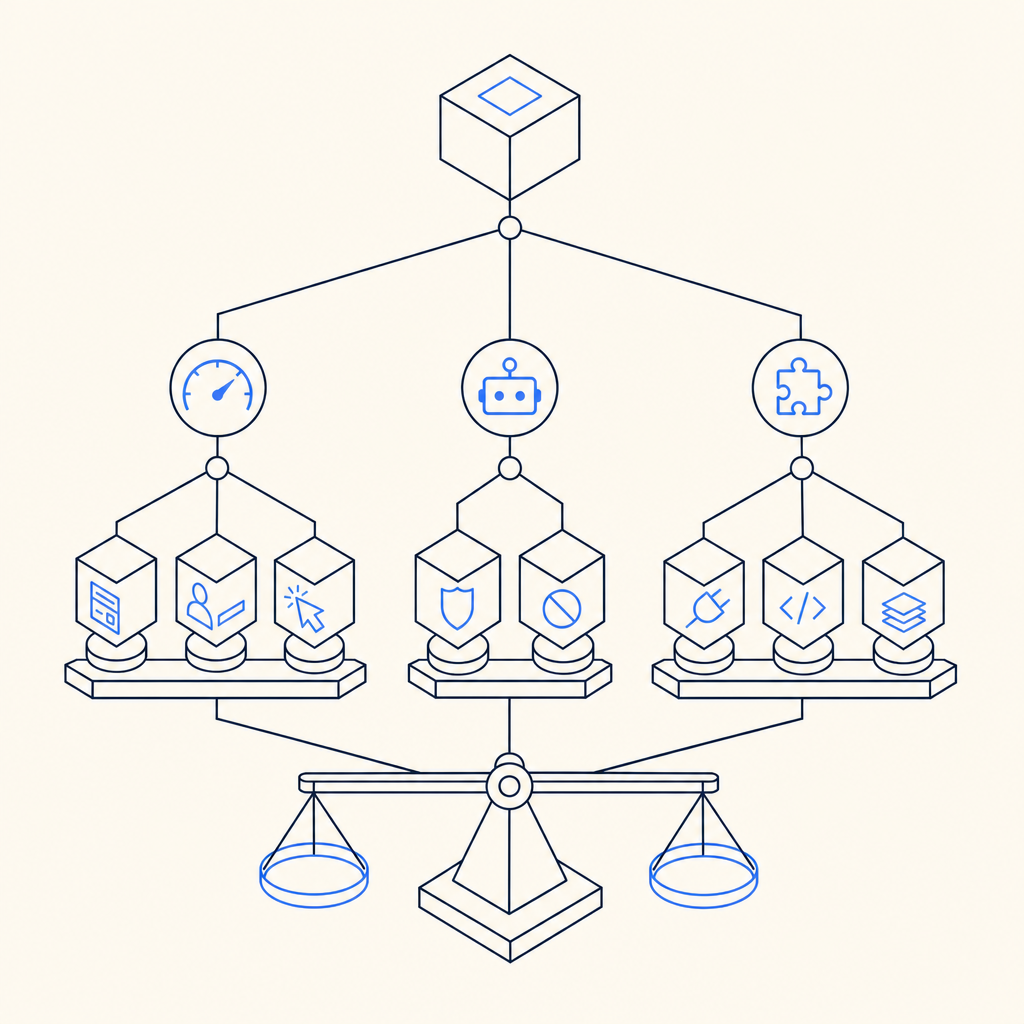
“Best” depends on the threat model, not just the price tag. A login form that gets credential-stuffed needs different protection than a newsletter signup, payment endpoint, or account creation flow. A paid captcha service should reduce automated abuse while fitting the exact step in your funnel where risk appears.
Here’s the practical definition I use:
- Effective challenge behavior: It should slow bots without creating a predictable pattern that can be tuned around.
- Low user friction: Real users should rarely have to solve anything obvious unless risk is genuinely elevated.
- Reliable verification flow: The server-side validation path should be simple, documented, and easy to monitor.
- Good fit for your platforms: Web is not enough if your product also ships mobile or desktop apps.
- Clear operational controls: You want configurable policies, logs, and the ability to adapt as abuse changes.
That’s why the “best paid captcha” for one company may be a poor fit for another. A startup with a simple signup funnel may care most about fast setup and low cost. An established SaaS handling login abuse and scraping may care more about SDK coverage, language support, and first-party data handling.
How the major options compare
The most common names in the market are reCAPTCHA, hCaptcha, Cloudflare Turnstile, and independent providers like CaptchaLa. All of them can be part of a serious defense strategy, but they differ in friction profile, operational control, and integration style.
| Provider | UX friction | Integration style | Good for | Notes |
|---|---|---|---|---|
| reCAPTCHA | Low to moderate | Widely supported | Broad web use, familiar setup | Often chosen for familiarity; policy and risk behavior may vary by deployment |
| hCaptcha | Low to moderate | Strong web focus | Abuse mitigation, privacy-conscious teams | Common alternative to reCAPTCHA; evaluate how often users see interactive challenges |
| Cloudflare Turnstile | Low | Cloudflare ecosystem | Teams already using Cloudflare | Attractive for low-friction flows, especially if your edge stack is on Cloudflare |
| CaptchaLa | Low to moderate | Web, mobile, desktop, server SDKs | Teams wanting first-party data control and broad SDK coverage | Native SDKs for Web, iOS, Android, Flutter, and Electron |
The right comparison isn’t “which one is smartest.” It’s “which one fits my app architecture and abuse profile.” If you run a multi-platform product, SDK coverage matters a lot. CaptchaLa supports native SDKs for Web (JS/Vue/React), iOS, Android, Flutter, and Electron, plus server SDKs for PHP and Go. That breadth matters when you want one anti-bot approach across the whole product rather than separate ad hoc fixes.
For teams that care about data handling, “first-party data only” can also be a meaningful criterion. It reduces uncertainty around what gets shared and where verification data flows, which is helpful for regulated or privacy-sensitive applications.
What to evaluate before you buy
A paid captcha is not just a widget. It’s a transaction between frontend, backend, and your abuse-detection policy. Before you choose, evaluate the implementation path as carefully as the challenge experience.
1. Server-side validation
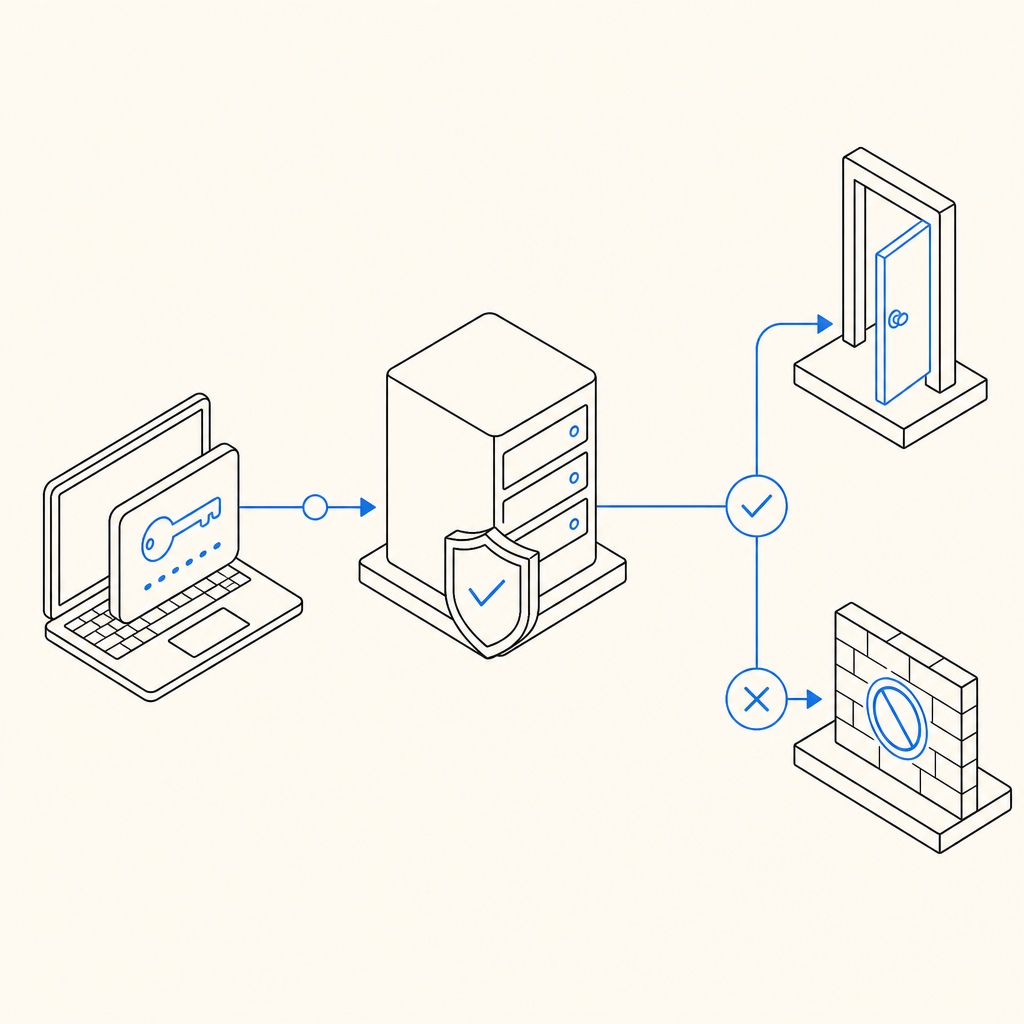
If a provider makes client-side rendering easy but verification awkward, you’ll feel it later in maintenance and incident response. Look for a straightforward API that accepts the token produced in the browser or app and verifies it from your backend.
A typical server flow should be boring in the best way:
# 1. User completes challenge in client
# 2. Client sends pass_token to your backend
# 3. Backend calls provider validation endpoint
# 4. Backend allows or blocks the action based on result
With CaptchaLa, validation is performed by POST https://apiv1.captcha.la/v1/validate using pass_token and client_ip, authenticated with X-App-Key and X-App-Secret. That’s the kind of flow you can wire into login, signup, password reset, or sensitive actions without inventing custom plumbing.
2. SDK fit across platforms
If your product is web-only, you can optimize for the browser. But many teams now have mixed stacks: a web app, a mobile app, maybe a desktop client, plus a backend service. In those cases, the best paid captcha is the one you can reuse everywhere.
CaptchaLa’s native SDK list is broad enough to cover that reality:
- Web: JS, Vue, React
- iOS
- Android
- Flutter
- Electron
- Server:
captchala-php,captchala-go
That matters because abuse often doesn’t stay confined to one surface. If your auth endpoints are shared across web and mobile, the same verification logic should be available to all clients.
3. Developer experience and release velocity
A captcha integration should not slow releases. Check whether the provider has clear docs, simple initialization, and predictable versioning. The loader for CaptchaLa is https://cdn.captcha-cdn.net/captchala-loader.js, and the docs at docs describe the implementation details for client and server flows.
You should also pay attention to package availability. Real-world teams often need native mobile or backend packages with versioned releases they can pin. CaptchaLa publishes packages such as:
- Maven:
la.captcha:captchala:1.0.2 - CocoaPods:
Captchala 1.0.2 - pub.dev:
captchala 1.3.2
That kind of specificity is useful when you want reproducible builds and controlled rollouts.
A practical decision framework
If you’re still comparing the best paid captcha choices, use this order of operations:
Map your abuse surface
- Login
- Signup
- Password reset
- Comment or form spam
- API abuse on sensitive endpoints
Choose your friction target
- Invisible or low-friction by default
- Escalation only when risk rises
- Explicit challenge only for the highest-risk actions
Verify integration complexity
- Can frontend and backend teams implement it quickly?
- Is there a clean validate endpoint?
- Are mobile and desktop clients supported?
Check data posture
- What data is collected?
- Is first-party data available?
- Does the vendor fit your privacy requirements?
Model monthly volume
- Free tiers can help with proof of concept
- Paid tiers should match real traffic, not just peak estimates
For reference, CaptchaLa’s published tiers are designed for different stages: free tier at 1,000 monthly requests, Pro at 50K–200K, and Business at 1M. That range is useful if you’re scaling from a single protected form to a larger auth or abuse-prevention layer. You can review current pricing to see how that lines up with your expected volume.
A good rule: if your team spends more time wrestling with captcha than using it as a control, it is not the right fit. The best paid captcha should fade into the background for legitimate users while staying measurable and enforceable for your backend.
Final take
For most teams, the best paid captcha is the one that fits your actual architecture, not the one with the loudest marketing. If you need broad SDK coverage, straightforward server validation, and a privacy posture centered on first-party data, CaptchaLa is worth a serious look alongside reCAPTCHA, hCaptcha, and Cloudflare Turnstile.
If you’re deciding today, start with your highest-risk endpoint, test the integration path, and compare user friction under real traffic rather than assumptions. Where to go next: review the docs or check pricing to match a plan to your expected volume.