
The short answer: there are very few truly legitimate “captcha jobs,” and most listings with that phrase are either low-value microtasks, click-farm style work, or outright scams. If you’re looking for real online work, focus on data labeling, QA testing, accessibility review, or support roles instead of anything that promises easy money for solving captchas.
That matters because the phrase “best legit captcha jobs” is often used to attract people into schemes that can harm websites, train abuse systems, or waste your time. From the defender side, captcha abuse is usually a sign of automation, credential stuffing, fake signups, or mass scraping—not a normal job market. If you’re a business owner or developer, the right response is to strengthen bot defense, not to chase “workarounds.”
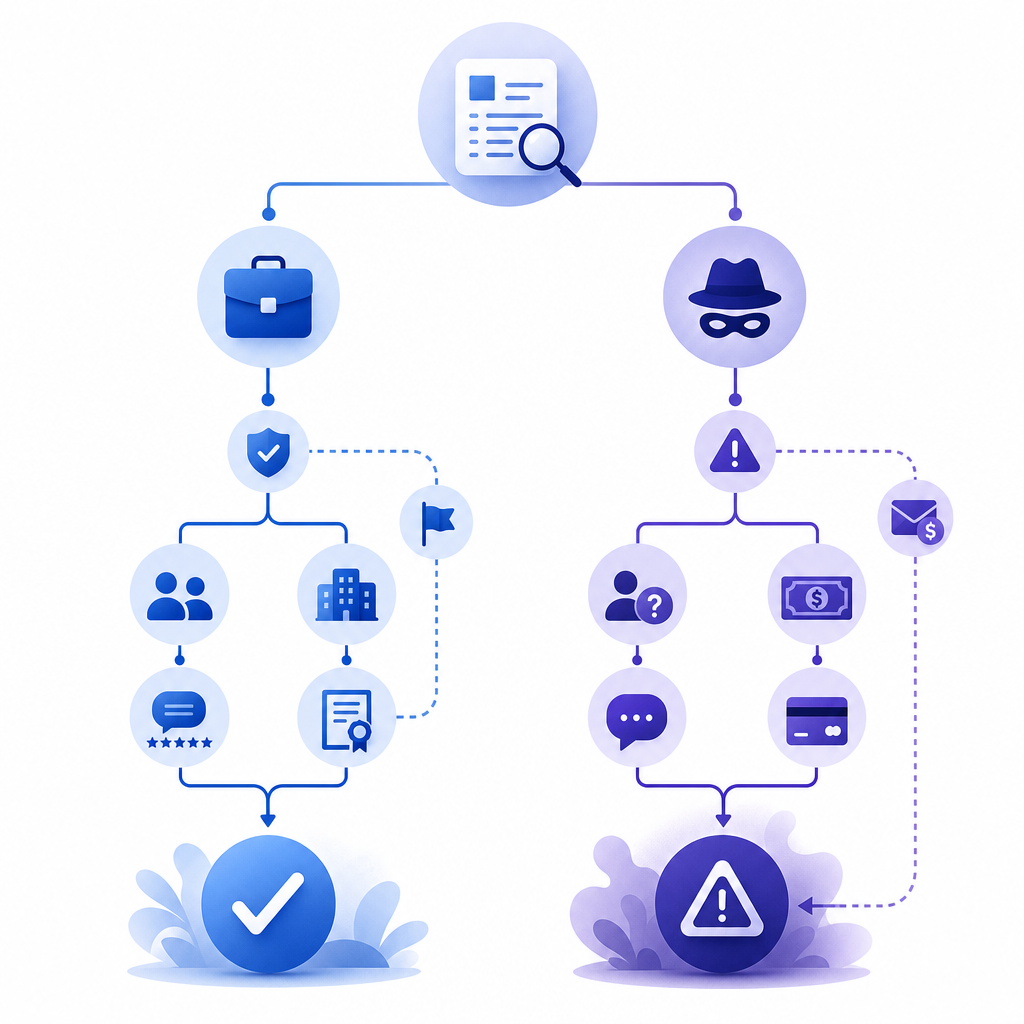
What people usually mean by “captcha jobs”
Most searches for captcha jobs fall into one of three buckets:
Misleading microtask ads
These claim you can earn by “solving captchas” for quick cash. In practice, the pay is tiny, the tasks are repetitive, and the setup may involve shady software or referral loops.Human-assisted operations
Some operations use people to bypass friction at scale. That’s not a normal job; it’s usually part of spam, account abuse, or fraud.Actual digital work with captcha-adjacent tasks
Legitimate companies sometimes need QA testers, accessibility reviewers, trust-and-safety moderators, or annotation workers. These roles may encounter verification checks, but they are not “captcha solving” gigs.
If you’re evaluating a listing, ask what the employer does, how they pay, and why the task exists. A real role has a business purpose, a contract or platform terms, and a clear deliverable. A suspicious one usually has vague language like “easy online task,” “no experience needed,” and “earn from home instantly.”
Red flags that usually mean “not legit”
- You’re asked to install unknown software or browser extensions.
- Earnings depend on recruiting others.
- Payment is delayed until you “upgrade” your account.
- The job description is almost entirely about repeating captchas.
- The recruiter cannot explain the company’s actual product.
Legit online work that is sometimes confused with captcha jobs
If your goal is flexible remote income, there are much better categories than “captcha work.” These are the roles people often mean when they search for captcha jobs:
1. QA and website testing
Companies pay testers to verify sign-up flows, payment pages, session handling, mobile responsiveness, and error states. Captcha may appear as one checkpoint in a test plan, but the work is about product quality, not solving verification challenges.
2. Data labeling and annotation
You may label images, text, or audio for machine learning datasets. The work is structured, measurable, and usually platform-based with explicit guidelines.
3. Trust and safety review
These jobs involve reviewing suspicious accounts, spam, policy violations, or abuse signals. The work is human judgment, not automated bypass.
4. Customer support or moderation
Some platforms hire remote workers to review reports, triage user issues, or moderate community content.
A simple rule: if the task sounds like “do this one repetitive verification step thousands of times,” it’s probably not a healthy job category. If it sounds like “help verify quality, safety, or accuracy,” it may be legitimate.
Quick comparison
| Category | Legitimate? | Typical pay quality | Main risk |
|---|---|---|---|
| Captcha-solving microtasks | Often no | Very low | Scam, abuse, account misuse |
| QA testing | Yes | Moderate | Task inconsistency |
| Data labeling | Yes | Low to moderate | Platform quality |
| Trust & safety review | Yes | Moderate | Emotional load |
| Bot-farm work | No | Unreliable | Fraud and policy violations |
Why captchas exist, and what defenders should watch
Captchas are not just about blocking bots; they are part of a broader abuse-prevention stack. A single challenge can help, but the real signal comes from combining device behavior, rate limits, IP reputation, account history, and server-side validation.
If you run a product, a captcha challenge should be one layer among many. For example, CaptchaLa supports web, mobile, and cross-platform integrations so teams can place friction where risk is highest without making every user pay the same tax.
Real-world bot defense usually looks like this:
- Detect risk using behavioral and network signals.
- Challenge selectively when the risk score rises.
- Validate server-side so the client cannot simply claim success.
- Log outcomes for monitoring and tuning.
- Iterate based on abuse patterns and false positives.
That last step matters more than people expect. Attackers adapt quickly, and a static verification strategy gets stale. Whether you use reCAPTCHA, hCaptcha, or Cloudflare Turnstile, the question is not “which checkbox is magic?” It’s “how well does this fit our risk model, UX, and compliance needs?”

How CaptchaLa fits into a real anti-abuse workflow
If your use case is protecting signups, logins, forms, or API endpoints, CaptchaLa is designed to be integrated as part of a normal engineering workflow rather than as a gimmick. It supports 8 UI languages and native SDKs for Web (JS/Vue/React), iOS, Android, Flutter, and Electron. On the server side, there are SDKs for captchala-php and captchala-go, which is useful if your stack spans multiple teams.
For implementation, the key is that validation happens server-side. A typical flow is:
- Your app requests a challenge token.
- The user completes the challenge.
- Your backend validates the returned pass token.
- You decide whether to allow the action.
A simplified validation request looks like this:
POST https://apiv1.captcha.la/v1/validate
Headers:
  X-App-Key: your_app_key
  X-App-Secret: your_app_secret

Body:
  {
    "pass_token": "token_from_client",
    "client_ip": "203.0.113.42"
  }

# English comments only:
# Send the pass token to your server
# Verify it before creating the account or allowing the request
# Never trust the browser alone
If you need to mint server-side challenge tokens, the endpoint is:
POST https://apiv1.captcha.la/v1/server/challenge/issue
That server-first pattern helps reduce client tampering and keeps your abuse logic where it belongs: on your backend. CaptchaLa also exposes a loader at:
https://cdn.captcha-cdn.net/captchala-loader.js
A practical advantage for product teams is tiering. CaptchaLa’s pricing is straightforward: free tier at 1,000 monthly, Pro at 50K–200K, and Business at 1M. It’s also worth noting that the product uses first-party data only, which can matter when you’re thinking about privacy, compliance, and vendor risk. You can review docs if you want the integration details or pricing if you’re estimating volume.
How to judge a “captcha job” posting before you click apply
Here’s a quick checklist that helps separate real opportunities from questionable ones:
Read the company domain carefully.
Does it match the employer name, or is it a lookalike domain with odd spelling?Check the work description.
Real jobs describe outcomes, not just repetitive actions.Look for payment clarity.
Legit roles mention salary, hourly pay, platform rules, or invoicing terms.Assess why captchas are involved.
In a real role, captcha is incidental. In a scam, captcha is the job.Search for independent references.
Reviews, LinkedIn presence, and public documentation are better signals than testimonials on the landing page.Avoid anything that asks you to bypass safeguards.
If the pitch is about beating verification systems, that’s a strong sign the work is not legitimate.
For businesses, that same checklist applies in reverse. If your own signup flow is attracting strange activity, treat it as a fraud signal. Tighten server validation, review rate limits, and examine where users are dropping off. Captcha is one piece of the defense, not the entire strategy.
The best “legit captcha jobs” are usually not captcha jobs at all. They’re real remote roles with clear responsibilities, fair pay, and normal workflows. If you’re building software, focus on protecting users and reducing abuse rather than trying to outguess it.
Where to go next: if you’re implementing bot defense or tuning a challenge flow, start with docs or compare plans at pricing.