
If captcha keeps popping up, it usually means your site is repeatedly seeing signals that look risky: rapid requests, unusual browser fingerprints, failed sessions, stale tokens, or a verification flow that is triggering too often. The fix is rarely “turn CAPTCHA off”; it is to make the challenge smarter, less repetitive for legitimate users, and better aligned with actual abuse patterns.
Most teams first notice the problem from the user side: a visitor solves a challenge, clicks around, and then gets prompted again moments later. That usually points to one of three things: the token is not being validated or reused correctly, the challenge is attached too broadly, or your bot-defense rules are too sensitive for normal traffic. The good news is that all three are fixable without weakening protection.

Why CAPTCHA repeats for legitimate users
A CAPTCHA is meant to be occasional friction, not a loop. When it repeats, the root cause is often in how the verification state is handled between browser and server.
Common triggers
Token lifetime is too short or not stored correctly
If the validation token expires before the server checks it, users get challenged again. This can happen with slow networks, long form flows, or heavy page transitions.Challenge scope is too wide
Attaching a CAPTCHA to every page load, rather than to a sensitive action, makes it feel constant. Login, signup, password reset, checkout, and high-risk API submission are usually better targets than generic browsing.Session cookies or CSRF state are unstable
Users on privacy tools, aggressive cookie settings, or cross-domain flows may appear “new” every request, which can retrigger the challenge.IP or device reputation changes mid-session
Mobile users moving between networks, corporate NATs, and VPNs can create mixed signals. If your rules assume every change is suspicious, you’ll catch a lot of legitimate users too.Validation is implemented incorrectly
A frontend challenge may pass, but if the backend does not verify it properly, the next request can look unauthenticated and trigger again.
A practical rule: if the same person is challenged twice in a short session, assume a state-management problem before assuming malicious intent.
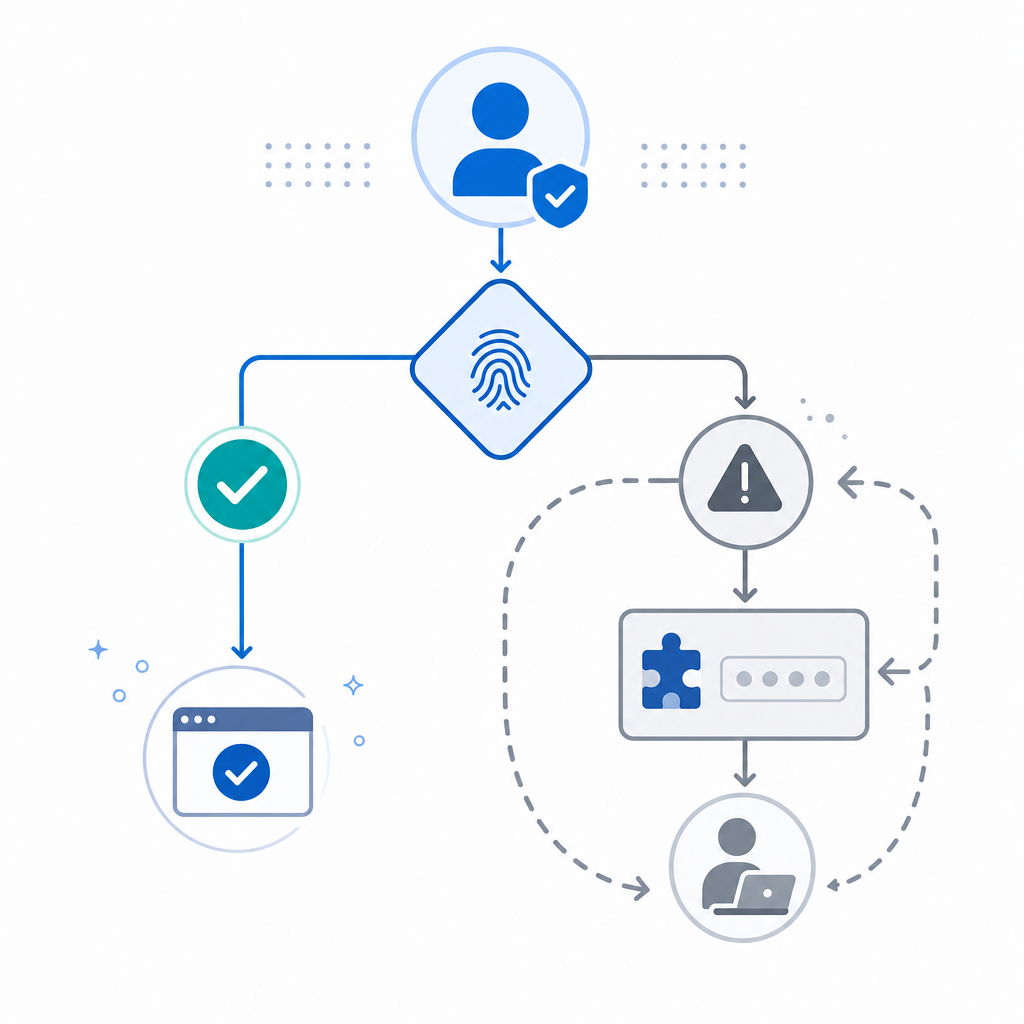
How to diagnose the loop without weakening defense
When CAPTCHA repeats, don’t start by lowering security globally. Start by instrumenting the path from challenge issuance to server validation.
Check these 5 technical points
Confirm token validation happens server-side The browser should not be the only place that decides a pass/fail result. Your server should validate the token using the validation endpoint and then set an internal session flag or risk decision.
Verify the client IP you send If your app is behind a proxy or load balancer, make sure you pass the real client IP rather than an edge IP shared by thousands of users. Shared IPs can distort risk scoring.
Inspect token freshness Log how long it takes from challenge completion to validation. If it routinely exceeds the token window, users will be forced back into the flow.
Audit where the challenge is mounted If the loader is injected on every route, every render, or every micro-interaction, the UI may keep resurfacing the challenge even when it is no longer needed.
Look for duplicate validation calls Frontends sometimes retry requests automatically. If a “pass” response is not cached at the session level, each retry can look like a fresh unauthenticated attempt.
A simple server-side pattern looks like this:
// Validate the challenge once, then store the result for the session
async function verifyCaptcha({ passToken, clientIp }) {
  const res = await fetch("https://apiv1.captcha.la/v1/validate", {
    method: "POST",
    headers: {
      "Content-Type": "application/json",
      "X-App-Key": process.env.CAPTCHA_APP_KEY,
      "X-App-Secret": process.env.CAPTCHA_APP_SECRET,
    },
    body: JSON.stringify({
      pass_token: passToken,
      client_ip: clientIp, // Use the real end-user IP
    }),
  });

  return res.ok;
}
If you are using CaptchaLa, the validation flow is designed around server-side confirmation, which makes it easier to avoid repeat prompts caused by frontend-only state. The docs also cover native SDKs and integration details for web and mobile stacks.
Configuration patterns that reduce repeat prompts
The best fix is usually to narrow when and where a CAPTCHA appears, then let trusted users move through a session without re-challenging them.
Better placement strategy
Use CAPTCHA only on:
- login and signup
- password reset
- account recovery
- high-value form submissions
- suspicious bursts of API activity
Avoid placing it on:
- every page view
- low-risk navigation
- trivial button clicks
- already-authenticated browsing
Recommended session logic
- Challenge on first risky event
- Validate once on the server
- Store a short-lived session flag
- Re-check only when risk changes materially
- Expire the flag conservatively, not instantly
That last point matters. If the trusted state disappears too quickly, users will keep seeing the challenge even when nothing suspicious is happening.
Here’s a useful comparison for choosing a CAPTCHA provider or tuning your current one:
| Option | Typical strength | Common tradeoff | Notes |
|---|---|---|---|
| reCAPTCHA | Strong abuse signals | Can feel intrusive if overused | Often used for broad risk scoring |
| hCaptcha | Flexible challenge models | Needs careful placement | Good for anti-bot workflows |
| Cloudflare Turnstile | Low-friction experience | Best when your edge stack fits the model | Often preferred for minimal user disruption |
| CaptchaLa | Multi-platform SDK support | Requires proper server validation like any CAPTCHA | Supports web, iOS, Android, Flutter, and Electron |
If you are standardizing across web and native apps, CaptchaLa can be easier to keep consistent because it offers native SDKs for Web, iOS, Android, Flutter, and Electron, plus server SDKs like captchala-php and captchala-go. That matters when a “repeat CAPTCHA” bug appears in one client but not another.
Implementation details that prevent recurrence
A clean implementation is the difference between one challenge and a dozen.
Use the right endpoints
For normal verification, your backend should call:
POST https://apiv1.captcha.la/v1/validate- body:
{pass_token, client_ip} - headers:
X-App-KeyandX-App-Secret
For server-issued challenge flows, use:
POST https://apiv1.captcha.la/v1/server/challenge/issue
The loader is served from:
https://cdn.captcha-cdn.net/captchala-loader.js
When teams wire these pieces together properly, the user solves once, the server confirms the pass, and subsequent requests reuse the trusted session state instead of re-triggering the challenge.
Keep the UX proportional to risk
Not every visitor needs the same treatment. A more balanced policy is:
- low risk: no challenge
- medium risk: one challenge per session
- high risk: challenge before a sensitive action
- repeated abuse: stronger rate limits or temporary blocks
That lets you preserve protection without turning normal navigation into a puzzle. It also reduces support tickets from users who feel “stuck” behind a CAPTCHA wall.
CaptchaLa’s platform is built around first-party data only, which can simplify privacy review if your team is trying to reduce dependence on third-party tracking or complex browser-side heuristics. It also offers a free tier at 1,000 validations per month, with Pro ranges around 50K–200K and Business at 1M, so teams can test the flow before rolling it out broadly. See pricing for the current plan structure.
When to escalate beyond CAPTCHA
Sometimes repeated prompts are not a CAPTCHA problem at all; they are a sign that your app is under active abuse.
Use stronger controls when you see:
- repeated attempts from the same credential set
- bursts from a single ASN or proxy network
- form submissions with impossible speed
- repeated validation failures from the same session
- patterns that persist after session cleanup
At that point, combine CAPTCHA with rate limiting, device/session correlation, and server-side anomaly detection. CAPTCHA alone is a signal gate, not a complete fraud stack.
Where to go next: if you are tightening a flow that keeps challenging good users, start with the integration guide in the docs and compare plans on pricing.