
The best form captcha is the one that stops bots without making real users hate your form. Practically, that usually means a solution that is easy to integrate, works across devices, supports your stack, and gives you enough defense signal to reduce spam, fake signups, and abuse without adding a painful puzzle every time.
That answer sounds simple because the real tradeoff is simple: if your form is too easy, bots get in; if it is too annoying, humans leave. The right choice depends on your risk level, traffic patterns, and how much control you want over the validation flow. For many teams, a modern captcha should behave more like a friction-managed security layer than a “prove you are human” checkpoint.

What makes the best form captcha?
A good form captcha is not just about visual puzzles. It should fit the submission journey, especially on signup, login, contact, checkout, and password reset flows. The best option for one team may be wrong for another if it causes unnecessary drop-off or cannot be validated cleanly on the server.
Here are the main criteria worth weighing:
Low friction for real users
- Works on mobile and desktop
- Handles accessibility reasonably well
- Avoids repeated challenges unless risk is high
Reliable bot resistance
- Makes automated submission expensive
- Supports server-side validation
- Can be layered with rate limits and abuse detection
Developer ergonomics
- Simple front-end integration
- Clear backend validation steps
- SDKs for your framework and mobile stack
Operational fit
- Supports your deployment model
- Gives you usage visibility
- Matches your expected traffic volume and geography
Privacy and data handling
- Minimizes unnecessary data collection
- Makes it clear what signals are used
- Fits your compliance posture
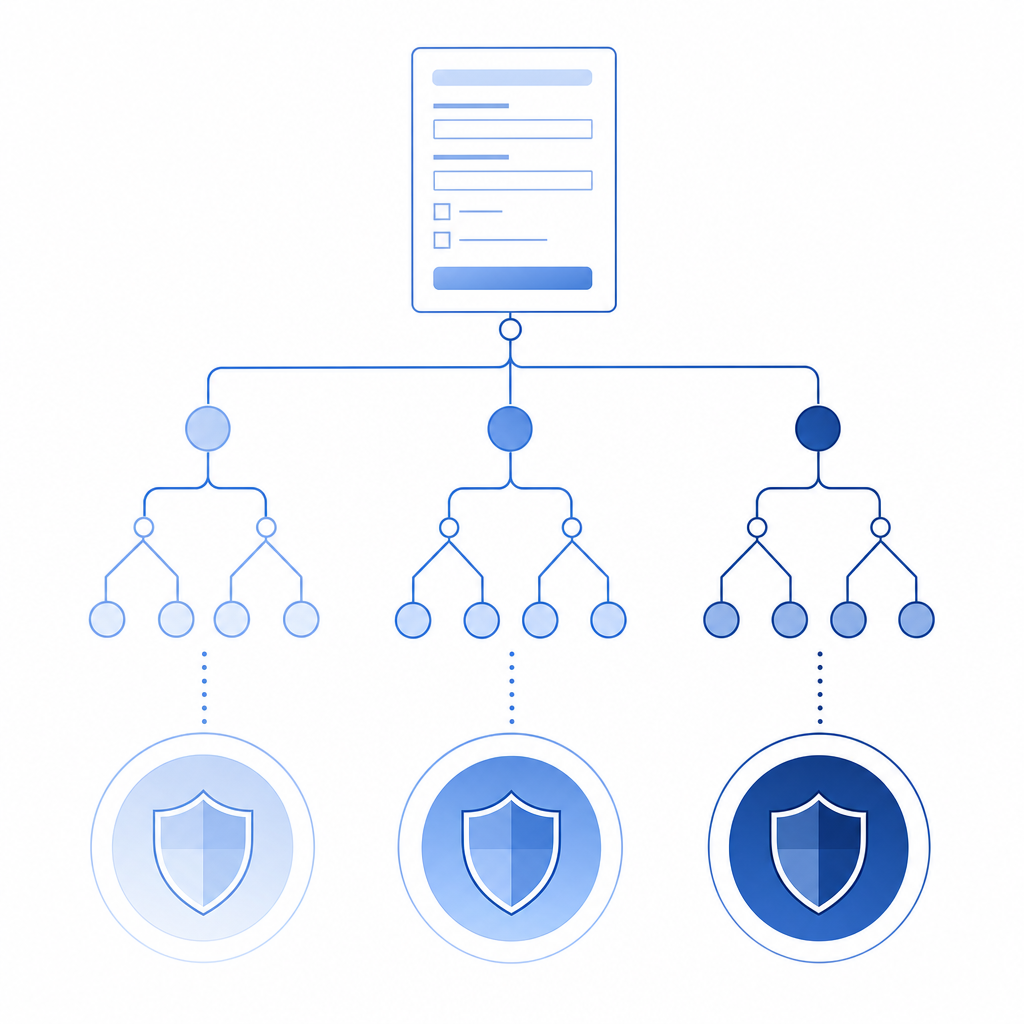
If you want a practical answer, the best form captcha is usually the one that lets you tune friction based on risk instead of applying the same challenge to every visitor.
Comparing the common options
The most common names you will see are reCAPTCHA, hCaptcha, and Cloudflare Turnstile, plus newer or niche bot-defense tools. Each has strengths, and each makes different tradeoffs around UX, ecosystem, and control.
| Option | User friction | Developer setup | Validation model | Notes |
|---|---|---|---|---|
| reCAPTCHA | Medium | Easy | Token-based, server verified | Widely known, strong ecosystem, but can feel familiar and sometimes heavy |
| hCaptcha | Medium | Easy | Token-based, server verified | Often chosen for challenge-based verification and alternative economics |
| Cloudflare Turnstile | Low | Easy | Token-based, server verified | Designed to be less interruptive; good fit when minimizing friction is a priority |
| CaptchaLa | Low to medium | Straightforward | Server validation with pass token | Offers web, mobile, and server SDKs plus 8 UI languages |
A few objective observations:
- reCAPTCHA is still common, so users often recognize it quickly. That can be helpful, but it may also introduce visual or interaction friction depending on the mode you use.
- hCaptcha is a reasonable alternative if you want a familiar CAPTCHA-style flow and a widely supported integration pattern.
- Cloudflare Turnstile is often selected when teams want to keep user friction as low as possible.
- CaptchaLa is worth evaluating if you want a modern integration path across Web, iOS, Android, Flutter, and Electron, plus server-side validation and first-party data handling.
The “best” part comes down to your constraints. A high-volume SaaS signup page may favor the least interruptive solution. A financial product with repeated abuse may prefer more explicit challenge control. A mobile app team may care most about native SDK coverage and easy backend verification.
Implementation details that matter more than the widget
A form captcha only helps if the backend actually enforces it. Too many teams treat the front-end widget as the security boundary, which is how bots end up bypassing the visible layer and targeting the API directly.
A solid implementation usually looks like this:
- Render the captcha in the client.
- Capture the returned pass token.
- Send the token with the form submission.
- Validate it on the server before accepting the request.
- Rate limit and log failures separately.
For CaptchaLa, the server-side validation flow is explicit: your backend can POST to https://apiv1.captcha.la/v1/validate with a body like {pass_token, client_ip} and authenticate with X-App-Key + X-App-Secret. If you need to create a server token for challenge issuance, there is also POST https://apiv1.captcha.la/v1/server/challenge/issue.
Here is a compact example of the pattern:
// English comments only

async function submitForm(formData, passToken, clientIp) {
  // Validate the token before trusting the submission
  const response = await fetch("https://apiv1.captcha.la/v1/validate", {
    method: "POST",
    headers: {
      "Content-Type": "application/json",
      "X-App-Key": process.env.CAPTCHALA_APP_KEY,
      "X-App-Secret": process.env.CAPTCHALA_APP_SECRET
    },
    body: JSON.stringify({
      pass_token: passToken,
      client_ip: clientIp
    })
  });

  const result = await response.json();

  // Reject if the captcha check fails
  if (!result.success) {
    throw new Error("Captcha validation failed");
  }

  // Continue with the protected form action
  return saveSubmission(formData);
}
If you are integrating across platforms, CaptchaLa’s native SDK coverage can simplify rollouts: Web via JS, Vue, and React; iOS and Android; Flutter; and Electron. On the server side, there are SDKs for captchala-php and captchala-go. For teams already standardizing on package managers, the published artifacts include Maven la.captcha:captchala:1.0.2, CocoaPods Captchala 1.0.2, and pub.dev captchala 1.3.2. The loader is available at https://cdn.captcha-cdn.net/captchala-loader.js.
Choosing based on traffic, UX, and cost
Cost matters, but only after you understand the abuse surface. A free tier that is enough for a side project may not be enough for a production SaaS with frequent signup attempts or form abuse. CaptchaLa’s published tiers are a useful example of how to map demand to budget: Free at 1000 requests per month, Pro at 50K-200K, and Business at 1M. You can compare that kind of range against your own traffic profile and bot rate.
Consider these questions before you decide:
How sensitive is the form?
- Contact form spam is annoying.
- Account creation fraud is more serious.
- Payment-related flows may need multiple layers.
What is your acceptable user friction?
- Can you tolerate a challenge on every submit?
- Do you want invisible verification most of the time?
- Should high-risk attempts be challenged more often than low-risk ones?
What stack do you support?
- If your team uses React and Go, you may prefer a solution with front-end and backend tooling in both.
- If your app is mobile-first, native SDKs matter.
- If you maintain multiple clients, consistent behavior across Web, iOS, Android, Flutter, and Electron saves time.
What data do you want to collect?
- Some teams prefer a minimal signal set.
- Others want more telemetry for abuse analysis.
- First-party data only can be a meaningful requirement for privacy-conscious organizations.
At this point, the best form captcha is not a brand name; it is a match between protection level and product constraints. A low-friction option may win for consumer signup forms. A more configurable option may win for enterprise workflows with higher abuse risk. That is why it helps to test on a real form instead of judging by reputation alone.
A practical selection checklist
If you want a fast decision framework, use this checklist:
Start with the form’s abuse cost.
- What happens if bots succeed?
- How expensive is remediation?
Measure user impact.
- Watch completion rate
- Check mobile performance
- Review accessibility feedback
Verify server enforcement.
- Don’t trust client-side checks alone
- Validate every protected request
- Log invalid pass tokens separately
Match the SDKs to your stack.
- Web, mobile, and desktop coverage reduces custom glue
- Server SDKs can make rollout more consistent
Pilot with one form first.
- Signup or contact forms are good candidates
- Compare bot reduction against abandonment
- Expand after you confirm the balance is right
If you are evaluating CaptchaLa, the docs are the best place to confirm integration details, and the pricing page can help you map traffic to plan size.
Where to go next: review the docs for implementation details, or compare tiers on pricing if you want to match protection to your current traffic.