
If your captcha keeps failing repeatedly, it’s usually not because you lack the skills or patience. Instead, it tends to be the result of technical, environmental, or configuration issues affecting how captcha challenges are generated, served, or validated. Understanding these root causes can help users and web developers troubleshoot failures and improve the user experience while maintaining effective bot defense.
In this post, we’ll explore the main reasons captchas fail, compare common bot-detection providers, and offer practical steps to mitigate frequent captcha errors. Whether you use CaptchaLa or competitors like reCAPTCHA, hCaptcha, or Cloudflare Turnstile, the principles remain similar.
What Causes Captcha to Keep Failing?
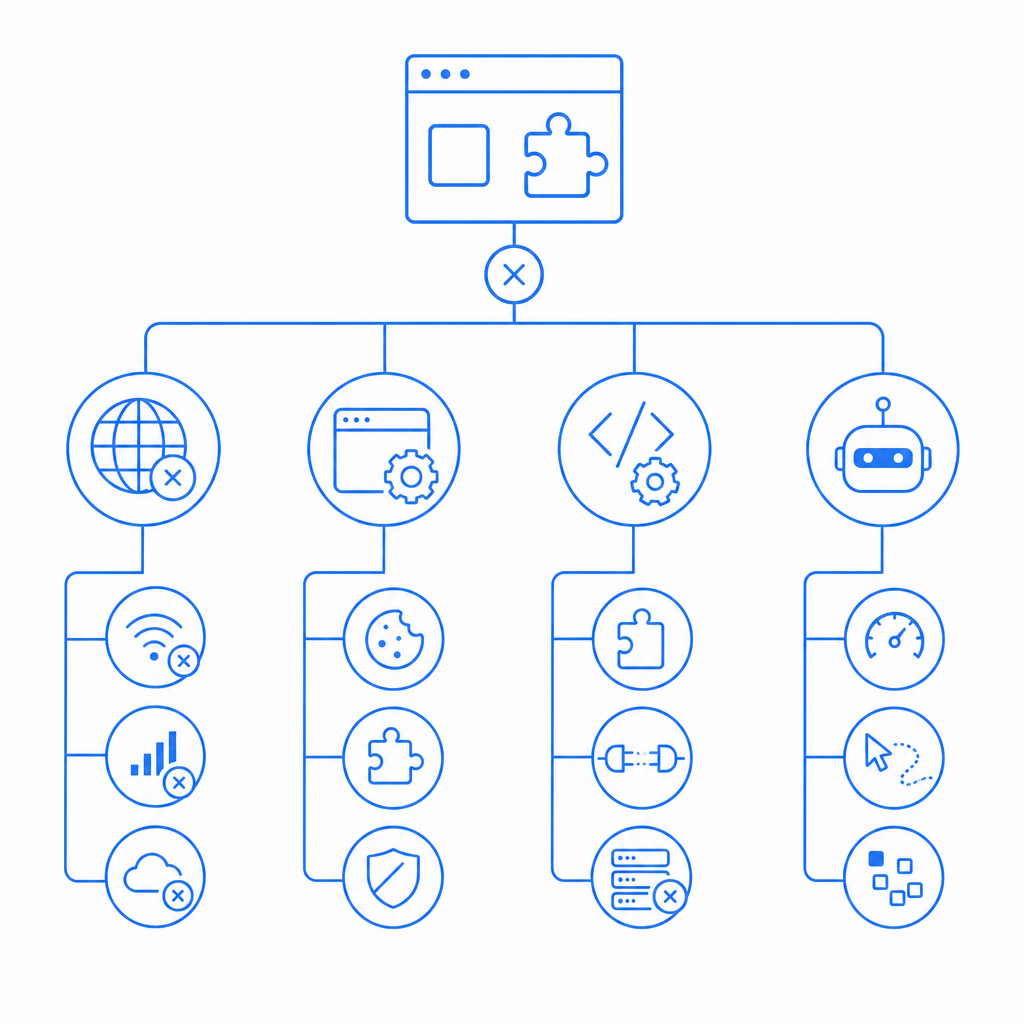
Many times, captchas fail because the challenge cannot be completed or verified correctly. The key factors include:
- Network or connectivity problems: Captchas rely on a stable connection to servers that generate challenges and verify responses. Unstable internet or firewalls may block scripts or validation calls.
- Browser issues and settings: Blockers, privacy settings, or disabled JavaScript interfere with captcha loading or response submission.
- Improper integration or configuration: Incorrect site keys, missing API tokens, or misconfigured server endpoints prevent successful validation.
- Bot-like behavior or aggressive automation: Repeated failed solves or suspicious request patterns can trigger stricter challenges or outright failure.
- Device or environmental factors: Some captchas use heuristics like IP reputation, mouse movements, or device fingerprinting, which can cause false negatives.
Understanding these areas helps clarify why users might be stuck with never-ending “captcha keeps failing” scenarios.
How Popular CAPTCHA Providers Handle Failures
Different CAPTCHA services have distinct approaches to reduce failure rates without compromising security.
| Feature | reCAPTCHA | hCaptcha | Cloudflare Turnstile | CaptchaLa |
|---|---|---|---|---|
| Challenge Types | Image puzzles, checkbox | Image puzzles, checkbox | Invisible, minimal challenges | Image & interactive challenges |
| Validation method | Client-server token exchange | Client-server token exchange | Client-server token exchange | Server-side API validation |
| Integration SDKs | Web, mobile | Web, mobile | Web only | Web, mobile, Flutter, Electron |
| Language support | ~30 languages | 20+ languages | Limited | 8 Languages |
| Free tier | generous but rate-limited | Developer-friendly free tier | Free with Cloudflare services | Free tier 1,000/mo requests |
| Focus on privacy | Google analytics involved | Privacy-focused | Privacy focused | First-party data only |
While reCAPTCHA is widespread, some users report frustration with repeated failures, especially with image puzzles or accessibility issues. hCaptcha aims to balance usability and privacy, but integration complexity can lead to skipped validations. Cloudflare Turnstile offers an invisible, frictionless experience but requires using Cloudflare as a CDN or DNS provider.
CaptchaLa takes a straightforward approach, offering robust SDKs, multiple UI languages, and server-side validation APIs that help reduce failure points due to poor integration while preserving a friendly UX.
Troubleshooting Common Causes of Captcha Failures
If your captcha keeps failing on your site or app, here’s a checklist to diagnose and fix the issue:
Verify integration correctness
- Confirm you’re using correct site keys and secrets from your CAPTCHA provider.
- Validate server-side API calls match documented endpoints, such as
POST https://apiv1.captcha.la/v1/validate
{ pass_token, client_ip }
Headers: X-App-Key, X-App-Secret
for CaptchaLa.
- Check SDK versions (e.g., Maven
la.captcha:captchala:1.0.2, CocoaPodsCaptchala 1.0.2) are up to date.
Test in multiple browsers and devices
- Determine if failures are specific to certain browsers or privacy extensions blocking scripts.
- Enable JavaScript and ensure no content blockers interfere.
Check network and firewall settings
- Make sure calls to CAPTCHA providers’ servers aren’t blocked by corporate firewalls or ad blockers.
- Confirm stable internet connections.
Monitor user behavior patterns
- Verify if users are repeatedly failing challenges due to impatience or automation attempts triggering stricter hurdles.
- Adjust CAPTCHA sensitivity if supporting legitimate users in challenging environments.
Review error logs and validation responses
- Most CAPTCHA APIs return error codes or messages explaining rejections (e.g., token expired, invalid, or suspicious IP).
- Use this data to fine-tune configuration and improve success rates.
By systematically reviewing these technical specifics, developers can dramatically reduce instances where a captcha keeps failing unnecessarily.
Improving Captcha Success Rates and User Experience
Minimizing captcha failures isn’t just about technology; good design and sensible policies help:
- Provide clear user instructions: Explain how to solve captchas promptly and what to do if they fail.
- Use adaptive difficulty: Some platforms adjust the challenge based on risk signals; lighter friction for low-risk users reduces failure chance.
- Multi-language support: Serving captchas in users’ native languages improves comprehension and completion. CaptchaLa supports 8 UI languages natively.
- Enable smooth fallback flows: If a captcha fails multiple times, briefly reset the challenge or offer alternatives.
- Log and analyze failures proactively: Regular monitoring can discover patterns of failure linked to specific browsers, devices, or locations.
Compared to reCAPTCHA or hCaptcha, CaptchaLa’s developer-friendly SDKs (including Flutter and Electron support) and easy server validation API streamline integration, which often directly reduces failure rates caused by misconfiguration or outdated code.
Summary and Next Steps
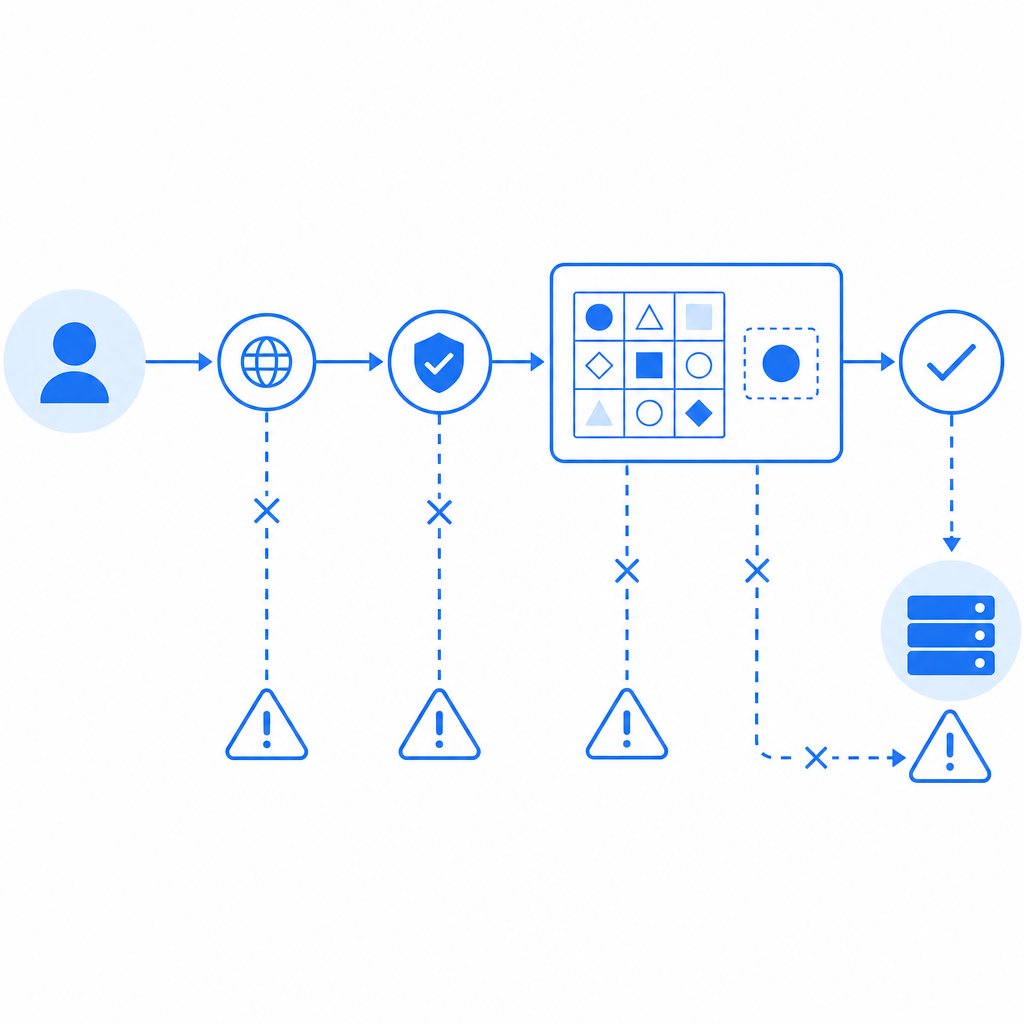
Captcha failures can stem from technical errors, network issues, user behavior, or overly aggressive bot-detection thresholds. Identifying the cause requires checking integration correctness, network conditions, browser behaviors, and API feedback.
Providers like reCAPTCHA, hCaptcha, Cloudflare Turnstile, and CaptchaLa each implement unique approaches with varying complexity and language options. CaptchaLa offers straightforward APIs and native SDKs designed to reduce common failure points for developers wanting an easy-to-integrate bot defense.
If you manage a website or app where your captcha keeps failing too often, start by reviewing your implementation and error logs, test on different devices, and consider adjusting challenge sensitivity or fallback options.
For detailed integration help and to explore pricing tiers suited to your traffic volume, visit CaptchaLa’s documentation and pricing page. Taking these steps helps turn frustrating captcha failures into smooth user experiences without compromising security.