
The best captcha work app is the one that blocks automated abuse without making legitimate users hate your form, checkout, or login page. If you need a practical answer, look for a solution with easy SDK integration, reliable server-side validation, mobile support, and enough flexibility to fit your traffic patterns—not just a puzzle that looks busy.
For most teams, that means choosing a CAPTCHA provider that works across web and mobile, supports modern frameworks, and gives you a clean validation flow you can automate. It should also be easy to localize, because friction increases when the challenge language doesn’t match the user. A strong setup is usually the combination of a lightweight client loader, a server-side validation endpoint, and a clear policy for when to challenge. That’s the difference between “we added bot protection” and “we added a system users can actually live with.”
What “best captcha work app” should mean
If you’re searching for the best captcha work app, you may be comparing tools for one of three jobs:
- protecting signup and login forms from scripted abuse,
- reducing spam in submissions and comments,
- adding a step-up check only when traffic looks suspicious.
The right choice depends on where the friction belongs. For example, if you’re defending a high-volume API-backed form, the real work happens on the server: issue or render a challenge client-side, then validate the result before accepting the request. If you’re protecting mobile flows, you also need SDKs that fit native apps without extra glue code.
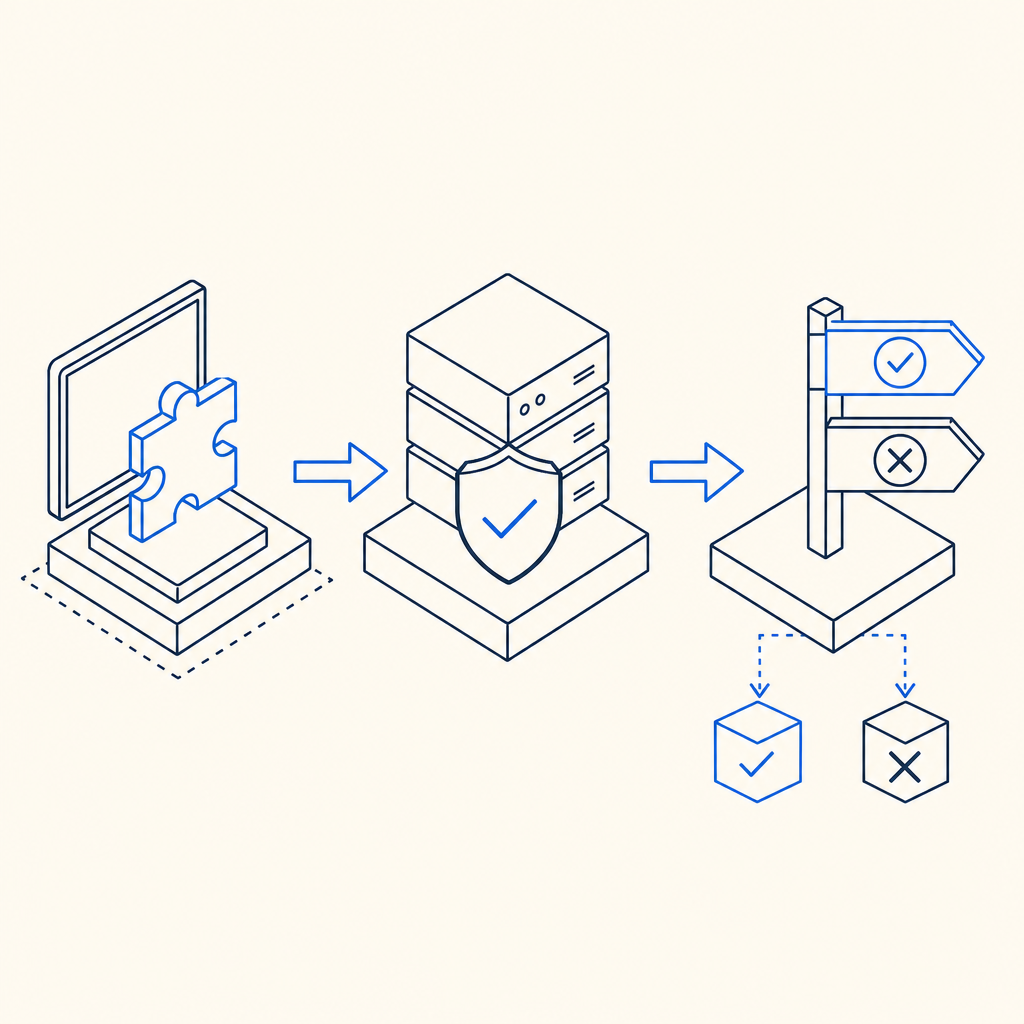
A useful way to think about it is:
- client side: show the challenge or token flow,
- server side: verify the token,
- policy layer: decide when to challenge based on risk.
That pattern is why modern CAPTCHA services are more than visual puzzles. They’re workflow components.
Features that matter more than marketing claims
A lot of CAPTCHA products sound interchangeable until you test the integration. Here are the features that usually matter most.
1) SDK coverage
If you support multiple platforms, the CAPTCHA should meet you where you already ship code. CaptchaLa, for example, offers native SDKs for Web (JS/Vue/React), iOS, Android, Flutter, and Electron, plus server SDKs for captchala-php and captchala-go. That matters because a one-size-fits-all JavaScript snippet is fine for a demo, but teams often need a more direct integration path.
2) Validation simplicity
A good bot-defense app should make server verification boring in the best way. With CaptchaLa, validation is done by sending a POST request to:
https://apiv1.captcha.la/v1/validate
with a body like:
{
  "pass_token": "example-pass-token",
  "client_ip": "203.0.113.42"
}
and the request authenticated with X-App-Key and X-App-Secret.
That kind of structure is easy to wire into existing backend middleware. It also makes it simpler to log outcomes, rate-limit by response, and fail closed where appropriate.
3) Localization and accessibility
If your user base spans regions, language support matters. CaptchaLa includes 8 UI languages, which helps reduce confusion and support tickets. This is one of those details that doesn’t feel dramatic until you deploy globally and realize that a “small” translation gap can become a conversion problem.
4) Environment fit
You’ll want to know whether the loader works cleanly in your frontend stack. CaptchaLa provides a loader at:
https://cdn.captcha-cdn.net/captchala-loader.js
That’s useful when you want to keep integration lightweight and control where the challenge appears in your flow.
A practical comparison of common options
Not every team needs the same kind of CAPTCHA. Here’s a straightforward comparison of popular choices from a defender’s point of view.
| Tool | Integration style | Validation approach | Good fit for | Notes |
|---|---|---|---|---|
| reCAPTCHA | Widely used web-first flow | Server-side verification | General web forms | Familiar to many users, but UX and privacy preferences vary by org |
| hCaptcha | Web-focused with challenge workflows | Server-side verification | Abuse-prone public forms | Often chosen where challenge behavior and policy flexibility matter |
| Cloudflare Turnstile | Token-based, low-friction | Server-side verification | Sites already using Cloudflare | Good for reducing friction, especially for web-only deployments |
| CaptchaLa | Web, mobile, Flutter, Electron, server SDKs | POST validation endpoint | Teams wanting multi-platform support | Includes 8 UI languages and first-party data only |
A comparison like this should not be read as “one is universally better.” The right answer depends on your stack, traffic, and compliance needs. If you’re mostly web-only and already standardized on one ecosystem, a familiar tool may be enough. If you need the same anti-bot logic across web and mobile, multi-SDK support becomes more valuable than brand recognition.
How to choose the right setup for your app
Here’s a simple decision process that works well for product teams and backend engineers alike.
Map the attack surface
List every place a bot can create value for itself: signup, login, password reset, checkout, coupon claims, reviews, and contact forms. Not every endpoint needs the same level of friction.Decide what signal you can trust
Can you use device/session state, IP reputation, request rate, or behavioral heuristics? CAPTCHA should be one input, not your entire defense strategy.Place the challenge at the least painful step
If a user can submit an email before challenge, you may attract spam. If you challenge before they see value, you may reduce conversions. Pick the point where abuse cost rises fastest.Keep validation on the server
Never treat client-side completion alone as enough. Verify the token server-side before committing the action.Plan for traffic tiers
If you’re evaluating a SaaS like CaptchaLa, it helps to match your traffic expectations to the plan structure. CaptchaLa’s published tiers include Free at 1,000 monthly requests, Pro at 50K–200K, and Business at 1M. That makes it easier to estimate cost before rollout. You can also review pricing alongside your projected abuse volume.Test failure behavior
What happens if the challenge fails, times out, or the validation endpoint is unreachable? Good bot defense includes graceful degradation and clear user feedback.
Example backend validation flow
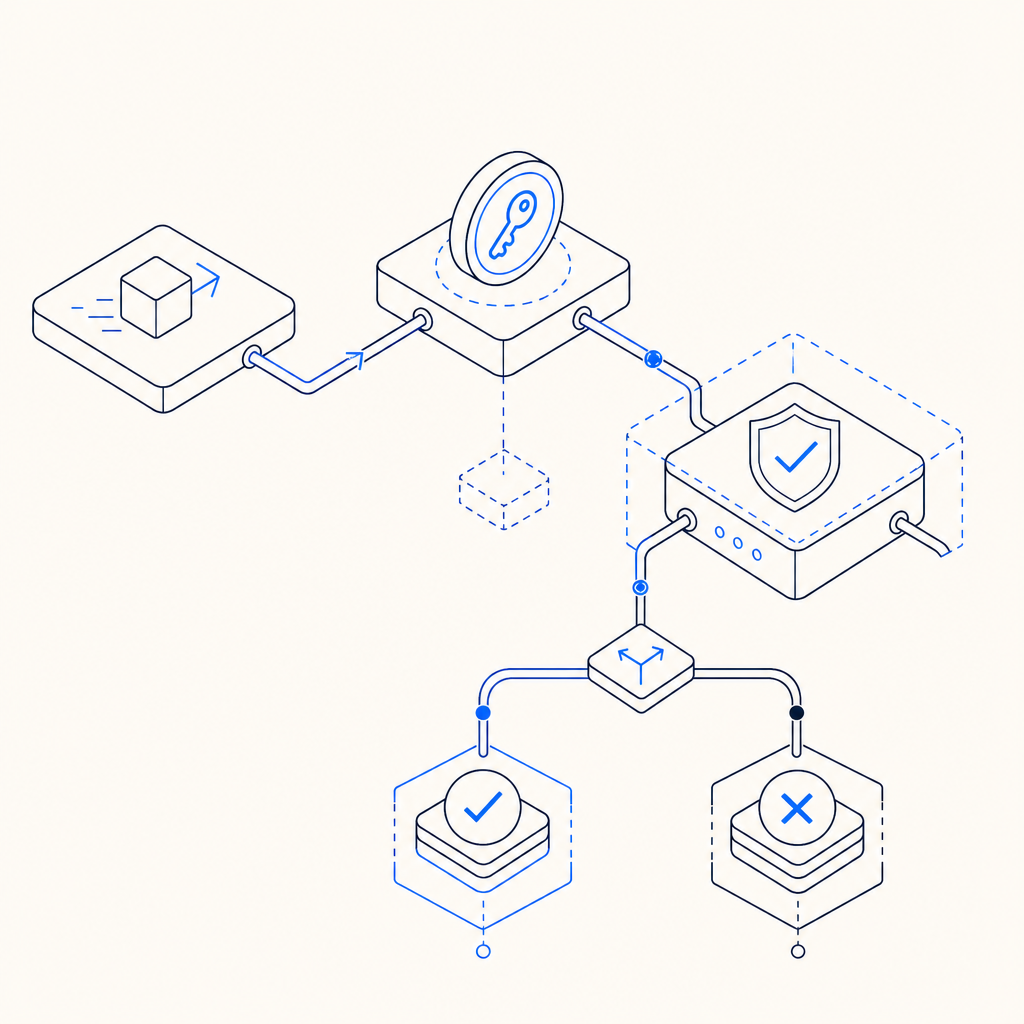
The exact code will depend on your language, but the sequence is usually the same: receive the pass token, gather the client IP if your policy uses it, send both to the validation endpoint, and only proceed when the response is accepted.
# Example flow for server-side CAPTCHA validation
# Comments are in English only

def handle_form_submit(request):
    pass_token = request.form["pass_token"]
    client_ip = request.headers.get("X-Forwarded-For", request.remote_addr)

    payload = {
        "pass_token": pass_token,
        "client_ip": client_ip
    }

    headers = {
        "X-App-Key": APP_KEY,
        "X-App-Secret": APP_SECRET
    }

    response = post_json(
        "https://apiv1.captcha.la/v1/validate",
        json=payload,
        headers=headers
    )

    if not response.ok:
        return reject_request("captcha validation failed")

    return continue_to_business_logic()
If your app issues its own server token or challenge token, you may also use a server-side issue endpoint such as:
POST https://apiv1.captcha.la/v1/server/challenge/issue
That kind of split can help teams keep their implementation tidy: one step to issue, one step to validate, one step to decide.
Final take: what makes it the best captcha work app?
The best captcha work app is the one that fits your architecture, keeps abuse costs down, and doesn’t create a conversion tax you can’t justify. For many teams, that means prioritizing server validation, multi-platform support, localization, and predictable integration over flashy challenge styles.
If you’re evaluating a new setup, start with the docs, wire it into one high-risk flow, and measure completion rates plus blocked abuse. If you want to inspect the implementation details first, docs is the place to begin. If you’re ready to size your traffic against plan limits, see pricing.