
If your captcha just spinning, the most likely cause is that one of the required pieces never finished loading, a network request failed, or the widget rendered but couldn’t complete token validation. In practice, that usually means a script blocker, CSP issue, bad site key configuration, or a backend validation mismatch—not that the captcha is “broken” in some mysterious way.
The good news: this is usually diagnosable in minutes if you check the browser console, network panel, and server logs in the right order. The better news: most spinning states are preventable with a cleaner integration path and a few implementation checks.
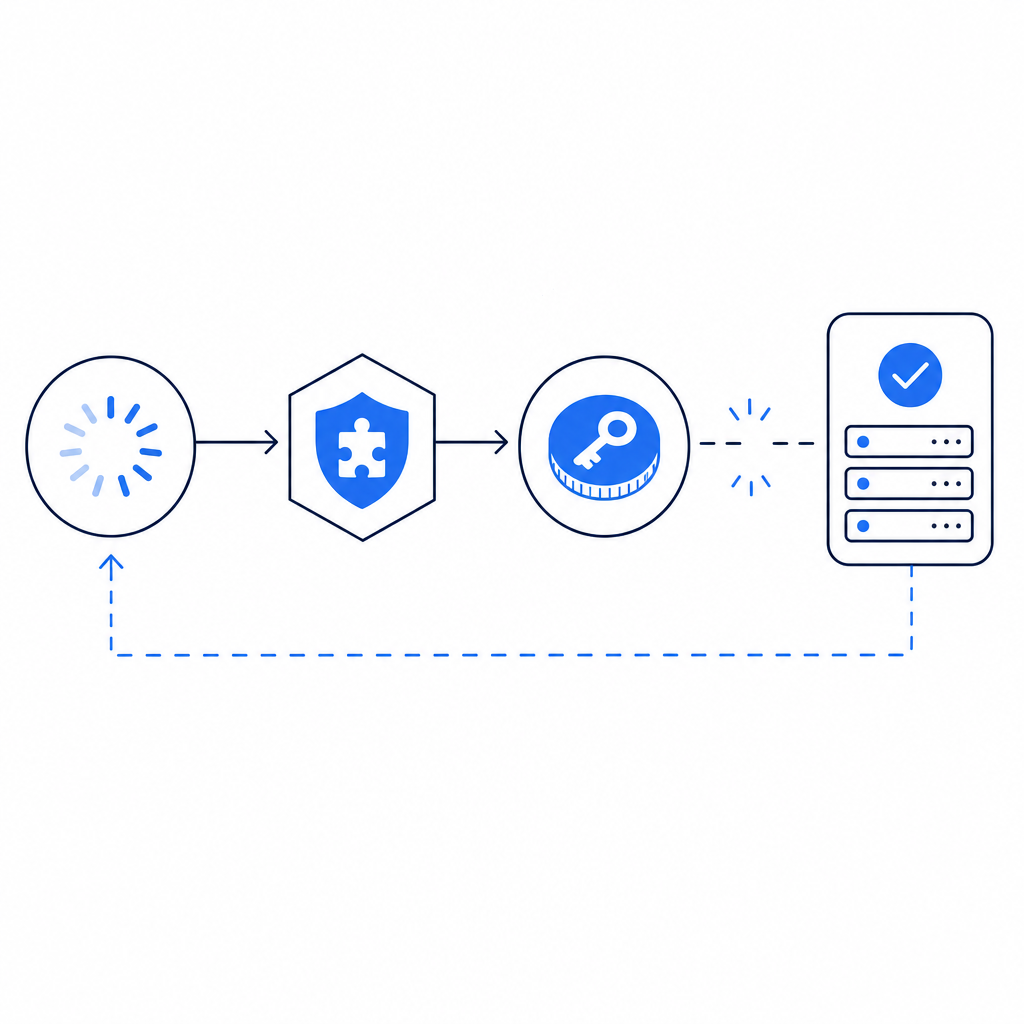
What “spinning” usually means
A captcha spinner is just a symptom. It tells you the widget started but did not reach a success or failure state. That can happen at several points in the flow:
- The loader script never executed.
- The challenge iframe or UI asset was blocked.
- The client could not fetch a challenge token.
- The token was issued, but the server validation failed.
- A third-party control, extension, or CSP rule interrupted the process.
Different captcha providers fail differently here. reCAPTCHA, hCaptcha, and Cloudflare Turnstile all have their own loaders, callbacks, and validation models, but the troubleshooting pattern is similar: isolate whether the issue is client-side rendering, network reachability, or backend verification.
A useful mental model is to treat the captcha as a short distributed transaction. If any hop fails, the spinner remains.
Fast diagnosis checklist
Start with these concrete checks:
- Confirm the loader script is requested successfully and returns 200.
- Check whether ad blockers, privacy tools, or browser extensions are preventing execution.
- Verify that your page’s Content Security Policy allows the captcha assets you depend on.
- Inspect the network panel for blocked or pending requests.
- Make sure the token returned by the client is actually sent to your server.
- Verify your backend uses the correct endpoint and credentials for validation.
If you are using CaptchaLa, the client loader comes from https://cdn.captcha-cdn.net/captchala-loader.js, and server-side validation happens with a POST to https://apiv1.captcha.la/v1/validate using {pass_token, client_ip} plus X-App-Key and X-App-Secret. That makes it easier to reason about where the flow stalled: client script, token creation, or backend verification.
The three most common causes
1) The loader is blocked or never starts
The most common reason for a spinner that never resolves is that the loader script is blocked before it can initialize the widget. This can happen because of:
- CSP rules that do not allow the loader domain
- Browser extensions that block anti-bot scripts
- A mixed-content issue on non-HTTPS pages
- Incorrect script ordering, where the widget initializes before the loader is ready
For client-side integrations, the page should load the script once, then initialize the widget after the library is available. If you render the component too early, you can end up with a spinner that appears “stuck” but is really waiting for JavaScript that never ran.
A basic implementation pattern looks like this:
// Load the captcha script before initializing the widget
// Wait for the script to be ready before mounting the component
// Handle failure states explicitly instead of leaving a spinner forever
function initCaptcha() {
  if (!window.CaptchaLa) {
    console.error("Captcha library not available");
    return;
  }

  window.CaptchaLa.render({
    onSuccess: (passToken) => {
      // Send token to your server for validation
      submitToken(passToken);
    },
    onError: (err) => {
      // Show a retry action instead of infinite spinning
      console.error("Captcha error", err);
    }
  });
}
If your environment is stricter, such as Electron or a locked-down enterprise browser, it is worth testing the script load path directly and checking whether the domain is reachable from the client network.
2) The token is created but validation fails
Sometimes the captcha looks stuck on the frontend because the backend never accepts the token, and the UI is waiting for a success response. In that case, the spinner is a symptom of a server-side mismatch.
Common validation mistakes include:
- Using the wrong secret key
- Sending the wrong token field name
- Omitting the client IP when your workflow expects it
- Validating against the wrong environment
- Reusing a token after it already expired
With CaptchaLa docs, the validation flow is explicit: your server sends pass_token and client_ip to the validation endpoint with the correct app credentials. If validation returns failure, your frontend should not keep waiting forever. Instead, surface a retryable error and stop the spinner.
If you need to issue a server-token flow, the endpoint is POST https://apiv1.captcha.la/v1/server/challenge/issue. That is useful when your architecture prefers server-orchestrated challenge creation rather than purely client-driven rendering.
3) Browser security settings interfere
Modern browsers are aggressive about privacy and tracking protections. That is helpful for users, but it means security widgets can be impacted by:
- third-party cookie restrictions
- storage partitioning
- strict tracking prevention
- script-src restrictions in CSP
- network filtering from privacy tools
This affects more than one provider. reCAPTCHA and hCaptcha are both commonly affected by extension-based blocking, while Cloudflare Turnstile may also run into edge cases in highly restricted environments. The fix is less about “choose a different captcha” and more about ensuring your integration provides graceful failure and a clean fallback.
A practical troubleshooting table
| Symptom | Likely cause | What to check first | Fix |
|---|---|---|---|
| Spinner never disappears | Loader blocked | Network tab, script tag, CSP | Allow script domain, load earlier |
| Spinner appears after submit | Validation fails | Server logs, token payload | Verify keys and token fields |
| Widget shows but never completes | JS error | Console errors | Fix exception in initialization path |
| Works in one browser only | Extension/privacy blocking | Incognito, clean profile | Add fallback, adjust assumptions |
| Intermittent failures | Network or timeout issues | Request timing, retries | Add explicit timeout and error handling |
This kind of table is useful because the visible symptom is often identical while the root cause differs. “Spinning” is not a diagnosis; it is a clue.
How to design for graceful failure
A robust captcha integration should never trap users in an endless loading state. That means your UI should define a clear timeout, a retry option, and a fallback path.
- Set a reasonable timeout for challenge initialization.
- If the loader fails, show a retry button rather than a permanent spinner.
- Log client errors to your observability tool so you can correlate them with validation failures.
- On the backend, treat invalid or expired tokens as a normal error path, not an exception that blocks the page.
- Test in multiple browsers, including one privacy-heavy browser and one clean profile.
- Verify the integration under mobile web, since mobile network conditions can expose slow-loading edge cases.
For teams building across multiple platforms, CaptchaLa’s SDK coverage can reduce integration drift: Web SDKs for JS, Vue, and React; native support for iOS and Android; Flutter and Electron options; plus server SDKs like captchala-php and captchala-go. It also supports 8 UI languages, which is helpful if your “spinning” issue is actually a localization/configuration mismatch in a multilingual flow.
You can also confirm package versions when you deploy updates: Maven la.captcha:captchala:1.0.2, CocoaPods Captchala 1.0.2, and pub.dev captchala 1.3.2.
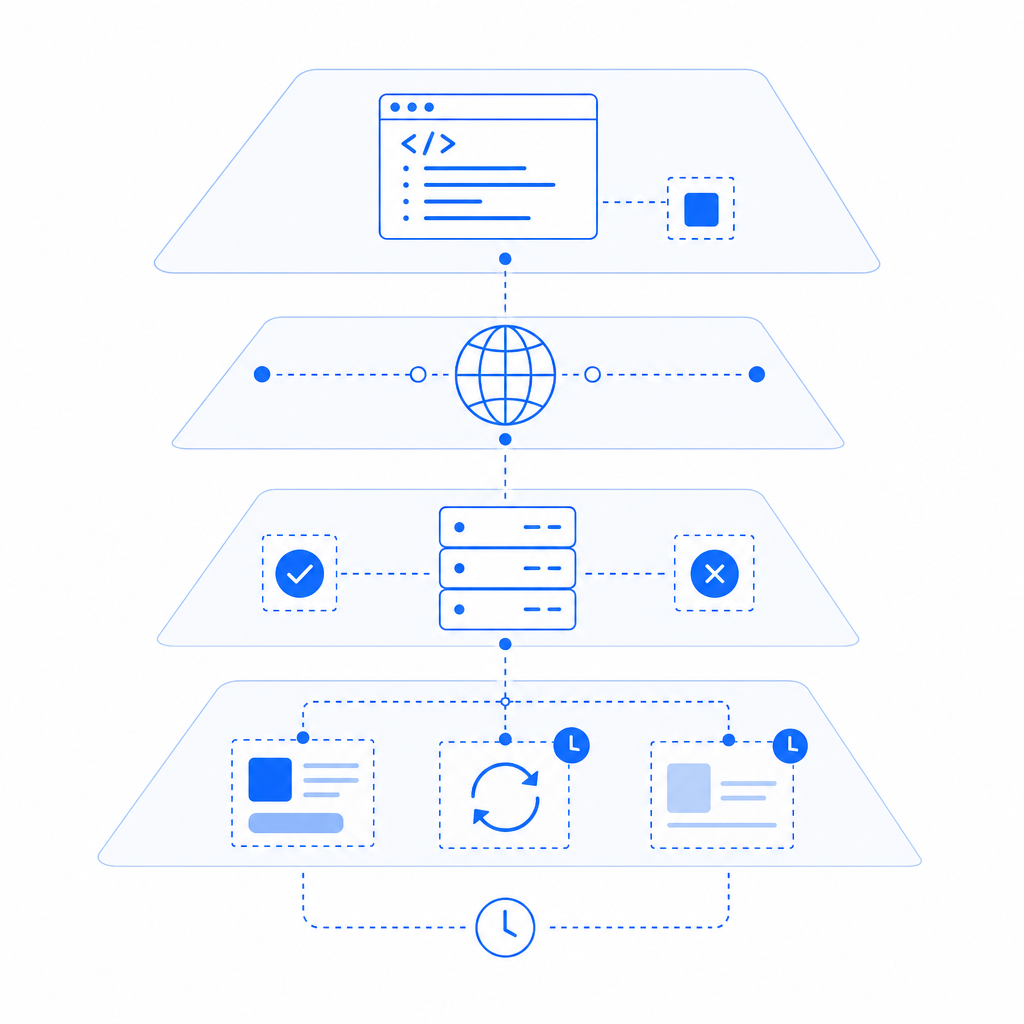
A defender’s perspective on recurring spinner incidents
If the problem keeps coming back, the issue may be less about one broken widget and more about the assumptions in your bot-defense architecture. For example:
- If your loader depends on brittle third-party placement, a minor frontend refactor can break it.
- If your backend rejects tokens without clear logging, you will keep seeing “spinning” reports with no root cause.
- If your app blocks the entire flow on captcha completion, any transient browser issue becomes a user-visible outage.
A better approach is to make the captcha one part of a larger risk decision, not the only gate. That means logging outcomes, validating tokens server-side, and having a non-catastrophic fallback when the challenge cannot complete.
First-party data only also matters here. Keep the data you need to validate and defend, but avoid unnecessary collection. That makes troubleshooting cleaner and keeps the implementation simpler.
For teams evaluating cost and scale, the published tiers are straightforward: Free at 1,000 monthly validations, Pro at 50K–200K, and Business at 1M. You can review the details on pricing if you are matching volume to environment, or compare that with your current provider’s error-handling behavior.
Where to go next: review the integration steps in the docs or check pricing if you want to align usage with volume.