
When it comes to online security, the best CAPTCHA work by accurately distinguishing real users from automated bots with minimal friction. They strike a balance between security robustness and user convenience, adapting to evolving threat landscapes without creating unnecessary barriers. CAPTCHA systems that perform well provide strong bot defense for websites without causing user frustration or privacy concerns.
This article explores what makes the best CAPTCHA work effectively, examining how different approaches compare, technical implementation, and how advances in client and server-side validation improve accuracy and usability. We’ll also look at notable solutions, including CaptchaLa, and how they stack up against popular competitors like Google reCAPTCHA, hCaptcha, and Cloudflare Turnstile.
What Defines the Best CAPTCHA Work?
The key to any CAPTCHA solution’s success lies in three major factors:
- Security: The CAPTCHA must reliably prevent automated bots from bypassing verification. This includes resilience to common attack vectors like OCR solvers, AI attacks, and token reuse.
- User Experience: Minimizing user friction is essential. The challenge should be easy for humans to complete while confusing bots—either via invisible or non-intrusive challenges.
- Integration Flexibility: Offering SDKs and APIs across diverse platforms and easy backend verification enables seamless integration in different environments.
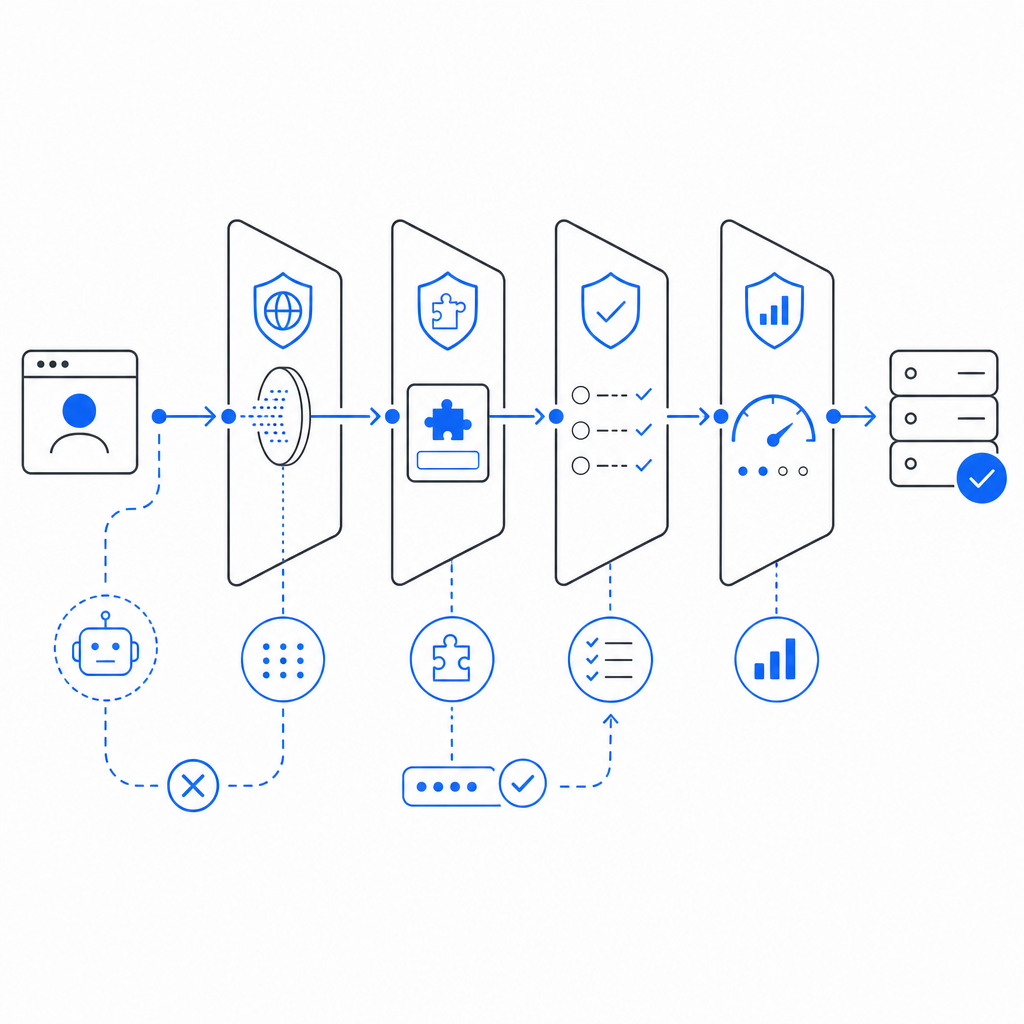
The best CAPTCHA systems increasingly rely on layered heuristics and risk analysis rather than relying purely on traditional challenge-response puzzles. Complementary server-side validation and robust token issuance protocols ensure that bot detection happens at multiple stages to improve accuracy.
Comparing Popular CAPTCHA Approaches
Below is a concise comparison of some well-known CAPTCHA providers with different philosophies and implementations:
| Feature | Google reCAPTCHA | hCaptcha | Cloudflare Turnstile | CaptchaLa |
|---|---|---|---|---|
| Challenge Style | Image puzzles, checkbox | Image puzzles, checkbox | Invisible (challenge-free) | Invisible, interactive, and puzzle options |
| Privacy Focus | Medium (Google data usage) | Higher (paid by solving crowdsourcing) | High (privacy-first design) | High (first-party data only) |
| SDK Availability | Web, Android, iOS | Web, Mobile SDKs | Web | Web, iOS, Android, Flutter, Electron |
| Verification API | POST token validation | POST token validation | POST token validation | POST JSON API with app key & secret |
| Languages Supported | Multiple | Multiple | Multiple | 8 UI languages |
| Free Tier Limits | Yes (variable limits) | Yes | Yes | 1,000/month free tier |
| Server Token Issuance | Yes | Yes | No | Yes |
Each provider has strengths: reCAPTCHA is widely adopted with rich AI signals but has privacy concerns. hCaptcha offers monetization via crowdsolving while maintaining privacy. Turnstile optimizes for invisible verification with minimal user disruption. CaptchaLa aims to combine privacy-focused architecture with multi-platform SDKs to serve varied developer needs.
Technical Aspects Behind the Best CAPTCHA Work
Challenge Generation and Issuance
Good CAPTCHA solutions issue tokens or challenges via secure server endpoints that encode user or session-specific data, expiring after use or timeouts to prevent replay attacks. For example, CaptchaLa’s token issuance endpoint (/server/challenge/issue) allows servers to generate challenges tied to app keys and secrets, ensuring that only authorized frontends serve these challenges.
Client-Side SDKs and Usability
Robust SDKs across platforms reduce friction in integrating CAPTCHA into websites or apps. CaptchaLa offers native SDKs for popular frameworks like React, Vue, and Flutter in addition to native iOS and Android libraries. These SDKs provide loaders such as the lightweight https://cdn.captcha-cdn.net/captchala-loader.js that manage challenge display and user interaction efficiently.
Server-Side Validation
The final validation step confirms client responses using a POST request, such as CaptchaLa’s https://apiv1.captcha.la/v1/validate endpoint, requiring { pass_token, client_ip } with secure authentication headers. This multilayer validation prevents token forgery and bot replay attempts.
Language and Accessibility Support
The best CAPTCHA services support multiple UI languages and accessibility features to serve global audiences without excluding users who speak different languages or rely on assistive technologies. CaptchaLa supports 8 UI languages, ensuring clearer instructions and a broader reach.
Implementing a Reliable CAPTCHA: A Step-by-Step
Here is a generalized high-level workflow for integrating an effective CAPTCHA:
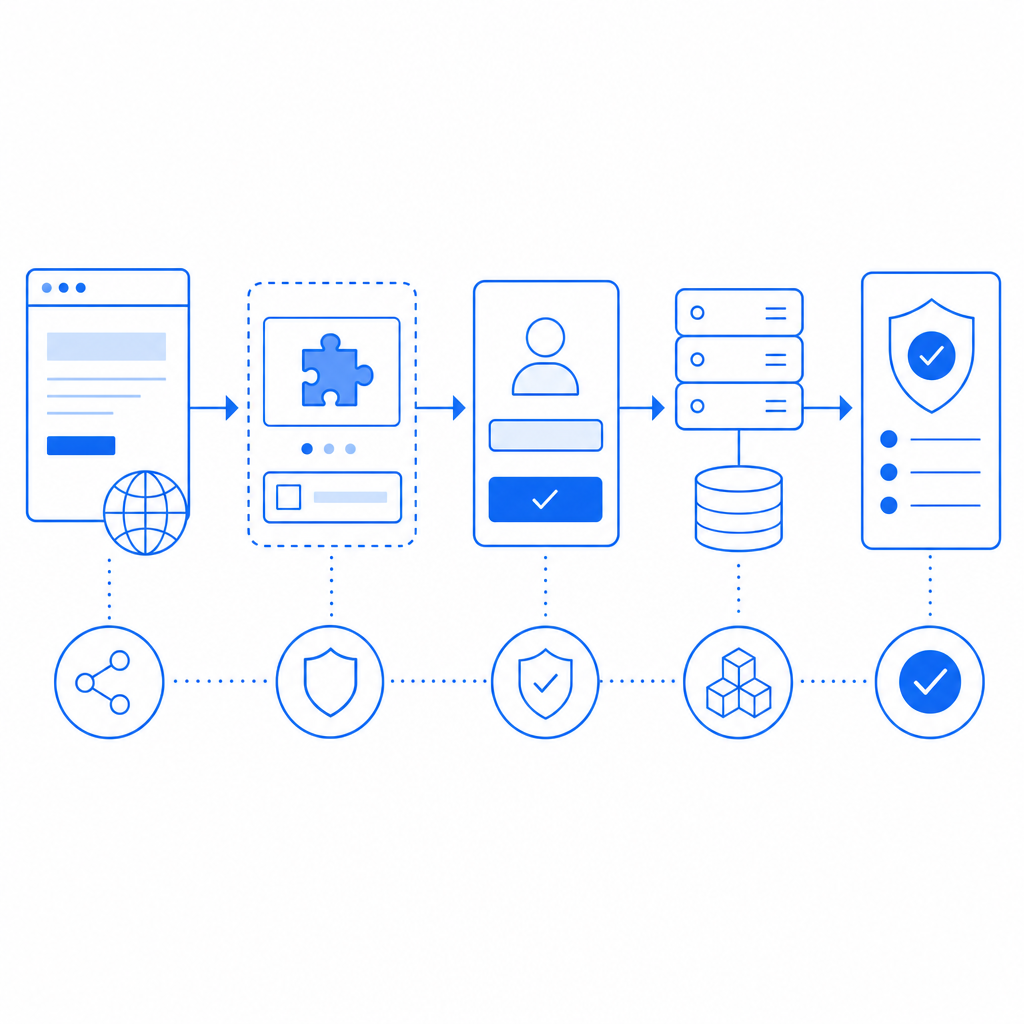
- Request Token: Frontend requests a challenge token from the server (e.g., CaptchaLa’s server-challenge endpoint), passing an app key and secret securely.
- Render Challenge: The SDK loads the CAPTCHA widget invisibly or visibly, displaying the challenge tailored by risk factors.
- User Interaction: The user solves the challenge or is silently verified via behavioral analysis.
- Submit Response: Frontend collects the challenge token or user pass token.
- Server Validation: The backend sends the token and client IP to the CAPTCHA provider's validation API.
- Verify & Proceed: On successful validation, the server completes the requested action (form submit, login, etc.); otherwise, it rejects or prompts for retry.
// Pseudocode for server-side validation with CaptchaLa
// 1. Receive pass_token from frontend
// 2. Send HTTP POST request to validation endpoint

POST https://apiv1.captcha.la/v1/validate
Headers: {
  "X-App-Key": "YOUR_APP_KEY",
  "X-App-Secret": "YOUR_APP_SECRET"
}
Body: {
  "pass_token": "<token_from_client>",
  "client_ip": "<user_ip_address>"
}

// 3. Process response and verify success
if (response.status == 200 && response.data.success == true) {
  // proceed with authenticated action
} else {
  // reject request, ask user to retry CAPTCHA
}
Balancing Security and User Experience
While strong bot defense is crucial, overly aggressive CAPTCHAs risk alienating legitimate users. Modern solutions like Cloudflare Turnstile and CaptchaLa emphasize invisible or frictionless verification by analyzing user interactions, device signals, and risk scores. This reduces reliance on puzzle-solving and speeds up user flows.
Privacy is another consideration. Google’s reCAPTCHA involves significant data sharing with Google services, which may be a concern for privacy-sensitive websites. CaptchaLa focuses on protecting first-party data only, avoiding unnecessary third-party tracking.
Overall, the best CAPTCHA work combines adaptive security logic, multi-platform native integration, and user-centric design to protect digital assets without compromising usability.
If you're curious to explore how to implement reliable CAPTCHA that balances protection and usability, check out CaptchaLa’s documentation or review their flexible pricing options to find the plan that suits your project size and needs. Protecting your users while ensuring smooth interaction starts with choosing the right CAPTCHA approach.