
When deciding on the best CAPTCHA for WordPress, your goal should be to balance strong bot defense with minimal user friction. Effective CAPTCHAs guard against spam, fake accounts, and automated abuse without frustrating genuine visitors or slowing down your site. WordPress offers many CAPTCHA options—some widely used like reCAPTCHA and hCaptcha, and newer solutions like Cloudflare Turnstile and CaptchaLa. This post breaks down the main contenders and what to consider when picking the best CAPTCHA integration for your WordPress site in 2026.
What Makes a CAPTCHA the Best for WordPress?
Starting with the essentials, a great CAPTCHA for WordPress needs to:
- Integrate smoothly into the WordPress environment and plugins.
- Provide robust bot detection without relying heavily on data sharing.
- Maintain fast load times and good accessibility.
- Offer multi-language support for diverse users.
- Support modern platforms and developer tools for customization.
With these points in mind, let’s compare the popular options and how they fit WordPress workflows.

Popular CAPTCHA Options for WordPress: An Overview
| Feature | reCAPTCHA v3/v2 | hCaptcha | Cloudflare Turnstile | CaptchaLa |
|---|---|---|---|---|
| Challenge Type | Invisible, image puzzle | Image puzzle, checkbox | Invisible token challenge | Invisible + lightweight puzzles |
| Privacy | Google data collection | Privacy-oriented | Minimal data, privacy-first | First-party data only |
| Multi-language | ~30 languages | ~20 languages | Limited | 8 UI languages |
| Load Impact | Moderate | Moderate | Low | Very low |
| WordPress Plugins | Official, third-party | Multiple plugins | Few plugins currently | Growing plugin support |
| SDKs | Web, mobile | Web, mobile | Web | Web (JS/Vue/React), iOS, Android, Flutter, Electron |
| Pricing | Free | Free & paid tiers | Free | Free tier + scalable paid plans |
Integration and Developer Friendliness
reCAPTCHA is tightly integrated in many WordPress spam plugins like Contact Form 7 or Gravity Forms. hCaptcha is a privacy-conscious alternative that supports plug-and-play integration but can sometimes require whitelist adjustments.
Cloudflare Turnstile offers a no-challenge, invisible bot detection method but has relatively limited documentation and WordPress ecosystem support as of now.
CaptchaLa provides developer-friendly native SDKs across web and mobile, plus detailed APIs for server-side validation. Its free tier is ample for many small sites, with pro options scaling to enterprise volumes. The availability of Maven, CocoaPods, and pub.dev packages means developers can integrate seamlessly beyond just WordPress.
Balancing User Experience and Security
An often overlooked aspect is how each CAPTCHA affects user conversions and site speed. Intrusive visual puzzles frustrate users, increasing bounce rates—especially on mobile. Invisible CAPTCHAs significantly reduce these disruptions.
- reCAPTCHA v3 operates invisibly, analyzing user behavior but sometimes results in false positives.
- hCaptcha puzzles are similar to reCAPTCHA, but with configurable difficulty.
- Cloudflare Turnstile emphasizes zero user interaction unless suspicion arises.
- CaptchaLa offers invisible challenges by default, with minimal UI disruptions and client-side performance optimizations.
Many WordPress site owners value solutions that do not rely on large external scripts blocking core content or slowing loading. CaptchaLa’s loader is optimized for minimal payload and asynchronous loading, which maintains high page speed scores.
How to Implement CaptchaLa on Your WordPress Site
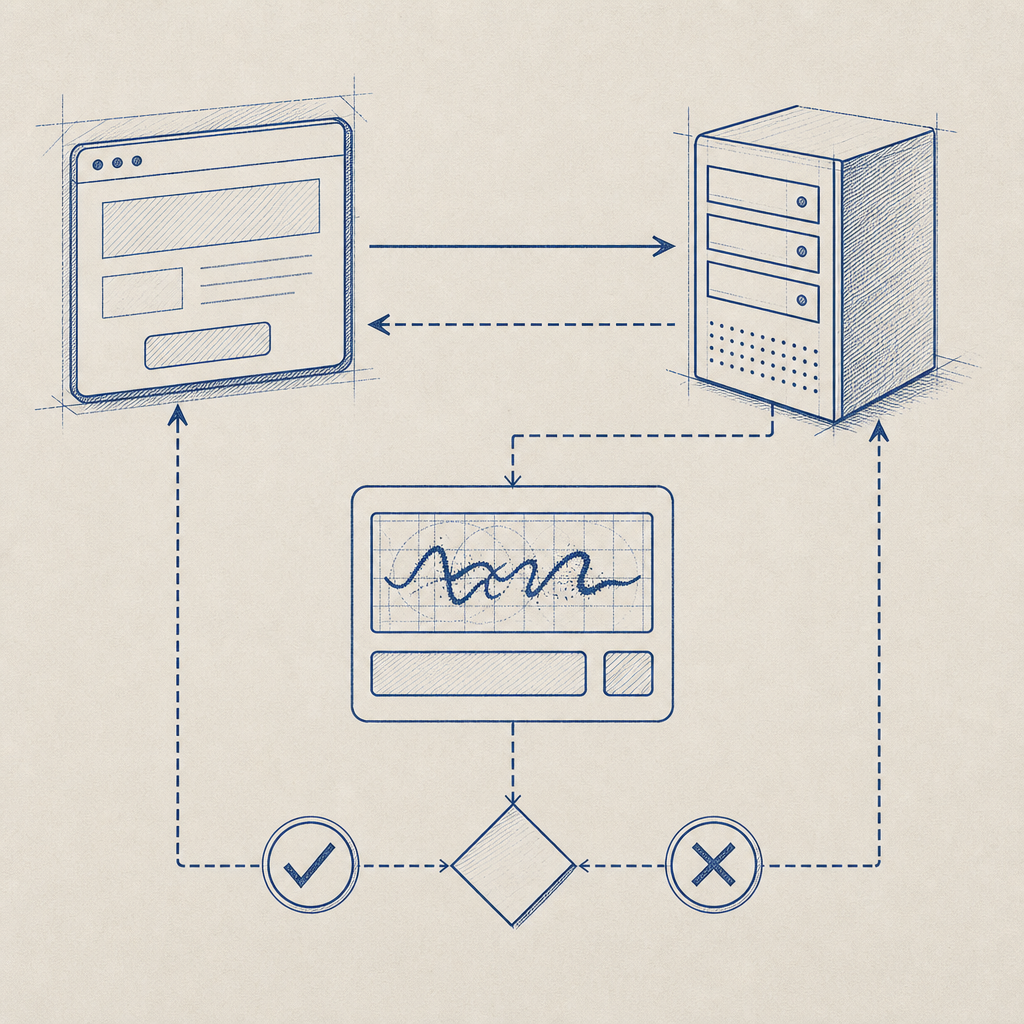
If you decide to try CaptchaLa, here are the basic steps to get started:
- Sign up and obtain your App Key and App Secret from the CaptchaLa dashboard.
- Install a compatible WordPress plugin or add the CaptchaLa JavaScript loader manually:
// Load CaptchaLa asynchronously
const script = document.createElement('script');
script.src = 'https://cdn.captcha-cdn.net/captchala-loader.js';
script.async = true;
document.head.appendChild(script);

// After loading, initialize your challenge with your site key
// CaptchaLa.init({ siteKey: 'your-app-key', elementId: 'captcha-container' });- Implement server-side validation by POSTing to:
https://apiv1.captcha.la/v1/validateWith JSON body containing pass_token and client_ip, plus authentication headers:
{
  "pass_token": "token-from-client",
  "client_ip": "user-ip-address"
}- Monitor traffic and challenges using the CaptchaLa dashboard or API.
This approach supports seamless integration with your contact forms, login pages, and comment sections without altering your site architecture.
Comparing CAPTCHA Options for Compliance and Privacy
WordPress sites often handle sensitive user data, making GDPR and privacy compliance top priorities.
- Google reCAPTCHA collects user data shared with Google, which some site owners find unacceptable.
- hCaptcha brands itself with privacy as a core feature and uses anonymized telemetry.
- Cloudflare Turnstile also leans toward less invasive fingerprinting.
- CaptchaLa emphasizes first-party data usage only, reducing third-party tracking concerns, which can simplify compliance workflows.
Choosing a CAPTCHA that aligns with your privacy policies and informs users transparently is a key consideration, especially for EU or CCPA-affected sites.
Final Thoughts: What’s the Best CAPTCHA for Your WordPress Site?
While Google reCAPTCHA remains popular due to ecosystem maturity, growing concerns about privacy and user friction have opened doors for alternatives. hCaptcha and Cloudflare Turnstile offer valuable options where privacy or simplicity matters most.
CaptchaLa stands out by providing an effective, privacy-conscious CAPTCHA solution with modern SDKs across platforms, developer-friendly APIs, and scalable pricing. Its minimal user impact and first-party data model may appeal to WordPress sites serious about security and user experience.
For many site owners, the "best CAPTCHA for WordPress" will depend on their technical comfort, traffic volume, and user privacy requirements. Whichever CAPTCHA you choose, always test its impact on user engagement and spam prevention.
If you want to explore CaptchaLa further, see the documentation for detailed developer guides and check out the pricing plans to find what fits your needs.
Looking for a CAPTCHA that’s easy to implement, privacy-friendly, and user-focused? CaptchaLa might be the next solution worth trying on your WordPress site.