
Captcha jokes work because everyone has felt the same tiny annoyance: you click “I’m not a robot,” then spend 20 seconds proving you have fingers, eyes, and the patience of a saint. The joke is the friction itself. But for product teams, that friction has a serious job—keeping automated abuse, credential stuffing, scraping, and fake signups out without making real users feel like they need a PhD in traffic lights.
The best captcha jokes usually circle around one truth: humans and bots are being asked to do very different jobs, and the interface makes that mismatch visible. That’s why the topic is so durable. It’s funny, but it’s also a design and security problem.
Why captcha jokes keep landing
A good joke needs a recognizable pattern, and CAPTCHAs provide one in abundance:
- A user is interrupted at the exact moment they want to finish a task.
- The task appears trivial to humans but ambiguous enough to create doubt.
- The user is asked to interpret a visual or behavioral test under mild pressure.
- The result is a tiny burst of absurdity: “Select all bicycles,” “No, not that bicycle,” “Now click the crosswalk again.”
That rhythm is why captcha jokes show up in memes, standup bits, support tickets, and developer Slack channels. They’re not really about CAPTCHA alone; they’re about any system that asks a human to solve a machine-shaped problem. When the prompt feels oddly specific, the comedy writes itself.
There’s also a second layer: CAPTCHAs are one of the few internet experiences where the user is openly reminded that the site is defending itself. Most security is invisible. A challenge is not. That visibility makes it easy to joke about because it’s a small, shared inconvenience with a clear antagonist: the bot.
For teams designing authentication and abuse prevention, that’s useful to remember. Humor often highlights user pain points more accurately than a dashboard does.
The anatomy of a good captcha joke
The funniest captcha jokes tend to rely on one of three structures.
1) The impossible instruction
These jokes play on the idea that the challenge is secretly too hard for everyone:
- “Please identify every bus in this image.”
- “There are no buses.”
- “You are now in a philosophical disagreement with the internet.”
This works because the user expects a binary check and gets a puzzle instead.
2) The overqualified human
Another classic is the joke that humans are being screened like suspicious automation:
- “I’m not a robot.”
- “Prove it.”
- “Okay, but who keeps making me do homework?”
That’s funny because it inverts the roles. The human feels treated like a bot, while the bot is the thing the system is trying to exclude.
3) The escalation spiral
A third pattern is the escalating challenge sequence: click images, then identify objects, then type distorted text, then re-authenticate, then prove you are still there. The humor comes from the sense that the system has become more skeptical with each answer.
This is also where product design matters. If your defense layer stacks multiple hurdles on every interaction, even a joke starts to feel like a complaint.
How modern bot defense changes the punchline
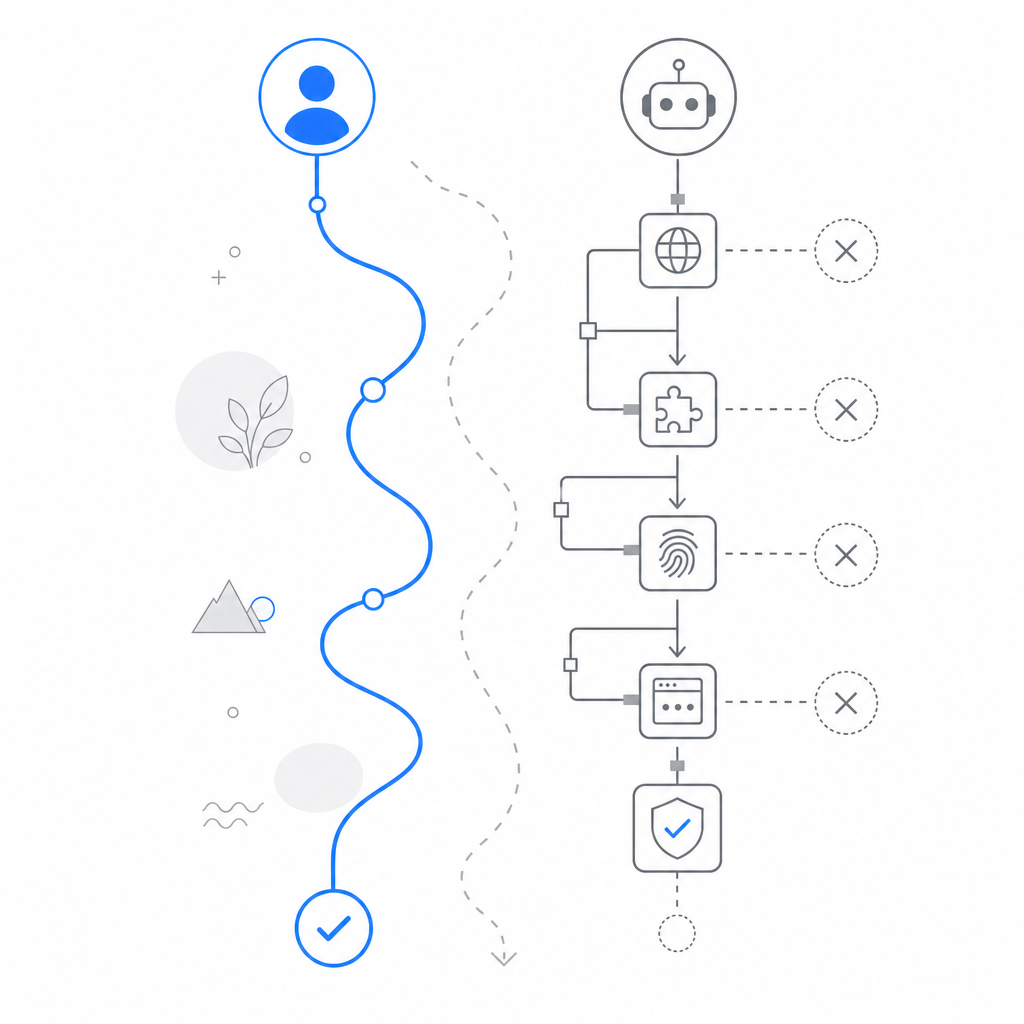
The old style of CAPTCHA made the user do most of the work. Modern bot defense tries to flip that: collect less from the user, infer more from signals, and challenge only when the risk is high enough.
That’s the practical reason teams look at alternatives like reCAPTCHA, hCaptcha, and Cloudflare Turnstile. They all aim to reduce abuse while balancing user experience, but they differ in implementation style, privacy posture, and how much friction they introduce.
Here’s a simple comparison from a defender’s perspective:
| Approach | Typical user friction | Integration style | Notes |
|---|---|---|---|
| reCAPTCHA | Low to medium | Frontend widget + server verification | Familiar, widely deployed |
| hCaptcha | Low to medium | Frontend challenge + verification | Often chosen for privacy or policy reasons |
| Cloudflare Turnstile | Low | Frontend token flow | Minimal challenge emphasis |
| CaptchaLa | Low to medium | Lightweight SDK + server validation | Supports first-party data only |
For teams evaluating CaptchaLa, the interesting part is not “make the joke disappear.” It’s “reduce the situations that produce the joke.” If a real user never has to stop and laugh at a confusing challenge, that’s usually a sign the system is doing its job quietly.
Under the hood, the practical flow is straightforward:
1. The client loads the challenge or verification component.
2. The browser or app receives a pass token after the interaction.
3. Your server validates the pass token with your app credentials.
4. Your backend decides whether to allow, step up, or block the request.
5. Suspicious traffic can be challenged again or rate-limited.
For reference, the validation endpoint is POST https://apiv1.captcha.la/v1/validate, with {pass_token, client_ip} in the body and X-App-Key plus X-App-Secret in the request headers. If you’re issuing server-side challenge tokens, the endpoint is POST https://apiv1.captcha.la/v1/server/challenge/issue.
What teams actually care about
A meme can ask, “Why did the CAPTCHA cross the road?” A product team asks different questions:
- How many legitimate users abandon at the challenge step?
- How often does bot traffic get through on a fresh IP or device?
- Do we need one challenge for signups and a different one for password resets?
- Can we keep the defense layer fast enough for mobile users and poor networks?
- How much of the logic can stay on first-party data?
Those are the real jokes of bot defense: the attack surface is always larger than the UI suggests. A clever attacker does not care whether your challenge is playful, ugly, or elegant. They care whether it can be bypassed, scaled against, or used to burn resources. So defenders need systems that are boring in the best possible way.
If you’re building on mobile or cross-platform clients, that usually means choosing SDKs that fit the stack instead of bolting a web-only solution into every app. CaptchaLa supports native SDKs for Web, iOS, Android, Flutter, and Electron, plus server SDKs like captchala-php and captchala-go. For Java and mobile teams, the package coordinates matter too: Maven la.captcha:captchala:1.0.2, CocoaPods Captchala 1.0.2, and pub.dev captchala 1.3.2.
That broad support matters because “the user experience” is not one screen. It’s the entire flow, across devices, sessions, retries, and edge cases.
Why the joke still matters to security teams
It may seem odd to spend time on captcha jokes when the real topic is abuse prevention. But jokes often reveal where users are confused, annoyed, or distrustful. If a product has become the punchline, that’s a signal.
Sometimes the fix is reducing challenge frequency. Sometimes it’s improving accessibility. Sometimes it’s choosing a verification flow that better matches your risk profile. And sometimes it’s simply being honest about the tradeoff: some friction is acceptable if it prevents account takeover, spam, or automated fraud.
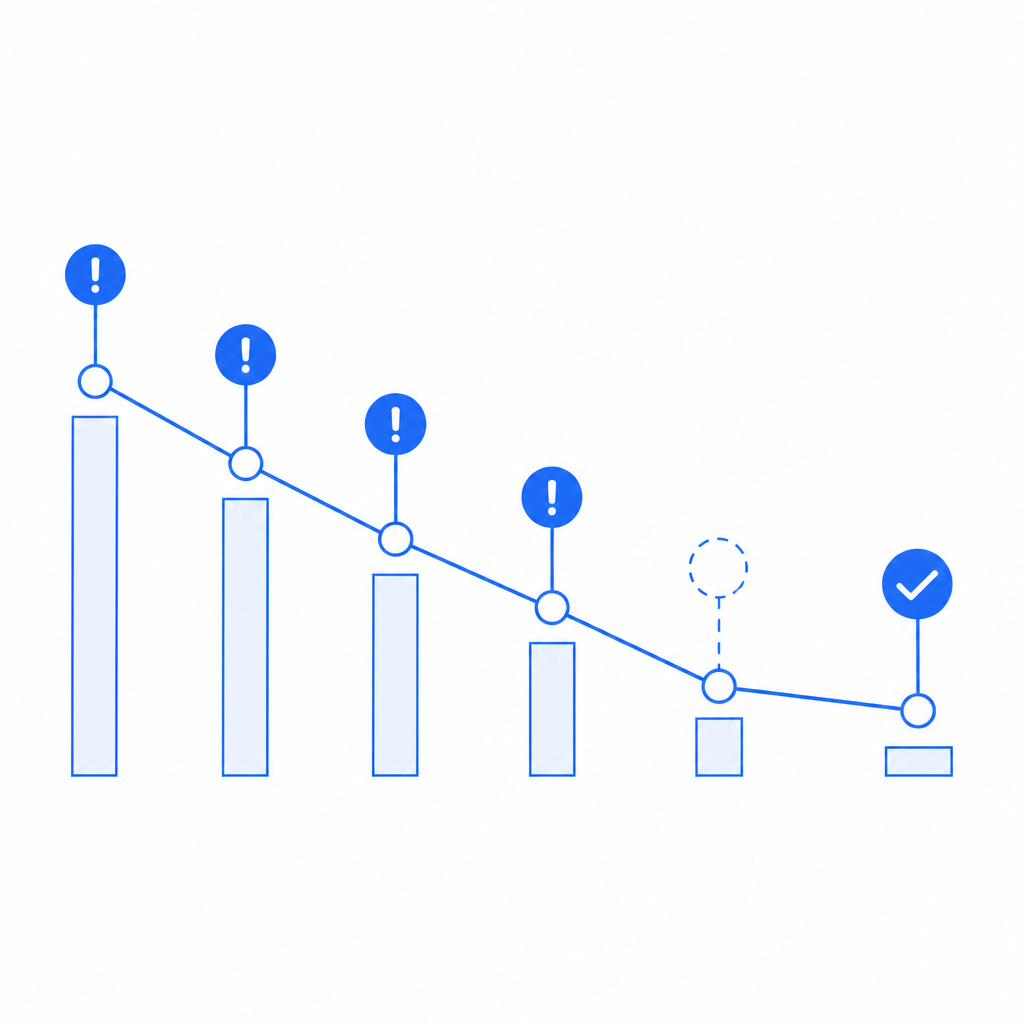
A well-run system should make people laugh once, not every day. That’s one reason modern bot defense increasingly favors invisible or near-invisible verification until risk spikes. The goal is not to remove all friction at any cost; it’s to make the necessary friction feel rare and justified.
CaptchaLa’s published tiers also reflect that idea of proportionality: a free tier at 1000 validations per month, Pro at 50K–200K, and Business at 1M. Different traffic profiles need different ceilings, and the right choice depends on whether you’re protecting a small signup form or a high-volume API.
Final take
Captcha jokes are funny because they capture a real product truth: security feels silly when it interrupts a human at the wrong moment. But that silliness is only the surface. Underneath it is a serious balancing act between abuse prevention, usability, privacy, and platform fit.
If you’re designing that balance now, the question is not whether to eliminate all jokes. It’s whether your users are laughing with you, or at your friction.
Where to go next: see the implementation details in the docs or compare plans on the pricing page.