
If you’re seeing “captcha jobs daily payment” and wondering what it really means, the short answer is this: treat it as a verification problem first, not a money-making promise. If a job listing, marketplace task, or platform says it pays daily for captcha-related work, your first question should be whether the workflow is legitimate, whether the payout terms are clear, and whether the site is actually asking you to defend systems, validate users, or perform something else entirely.
That distinction matters. CAPTCHA is a security control, not a side-hustle category by default. In practice, “captcha jobs” can describe several very different things: moderation and QA tasks, bot-defense operations, accessibility testing, or, in less trustworthy corners of the web, requests that cross into grey areas. If your goal is to understand the phrase safely, the right angle is to evaluate the platform, the payment mechanics, and the technical signals that separate real verification work from hype.

What “captcha jobs daily payment” usually refers to
The phrase tends to show up in one of three contexts:
Legitimate support or testing work
A company may ask workers to validate challenge flows, test integrations, or review false positives. Payment can be daily, weekly, or milestone-based, but the job is usually broader than simply “solving captchas.”Microtask marketplaces
Some platforms label small, repetitive digital tasks as captcha work. The payment model might be “daily,” but the real issue is whether the task is compliant, documented, and actually paid on time.Suspicious or misleading listings
If the listing promises easy daily cash with little detail, that’s a red flag. Always ask what data is handled, who the client is, and whether the work asks you to interact with third-party systems in ways that violate terms of service.
For defenders, the useful takeaway is that the phrase is often a front-end label for a workflow problem. If a site depends on challenge traffic, the core question is not “can someone complete the task?” but “can we verify users without blocking good traffic or enabling abuse?”
How to evaluate a daily-payment claim without getting burned
Before trusting any platform that uses “captcha jobs daily payment” language, check the basics with a skeptical eye. A real payment flow should be boring in the best way: predictable, documented, and traceable.
A practical checklist
Payment terms are explicit
Look for the payout threshold, payout cadence, supported rails, and any holds or chargeback rules.Identity and contract details are clear
There should be a legal entity, terms of service, and a privacy policy that explains what data is collected.Task scope is specific
“Complete captcha tasks” is not enough. You want to know whether this is QA, fraud review, user verification, or some other controlled process.No request to bypass security
If the job asks you to defeat challenges, evade detection, or reuse tokens outside the intended flow, walk away.Support and dispute resolution exist
Daily payment claims are only meaningful if there’s a way to resolve disputes when a payout doesn’t arrive.
A useful mindset is to compare the claims against operational reality. A platform with real traffic and real verification needs will usually talk about challenge rates, false positive handling, IP reputation, and token validation. A shaky one talks mostly about “fast cash.”
What defenders should care about instead of the hustle pitch
If you build or operate a site, the “captcha jobs daily payment” keyword is a reminder that there is demand around challenge workflows, but defenders should focus on user verification, fraud reduction, and accessibility. That means choosing tools and validation patterns that are easy to integrate and hard to misuse.
Here’s the security side in plain terms:
- Client-side challenge delivery should be lightweight and consistent across browsers and devices.
- Server-side validation should confirm that the token was issued for the current session and request.
- Risk signals should include the client IP, token freshness, and whether the request matches the expected flow.
- First-party data only should be the rule whenever possible, so you’re not leaking user data to extra processors.
For teams evaluating vendors, it helps to compare the common options objectively:
| Option | Typical strength | Typical tradeoff |
|---|---|---|
| reCAPTCHA | Broad recognition, familiar UX | Can feel opaque, with varying friction depending on risk |
| hCaptcha | Often used as an alternative with configurable challenge patterns | Integration and UX decisions still need tuning |
| Cloudflare Turnstile | Friction-light verification in many cases | Best fit depends on existing Cloudflare stack and policy needs |
| CaptchaLa | First-party data only, multiple SDKs, server validation endpoints, 8 UI languages | You still need to tune thresholds and embed it correctly |
If you’re already validating users, CaptchaLa fits into that same category of operational security tooling: one part client challenge, one part server trust decision, and one part deployment hygiene.
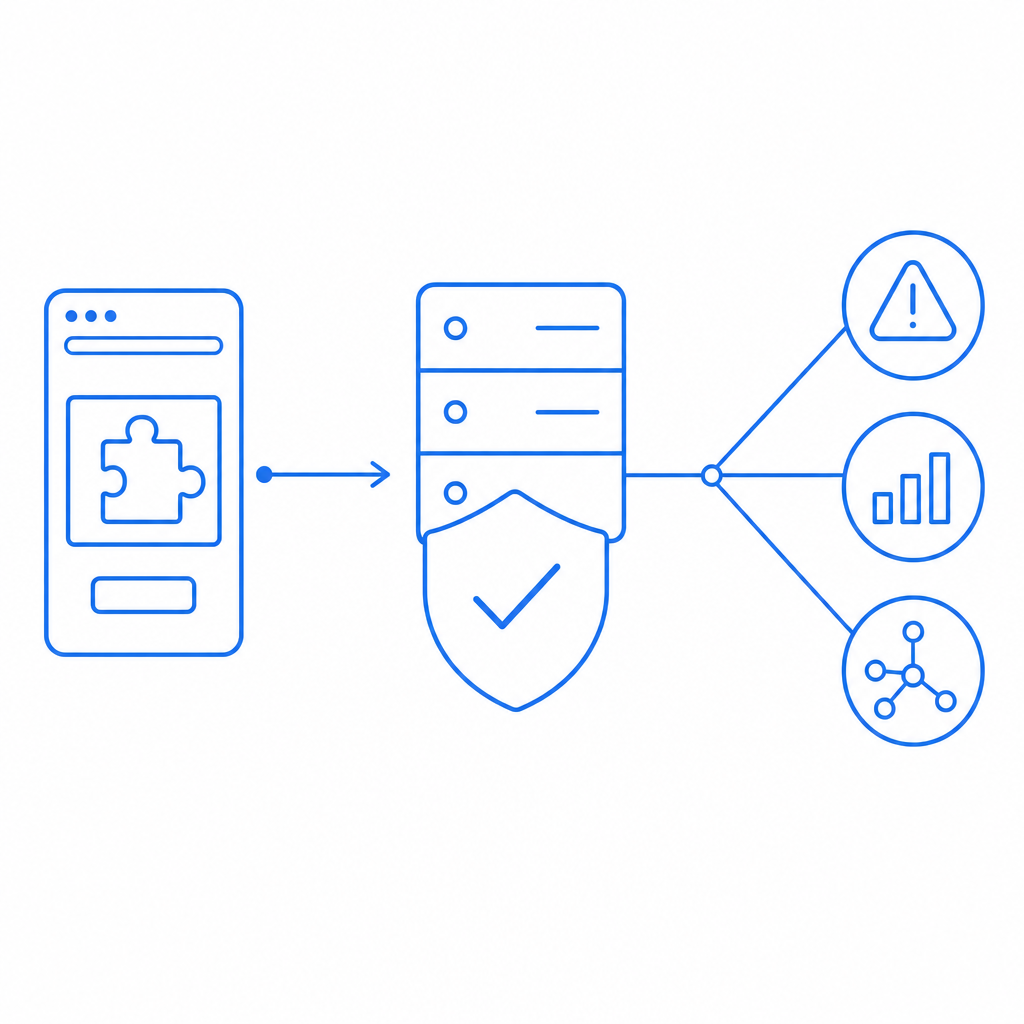
The technical details that actually matter
If your site has challenge traffic, the implementation details matter more than the label on a job listing. A good verification flow should be easy to audit and difficult to fake.
A minimal validation pattern
A typical server-side check looks like this:
# 1. Receive the pass_token from the client
# 2. Attach the client IP if available
# 3. Send both to the validation endpoint
# 4. Verify the response before granting access
# 5. Log failures for monitoring and abuse analysis
For CaptchaLa, the validation endpoint is:
POST https://apiv1.captcha.la/v1/validate
It expects a body with pass_token and client_ip, plus X-App-Key and X-App-Secret headers. If you’re issuing a server token, the endpoint is:
POST https://apiv1.captcha.la/v1/server/challenge/issue
On the client side, the loader is:
https://cdn.captcha-cdn.net/captchala-loader.js
And the integration surface is broad enough for most product teams:
- Web SDKs: JS, Vue, React
- Mobile and desktop: iOS, Android, Flutter, Electron
- Server SDKs:
captchala-php,captchala-go - Package references: Maven
la.captcha:captchala:1.0.2, CocoaPodsCaptchala 1.0.2, pub.devcaptchala 1.3.2
That flexibility matters because false positives and device-specific friction often show up only after deployment. Supporting multiple UI languages also helps when your user base is international and your verification prompts need to be understandable without guesswork.
A note on deployment scale
If you are planning for low-volume abuse defense, a free tier can be enough. CaptchaLa’s published tiers include:
- Free: 1000/month
- Pro: 50K–200K
- Business: 1M
Those numbers are useful mainly as planning inputs. The real decision is whether your site needs a small gate for occasional abuse or a more structured policy layer for sustained traffic.
How to read the market signal without chasing the wrong thing
Search phrases like “captcha jobs daily payment” often appear because people are looking for flexible income. That’s understandable, but from a security perspective the phrase signals something else: there is ongoing pressure on verification systems, and any weak flow will be probed, gamed, or misunderstood.
So if you’re evaluating a platform, keep the following in mind:
- If it pays daily but won’t explain the workflow, assume the risk is on the worker.
- If it claims to be about captchas but doesn’t define the data flow, assume the risk is on the operator.
- If it’s your own site, assume abuse will target the least defended step: token replay, session mismatch, or lax server validation.
That’s why documentation and clear API boundaries matter. The docs should tell you how to wire the client, validate the token, and handle failures. And the pricing page should help you decide whether your current traffic profile justifies a stricter control layer.
The safest reading of the phrase is simple: don’t confuse a payment claim with a trustworthy process. For users, verify before you commit. For site operators, build a challenge flow that is transparent, accessible, and validated on the server every time.
Where to go next: review the implementation details in the docs or compare tiers on pricing.