
A captcha job is the work your system creates when it needs to decide whether a request is human, automated, or risky enough to challenge. In practice, that means issuing a challenge, collecting a pass token, and validating it server-side before you allow the action to continue.
That sounds simple, but the details matter. The challenge should be lightweight for real users, hard to abuse at scale, and easy for your backend to verify without trusting the browser alone.
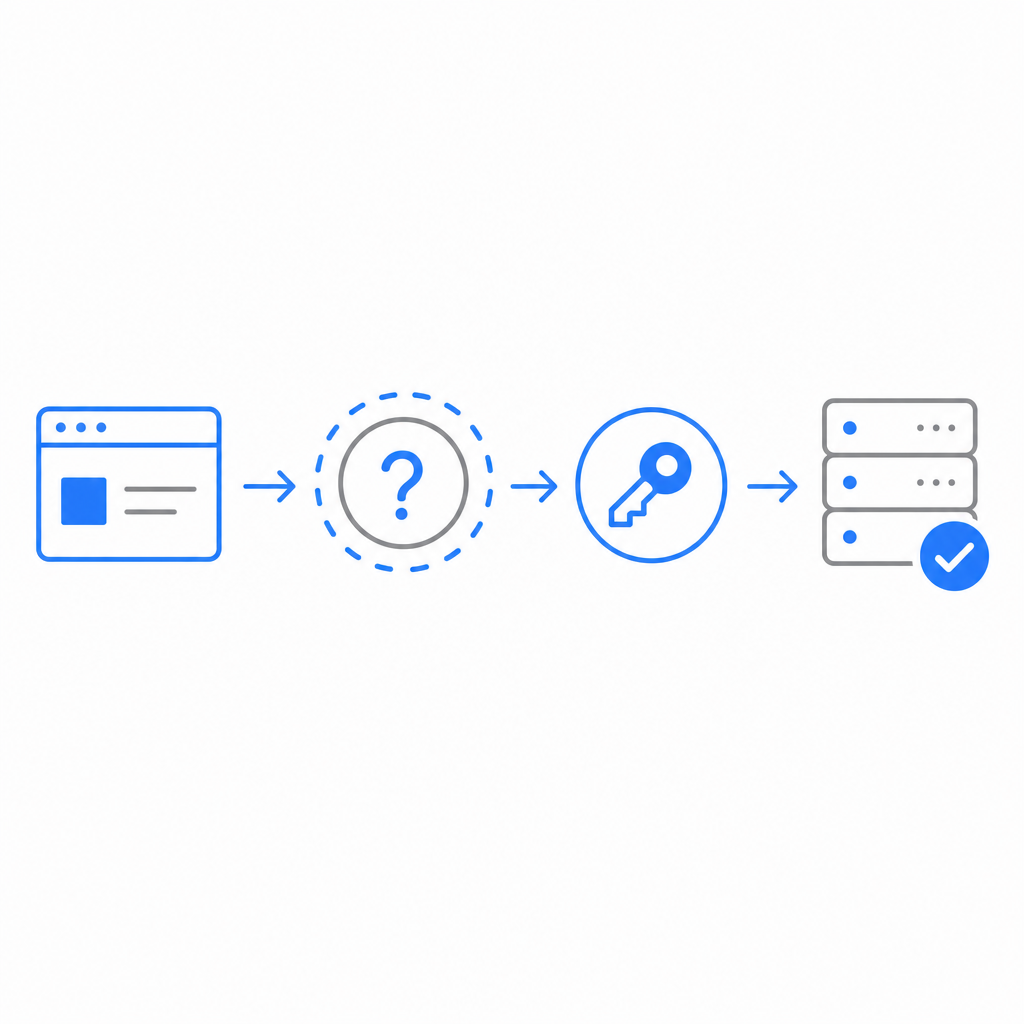
What captcha jobs actually do
A captcha job is not just a visual puzzle. It is a decision point in your traffic flow. You can think of it as a small workflow with three parts:
Risk signal collection
Your app observes context: login velocity, unusual IP patterns, account creation bursts, form submission timing, or device consistency.Challenge issuance
If the request looks suspicious or simply needs proof of interaction, your frontend asks for a challenge. With CaptchaLa, the loader is served fromhttps://cdn.captcha-cdn.net/captchala-loader.js, and the platform supports 8 UI languages plus native SDKs for Web (JS/Vue/React), iOS, Android, Flutter, and Electron.Server validation
The client returns a pass token, and your backend verifies it before accepting the action. For CaptchaLa, validation happens with:POST https://apiv1.captcha.la/v1/validateusing{pass_token, client_ip}and theX-App-KeyplusX-App-Secretheaders.
That last step is the part teams sometimes underbuild. If you only check the client, you’re trusting the weakest surface in the chain.
Why “job” is a useful mental model
The word “job” helps because it implies a discrete task with inputs, outputs, and status. That makes it easier to design around:
- Trigger: when to issue the challenge
- Payload: what the client receives
- Result: pass token or failure
- Decision: allow, block, rate-limit, or step up authentication
For teams that already use queue-based systems, that mental model also fits naturally into backend architecture. A captcha job can be treated like any other verification task: create, execute, validate, and log.
Where captcha jobs fit in real systems
Most teams encounter captcha jobs in a few familiar places:
- account registration
- password reset
- login after suspicious behavior
- checkout or coupon redemption
- contact forms and lead capture
- API endpoints exposed to anonymous traffic
The important part is not “add captcha everywhere.” It’s deciding where proof of humanity actually improves security or economics.
Here is a simple comparison of common options:
| Approach | Typical use | Strengths | Tradeoffs |
|---|---|---|---|
| reCAPTCHA | Broad anti-abuse coverage | Familiar, widely supported | Can feel heavier to users; UX varies by version and policy |
| hCaptcha | Abuse prevention and monetization-adjacent deployments | Strong bot friction, flexible integration | Still a challenge flow to manage; user friction can appear |
| Cloudflare Turnstile | Low-friction challenge for many websites | Often very smooth UX | Best fit when you already use Cloudflare ecosystem patterns |
| Custom captcha jobs | Tailored workflows | Matches your risk rules and UX | You own the design, validation, and maintenance |
Objective takeaway: the tool matters less than whether the challenge is tied to a clear policy. If the system is challenging everything, you’ll annoy humans. If it challenges nothing, you’ll train bots to move freely.
Designing the trigger logic
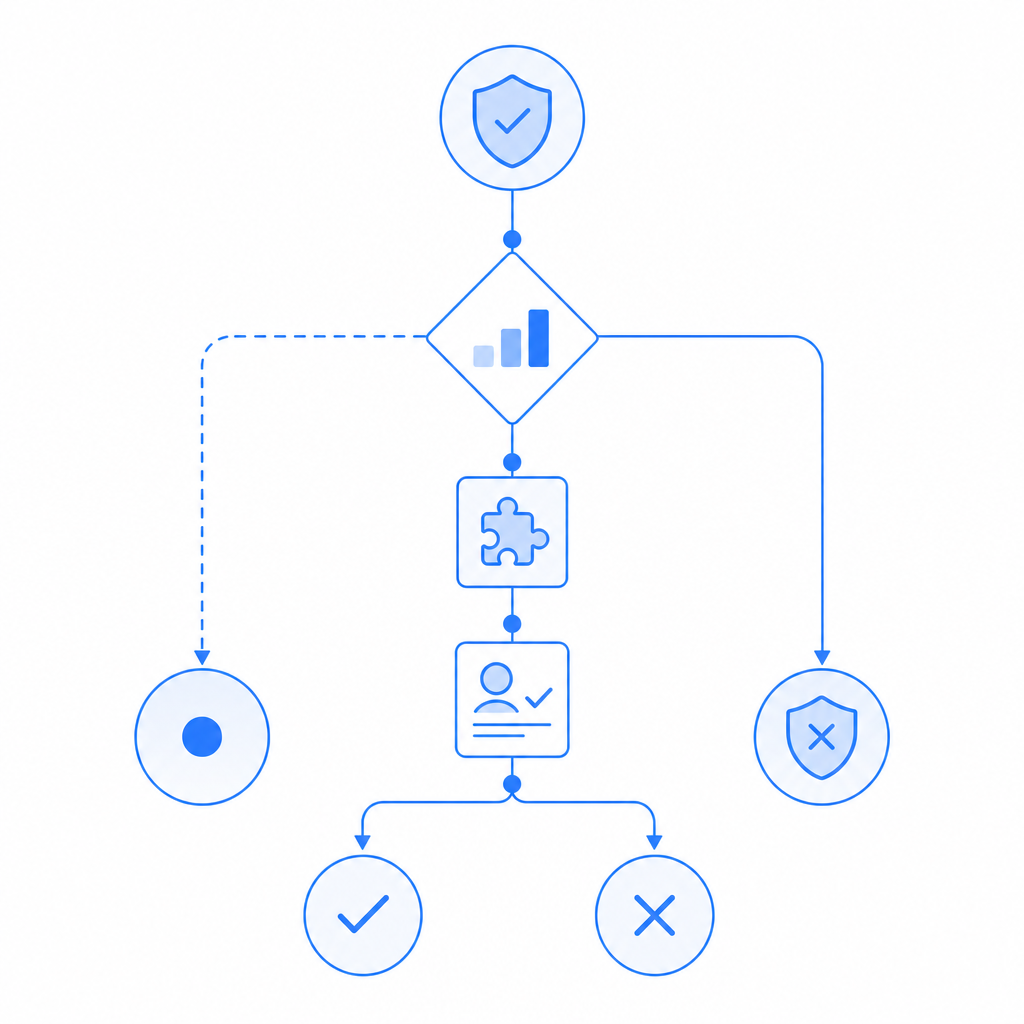
A good captcha job policy is usually based on signals, not vibes. Examples:
- More than N account creations from one ASN in M minutes
- Login attempts with impossible travel patterns
- Form submissions with repeated identical content
- Requests that fail device or session consistency checks
- Anonymous actions exceeding per-IP or per-fingerprint thresholds
A few teams keep the rule set inside an application gateway; others do it in the app layer. Either way, the output should be deterministic: challenge, step-up, or allow.
How to implement captcha jobs without creating drag
The ideal flow is fast for legitimate users and explicit for the server. A common implementation pattern looks like this:
1. Browser requests a protected action
2. App evaluates risk score or rule match
3. If challenge is needed, load captcha widget/script
4. Client completes challenge and receives pass_token
5. Backend validates pass_token with secret credentials
6. Backend approves or denies the original action
If you use CaptchaLa, the backend validation step is straightforward. The platform also provides server SDKs like captchala-php and captchala-go, which can reduce glue code if your stack matches.
Here’s the core idea in pseudocode:
// English comments only

// Frontend: request a challenge when risk is elevated
if (shouldChallenge(requestContext)) {
  loadCaptchaLoader("https://cdn.captcha-cdn.net/captchala-loader.js");
  const passToken = await solveCaptchaJob();
  sendToBackend({
    pass_token: passToken,
    client_ip: requestContext.clientIp
  });
}

// Backend: validate before allowing the action
const result = await validateCaptcha({
  url: "https://apiv1.captcha.la/v1/validate",
  headers: {
    "X-App-Key": APP_KEY,
    "X-App-Secret": APP_SECRET
  },
  body: {
    pass_token,
    client_ip
  }
});

if (!result.valid) {
  denyAction();
}
A few implementation details are worth calling out:
- Validate on the server only: the browser should never be the source of truth.
- Bind the token to context: include
client_ipwhere appropriate so the token is not treated as a generic pass. - Treat tokens as short-lived: verification should happen immediately after the challenge.
- Log outcomes: challenge frequency, pass rate, and failure reasons help tune your policy.
Comparing friction, cost, and operational control
Captcha jobs are often a product decision as much as a security decision. If you challenge too often, support tickets rise. If you challenge too little, abuse costs rise. If you tune it well, you reduce automation without making the product feel hostile.
A practical way to evaluate providers is by traffic level and operational needs:
- Free tier: around 1,000 validations per month, useful for prototypes and low-traffic apps
- Pro: roughly 50K–200K validations per month, common for growing products
- Business: around 1M validations per month, for higher-volume deployments
CaptchaLa’s public pricing is aligned to those tiers on pricing, but the real decision is usually about control and fit. Some teams prefer the ecosystem and defaults of reCAPTCHA, others like hCaptcha, and others want Cloudflare Turnstile for a lower-friction flow. If you need more explicit control over challenge issuance and backend verification, docs is the place to compare integration details.
First-party data matters
One product constraint that matters for privacy-conscious teams: use first-party data only. That means your captcha job should rely on your own request context and validation flow rather than assembling broad third-party profiles. This simplifies compliance conversations and keeps the security boundary clearer.
Common mistakes teams make with captcha jobs
The technical setup is only half the story. The other half is avoiding predictable mistakes:
Challenging every request
This usually hurts conversion and doesn’t improve security proportionally.Trusting the client token without validation
A pass token is not meaningful until the server checks it.Using the same rule for every endpoint
Registration and checkout usually need different thresholds.Ignoring accessibility and localization
If your challenge is unreadable or unsupported in key markets, you create unnecessary support load.Not monitoring challenge volume
If challenge rate spikes, that can indicate abuse, a bad rule, or a broken integration.Skipping replay and expiry considerations
Token reuse should be rejected, and validation should happen promptly.
If you’re tuning a system like this for the first time, start with the narrowest set of sensitive endpoints and expand only when you have evidence. That keeps your captcha jobs proportional to the actual risk.
A sensible rollout plan
For teams introducing captcha jobs into an existing app, a staged rollout usually works best:
Instrument first
Measure request volume, abuse patterns, and false-positive rates before changing behavior.Protect the highest-risk endpoint
Start with signup, password reset, or a form that attracts automated abuse.Choose a challenge that matches your UX
Web, mobile, and embedded apps may need different SDKs or loaders.Validate server-side immediately
Make the backend decision authoritative.Review metrics weekly
Track pass rates, challenge frequency, and conversion impact.Expand carefully
Add challenge rules only when the earlier ones prove useful.
This is the point where many teams realize captcha jobs are less about “putting a box on a page” and more about shaping a reliable trust boundary.
Where to go next: if you’re planning your first rollout, start with the docs or compare tiers on pricing to match your traffic and verification volume.