
A captcha job app is a job application flow that uses CAPTCHA or bot defense to stop spam, credential stuffing, and automated submissions from drowning out real candidates. If your careers page or applicant form is getting flooded, the goal is not to block everyone — it is to make automation expensive enough that legitimate applicants can move through smoothly.
Job application systems are attractive targets because they often expose a simple form, predictable fields, and a clear payout for attackers: scraped resumes, fake candidate data, referral abuse, or even downstream account creation. The good news is that you can defend these forms without making the experience miserable for real people. Modern CAPTCHA stacks can verify users quietly, add friction only when needed, and work across web and mobile clients. In practice, that means your applicant experience stays usable while your backend gets much better signal about what is real.
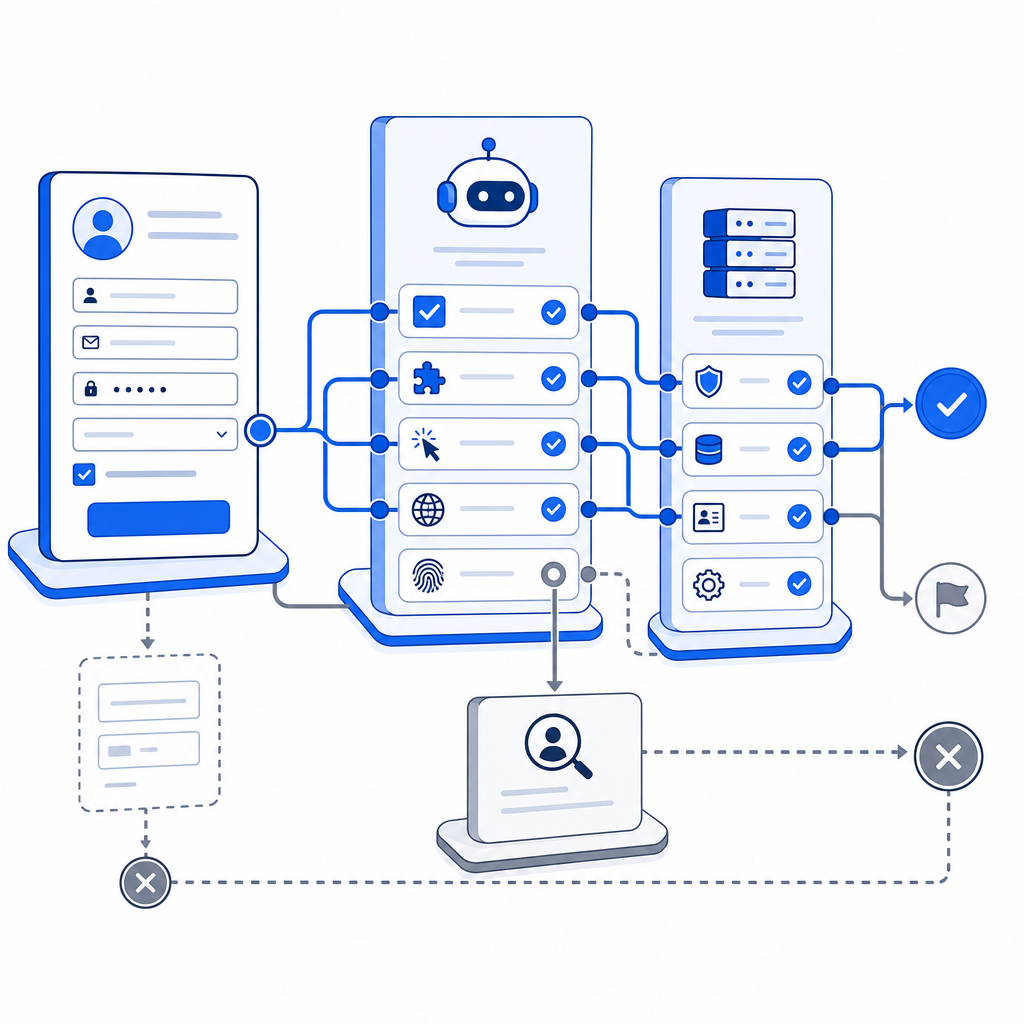
Why job application forms attract bots
A career portal is a tempting target because it sits at the intersection of public access and business value. Unlike a logged-in account page, a job application form usually has to be accessible to everyone, which means attackers do not need to break in first. They only need to submit at scale.
Common abuse patterns include:
- Mass fake applications intended to waste recruiter time.
- Form scraping that harvests personal data from public career pages.
- Credential stuffing against applicant portals with reused passwords.
- Automated account creation for referral fraud or spam campaigns.
- Flooding a posting immediately after it goes live, which can distort analytics and slow down hiring workflows.
If you are defending a captcha job app, the main question is not “how do I stop all automation?” It is “how do I identify low-quality traffic fast enough to keep the pipeline clean?” That usually means combining CAPTCHA with rate limits, behavioral checks, and server-side validation rather than relying on a single checkbox.
What a good defense looks like
A strong setup for job applications balances three goals: low friction for candidates, high confidence for your backend, and easy integration for engineering teams. The most practical approach is to treat CAPTCHA as one layer in a broader submission pipeline.
Typical flow
A modern implementation often looks like this:
- The browser loads a challenge script.
- The user completes a check only if needed.
- The client sends a short-lived pass token with the application.
- Your backend validates that token before accepting the submission.
- Optional server-side rules score the request, trigger escalation, or reject obviously automated traffic.
For CaptchaLa, that client/server split is straightforward: the loader script is served from https://cdn.captcha-cdn.net/captchala-loader.js, and server validation is done by POSTing to https://apiv1.captcha.la/v1/validate with {pass_token, client_ip} plus X-App-Key and X-App-Secret. If you need to issue server tokens for a challenge flow, there is also POST https://apiv1.captcha.la/v1/server/challenge/issue.
A simple backend pattern might look like this:
// Validate the CAPTCHA pass token before accepting the job application
async function validateApplication(req) {
  const body = {
    pass_token: req.body.pass_token,
    client_ip: req.ip
  };

  const response = await fetch("https://apiv1.captcha.la/v1/validate", {
    method: "POST",
    headers: {
      "Content-Type": "application/json",
      "X-App-Key": process.env.CAPTCHALA_APP_KEY,
      "X-App-Secret": process.env.CAPTCHALA_APP_SECRET
    },
    body: JSON.stringify(body)
  });

  // Only continue if the token is valid
  return response.ok;
}
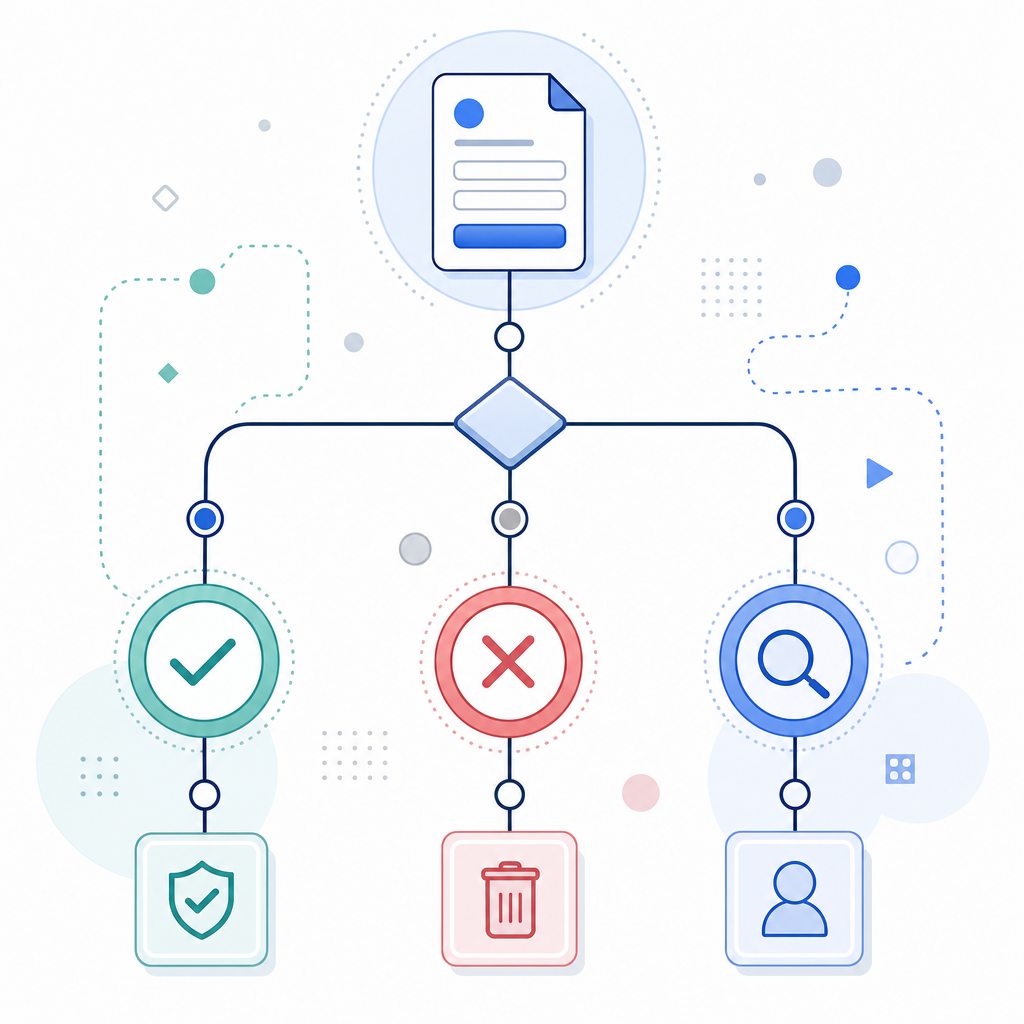
That is the core idea: let the client collect proof, but let the server decide whether the submission is trustworthy.
Choosing between CAPTCHA options
Not all CAPTCHA tools behave the same way, and the right choice depends on your traffic patterns, platforms, and tolerance for friction. reCAPTCHA, hCaptcha, and Cloudflare Turnstile are all common references in this space, but they differ in product philosophy and operational tradeoffs.
| Option | Typical strength | Typical tradeoff | Good fit for a captcha job app |
|---|---|---|---|
| reCAPTCHA | Widely recognized, mature ecosystem | Can feel opaque; UX may vary by risk score | Teams already using Google tooling |
| hCaptcha | Strong abuse reduction focus | Can introduce more user interaction depending on setup | High-abuse public forms |
| Cloudflare Turnstile | Low-friction challenge model | Often tied to broader Cloudflare usage patterns | Teams wanting minimal UI friction |
| CaptchaLa | Multi-platform SDKs and server validation | Requires your own integration and secret management | Web, mobile, and cross-platform applicant flows |
If your careers experience spans browser, mobile app, or desktop clients, platform coverage matters. CaptchaLa supports native SDKs for Web (JS/Vue/React), iOS, Android, Flutter, and Electron, and it also has server SDKs for captchala-php and captchala-go. That makes it easier to keep the same verification model whether a candidate applies on a website, inside a mobile app, or through an embedded desktop flow.
It is also worth noting the localization angle. Candidate-facing friction gets worse when the challenge is only understandable in one language. CaptchaLa includes 8 UI languages, which helps when your careers page serves a global applicant pool.
Practical selection criteria
When comparing tools for a job application flow, look at:
- Whether the challenge can be invisible or low-friction for most users.
- How the token is validated server-side and whether secrets stay on your backend.
- Whether you can set different thresholds for different forms, such as general applications versus referral forms.
- Whether the SDKs match your stack, especially if you have Flutter or Electron clients.
- Whether pricing aligns with application volume spikes during hiring campaigns.
If you want to evaluate costs before wiring everything up, pricing is usually the fastest way to sanity-check whether your expected volume fits a free, Pro, or Business tier. CaptchaLa’s published tiers include Free at 1,000 monthly, Pro at 50K-200K, and Business at 1M, which is a useful range for small hiring pages through higher-volume recruiting funnels.
Implementation details that matter to recruiters and engineers
The best captcha job app setups are boring in the right way: they reject junk, keep logs clean, and do not create support tickets for real applicants. To get there, you need a few technical details right.
Keep validation server-side
Do not trust a client-only success flag. Instead, treat the pass token as an input to your backend validation step. That makes replay attempts and tampering much harder to exploit. If you are running a Node or PHP backend, or using Go in a service layer, this validation step should happen before the application is written to the database or pushed into an ATS integration.
Tie CAPTCHA to submission context
Use the token together with other signals such as:
- Request IP and rate history.
- Submission timestamp and token age.
- Form completion timing.
- Suspicious header patterns.
- Optional allowlists for internal testing or recruiter demos.
This does not mean profiling candidates aggressively. It means comparing each request to the normal shape of your own traffic. A sudden spike from one subnet, or a flood of nearly identical submissions, is usually enough to justify escalation.
Make the UX proportional
If a candidate is on a normal device and network, the challenge should usually be lightweight. For suspicious traffic, let the system escalate. That is the basic advantage of layered bot defense: real candidates see a simple flow, while abuse gets extra friction.
CaptchaLa’s docs are useful here because they focus on implementation rather than marketing slogans. If you are mapping the API into your form handler, the docs are the place to confirm request shapes, SDK usage, and token validation behavior before rollout.
A simple rollout plan for job portals
If you are adding CAPTCHA to an existing hiring flow, start small and measure the impact.
- Protect only the highest-abuse endpoints first, such as public application submission.
- Keep the challenge invisible or low-friction for normal traffic.
- Log validation failures separately from form validation failures.
- Review abandoned applications to make sure the challenge is not causing drop-off.
- Add rate limiting and duplicate submission checks after CAPTCHA is in place.
- Expand to other surfaces, such as signup, referral, or talent-pool forms, only if needed.
One useful rule: if a form is already frustrating for humans, do not make CAPTCHA do all the work. Fix the form first, then let bot defense handle the remaining abuse. That keeps the experience usable and the metrics honest.
Where to go next: if you are planning a captcha job app flow, start with the implementation details in the docs or compare plans on pricing.