
A captcha javascript integration is the piece of front-end code that renders a challenge, collects a pass token, and sends it to your server for validation. In practice, that means your app can distinguish a real user flow from automation without turning every form into a security project.
For most teams, the goal is not “more CAPTCHA.” It’s a lightweight, reliable check that fits into login, signup, checkout, and sensitive actions. The JavaScript part is only half the story: you also need a server-side validation step so the token can’t be trusted just because the browser says it is. That split is what keeps the system useful.
What captcha javascript actually does
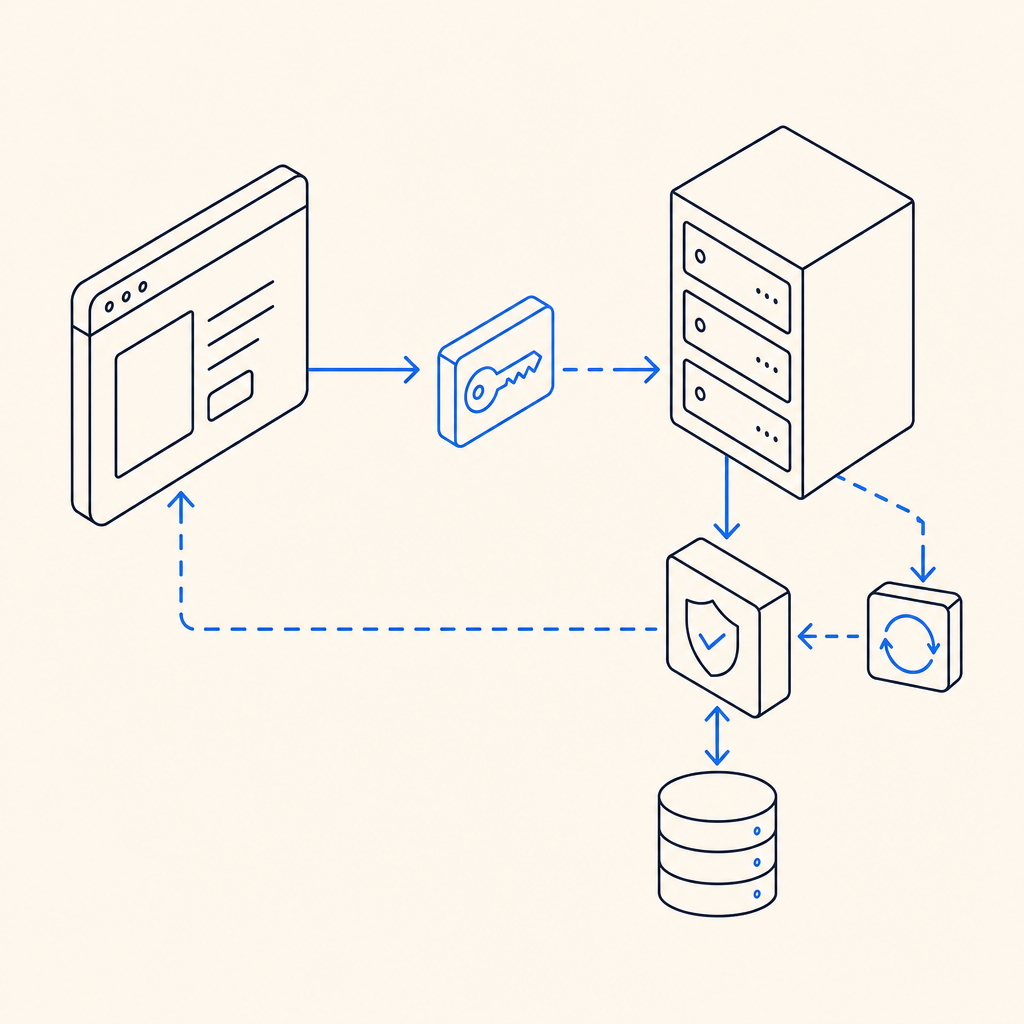
At a high level, captcha javascript handles the user-facing side of the verification flow:
- It loads the challenge widget or script.
- It interacts with the browser to issue a pass token after the user completes the check.
- It passes that token to your backend along with request context.
- Your backend verifies the token before allowing the protected action.
That last step matters. A frontend widget can be inspected, skipped, or replayed if the backend does not confirm the token. Any serious deployment should treat the browser as untrusted and verify the result server-side.
If you are evaluating a modern integration, look for a few practical traits:
- Minimal script weight and easy async loading
- Clear token lifecycle and expiration behavior
- Simple backend validation endpoint
- SDKs for your stack, not just a generic widget
- Support for localized UI if you need global traffic
CaptchaLa, for example, includes 8 UI languages and native SDKs for Web (JS, Vue, React), iOS, Android, Flutter, and Electron, which makes it easier to keep the same verification model across channels.
How to implement it without overcomplicating your app
A clean implementation usually has two paths: the browser path and the validation path. Here’s a straightforward version of the browser side:
<!-- Load the client script asynchronously -->
<script async src="https://cdn.captcha-cdn.net/captchala-loader.js"></script>

<!-- Placeholder where the challenge mounts -->
<div id="captcha-container"></div>

<script>
  // Initialize the widget after the loader is available
  // Then capture the pass token and send it to your backend
  function onCaptchaSolved(passToken) {
    fetch("/api/verify-action", {
      method: "POST",
      headers: { "Content-Type": "application/json" },
      body: JSON.stringify({ pass_token: passToken })
    });
  }
</script>
On the backend, validation should happen before you process the action. For CaptchaLa, the validation endpoint is:
POST https://apiv1.captcha.la/v1/validate- Body:
{ pass_token, client_ip } - Headers:
X-App-KeyandX-App-Secret
If you need to issue a server-side challenge token first, there is also:
POST https://apiv1.captcha.la/v1/server/challenge/issue
A good implementation pattern is:
- Receive the token from the browser.
- Attach the client IP if your policy requires it.
- Send both to your verification service.
- Block the protected action unless validation succeeds.
- Log failures for abuse analysis, but avoid storing unnecessary personal data.
This keeps your application logic simple and makes the trust boundary explicit.
Choosing between reCAPTCHA, hCaptcha, Turnstile, and a custom flow
There is no one-size-fits-all answer. Different products emphasize different trade-offs, and teams often care about deployment, privacy, UX, and control more than the label on the widget.
| Option | Strengths | Trade-offs | Typical fit |
|---|---|---|---|
| reCAPTCHA | Widely recognized, mature ecosystem | Can feel heavier; some teams prefer more control | Large public sites, legacy setups |
| hCaptcha | Common privacy-conscious choice, flexible integration | UX can vary by challenge type | Sites wanting a familiar challenge flow |
| Cloudflare Turnstile | Low-friction user experience, simple adoption | Best fit when Cloudflare’s ecosystem is acceptable | Teams prioritizing minimal interaction |
| CaptchaLa | Web and native SDK coverage, first-party data only, straightforward validation flow | Newer relative to older incumbents | Teams wanting a simpler, product-focused setup |
What usually matters most is not whether the checkbox exists. It’s whether the integration is easy to maintain, whether the challenge is accessible enough for your audience, and whether the verification endpoint fits your backend architecture.
If you are defending forms or APIs, also think about where the signal should be enforced. For example:
- Signup and login: validate before account creation or session issuance
- Password reset: validate before sending reset emails
- Checkout: validate before final order submission
- Rate-limited endpoints: combine token checks with IP and request-pattern controls
That layered approach generally works better than relying on a single challenge as your only defense.
Practical deployment details that matter more than the widget
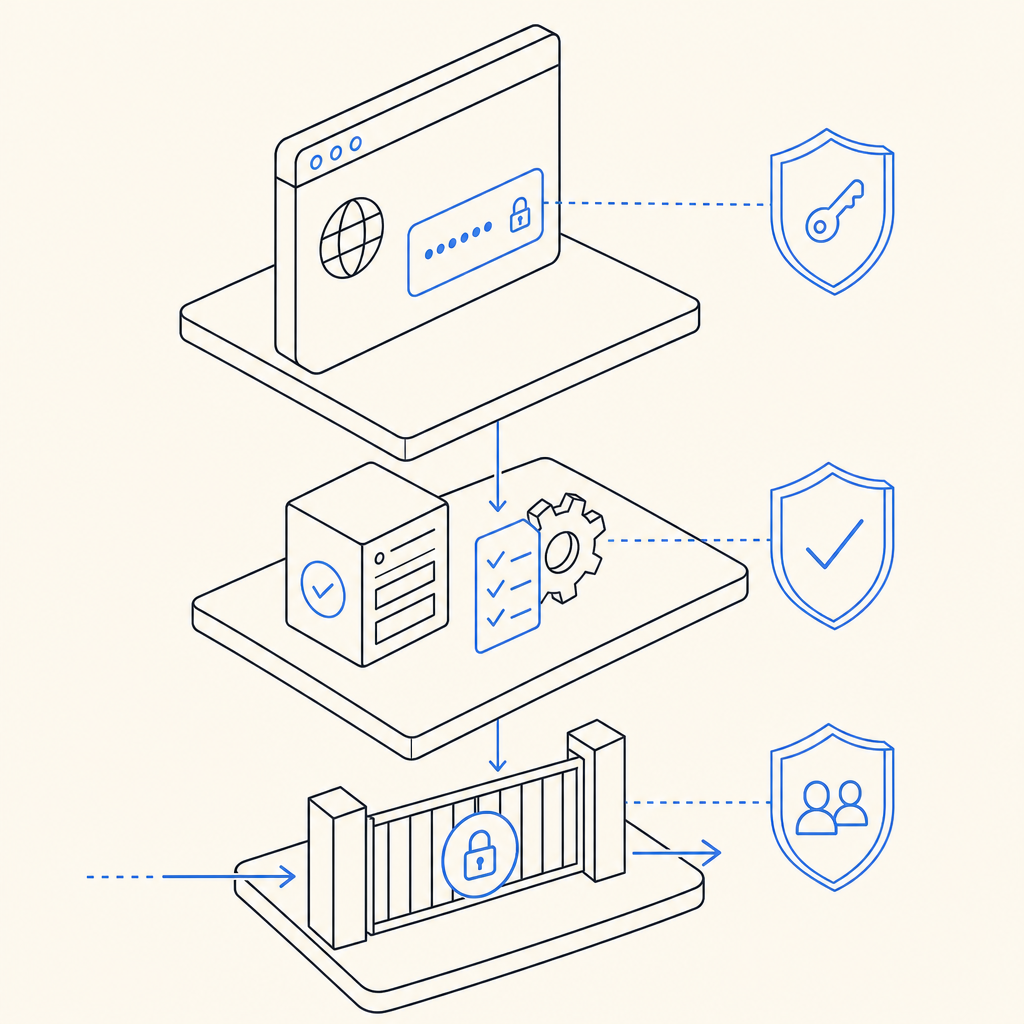
Small implementation decisions can make a big difference in production. These are the details teams tend to discover after launch, so it helps to plan them up front.
1. Load the script asynchronously
Your challenge script should not block page rendering. The loader URL for CaptchaLa is https://cdn.captcha-cdn.net/captchala-loader.js, and async loading helps keep the page responsive even if verification is not the user’s immediate concern.
2. Validate on the server, always
Never trust the client to decide success. Your backend should call the validation API and proceed only if the response is accepted. If the validation fails, return a clear error and let the user retry.
3. Keep the scope narrow
Protect the actions that matter most. Not every page needs a challenge. Overusing CAPTCHA can create friction and reduce conversions, while underusing it leaves valuable endpoints exposed.
4. Match the SDK to the platform
If your team ships across multiple platforms, using the native SDKs can reduce glue code:
- Web: JS, Vue, React
- Mobile: iOS, Android, Flutter
- Desktop: Electron
- Backend helpers:
captchala-php,captchala-go
For Java shops, the Maven package is la.captcha:captchala:1.0.2. For Apple platforms, the CocoaPods package is Captchala 1.0.2. For Flutter, the package on pub.dev is captchala 1.3.2.
5. Plan around your traffic tier
Volume changes the operational picture. CaptchaLa offers a free tier at 1,000 validations per month, Pro in the 50K–200K range, and Business at 1M. That kind of sizing is useful when you want to forecast whether the verification layer will stay a small operational concern or become part of your core traffic planning. You can review pricing if you want to map it to expected usage.
A simple mental model for teams
The easiest way to think about captcha javascript is this: the browser collects evidence, the server judges it, and your app only proceeds when the judge says yes.
That model scales well because it is easy to reason about during code review, incident response, and product changes. It also helps prevent a common mistake: putting too much trust in the widget itself instead of the verification policy around it.
If you are building a new flow, start with one sensitive endpoint and instrument it carefully. If you already have a protection layer, compare your current implementation against the checklist below:
- Is the token verified on the server?
- Does the widget load without delaying the page?
- Can you support your target languages and platforms?
- Do you have a clear fallback when validation fails?
- Are you keeping only the data you actually need?
When teams ask whether to use reCAPTCHA, hCaptcha, Turnstile, or something else, the best answer is usually the one that fits their app shape and operational constraints, not the one with the most marketing around it. If you want to see how CaptchaLa documents the integration flow, the docs are the right next stop.
Where to go next: check the docs for implementation details, or review pricing to estimate what your traffic volume would look like.