
When deciding on the best CAPTCHA for WordPress, the primary factors are security, user experience, compatibility, and ease of integration. The ideal CAPTCHA solution protects your site from spam and bots without frustrating legitimate users or slowing down your pages. WordPress websites, with their diverse audiences and plugin ecosystem, require a CAPTCHA that balances robust bot defense with smooth usability and simple deployment.
This guide compares popular CAPTCHA options designed to work on WordPress, highlights key technical considerations, and explains how solutions like CaptchaLa provide effective, developer-friendly protection tailored for modern websites.
What Visitors Expect: User Experience Matters
CAPTCHAs have a reputation for being annoying hurdles. Complex puzzles or repeated challenges can frustrate human visitors, potentially driving them away or reducing conversions. The best CAPTCHA for WordPress is therefore one that minimizes user friction.
- Invisible and frictionless CAPTCHAs monitor behavior to differentiate bots without user interaction when possible (e.g., Cloudflare Turnstile).
- Visual or audio challenges demand explicit action, which can improve security but increase user effort (Google reCAPTCHA v2).
- Emerging alternatives like CaptchaLa offer multi-language UI and adaptive challenges suited to diverse visitors, improving accessibility.
Selecting a CAPTCHA with a fast-loading client loader script and localized UI reduces bounce rates and fosters better engagement on your WordPress site.

Integration and Compatibility with WordPress
WordPress plugins and themes vary widely, so your CAPTCHA must be fully compatible and easy to implement without code conflicts.
Popular CAPTCHA Options for WordPress
| CAPTCHA Service | Integration Type | Supported Platforms | Key Features | Pricing Overview |
|---|---|---|---|---|
| Google reCAPTCHA | Official WP plugin, manual | Web | Invisible & v2 challenges, widespread use | Free |
| hCaptcha | WP plugins, API | Web | Privacy-focused, customizable challenges | Free & paid tiers |
| Cloudflare Turnstile | JavaScript embed | Web | User-friendly, low friction | Free |
| CaptchaLa | SDKs + JS loader | Web, iOS, Android etc | Multi-language UI, native SDKs, server APIs | Free tier + paid plans |
For developers, CaptchaLa’s native Web SDKs (JavaScript, Vue, React) and server libraries (PHP, Go) streamline WordPress plugin development or theme customization. This means you can fine-tune CAPTCHA behavior beyond basic plugin settings to meet your exact site needs.
Implementation Tips for WordPress
- Use Official or well-maintained plugins: Always prefer plugins from trusted sources to avoid compatibility issues or vulnerabilities.
- Check theme/plugin conflicts: Some CAPTCHA scripts may conflict with caching plugins or JavaScript-heavy themes.
- Configure fallback options: Prepare for CAPTCHA service outages by enabling alternative anti-spam tactics or backup CAPTCHA methods.
- Localize the UI: For global audiences, favor CAPTCHAs like CaptchaLa that offer 8 different UI languages out of the box.
Security: Beyond Simple Bot Detection
While all modern CAPTCHAs aim to reduce spam and bot attacks, their security techniques differ.
- reCAPTCHA and hCaptcha leverage large data networks to detect suspicious activity using behavioral analysis and risk scoring.
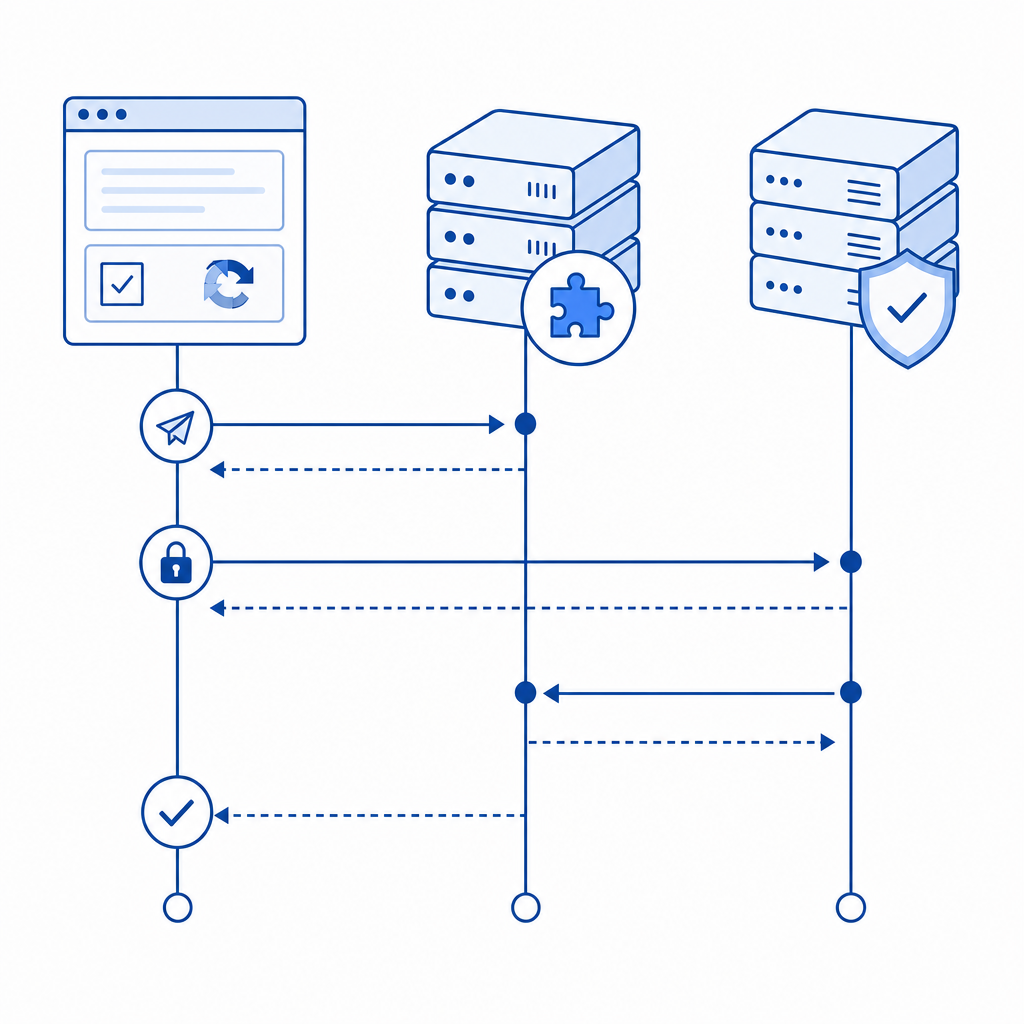
- CaptchaLa uses server-issued challenge tokens validated via a secure API endpoint, enhancing protection against fake token submissions or automated bypass attempts.
- Cloudflare Turnstile benefits from Cloudflare’s global threat intelligence feeding into CAPTCHA decisions with minimal user interaction.
With WordPress, it’s critical to monitor CAPTCHA activity metrics regularly. For example, review rejected attempts and token validation logs via CaptchaLa’s dashboard or API to fine-tune challenge aggressiveness based on attack patterns.
Example: Validating a CAPTCHA Response with CaptchaLa (PHP SDK snippet)
// Validate CAPTCHA token and client IP
$client = new Captchala\Client('your-app-key', 'your-app-secret');

$response = $client->validateToken($_POST['pass_token'], $_SERVER['REMOTE_ADDR']);

if ($response->isValid()) {
    // Proceed with form submission processing
} else {
    // Reject submission as bot or invalid user
}
This pattern ensures your WordPress backend only accepts verified human interactions, reducing spam and fraudulent registrations or comments.
Performance and Scalability Considerations
WordPress sites can suffer from speed drops when adding heavy scripts or external API calls. The best CAPTCHA minimizes loading impact and scales with your traffic.
- CaptchaLa’s lightweight loader (https://cdn.captcha-cdn.net/captchala-loader.js) is optimized for fast initialization.
- Free usage tiers (up to 1,000 validations/month) can support small blogs and portfolios; higher tiers scale to business sites with over 1 million monthly validations.
- Native SDKs for mobile and desktop platforms enable unified anti-bot defense across Omnichannel WordPress experiences.
In contrast, while Google reCAPTCHA is widely used, its JavaScript payload can add noticeable latency in some cases, especially on mobile connections. Choosing solutions with minimal external dependencies or self-hosted SDKs may improve your WordPress site's speed metrics and SEO.
Summary: Matching Your WordPress CAPTCHA to Your Needs
No one CAPTCHA fits every WordPress site perfectly. Consider these key factors:
- For simple integration and broad compatibility, reCAPTCHA or hCaptcha are common choices.
- For lightweight, low-friction experiences, Cloudflare Turnstile is worth exploring.
- If you want full language support, native SDKs, and server-side validation with first-party data privacy, CaptchaLa is a strong contender.
Each option involves trade-offs between security depth, user convenience, and developer flexibility. Testing different CAPTCHAs alongside your site’s content and audience preferences will help you identify the “best CAPTCHA for WordPress” tailored to your goals.
For hands-on guidance and complete tech specs, visit the CaptchaLa docs or explore CaptchaLa pricing plans to understand what matches your traffic scale.
Where to go next? Dive deeper into integration best practices or start your free trial to see CaptchaLa in action on your WordPress site.