
A captcha iOS SDK adds bot defense to an iPhone or iPad app by letting the app request, display, and validate a challenge without sending users into a clunky browser detour. Done well, it helps you distinguish real users from automation while keeping signup, login, checkout, and abuse-prevention flows fast enough to feel native.
If you are evaluating a captcha iOS SDK, the first question is usually not “Can it block bots?” but “How much friction will it add, and where should validation happen?” The right answer is: as little as possible on-device, with the server doing the trust decision. That keeps the app simple and makes the security model easier to reason about.
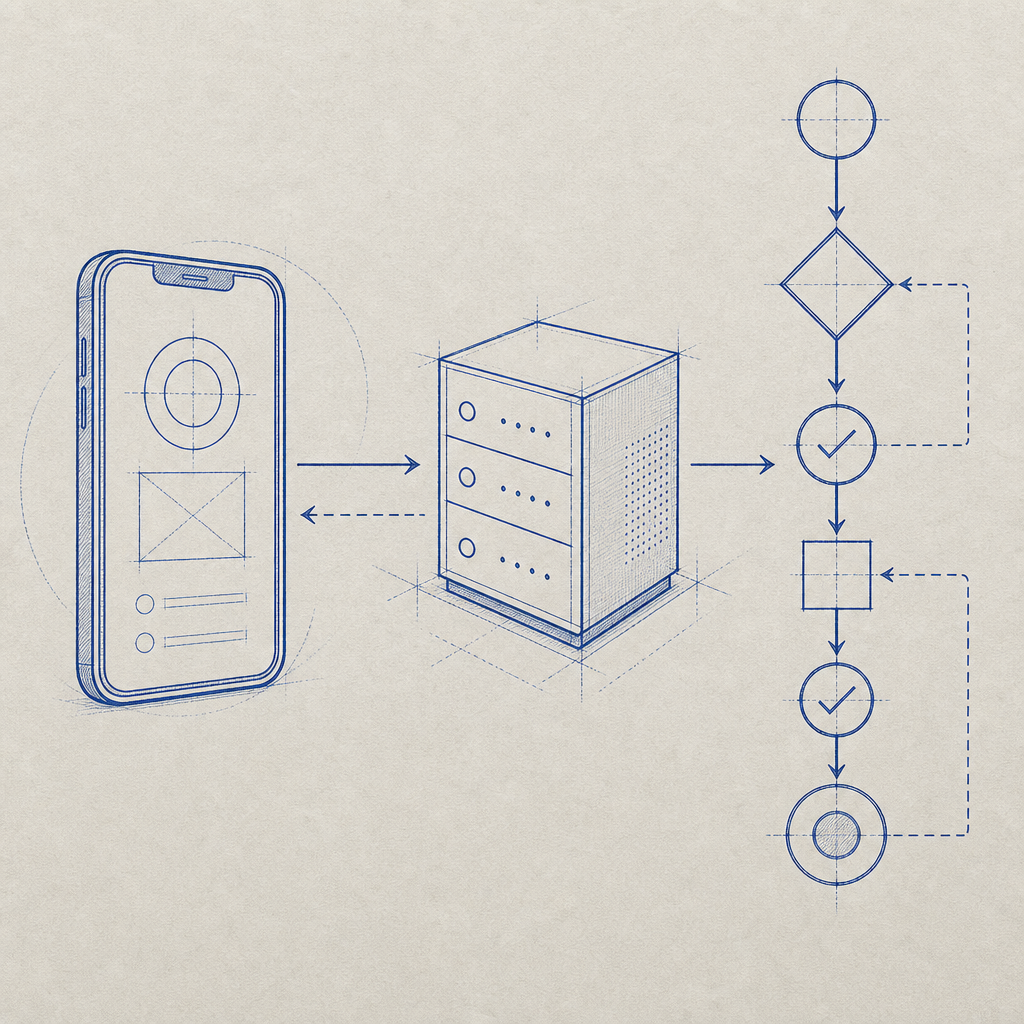
What a captcha iOS SDK should do
A good iOS captcha integration should fit into an existing mobile architecture, not force you to redesign it. At minimum, it should let your app:
- Request a challenge token from your backend.
- Present a challenge in a native or embedded experience.
- Return a pass token or proof to your server.
- Validate that proof server-side before allowing the sensitive action.
That separation matters. The app is a user interface, not the place to make the final trust decision. If the client decides “this looks legitimate,” a determined attacker can tamper with the app, patch the logic, or replay requests. Validation belongs on the backend, where you can use secrets safely.
CaptchaLa’s mobile story follows that model. It supports native SDKs across iOS, Android, Flutter, Electron, and Web, with localized UI support in 8 languages. For teams building cross-platform mobile apps, that can simplify rollout without splitting your anti-bot strategy into unrelated implementations.
Native experience vs webview-style challenge
A lot of teams end up comparing three patterns:
| Approach | User experience | Security posture | Implementation notes |
|---|---|---|---|
| Native SDK | Smooth, app-like | Strong when server-validated | Best fit for mobile-first flows |
| Embedded web challenge | Acceptable, but less native | Depends on backend validation | Easier to ship, harder to polish |
| External browser redirect | Friction-heavy | Can be secure, but awkward | Often feels disconnected from the app |
If your app has a registration wall, promo abuse problem, or credential-stuffing risk, native or near-native presentation is usually the better tradeoff. It reduces abandonment while still giving you a meaningful signal to validate.
How CaptchaLa fits into an iOS integration
For iOS, the key architectural idea is simple: the app asks for a server-issued challenge, the SDK displays it, and your backend validates the result using a secret. CaptchaLa exposes a server-token endpoint for issuing challenge tokens:
POST https://apiv1.captcha.la/v1/server/challenge/issue
Then, once the user completes the challenge, your backend validates the result with:
POST https://apiv1.captcha.la/v1/validate
The validate request includes:
pass_tokenclient_ip
And it uses:
X-App-KeyX-App-Secret
That server-side step is what makes the flow defensible. You are not trusting the phone to decide whether the visitor is legitimate; you are trusting your own backend after it checks the challenge outcome.
A typical iOS flow looks like this:
- App requests a challenge from your server.
- Server calls CaptchaLa’s challenge issue endpoint.
- App presents the challenge using the iOS SDK.
- App sends the resulting token back to your backend.
- Backend validates with CaptchaLa.
- Backend allows or blocks the sensitive action.
Here is a simplified example of the backend validation step:
# English comments only
import requests

url = "https://apiv1.captcha.la/v1/validate"
headers = {
    "X-App-Key": "your_app_key",
    "X-App-Secret": "your_app_secret",
    "Content-Type": "application/json",
}
payload = {
    "pass_token": "token_from_ios_app",
    "client_ip": "203.0.113.42",
}

response = requests.post(url, headers=headers, json=payload)
print(response.status_code, response.text)
If you are already using an app-server pattern for authentication, this fits naturally into the same design. If you are not, this is a good moment to add one. Security controls work better when they are enforced centrally rather than scattered across mobile client code.
CaptchaLa also publishes native package options for mobile and app platforms, including CocoaPods Captchala 1.0.2 for iOS. On the backend side, there are server SDKs like captchala-php and captchala-go, which can be useful if your API is already written in those stacks.
When to use a captcha iOS SDK, and when not to
Not every app needs a challenge on every interaction. Overusing CAPTCHA can be worse than underusing it, especially on mobile where users expect speed and clarity. A practical strategy is to place it only where abuse costs you money, trust, or capacity.
Use a captcha iOS SDK for:
- account creation and referral abuse
- login attempts with suspicious velocity
- password reset requests
- checkout, ticketing, or inventory grabs
- content posting, messaging, or form spam
- high-risk API actions initiated from the app
Avoid placing it on:
- routine navigation
- low-risk profile edits
- every screen transition
- flows where a silent risk signal would be enough
A few technical rules help keep the experience reasonable:
- Trigger challenges based on risk, not on every session.
- Cache positive results only for a short, policy-driven window.
- Validate on the server for every protected action.
- Bind the result to the specific request or session where possible.
- Log the decision path so abuse patterns can be reviewed later.
That last point matters more than many teams expect. Once you start challenging automation, attackers adapt. Good logging helps you see whether you are getting script-driven signups, distributed bursts, emulator traffic, or retry storms from a single endpoint.
How it compares with reCAPTCHA, hCaptcha, and Turnstile
Teams often evaluate CaptchaLa alongside reCAPTCHA, hCaptcha, or Cloudflare Turnstile. The right choice depends less on brand and more on your product constraints:
- reCAPTCHA is widely recognized and easy to explain internally.
- hCaptcha is common in abuse-prevention setups and has a familiar challenge model.
- Cloudflare Turnstile aims for low-friction verification and is popular in web-first stacks.
- CaptchaLa is a fit when you want first-party data only, native SDK coverage, and a straightforward validation workflow tied to your own backend.
If your product is mobile-first, the deciding factors are usually SDK quality, server validation clarity, localization, and how much control you retain over user data. CaptchaLa’s free tier starts at 1000/month, with Pro covering 50K-200K and Business at 1M, which can help teams test realistic traffic patterns before committing to a larger rollout. You can review details on pricing when planning capacity.

Implementation notes that save time later
Mobile security projects tend to fail in the same predictable places: unclear ownership between app and backend, weak validation, and poor observability. If you want the integration to last, pay attention to these details from the beginning.
1. Keep secrets off the device
Your X-App-Secret belongs only on trusted backend infrastructure. Never embed it in the iOS app, even if it is obfuscated. Once a secret ships to the device, assume it can be recovered.
2. Treat the pass token as a single-use signal
The token should be short-lived and scoped to one intended action. If the app receives a pass token for signup, do not reuse it for password reset or checkout.
3. Tie validation to business logic
The challenge result should gate a real operation, not just be logged for analytics. For example, only create the account after the server confirms a valid pass token. That way, the control actually stops abuse instead of merely recording it.
4. Monitor challenge rate and failure patterns
A sudden spike in challenges can mean bot pressure, a broken client build, or a misconfigured risk rule. Watching both success and failure rates helps you tell the difference quickly.
5. Test localization and accessibility
Because CaptchaLa supports 8 UI languages, it is worth checking how the challenge appears in your top markets. Also verify VoiceOver behavior, Dynamic Type scaling, and contrast. A security check that users cannot complete is just friction.
For implementation details and endpoint references, the docs are the fastest place to start. If you already know your traffic profile, it also helps to compare the documentation with your expected monthly volume and choose the smallest plan that matches your abuse surface.
Where a captcha iOS SDK fits in your stack
A captcha iOS SDK is not a standalone security strategy. It works best as one layer in a broader abuse-defense program that includes rate limits, device and session signals, credential checks, and server-side authorization. Used that way, it becomes a practical control: visible only where needed, measurable in production, and hard for automated traffic to fake.
If you are planning an iOS rollout now, start with one or two high-risk flows, validate on the backend, and expand only after you have clean metrics. That approach usually gives you the best balance of user experience and abuse resistance.
Where to go next: review the integration details in the docs or compare plans on pricing.