
If your website or app needs to block bots effectively, you want the best CAPTCHA API—one that balances security with usability, easy integration, and scalability. The right CAPTCHA API makes it tough for automated attacks without frustrating genuine users. While popular options like reCAPTCHA, hCaptcha, and Cloudflare Turnstile lead the market, selecting the best fit depends on your technical needs, privacy stance, and user experience goals.
Below, we’ll break down what defines the best CAPTCHA API, provide a comparison of leading providers, and share practical tips to help you pick the right solution for your project.
What Makes a CAPTCHA API the Best Choice?
The term “best CAPTCHA API” covers several crucial areas:
- Security: Ability to distinguish humans from bots reliably, including evolving threats like advanced scripts.
- User Experience: Minimal friction—rapid challenges or invisible approaches improve conversions.
- Integration: SDKs or client libraries for popular frameworks and languages simplify deployment.
- Privacy: Avoiding user data leakage or excessive tracking is increasingly essential.
- Customization: Brand alignment through customizable UI and challenge difficulty levels.
- Scalability & Pricing: Accommodating growth without exorbitant costs or limits.
Balancing these factors is key rather than seeking “one size fits all.”
Comparing Top CAPTCHA APIs
| Feature | reCAPTCHA | hCaptcha | Cloudflare Turnstile | CaptchaLa |
|---|---|---|---|---|
| Challenge Types | Images, Audio, Invisible | Images, Invisible | Invisible | Image & interactive challenges |
| Privacy Focus | Collects extensive user data | GDPR focused | Minimal tracking | First-party data only |
| SDKs / Integrations | JS, Android, iOS | JS, Android, iOS | JS only | JS(Vue/React), iOS, Android, Flutter, Electron + server SDKs |
| Languages Supported | Limited UI languages | Limited | Limited | 8 UI languages |
| Pricing | Free tier, paid for high usage | Paid based on volume | Free | Free 1K/mo, scalable tiers |
| Ease of Integration | Widely documented | Good documentation | Simple API | Comprehensive docs |
| Customization | Limited | Moderate | Minimal | High—UI and challenge options |
The landscape favors services with diverse SDKs and strong privacy. For instance, CaptchaLa offers native SDKs across web frameworks and mobile platforms, plus server SDKs for PHP and Go, making it versatile for various development environments.
Integration Example: Validating a CAPTCHA Response
Here's a simplified example showing how one might verify a CAPTCHA response token with CaptchaLa’s API using a typical backend call pattern:
// Server-side pseudo-code to validate CaptchaLa token
const axios = require('axios');

async function validateCaptcha(passToken, clientIp) {
  const apiKey = process.env.CAPTCHA_APP_KEY;
  const apiSecret = process.env.CAPTCHA_APP_SECRET;

  const response = await axios.post('https://apiv1.captcha.la/v1/validate', {
    pass_token: passToken,
    client_ip: clientIp,
  }, {
    headers: {
      'X-App-Key': apiKey,
      'X-App-Secret': apiSecret,
    }
  });

  return response.data.success === true;
}
This straightforward API endpoint encourages secure server-side validation without complex client configurations.
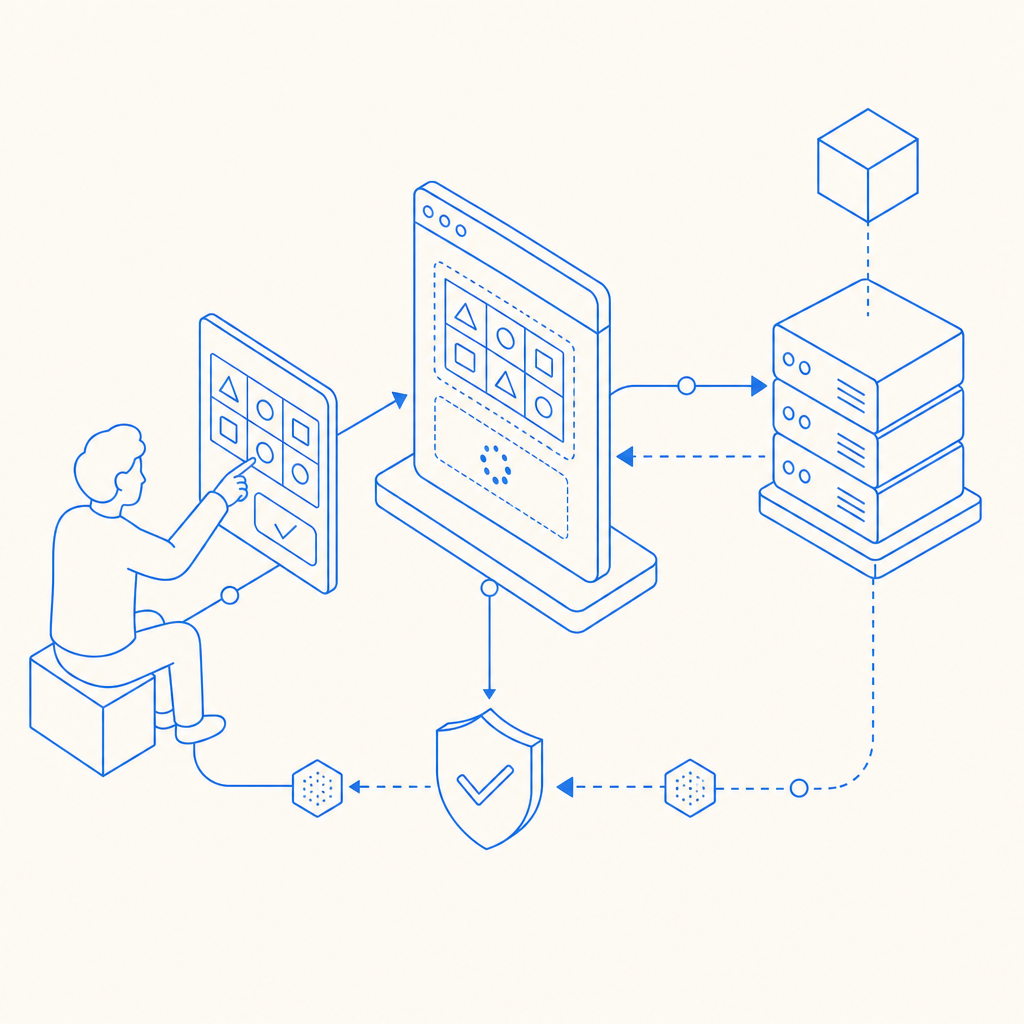
User Experience and Accessibility Considerations
While CAPTCHA’s primary function is blocking bots, it must be user-friendly to avoid deterring legitimate visitors:
- Invisible and frictionless options like Cloudflare Turnstile minimize user interaction.
- Multilingual support enhances accessibility for global audiences; CaptchaLa supports 8 UI languages.
- Challenge diversity such as image selection or logic games helps some users better than audio-only challenges.
- Mobile compatibility is vital as an increasing share of traffic comes from smartphones and apps.
Choosing an API with native SDKs for platforms like iOS, Android, Flutter, and Electron ensures responsive, native-feeling user interaction.
Technical Checklist When Evaluating CAPTCHA APIs
- SDK Availability: Does the provider support your target platforms and frameworks out-of-the-box?
- Customization Options: Can you brand or tailor challenges to minimize friction?
- Validation Simplicity: Is server-side token verification straightforward and secure?
- Challenge Effectiveness: Are challenges regularly updated against new bot strategies?
- Pricing and Limits: Do free tiers suffice for initial usage? Are paid plans flexible?
- Privacy Compliance: Does the API collect minimal data respecting user privacy laws?

Why CaptchaLa Stands Out for Developers
Unlike some legacy CAPTCHA services, CaptchaLa emphasizes developer-centric features with simplicity and privacy in mind. The comprehensive SDK suite — including Maven, CocoaPods, and pub.dev packages — accelerates integration across diverse tech stacks. CaptchaLa’s policy of using only first-party data for challenge validation reduces privacy concerns common with third-party solutions.
Developers get access to rich documentation and flexible pricing tiers, from a free 1000 monthly requests to scalable Business plans supporting millions of validations. This makes CaptchaLa suitable for both small projects and enterprise-grade deployments.
Making Your Choice
Selecting the best CAPTCHA API depends on your project demands: security, UX, tech stack, and regulatory constraints. Established names like reCAPTCHA provide robustness but may raise privacy questions. Newer entrants, including hCaptcha and Cloudflare Turnstile, improve user flows and data handling. CaptchaLa offers a balanced, privacy-conscious API with rich ecosystem support—helpful for anyone integrating CAPTCHA across multiple platforms.
Where to go next? Check out CaptchaLa’s pricing or start exploring integration via the detailed docs to see if it fits your needs. The right CAPTCHA API helps keep bots out without sacrificing genuine user engagement.