
Captcha integration is the process of adding a challenge-and-validation flow to your app so you can distinguish real users from automated abuse at the right moments. Done well, it adds friction only where risk is higher: signup, login, checkout, password reset, or API submission. Done poorly, it creates false positives, extra latency, and a support burden you did not need.
The core idea is simple: the client loads a CAPTCHA widget or script, the user completes a challenge when needed, and your server validates the returned token before accepting the request. The implementation details matter, though. You want a flow that is easy to ship across web and mobile, straightforward to validate server-side, and flexible enough to fit your app’s risk model rather than forcing every user through the same gate.

What captcha integration actually does
A good captcha integration is not just a front-end widget. It is a security decision point.
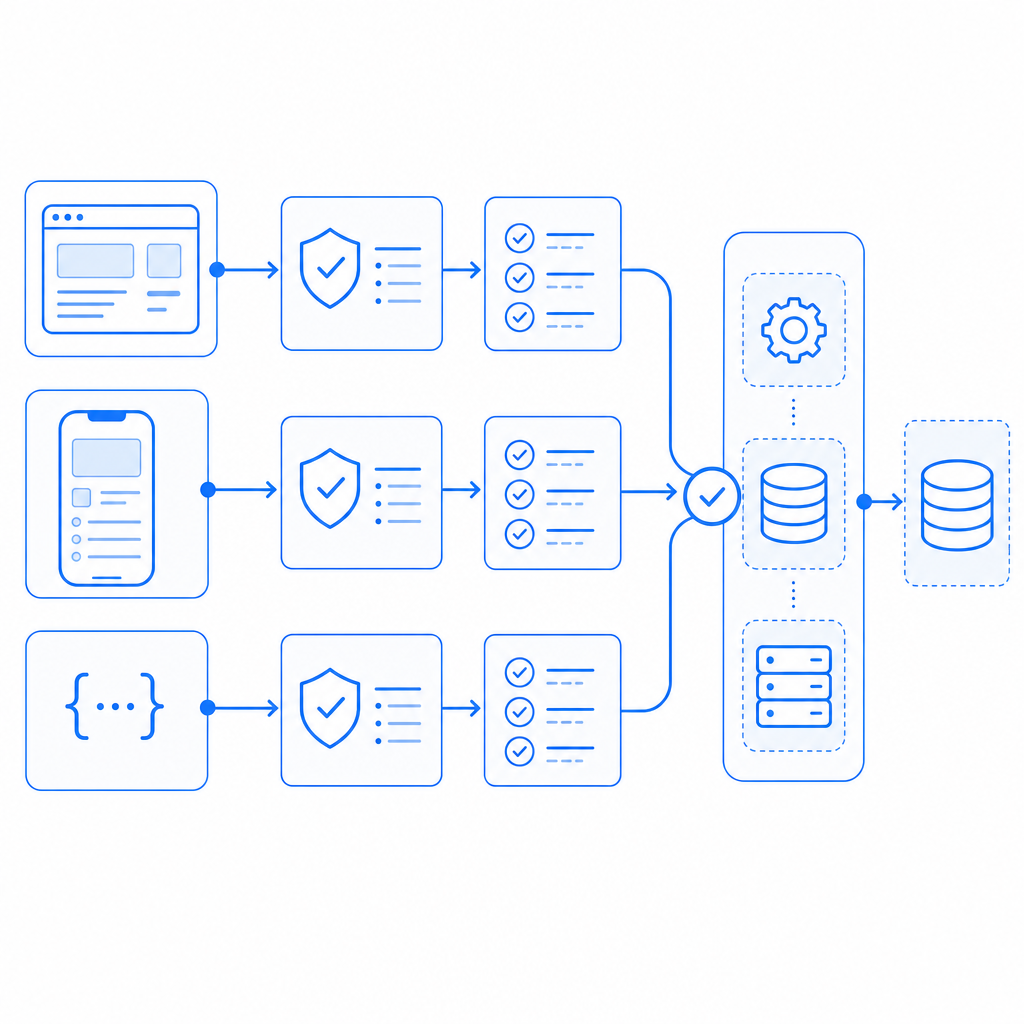
At a high level, the workflow looks like this:
- The client requests a challenge or loads a CAPTCHA script.
- The user completes the interaction, if one is required.
- The client receives a pass token.
- Your backend sends that token to the CAPTCHA provider for validation.
- Your app accepts or rejects the original action based on the result.
That last step is important: validation should happen on the server, not in the browser. If the browser alone decides whether a request is trusted, an attacker can tamper with the result. Server-side validation keeps the trust decision where it belongs.
Different providers expose this flow in different ways. reCAPTCHA, hCaptcha, and Cloudflare Turnstile all support common bot-defense use cases, but the exact integration style and privacy posture vary. For teams that want a simpler developer workflow and first-party data handling, CaptchaLa is one option to evaluate alongside those tools.
A useful way to think about captcha integration is as a policy layer:
- low-risk pages can remain frictionless
- medium-risk actions can trigger lightweight checks
- high-risk actions can require stronger verification
That approach tends to preserve conversion while still reducing abuse.
Choosing the right integration surface
Not every app should use the same integration pattern. The right choice depends on where your users are, how much control you need, and what your stack already looks like.
Web, mobile, and desktop options
CaptchaLa supports 8 UI languages and native SDKs for:
- Web with JS, Vue, and React
- iOS
- Android
- Flutter
- Electron
That matters because captcha integration often gets messy when a product spans multiple clients. If your web app, native app, and desktop wrapper all need the same security behavior, it helps to use one provider and one validation model instead of stitching together separate systems.
For server-side implementations, CaptchaLa also provides captchala-php and captchala-go, which can reduce boilerplate when your backend is already in one of those ecosystems.
Public API, SDK, or script loader?
There are usually three practical ways to integrate a CAPTCHA system:
| Integration style | Good for | Tradeoffs |
|---|---|---|
| Script loader | Fast web implementation | Less control over UI composition |
| Native SDK | Mobile and desktop apps | Requires platform-specific setup |
| Server API | Custom flows and strict control | More implementation work |
CaptchaLa’s web loader is available at https://cdn.captcha-cdn.net/captchala-loader.js, which is useful when you want a lightweight browser-side start. If you need a more explicit challenge lifecycle, you can use the server-token endpoint to issue challenges and handle validation yourself.
A practical server-side validation pattern
The safest captcha integration pattern is to let the client collect the token and let your server decide what to do with it. Here is a straightforward example of what that can look like conceptually.
// Client submits form data plus the CAPTCHA token.
// Server validates the token before processing the request.

async function submitProtectedAction(formData, passToken, clientIp) {
  const response = await fetch("https://apiv1.captcha.la/v1/validate", {
    method: "POST",
    headers: {
      "Content-Type": "application/json",
      "X-App-Key": process.env.CAPTCHA_APP_KEY,
      "X-App-Secret": process.env.CAPTCHA_APP_SECRET
    },
    body: JSON.stringify({
      pass_token: passToken,
      client_ip: clientIp
    })
  });

  if (!response.ok) {
    throw new Error("CAPTCHA validation failed");
  }

  const result = await response.json();

  if (!result.valid) {
    throw new Error("Request rejected by bot-defense layer");
  }

  // Continue with the protected action
  return true;
}
Two implementation details are worth calling out:
- Send validation from your backend, not from the browser. Your
X-App-Secretmust never be exposed to clients. - Include the client IP when your provider supports it, because it can help improve abuse detection and correlation.
CaptchaLa documents the validation flow at docs, including the POST https://apiv1.captcha.la/v1/validate endpoint that expects { pass_token, client_ip } with X-App-Key and X-App-Secret.
For challenge issuance, the corresponding server-token endpoint is POST https://apiv1.captcha.la/v1/server/challenge/issue. That can be useful when you want to trigger a challenge only after certain risk signals appear, rather than showing one on every request.
How to reduce friction without reducing protection
The most common mistake in captcha integration is overusing it. If every login attempt or every page view triggers a challenge, users will feel like the app is fighting them.
A better pattern is to use risk-based gating:
- require a challenge after repeated failed attempts
- protect account creation, password reset, and high-value transactions
- exempt trusted sessions or low-risk internal actions
- monitor false positives and tune the threshold
This is where a product’s data policy becomes relevant. If you care about minimizing data collection, look for a provider that relies on first-party data only and keeps the validation story narrow. CaptchaLa positions itself around that model, which can be a helpful fit for privacy-conscious teams.
It also helps to measure the user experience directly:
- completion rate on challenged flows
- drop-off after challenge presentation
- time to complete
- support tickets mentioning access problems
If challenged users are abandoning a critical flow, the answer is not always “make the CAPTCHA harder.” Often, the better fix is to move the challenge later in the flow or only apply it to suspicious sessions.
A small operational checklist
Before you ship, verify these points:
- Your client can fetch the loader or initialize the SDK reliably.
- The server validates every protected request before side effects occur.
- Secrets are stored only in backend environment variables.
- You have a fallback plan for provider outages.
- You log validation failures in a privacy-safe way.
- You can switch on stricter rules for abuse spikes without a redeploy.
If you prefer a tiered approach, pricing should map cleanly to your usage profile. CaptchaLa’s published tiers include a free tier at 1,000 validations per month, Pro in the 50K–200K range, and Business at 1M, which gives teams room to start small and scale validation volume as needed. You can review the current plan details at pricing.
Where captcha integration tends to go wrong
A few failure modes show up repeatedly:
- Client-side trust: accepting a token in the browser without server verification
- Over-challenging: using CAPTCHA on every interaction instead of only risky ones
- Poor UX timing: showing the challenge before the user has invested effort
- Weak observability: not tracking validation failures or abuse patterns
- Stack mismatch: choosing a provider that does not fit your front-end or backend ecosystem
The good news is that these problems are avoidable. A thoughtful integration usually starts small, covers one high-risk path, and then expands only after you understand how real users behave.
Competitors can be perfectly reasonable choices too. reCAPTCHA is widely recognized, hCaptcha is often evaluated for its abuse controls and deployment model, and Cloudflare Turnstile is popular when teams want a low-friction verification experience. The right choice depends less on brand and more on fit: SDK availability, server validation model, privacy posture, and how much control you want over the challenge lifecycle.
Captcha integration is ultimately about trust placement. Put the trust decision on the server, keep the client experience as light as possible, and only challenge when your risk signal justifies it.
Where to go next: explore the implementation details in the docs or review pricing to match your expected validation volume.