
A “captcha incomplete or invalid” error usually means the verification step did not finish cleanly or the token you sent to the server could not be trusted. In practice, that points to one of four buckets: the challenge was abandoned, the token expired, the token was reused, or the client and server did not validate the same session state.
That sounds simple, but the underlying causes are often subtle. A token may be generated correctly in the browser and still fail because the submit request raced ahead of validation, a page re-render replaced the widget, the user switched tabs, or the backend is checking the wrong IP, secret, or token field. The fix is not to weaken the CAPTCHA; it is to make the integration deterministic.
What “captcha incomplete or invalid” usually means
The phrase is a catch-all error, so it helps to split it into the two parts it describes:
- Incomplete: the user never completed the challenge, or your frontend never received a valid pass token.
- Invalid: a token was received, but the server rejected it during validation.
Most implementations fail in one of these places:
Front-end rendering
- The widget never loaded.
- The loader script was blocked by CSP, an ad blocker, or a network error.
- The component mounted twice and reset the challenge.
User interaction
- The user closed the tab, refreshed, or navigated away mid-challenge.
- The challenge timed out before submission.
- A form submitted before the token callback fired.
Server validation
- The token was expired by the time it reached the API.
- The token was reused after a retry.
- The backend sent the wrong payload or headers.
Environment mismatch
- The site key and secret key do not belong to the same project.
- The client IP sent to validation does not match the request context.
- Staging and production are crossing wires.
If you’re seeing this on a live site, the first question is not “How do we bypass it?” It is “Where in the lifecycle did the token stop being trustworthy?”
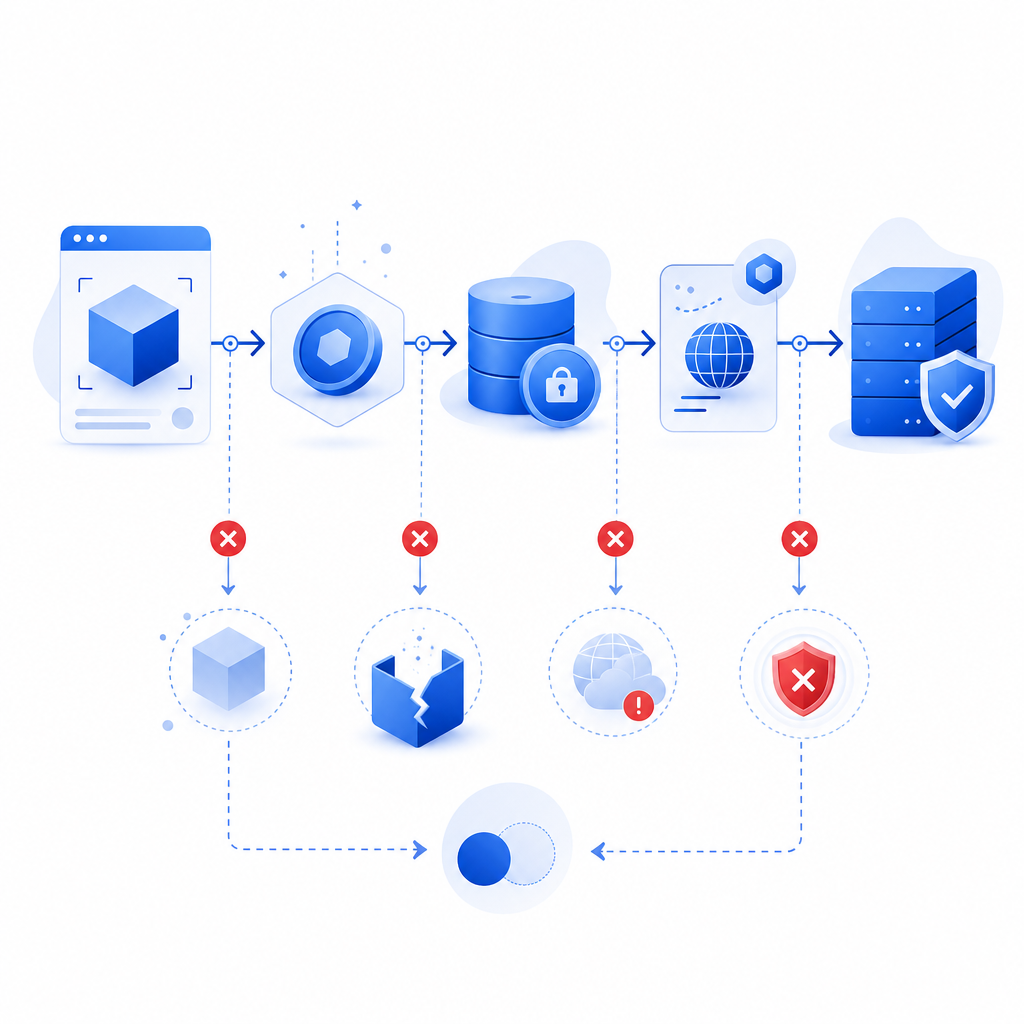
The validation flow that should be happening
A reliable CAPTCHA flow is short and explicit: render the widget, obtain a pass token, send it with the form, validate it server-side, then allow the action only if validation succeeds.
Here is the general sequence:
- The browser loads the CAPTCHA loader.
- The user completes the challenge.
- The frontend receives a one-time pass token.
- The form submits the token to your backend.
- Your backend calls the validation API.
- The API returns success or failure.
- Your app decides whether to continue.
For CaptchaLa, the server validation endpoint is:
POST https://apiv1.captcha.la/v1/validateThe body should include:
{
  "pass_token": "token-from-client",
  "client_ip": "203.0.113.10"
}
And the request must include:
X-App-KeyX-App-Secret
A common failure mode is validating the token too late. If the user fills out a long form and waits several minutes before hitting submit, the pass token may already be stale. Another common issue is retrying the same token after a failed server request. CAPTCHA tokens are generally intended for one-time use, so a network retry should usually mean a fresh token, not a replay.
Debugging checklist
Use this to narrow down the problem quickly:
Confirm the loader loads
- Check the browser console and network tab.
- Verify your page can reach
https://cdn.captcha-cdn.net/captchala-loader.js.
Confirm the callback fires
- Make sure the frontend stores the token when the user completes the challenge.
- If your form is React/Vue-based, confirm re-renders are not clearing state.
Confirm the token reaches your backend
- Log the presence, length, and timestamp of the token.
- Do not log the raw token in production if you can avoid it.
Confirm server validation parameters
pass_tokenmust be exactly the client token.client_ipshould reflect the end user, not your internal proxy unless your architecture requires it.X-App-KeyandX-App-Secretmust match the same project.
Confirm timing
- Measure the elapsed time from token issue to validation.
- If your form is long-lived, refresh the challenge before submit.
What causes “incomplete” versus “invalid” in practice
A helpful way to troubleshoot is to separate frontend and backend symptoms.
| Symptom | Likely cause | What to inspect |
|---|---|---|
| User never sees the challenge | Script blocked, DNS issue, CSP, bad mount point | Network tab, CSP headers, component lifecycle |
| Challenge appears but no token is returned | User abandoned, widget reset, callback not wired | Event handlers, page navigation, modal close behavior |
| Token is returned but validation fails | Expired, reused, wrong secret, malformed request | Server logs, request payload, auth headers |
| Works in staging but not prod | Domain config, proxy/IP handling, environment keys | Project settings, reverse proxy headers |
| Intermittent failures | Race conditions or duplicated submits | Double-submit protection, async form handling |
If your app accepts form submissions over slow mobile connections, “incomplete” often means the token was issued but the user’s network state changed before the backend saw it. If you have aggressive client-side rendering, “invalid” may simply be a stale token from a previous render cycle.
The same pattern shows up with reCAPTCHA, hCaptcha, and Cloudflare Turnstile: the specifics differ, but the failure class is usually the same. The token must be created once, sent once, and validated once.
Practical fixes that improve reliability without weakening security
You do not need to make the CAPTCHA easier. You need to make the flow less brittle.
1) Tie token issuance to the submit action
If your form is long or highly interactive, consider waiting to request the challenge until the user is ready to submit. That reduces expiration windows and stale-state bugs.
2) Prevent duplicate submits
A double-clicked submit button can generate two server requests with the same token. Only the first should succeed. Disable the button after submit and guard against duplicate requests on the backend.
3) Refresh the token on retry
If the backend rejects a token, ask the frontend to fetch a new one rather than replaying the old token. This is especially important after validation errors, slow connections, or aborted requests.
4) Keep identity and environment aligned
Use the correct site/app credentials for each environment. Don’t point staging to production secrets, and don’t mix domains unless the provider explicitly supports it.
5) Preserve the user IP correctly
If your validation flow includes client_ip, make sure your proxy chain is configured consistently. A mismatch here can turn a valid token into an invalid one, especially behind load balancers or CDN layers.
A minimal server-side pattern looks like this:
// English comments only
async function validateCaptcha(passToken, clientIp) {
  const response = await fetch("https://apiv1.captcha.la/v1/validate", {
    method: "POST",
    headers: {
      "Content-Type": "application/json",
      "X-App-Key": process.env.CAPTCHA_APP_KEY,
      "X-App-Secret": process.env.CAPTCHA_APP_SECRET
    },
    body: JSON.stringify({
      pass_token: passToken,
      client_ip: clientIp
    })
  });

  if (!response.ok) {
    throw new Error("Captcha validation request failed");
  }

  return await response.json();
}
For teams that want tighter control over issuance patterns, CaptchaLa also exposes a server-token issue flow via:
POST https://apiv1.captcha.la/v1/server/challenge/issueThat can be helpful when you want the backend to coordinate challenge timing more explicitly.
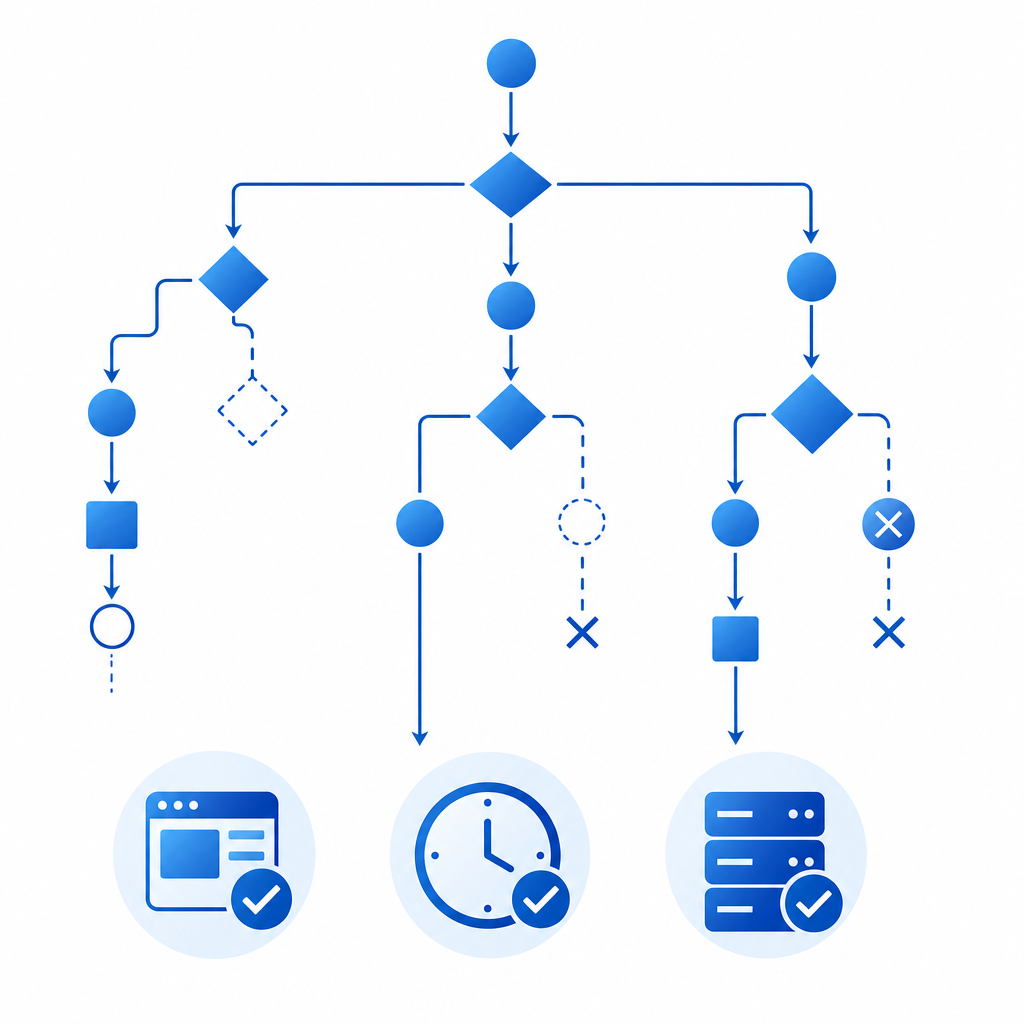
How to make the error easier to diagnose next time
The best way to reduce support tickets is to make the system observable. Log enough to answer three questions:
- Did the frontend receive a token?
- Did the backend send that token for validation?
- What did the validation API return?
You can also instrument the timing between these stages. If most failures happen after a long delay, you likely have token staleness. If they happen only in one browser or one route, you likely have a rendering or lifecycle issue. If they happen behind one proxy, check header forwarding and IP extraction.
For teams evaluating products, the integration surface matters too. CaptchaLa supports 8 UI languages and native SDKs for Web (JS, Vue, React), iOS, Android, Flutter, and Electron, plus server SDKs for PHP and Go. That matters less for “which CAPTCHA is stronger” and more for whether you can implement a consistent flow across all your clients without inventing your own glue.
If you’re comparing providers, it’s worth checking documentation quality and request semantics as much as challenge appearance. reCAPTCHA, hCaptcha, and Cloudflare Turnstile each have their own operational tradeoffs; the right choice depends on your stack, privacy posture, and UX needs.
Where to go next
If “captcha incomplete or invalid” is showing up in your logs, start by tracing the token lifecycle end to end and fixing timing, duplication, or environment mismatches before changing the CAPTCHA itself. For implementation details, see the docs; for plan limits and scale options, review pricing.