
A captcha image is a visual test designed to differentiate humans from automated programs (bots) by presenting distorted characters or objects that only a real person can recognize and respond to correctly. Websites use these to prevent abusive activities such as spam, fake registrations, and credential stuffing.
At its core, a captcha image challenges users with puzzles embedded inside pictures—warped text, simple math, or object recognition—to prove they’re not machines trying to exploit online services. This mechanism remains one of the most widespread bot-defense tools, often integrated seamlessly into sign-up forms, comment sections, and login pages.
How Captcha Images Work to Stop Bots
The simplest captcha images display a sequence of letters and numbers obscured with noise, distortion, or overlapping lines. Humans can decipher the text despite the deliberate obfuscation, but automated bots, which rely on Optical Character Recognition (OCR), struggle to solve them reliably.
More modern captcha images use object-based puzzles, such as “select all images with crosswalks,” combining images with AI challenges that make it even more difficult for bots running scripted attacks to pass. Each generated image is usually paired with a hidden token or server-side verification to ensure the response matches the challenge.
Key technical elements include:
- Challenge generation: The server creates a unique captcha image with embedded distorted content at each request.
- User interaction: The visitor interprets the image and provides the correct response.
- Verification: The server checks the user input against the generated solution to confirm legitimacy.
While some captchas rely solely on image recognition, others combine behavioral analysis or risk scoring methods to enhance accuracy.
Popular Captcha Image Types Compared
| Captcha Type | Description | Strengths | Limitations |
|---|---|---|---|
| Text-based Image | Distorted alphanumeric characters | Simple to implement, low user friction | Vulnerable to advanced OCR and AI solvers |
| Image Selection | Pick certain objects in a grid | Effective against bots, more user-friendly | Can be time-consuming and frustrating |
| Mathematical Puzzle | Simple math shown as image | Easy for users, fairly resistant to bots | Limited complexity can be bypassed |
| Behavioral Captcha | Invisible analysis with image fallback | Seamless UX, minimal user effort | Requires server-side analytics, privacy concerns |
Solutions like Google’s reCAPTCHA evolved from text captchas to image-based and invisible challenges. Competitors such as hCaptcha focus on privacy and monetization, while Cloudflare Turnstile emphasizes a frictionless and privacy-focused approach without traditional captcha images.
CaptchaLa supports multiple captcha image formats along with invisible challenges—all customizable for developers needing flexible bot defense.
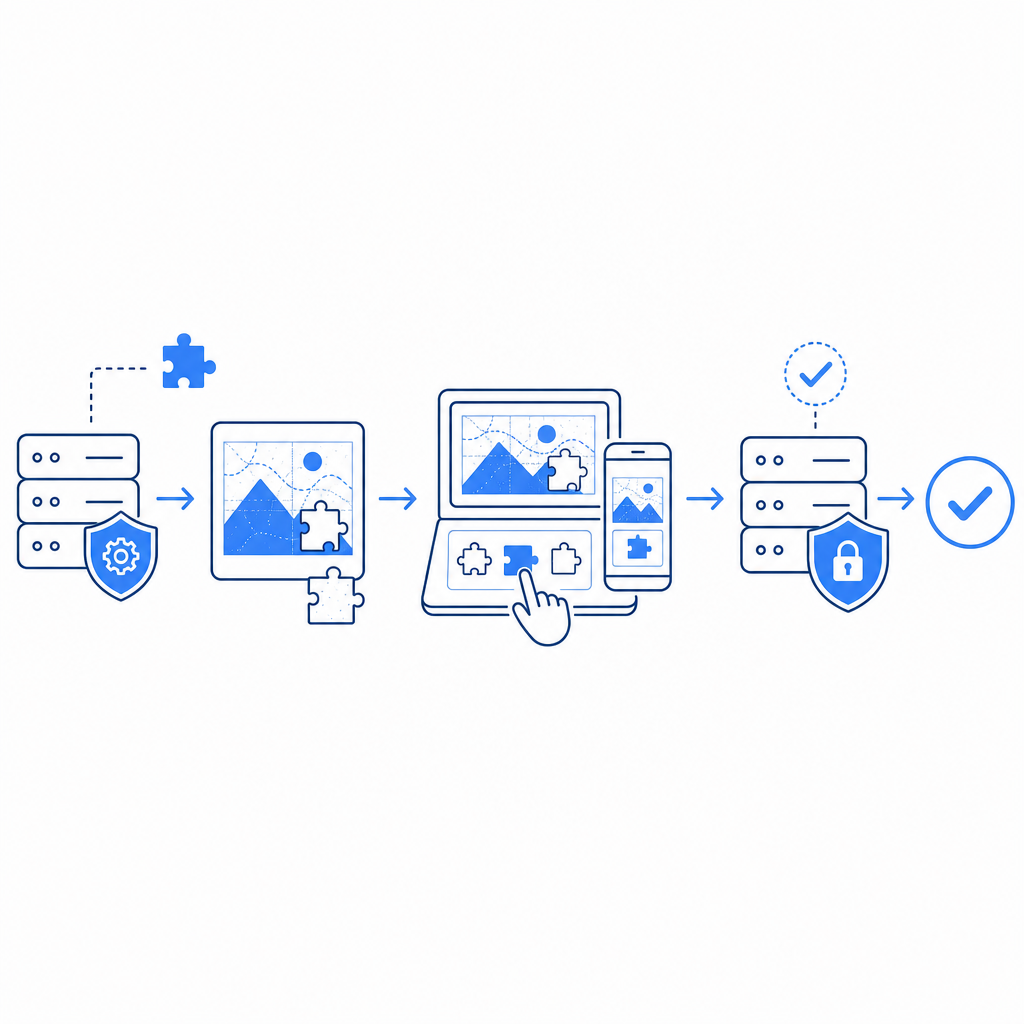
Implementation Details for Captcha Images
Integrating captcha images involves front-end rendering and server-side validation:
Frontend SDKs: CaptchaLa offers native SDKs including Web (JavaScript, Vue, React), iOS, Android, Flutter, and Electron to embed captcha images with smooth user experience. The loader script (
https://cdn.captcha-cdn.net/captchala-loader.js) handles image rendering efficiently.Server Validation: After user interaction, verification happens through a secure API call:
// Example of captcha validation request
fetch('https://apiv1.captcha.la/v1/validate', {
  method: 'POST',
  headers: {
    'X-App-Key': '<your-app-key>',
    'X-App-Secret': '<your-app-secret>',
    'Content-Type': 'application/json'
  },
  body: JSON.stringify({
    pass_token: '<token-from-captcha-response>',
    client_ip: '<user-ip>'
  })
})
.then(response => response.json())
.then(data => {
  if (data.success) {
    // Proceed with user action (registration, login)
  } else {
    // Deny and show captcha failure message
  }
});
Challenge Issuance: Server-token endpoints issue unique challenge tokens, ensuring one-time validity and reducing replay attacks.
Localization: CaptchaLa supports 8 UI languages, making captcha images accessible to a global audience.
Balancing Security and User Experience
While captcha images are effective, they can frustrate users if overly complicated or repetitive. The best implementations balance:
- Clarity: Clear but sufficiently distorted images
- Speed: Quick loading and minimal user input steps
- Accessibility: Options for visually impaired users such as audio captchas or alternative tests
- Privacy: Respecting user data and avoiding unnecessary tracking
Unlike reCAPTCHA, which sometimes raises privacy concerns with its Google ties,, CaptchaLa emphasizes first-party data use and transparency. The free tier is generous for small projects, and scaling options accommodate growing traffic.
Captcha Image Effectiveness: What to Keep in Mind
Although captcha images remain a cornerstone of bot defense, attackers continuously improve automated solvers using AI-powered OCR and neural networks. This arms race means captchas alone are rarely foolproof. Layered security measures, including IP reputation, rate limiting, and device fingerprinting, complement captcha challenges.
You can also adjust difficulty settings, timeouts, and challenge complexity in CaptchaLa’s dashboard or via API, tailoring protection to your risk tolerance and user base.

Captcha images are a foundational security tool that confirms user authenticity with simple visual puzzles. By integrating modern captcha image solutions like those from CaptchaLa, developers gain flexible options in multiple languages and platforms, backed by straightforward API validation.
Ready to strengthen your website’s defenses? Explore CaptchaLa pricing and get started with documentation and SDKs at docs.