
If you're facing issues where the AWS login captcha is not working, it usually stems from integration errors, client-side restrictions, or network/server problems. Addressing this quickly is critical since a malfunctioning captcha can block legitimate users or weaken your bot defense. This article breaks down the common causes of AWS login captcha failures and offers practical troubleshooting strategies—helpful whether you use AWS’s native captcha solutions, third-party services, or custom integrations like CaptchaLa.
Why AWS Login Captcha Might Not Work
Captchas in AWS login flows are designed to prevent automated attacks by verifying that a user is human. When the captcha doesn't appear, doesn't validate, or prevents proper login, the core issues usually fall into these categories:
- Incorrect implementation or configuration: Missing or invalid keys, API credentials, or integration steps.
- Client-side restrictions: Browser extensions, JavaScript blocking, or network firewalls interfering with captcha loading or validation.
- Server/API connectivity issues: Problems with AWS’s or third-party captcha services’ endpoints or rate limits.
- User environment factors: VPNs, proxies, or IP bans causing false positives in captcha challenges.
Understanding the exact failure mode helps target the right fix.
Common AWS Login Captcha Failures and Fixes
1. Captcha Not Displaying on Login Page
If the captcha doesn't load at all, start here:
- Check integration: Confirm your captcha widget is properly embedded as per AWS or third-party docs. Missing script includes or incorrect site keys are frequent culprits.
- Network errors: Use browser developer tools to check if captcha scripts or API calls are blocked or failing to load. Firewalls, ad blockers, or corporate proxies can prevent necessary requests.
- Browser compatibility: Ensure that the browser supports the JavaScript required by the captcha. Some older or privacy-focused browsers might block components silently.
2. Captcha Fails Validation After Submission
Sometimes users see the captcha, but the login is rejected with a captcha failure:
- Server-side validation errors: Validate that the captcha response token is being correctly sent to your backend and verified via the captcha API. Missing or expired tokens cause failures.
- Incorrect secret keys: Double-check that your API secret keys for captcha validation match those provided by AWS or your third-party service.
- Time window issues: Captcha tokens usually expire quickly. If your login backend delays validating the token, it might be rejected.
3. Intermittent or Rate-Limited Captcha Failures
Load spikes or attack traffic may cause rate limits, resulting in unpredictable captcha errors:
- Rate limiting: AWS or third-party captcha providers enforce limits to avoid abuse. If your login endpoint gets high traffic, ensure your usage is within quotas.
- Caching or CDN delays: Stale scripts or fingerprinting conflicts from caching layers can cause invalid captcha sessions. Review cache controls on captcha resources.
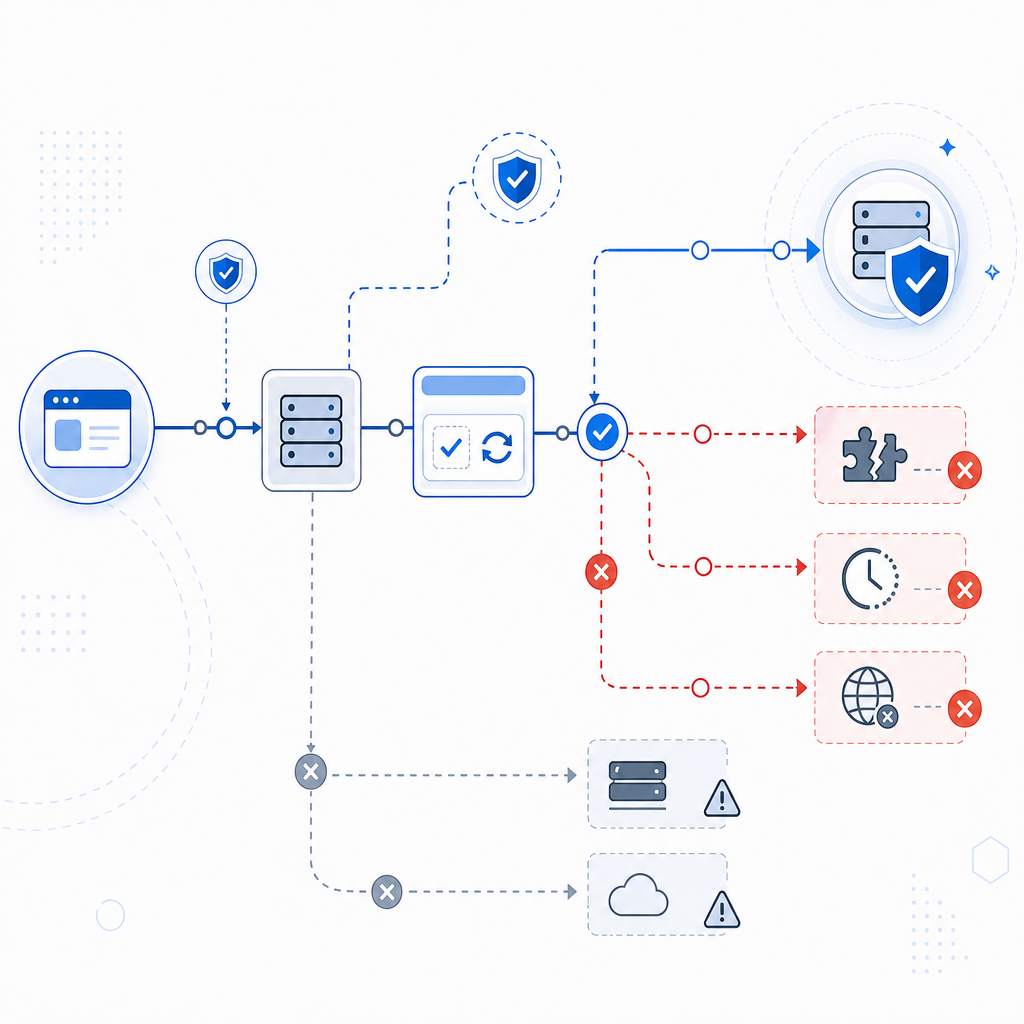
Comparing Popular Captcha Solutions for AWS Login
Many AWS users rely on external captcha services that integrate with identity or login pipelines. Here’s a brief comparison of three widely used options along with CaptchaLa as an alternative worth considering.
| Feature | reCAPTCHA (Google) | hCaptcha | Cloudflare Turnstile | CaptchaLa |
|---|---|---|---|---|
| Provider Type | hCaptcha Inc. | Cloudflare | Independent, SaaS | |
| Privacy | Google data sharing | Privacy-focused | Privacy-focused | First-party data only |
| UI Languages | 30+ | 15+ | Multiple | 8 languages |
| SDKs & Integrations | Web/Android/iOS | Web/Android/iOS | Web | Web/iOS/Android/Flutter/Electron |
| Free Tier | Generous | Generous | Generous | 1000 verifications/month free |
| Pricing Transparency | Public | Public | Public | Clear tiers: Free->Business |
| Validation Endpoint | Yes | Yes | Yes | REST API at https://apiv1.captcha.la/v1/validate |
While AWS’s native captcha features rely heavily on Google’s reCAPTCHA, some users prefer alternatives like CaptchaLa to control data privacy better or customize UX with diverse SDK support. Regardless, your captcha choice should be paired with robust implementation and monitoring to avoid login issues.
Technical Steps to Troubleshoot AWS Login Captcha Not Working
If you want a practical guide, here is a checklist to methodically resolve AWS login captcha issues:
- Verify your site and secret keys: Double-check keys for typos and ensure correct environment usage (test vs prod).
- Inspect browser console for errors: Look for JavaScript errors, failed network requests, or warnings about blocked scripts.
- Test captcha API calls independently: Use curl or Postman to simulate validation requests. Example validation request with CaptchaLa’s API:
// Example POST for CaptchaLa Validation API
const response = await fetch("https://apiv1.captcha.la/v1/validate", {
  method: "POST",
  headers: {
    "Content-Type": "application/json",
    "X-App-Key": "your-app-key",
    "X-App-Secret": "your-app-secret"
  },
  body: JSON.stringify({
    pass_token: captchaResponseToken,
    client_ip: userIp
  })
});

const result = await response.json();
if (result.success) {
  // Proceed with login
} else {
  // Handle captcha failure
}- Disable browser extensions and test: Disable ad blockers, privacy extensions, or script blockers to see if they cause captcha load failures.
- Check backend logs: Look for API timeouts, error codes, or rate limit rejections related to captcha validation endpoints.
- Evaluate network environment: Confirm your infrastructure or user networks do not block captcha service domains or scripts.
- Monitor usage quotas: Ensure that your captcha implementation isn’t hitting monthly request limits, causing service denial.
If you use CaptchaLa, the above steps align well because of its straightforward REST API and extensive SDK ecosystem including Web (JS/Vue/React), mobile, and backend server libraries (captchala-php, captchala-go).

Moving Forward: Reliable Captcha for AWS Login
An effective captcha helps secure AWS login by blocking automated abuse while maintaining smooth user experience. If you encounter AWS login captcha not working, often the root cause is integration or network-related rather than a service limitation. Using tools like browser dev tools, API test clients, and server logs combined with the troubleshooting checklist above will usually get you back on track.
If you are exploring a captcha solution that easily integrates with AWS login and offers flexibility beyond reCAPTCHA or hCaptcha, consider checking out CaptchaLa. It supports a wide range of environments with native SDKs, prioritizes privacy by using first-party data, and provides clear pricing starting from a generous free tier.
For deeper technical details, integration guides, and API documentation, visit CaptchaLa docs. To evaluate pricing options suitable for your scale, see CaptchaLa pricing.
Getting your AWS login captcha functioning correctly is key to user trust and security. With careful diagnostics and the right captcha solution, you can minimize friction and block bots effectively.