
AWS anti scraping involves implementing tools and strategies within Amazon Web Services environments to prevent automated bots from extracting data or causing misuse. Bot attacks can degrade performance, skew analytics, and expose sensitive data, making anti scraping critical for maintaining secure, reliable applications on AWS.
This article breaks down the main AWS anti scraping techniques, compares popular CAPTCHA solutions, and highlights how platforms like CaptchaLa integrate smoothly with AWS to strengthen bot defenses.
Why Anti Scraping Is Vital on AWS
Web applications hosted on AWS—whether on EC2, Lambda, or behind CloudFront—are common targets for automated scraping attempts. Scraping bots harvest vast amounts of data, pressuring backend systems and increasing costs unpredictably.
AWS customers need anti scraping mechanisms to:
- Protect intellectual property and user data
- Maintain fair resource usage and prevent downtime
- Ensure analytics and business metrics aren’t polluted by fake traffic
The AWS ecosystem provides infrastructure scalability and security features, but doesn’t natively block scraping bots effectively without complementary solutions such as CAPTCHAs, rate limiting, or behavioral analysis.
Key AWS Anti Scraping Strategies
1. Rate Limiting and Throttling
Configure AWS WAF (Web Application Firewall) rules to limit the number of requests per IP within a timeframe. For example:
AWS WAF rule:
- Limit requests to 1000 per 5 minutes per IP
- Block or challenge if exceeded
While rate limiting is a good first line of defense, sophisticated bots can use rotating proxies or mimic human traffic patterns to evade limits.
2. CAPTCHA Challenges
CAPTCHAs provide a human verification step that automated scrapers struggle to bypass. AWS users can integrate CAPTCHA services easily with serverless functions or traditional servers.
Common CAPTCHA providers include:
| Feature | reCAPTCHA | hCaptcha | Cloudflare Turnstile | CaptchaLa (example) |
|---|---|---|---|---|
| Challenge Types | Image/text puzzles | Image/text puzzles | Invisible challenge | Multiple formats, accessible |
| Privacy | Google data sharing | Privacy-focused | Cloudflare network | First-party data only |
| SDK Languages | JS, mobile SDKs | JS, mobile SDKs | JS | Web, iOS, Android, Flutter, etc. |
| Pricing | Free/Paid tiers | Free/Paid tiers | Free | Generous free tier + paid plans |
3. Behavioral and Fingerprint Analysis
AWS customers can combine AWS Lambda and CloudWatch to analyze traffic patterns and introduce incremental challenges based on risk signals, such as mouse movement or unusual user agents.
4. IP Reputation and Blocking
AWS WAF supports managed rule groups that include IP reputation lists to block known malicious IPs. Combine with geo-blocking if your business only operates in certain regions.

Integrating CaptchaLa for AWS Anti Scraping
CaptchaLa provides lightweight, multi-language CAPTCHA SDKs ideal for AWS-hosted apps. It offers native SDKs for Web (JS, Vue, React), mobile platforms (iOS, Android, Flutter), and server SDKs (PHP, Go), making deployment flexible.
How CaptchaLa Works with AWS
- Client websites load CaptchaLa’s JavaScript loader from a CDN.
- Upon suspicious requests, CaptchaLa issues challenges using a server-token endpoint via an AWS Lambda or EC2 backend.
- Validations are processed through a secure POST API with keys—ensuring server-side confirmation.
- Supports up to 8 UI languages and customizable challenges to maximize accessibility and user friction reduction.
Example validation flow with CaptchaLa on AWS Lambda
// Pseudocode for AWS Lambda CAPTCHA validation using CaptchaLa

const axios = require('axios');

exports.handler = async (event) => {
  const { pass_token, client_ip } = JSON.parse(event.body);

  const response = await axios.post(
    'https://apiv1.captcha.la/v1/validate',
    { pass_token, client_ip },
    {
      headers: {
        'X-App-Key': process.env.CAPTCHA_APP_KEY,
        'X-App-Secret': process.env.CAPTCHA_APP_SECRET
      }
    }
  );

  if (response.data.success) {
    return { statusCode: 200, body: JSON.stringify({ message: 'Human verified' }) };
  } else {
    return { statusCode: 403, body: JSON.stringify({ message: 'CAPTCHA verification failed' }) };
  }
};
In contrast, reCAPTCHA or hCaptcha require Google or third-party services which may impose more data sharing. CaptchaLa’s first-party data approach fits AWS users wanting tighter data control and privacy.
Best Practices for AWS Anti Scraping Implementation
- Combine multiple layers: Don’t rely solely on CAPTCHAs. Use rate limiting, IP filtering, and behavior signals together.
- Customize experience: Tailor CAPTCHA difficulty based on user risk to reduce friction.
- Monitor and iterate: Use AWS CloudWatch and logs to analyze blocking efficiency and tune rules.
- Respect UX: Use invisible or user-friendly CAPTCHAs like Cloudflare Turnstile or CaptchaLa’s accessible challenges to maintain engagement.
- Leverage CDN edge protections: Employ AWS CloudFront with WAF to block bad traffic early.
Conclusion
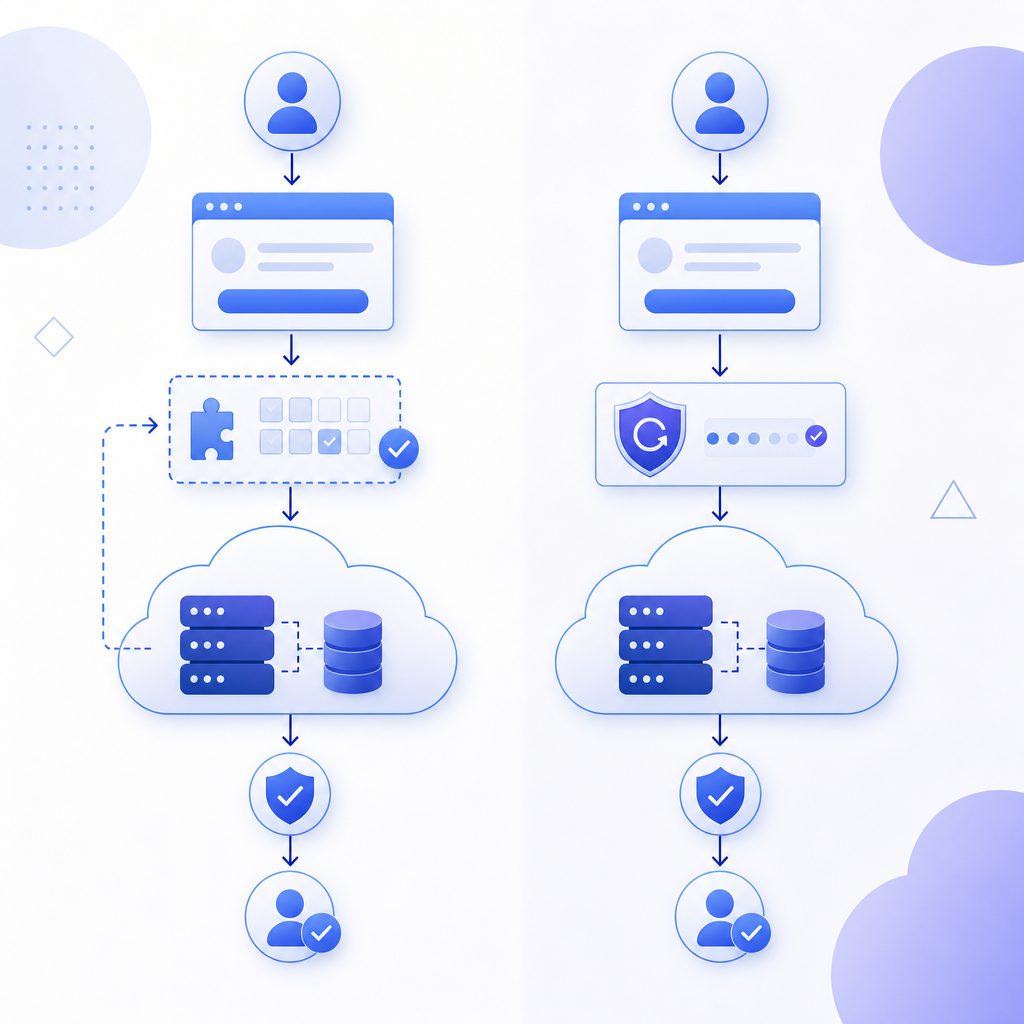
AWS anti scraping requires a strategic blend of AWS native tools and third-party solutions. CAPTCHAs remain a core defense mechanism to verify human users effectively, and providers like CaptchaLa offer comprehensive SDKs and APIs designed to work seamlessly in AWS environments.
By combining rate limiting, behavioral analysis, IP filtering, and CAPTCHA challenges, AWS-hosted applications can better defend against automated scraping while maintaining performance and user experience.
For developers looking to implement or enhance AWS anti scraping, reviewing service pricing and detailed documentation from providers like CaptchaLa can offer a practical, privacy-focused path forward.
Where to go next: Explore CaptchaLa's pricing and docs to evaluate options tailored to your AWS bots defense needs.