
Implementing CAPTCHA on your website starts with adding the correct captcha HTML code to your forms or workflows. The HTML code snippet embeds a challenge widget that visitors must complete to prove they are human, blocking spam and automated abuse. This post will guide you through the essential captcha HTML code basics, key integration steps, and a comparison of popular services like CaptchaLa, reCAPTCHA, hCaptcha, and Cloudflare Turnstile.
What Is Captcha HTML Code?
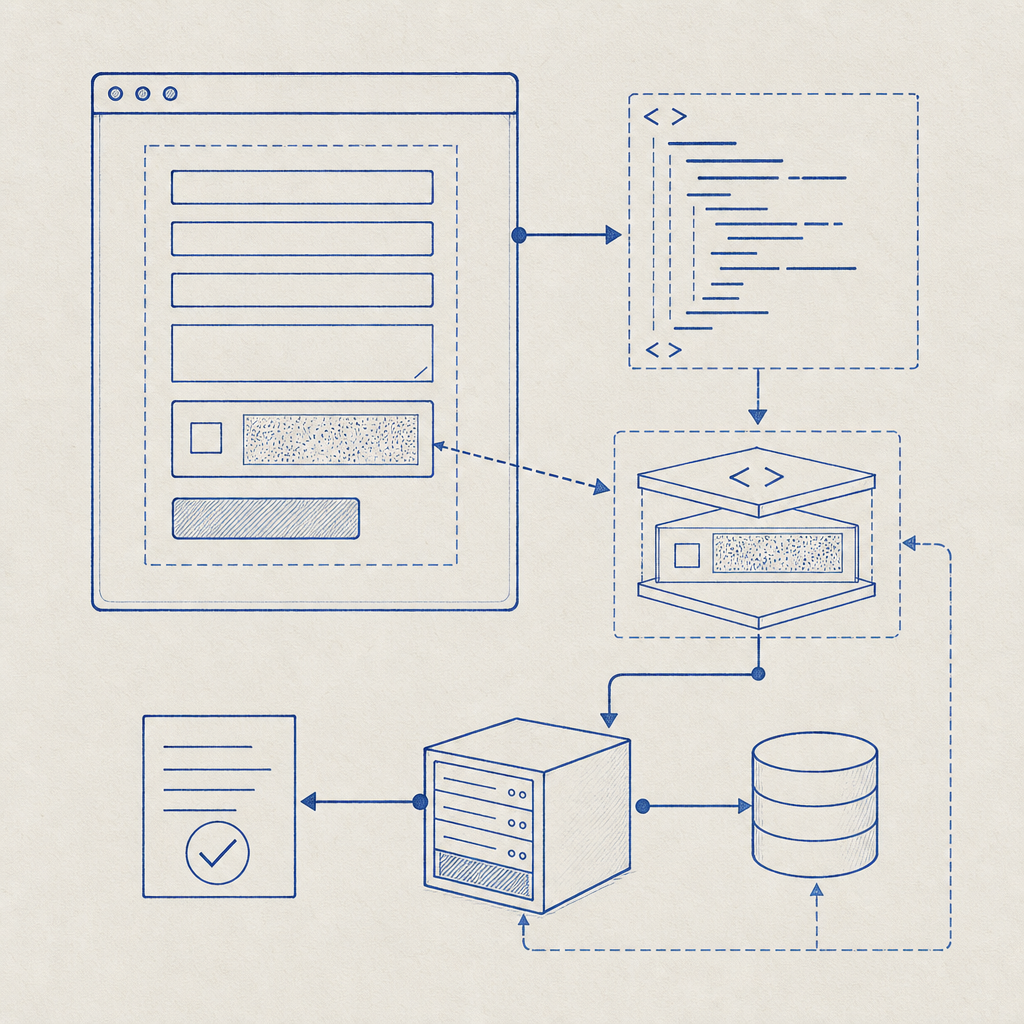
Captcha HTML code is a snippet of markup—usually a <div> or <script> tag—that you include on your webpage where you want the CAPTCHA challenge to appear. This snippet communicates with the CAPTCHA service’s backend and frontend APIs to render the widget, generate challenges, and verify responses. Without adding this code, the CAPTCHA system cannot function or protect your forms.
Typically, the snippet includes:
- A container element for the CAPTCHA widget
- A script loader that fetches the challenge UI and validation logic
- Initialization parameters such as your site’s API key
Adding this code properly is critical to ensure the CAPTCHA works seamlessly during user interactions.
How to Add Captcha HTML Code: Step-by-Step Guide
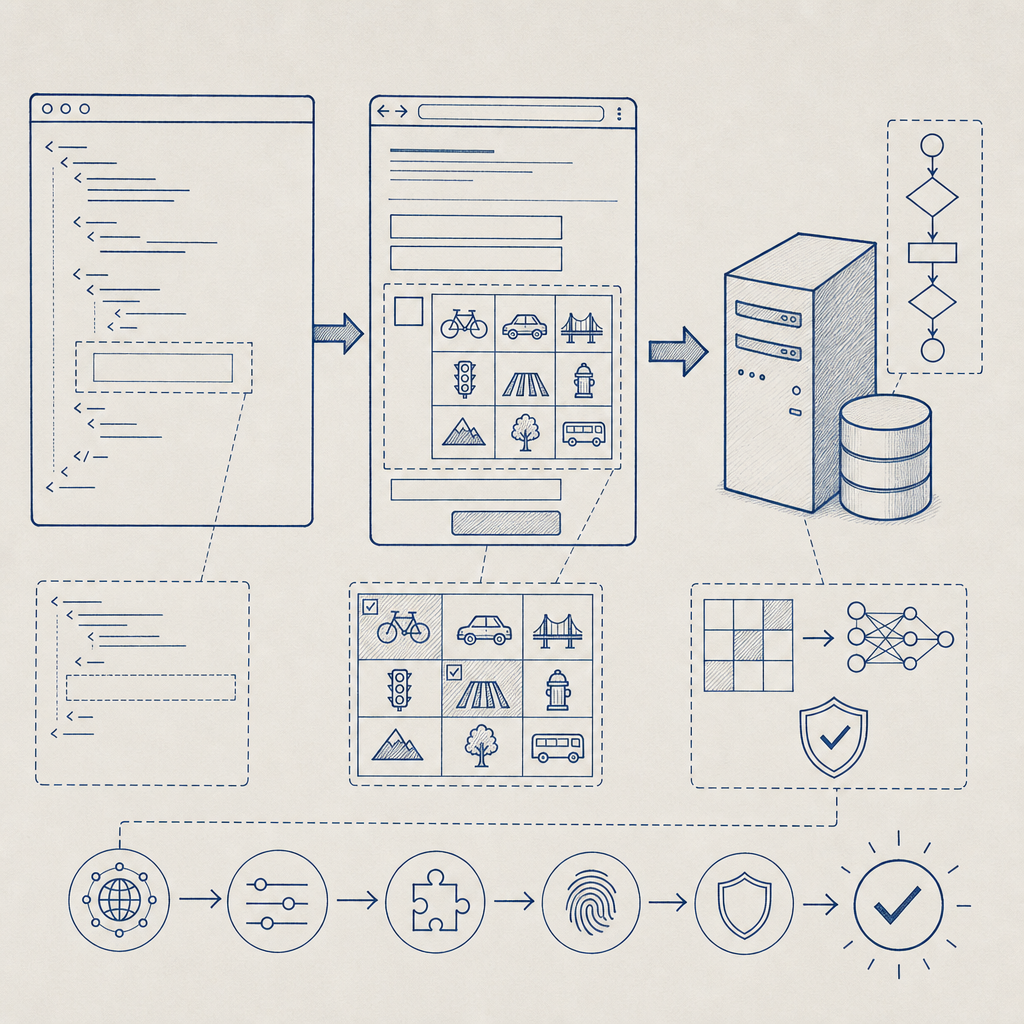
Here’s a concise process to add CAPTCHA to your webpage, using the example of CaptchaLa's service:
Sign up and get your API keys. Services like CaptchaLa provide keys to link the CAPTCHA to your site.
Embed the container in your form's HTML. This typically looks like
<div id="captcha-container"></div>.Include the CAPTCHA loader script. For CaptchaLa, add:
html<script src="https://cdn.captcha-cdn.net/captchala-loader.js" async defer></script>Initialize the widget via JavaScript. After page load, call a function like:
jsCaptchala.render('captcha-container', { siteKey: 'YOUR_SITE_KEY' });Validate CAPTCHA on the server. After form submission, verify the CAPTCHA token server-side by POSTing to the validation endpoint:
POST https://apiv1.captcha.la/v1/validate
Body: { pass_token, client_ip }
Headers: X-App-Key, X-App-Secret
Handle success or failure accordingly. Only proceed with form processing if the CAPTCHA is successfully validated.
Example: Minimal CaptchaLa HTML Integration
<form action="/submit" method="POST">
  <!-- Your form fields here -->

  <!-- CAPTCHA widget container -->
  <div id="captcha-container"></div>

  <!-- CaptchaLa loader -->
  <script src="https://cdn.captcha-cdn.net/captchala-loader.js" async defer></script>
  <script>
    window.onload = () => {
      Captchala.render('captcha-container', { siteKey: 'your-site-key' });
    };
  </script>

  <button type="submit">Submit</button>
</form>
This example outlines the primary coding needed for frontend CAPTCHA integration that pairs smoothly with a backend verification call.
Comparing Captcha HTML Code Snippets Across Popular Providers
While the core principle of embedding HTML code for CAPTCHA is consistent, each service offers subtle differences:
| Feature | CaptchaLa | reCAPTCHA v3/v2 | hCaptcha | Cloudflare Turnstile |
|---|---|---|---|---|
| Widget container | <div id="captcha-container"></div> | <div class="g-recaptcha"></div> or invisible | <div class="h-captcha"></div> | <div class="cf-turnstile" data-sitekey="..."></div> |
| Loader script URL | https://cdn.captcha-cdn.net/captchala-loader.js | https://www.google.com/recaptcha/api.js | https://hcaptcha.com/1/api.js | https://challenges.cloudflare.com/turnstile/v0/api.js |
| Integration complexity | Simple, modular SDKs for many platforms | Widely known, straightforward | Similar to reCAPTCHA, optional privacy advantages | Lightweight, privacy-focused |
| Server validation URL | https://apiv1.captcha.la/v1/validate | Google reCAPTCHA API | hCaptcha API | Cloudflare API |
| UI languages supported | 8 languages, plus native SDKs for multiple frameworks | Multiple languages, widely supported | Multiple languages | Multi-lingual support |
All these providers require injecting some HTML element where the CAPTCHA should render and loading their respective JavaScript libraries. The differences mainly revolve around UI customization options, tracking/analytics, and privacy policies.
Best Practices for Using Captcha HTML Code
To ensure your CAPTCHA works optimally and provides a good user experience, keep in mind these technical tips:
- Place CAPTCHA strategically: Typically just above your form submit button for visibility and flow.
- Use asynchronous script loading: Use
async deferattributes to prevent blocking page load. - Integrate server-side validation: Never trust only client-side checks; validation on your backend is critical for true bot defense.
- Design for accessibility: Ensure the CAPTCHA is usable by keyboard and screen readers if possible.
- Handle fallback scenarios: If scripts fail or users block JavaScript, have a backup solution or graceful degradation.
CaptchaLa’s HTML Code and SDK Ecosystem
CaptchaLa offers simple HTML embedding instructions paired with versatile SDKs that cover multiple platforms:
- Web frameworks: JavaScript, Vue, React
- Mobile: iOS, Android, Flutter
- Desktop: Electron
- Backend server SDKs: PHP, Go
This makes it straightforward to maintain consistent bot defense with an easy-to-drop-in HTML snippet linked to a robust API ecosystem. Developers can find detailed usage examples and integration help in the CaptchaLa docs.
For budget-conscious projects, CaptchaLa includes a free tier with enough monthly requests to cover many small to medium websites, plus scalable paid plans outlined on their pricing page.
Conclusion
Adding CAPTCHA HTML code to your site is the foundational step toward protecting your forms from bots and abuse. By understanding the structure of typical CAPTCHA snippets and how to properly include them—along with server-side verification—you can enhance your website’s security with minimal friction. CaptchaLa’s flexible HTML code and SDKs simplify integration, comparable to other well-known providers like reCAPTCHA, hCaptcha, and Cloudflare Turnstile.
Where to go next? Explore how to implement CaptchaLa on your platform in more detail by visiting the CaptchaLa documentation or review the pricing plans to find one that suits your needs.