
When building automation scripts or scraping tools in Python, handling CAPTCHAs automatically—commonly referred to as "auto captcha python"—can be a crucial challenge. Simply put, auto captcha in Python involves automating the interaction between your script and CAPTCHA challenges, usually by integrating CAPTCHA APIs or services to validate human users and deter bots. This ensures your automated tools can respect access limits and security rules without manual interruption, while still protecting services from abuse.
What Does Auto Captcha Python Mean?
"Auto captcha python" refers to programmatically managing CAPTCHA challenges within Python scripts. This can take different forms depending on the goal:
- Solving CAPTCHAs automatically for web scraping or automation.
- Generating and validating CAPTCHAs as part of your own bot defense system.
- Integrating CAPTCHA protection services into Python applications.
The key objective is to minimize friction caused by CAPTCHAs when building automation but without compromising security. For example, CaptchaLa’s service allows developers to embed CAPTCHA in web or mobile apps and verify tokens server-side via Python, striking a balance between user experience and bot mitigation.
How to Implement Auto Captcha in Python
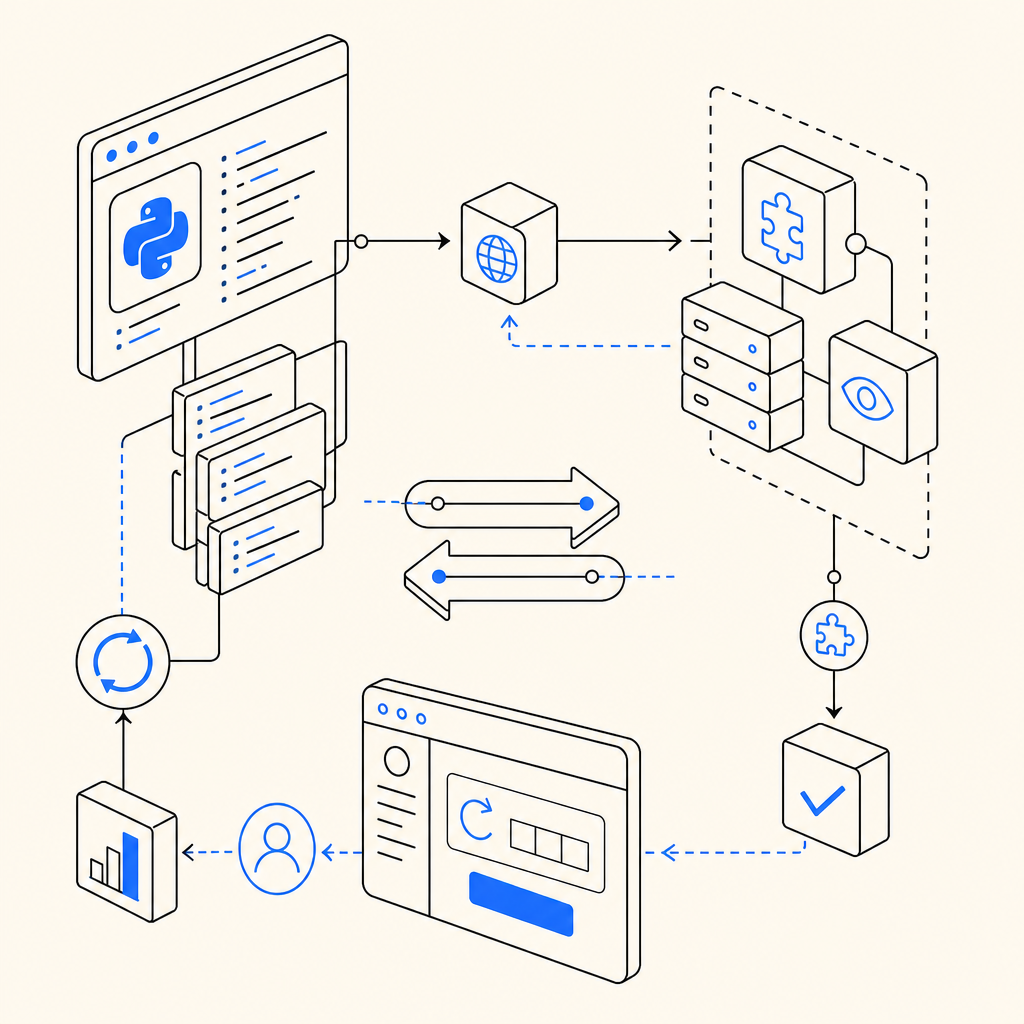
Integrating CAPTCHA into your Python application often involves these core steps:
Request a CAPTCHA Challenge
Use your CAPTCHA service’s API to obtain a challenge (image, token, or widget). For instance, CaptchaLa offers an endpoint/server/challenge/issuethat issues server tokens which your Python backend can request.Serve the CAPTCHA to Users
If your app serves users directly, embed the CAPTCHA widget using front-end SDKs (JavaScript, React, Vue) provided by your service. The front end handles user input, creating apass_token.Validate the CAPTCHA Response Server-Side
In Python, send a verification request to the CAPTCHA provider with thepass_tokenand client IP to confirm if the user solved the CAPTCHA correctly. For CaptchaLa, that’s a POST request tohttps://apiv1.captcha.la/v1/validate.Handle Validation Outcome
If validation succeeds, the request is likely from a human. If validation fails or is absent, treat the request suspiciously (e.g., rate limit, block).
Sample Validation Code (Python)
Here’s a basic example showing how to validate a CaptchaLa token in Python:
import requests

def validate_captcha(pass_token, client_ip):
    url = "https://apiv1.captcha.la/v1/validate"
    headers = {
        "X-App-Key": "your_app_key",
        "X-App-Secret": "your_app_secret",
    }
    payload = {
        "pass_token": pass_token,
        "client_ip": client_ip,
    }
    response = requests.post(url, json=payload, headers=headers)
    result = response.json()
    return result.get("success", False)

# Example usage:
if validate_captcha("token_from_client", "203.0.113.42"):
    print("Validation passed: proceed with sensitive operation.")
else:
    print("Validation failed: suspicious activity detected.")
This straightforward approach is common to many CAPTCHA APIs and illustrates how Python acts as the backend verifier.
Comparing Popular CAPTCHA Services for Python Integration
When choosing a CAPTCHA provider to use with Python automation or server verification, it’s useful to compare key features. Here’s a high-level overview featuring CaptchaLa alongside some well-known competitors:
| Feature | CaptchaLa | reCAPTCHA (Google) | hCaptcha | Cloudflare Turnstile |
|---|---|---|---|---|
| Backend Verification | Yes, REST API with SDKs for Python | Yes, REST API | Yes, REST API | Yes, API + client libraries |
| Supported UI SDKs | Web (React/Vue/JS), iOS, Android | Web SDK + mobile support via SDK | Web & mobile SDKs | Web SDK |
| Ease of Integration | Native Python SDKs + REST API | REST API with community SDKs | REST API, Python SDKs available | REST API & minimal client code |
| Pricing Model | Free tier 1K/mo; Pro plans scale | Free with quotas; pay for business | Free tier + enterprise pricing | Free tier available |
| Data Policy | First-party data only | Google data collection | Third party vendors | Cloudflare data infrastructure |
| Multi-language UI | 8 UI languages supported | Multiple languages supported | Multiple languages supported | Multiple language support |
While Google reCAPTCHA and hCaptcha dominate the market with extensive adoption, CaptchaLa offers lightweight, privacy-conscious CAPTCHA protection designed with flexible native SDKs, including Maven and CocoaPods packages for Python-supported environments.
Best Practices for Auto CAPTCHA Python Use
To effectively harness auto captcha in your Python projects, keep these best practices in mind:
- Verify eligibility before hitting CAPTCHA APIs — ensure your logic tries legitimate requests first to avoid excessive API calls and stay within your plan’s limits.
- Cache challenge tokens locally when appropriate — reduce repeated validation for the same user during a session.
- Monitor CAPTCHA success/failure rates — analyze data to tweak CAPTCHA difficulty and avoid user frustration.
- Use server SDKs when possible — they simplify request signing, retries, and error handling. CaptchaLa offers SDKs like
captchala-goandcaptchala-phpfor backend validation. - Select CAPTCHA types fitting your audience — image, invisible, or puzzle CAPTCHAs can yield different user experience outcomes.
- Secure API keys and secrets carefully — never hard-code sensitive keys; store them in environment variables or secure vaults.
Future of Auto CAPTCHA Automation in Python
Python automation will likely continue to improve how CAPTCHAs interact with machine learning-driven bot behaviors. CAPTCHA providers including CaptchaLa update their algorithms to balance bot defense with seamless user experience, integrating native SDKs for popular languages and frameworks to simplify implementation.
Developers automating CAPTCHA verification in Python should watch for advances in adaptive CAPTCHA presentation and multi-factor verification that can enhance security without creating excessive user friction.
If you want to implement CAPTCHA protection or experiment with auto captcha Python in your projects, start by exploring hands-on examples and SDKs on the CaptchaLa documentation site. For scalable usage, check out CaptchaLa’s pricing plans to find an option that fits your app’s traffic and security needs.