
If you've ever encountered the term "CAPTCHA" on a website or heard it mentioned in tech discussions, you might have paused to wonder: How do you actually pronounce CAPTCHA? The correct pronunciation is “CAP-cha” — with two syllables, where the first part sounds like the word “cap,” and the second part is pronounced like “cha” (rhyming with “cha” in “chat”). This matches the acronym's origin and how it’s commonly spoken by tech professionals worldwide.
Understanding how to say CAPTCHA correctly is more than a minor quibble. It reveals something about the technology behind bot defense and signals familiarity with the terminology in cybersecurity and web development circles.
What Is CAPTCHA and Why Does Pronunciation Matter?
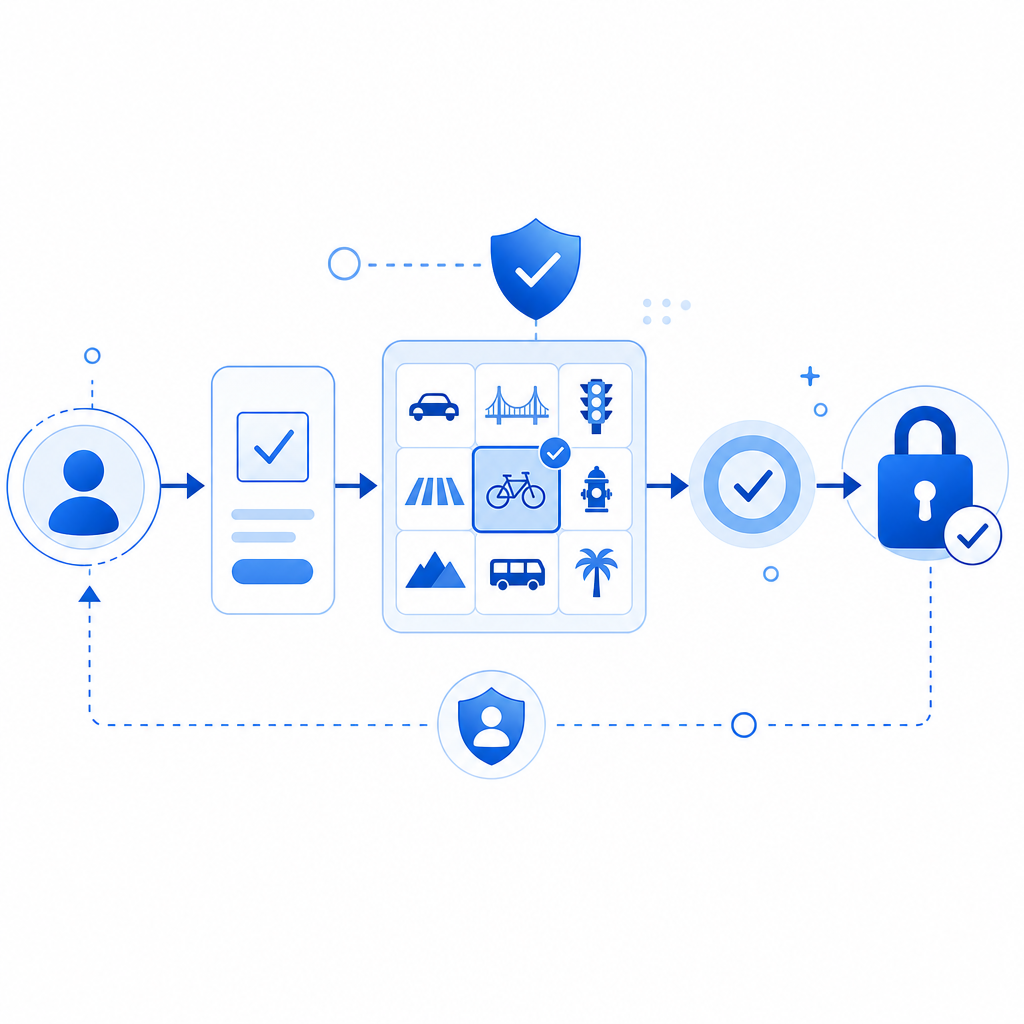
CAPTCHA stands for Completely Automated Public Turing test to tell Computers and Humans Apart—an acronym coined to describe tests designed to distinguish humans from bots online. These tests often involve recognizing distorted text, clicking images, or solving puzzles that bots struggle to process but humans can solve with ease.
Pronouncing CAPTCHA as “CAP-cha” instead of, say, “cap-CHEE-ah” or “kap-tcha” helps ensure clear communication when discussing security, user experience, or implementation topics with developers and security teams.
How To Break Down the Word
The acronym’s division offers the pronunciation clue:
- CAP = "cap" like the word for a hat
- TCHA = "cha" as in the beginning sound of "chat"
Carrying it together: CAP-cha.
It’s worth noting that some people unfamiliar with the term occasionally mispronounce it. Still, widespread use in the tech community favors the “CAP-cha” form.
Pronunciation Compared: CAPTCHA vs Other Bot Defense Terms
When discussing CAPTCHA, you might also hear these common bot-defense terms. Here’s a quick comparison of pronunciation and what they mean:
| Term | Pronunciation | Meaning |
|---|---|---|
| CAPTCHA | “CAP-cha” | Challenge to distinguish humans from bots |
| reCAPTCHA | “re-CAP-cha” | Google’s enhanced CAPTCHA service |
| hCaptcha | “H-cap-cha” | Alternative CAPTCHA provider |
| Turnstile | “TURN-stile” | Cloudflare’s invisible bot defense tool |
Using the correct pronunciation helps when discussing solutions from different providers or comparing products like CaptchaLa with common options such as Google reCAPTCHA, hCaptcha, or Cloudflare Turnstile. None are inherently “better,” but they each have unique trade-offs in usability, privacy, and integration.
Technical Specifics: How CAPTCHA Works Behind the Scenes
CAPTCHA implementations focus on creating tests that computers find difficult and humans find intuitive. Here are the core technical components folding into most CAPTCHA services like CaptchaLa:
- Challenge Generation
Randomly create puzzles – text distortion, image selection, or behavioral tracking. - Client Interaction
Display challenges on the frontend, using JavaScript SDKs or native SDKs (Emoji: JS/Vue/React, iOS, Android, Flutter, Electron). - Response Validation
Send user responses securely to a backend server for validation (e.g., POST to API endpoints likehttps://apiv1.captcha.la/v1/validate). - Risk Assessment
Analyze interaction patterns, IP address, or tokens to confirm genuine users. - Adaptive Logic
Adjust difficulty or skip challenges based on behavioral trust scores or previous verifications.
Many services—including CaptchaLa—have streamlined SDKs and APIs to simplify this flow, letting developers easily drop CAPTCHA protection into their apps without managing complex backend logic.
Example: CaptchaLa Backend Validation (Pseudo-code)
// Verify CAPTCHA response server-side
const response = await fetch('https://apiv1.captcha.la/v1/validate', {
  method: 'POST',
  headers: {
    'X-App-Key': 'your-app-key',
    'X-App-Secret': 'your-app-secret',
    'Content-Type': 'application/json'
  },
  body: JSON.stringify({
    pass_token: userPassToken,
    client_ip: userIp
  })
});

const result = await response.json();

if (result.success) {
  // Proceed with user action
} else {
  // Show error or retry challenge
}
This snippet illustrates the typical server-side verification process required after a user completes a CAPTCHA for validation.
Why Pronunciation Reflects Understanding User Experience
Understanding how to pronounce CAPTCHA properly indicates familiarity with the user experience challenges tied to bot defense. Correct pronunciation connects to broader conversations about:
- Minimizing user friction: CAPTCHA challenges should be straightforward for users, avoiding frustration from unclear prompts or excessive difficulty.
- Accessibility: Pronounced “CAP-cha” CAPTCHAs support multiple UI languages—CaptchaLa supports 8 native interface languages to reach global users.
- Seamless integration: For developers, correct terminology helps when integrating solutions via SDKs or APIs and working with support or communities.
Bot defense products like CaptchaLa emphasize not only accuracy in stopping bots but also respectful, user-friendly design.

How CaptchaLa Fits into the CAPCHA Landscape
CaptchaLa is an independent SaaS specializing in CAPTCHA and bot defense with a practical, privacy-focused approach. It offers:
- Native SDKs for multiple platforms (JS frameworks, mobile, Flutter, and desktop apps)
- A clear API for server-side validation and challenge generation
- A generous free tier and flexible pricing plans (pricing details here)
- Data privacy rooted in first-party data use, unlike some competitors collecting wide user data.
While Google’s reCAPTCHA dominates the market in brand recognition, alternatives like CaptchaLa, hCaptcha, and Cloudflare Turnstile provide options better suited for specific budgets, privacy compliance, or integration needs.
Conclusion
The correct pronunciation of CAPTCHA is “CAP-cha” — a simple yet important detail marking fluency in bot defense discussions. Understanding this helps ensure clearer communication and deeper engagement with how CAPTCHA technologies work to protect websites from bots.
Whether you’re a developer integrating CAPTCHA for the first time or a security professional advising clients, grasping both the term and the underlying tech leads to better user experiences and stronger defenses.
For more about CAPTCHA integration or exploring CaptchaLa’s SDKs and API, visit CaptchaLa’s documentation.
Where to go next? Visit the CaptchaLa pricing page to find a plan that fits your project and start defending your site from bots effectively and respectfully.