
Captcha history starts with a simple idea: ask a machine to prove it is not a machine, or at least not an automated script abusing a service. What began as distorted text and image puzzles has evolved into layered verification systems that try to balance security, usability, accessibility, and fraud resistance. The story is less about one perfect test and more about an ongoing arms race between defenders and automation.
Early CAPTCHAs were deliberately frustrating because friction was the point. If a script could not read warped characters, a form could stay open to humans while bots were blocked. Over time, attackers got better at OCR, image classification, and solving services, so defenders moved toward risk scoring, behavioral analysis, JavaScript challenges, and token-based validation. That shift is the heart of captcha history: each generation responds to the weaknesses of the previous one.
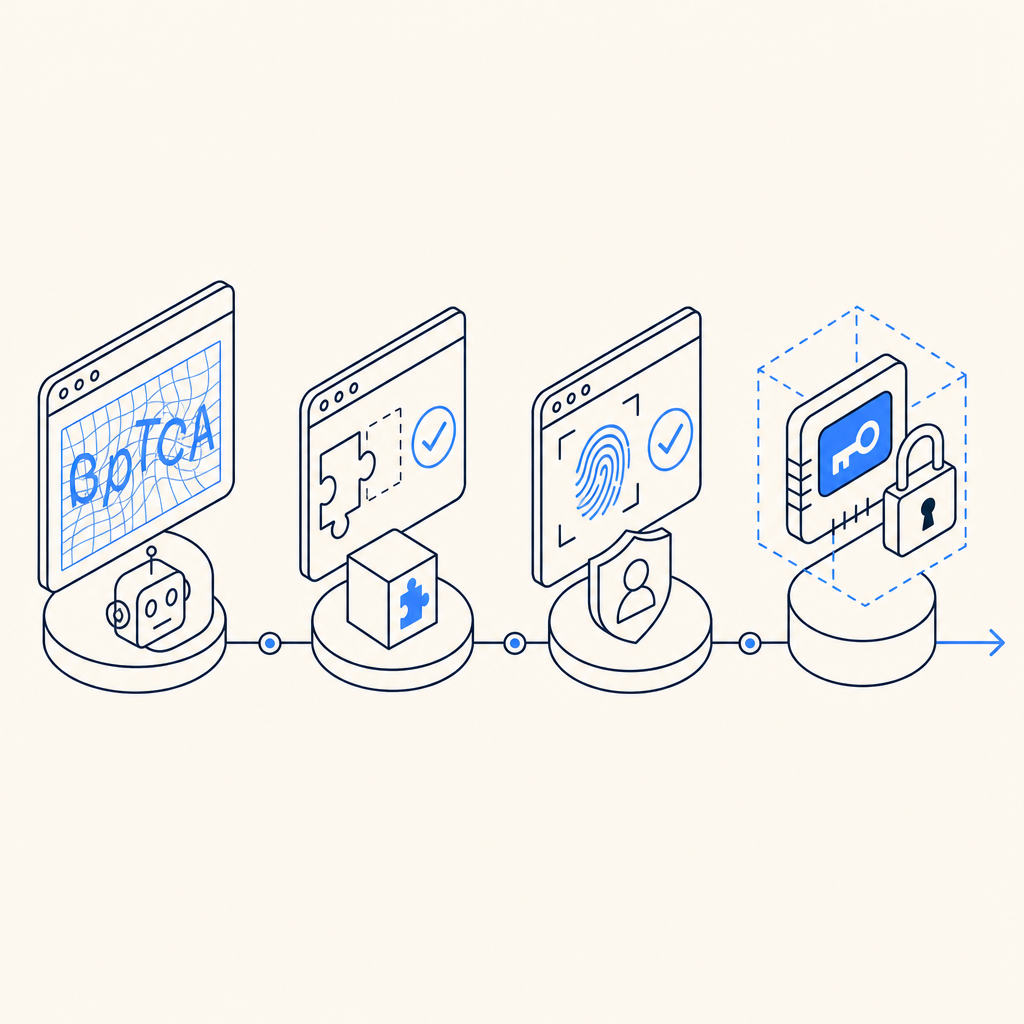
From distorted text to layered verification
The original CAPTCHA concept, introduced in the late 1990s and popularized in the 2000s, was built around human pattern recognition. Early systems often used:
- Distorted letters and numbers that resisted basic OCR.
- Simple image selection tasks, such as identifying objects in a grid.
- Audio alternatives for accessibility, which were necessary but often easier to automate than expected.
These approaches worked for a while because they raised the cost of automation. But the internet changed quickly. OCR improved, CAPTCHA farms appeared, browser automation became more common, and mobile traffic made tiny text puzzles a bad fit for many legitimate users. The core lesson in captcha history is that any challenge based only on visual ambiguity tends to age poorly.
As a result, bot defense moved toward signals that are harder to fake at scale: session continuity, client behavior, device integrity, request timing, IP reputation, and server-side validation. The goal is no longer “make a human read messy text,” but “separate legitimate traffic from automated abuse with minimal disruption.”
Why older CAPTCHAs started losing ground
Classic puzzle-based CAPTCHAs created three recurring problems.
1. Accessibility and usability
Not every user can easily solve distorted text, image grids, or time-sensitive puzzles. Accessibility is not a side issue; it directly affects conversion and trust. If legitimate users have to retry several times, the defense is doing too much work.
2. Automation pressure
Attackers adapt. Once a challenge type becomes common, tooling follows. The challenge may still stop casual scripts, but serious abuse operators usually find ways around it.
3. Mobile and embedded experiences
Modern apps need defenses that work in browsers, native mobile apps, and desktop clients. A challenge that feels acceptable on desktop may be clumsy on iOS, Android, Flutter, or Electron.
That is why many systems shifted from “challenge-first” to “verification-first.” Instead of asking users to solve something up front, the client gathers a trusted response and the server confirms it. This is the direction many teams now prefer because it reduces unnecessary friction while preserving a clear validation path.
The modern stack: tokens, server checks, and risk signals
Today’s bot defense often uses a combination of client-side collection and server-side validation. The general flow is simple: the client obtains a pass token, the application sends that token to the backend, and the backend verifies it against the CAPTCHA provider before accepting the request.
A typical server-side flow looks like this:
1. User interacts with your site or app.
2. Client receives a pass_token from the CAPTCHA layer.
3. Backend sends pass_token and client_ip to the validation endpoint.
4. CAPTCHA service confirms whether the token is valid.
5. Backend allows the action only if validation succeeds.
For example, CaptchaLa validates tokens with:
POST https://apiv1.captcha.la/v1/validate- Body:
{ pass_token, client_ip } - Headers:
X-App-KeyandX-App-Secret
It also supports server-token issuance through:
POST https://apiv1.captcha.la/v1/server/challenge/issue
That server-first approach matters because it avoids trusting the browser alone. If a client says “I passed,” the server still needs to confirm it. That principle appears throughout captcha history as systems matured from visual puzzles into verifiable trust exchanges.
CaptchaLa also supports 8 UI languages and native SDKs for Web (JS, Vue, React), iOS, Android, Flutter, and Electron, which is useful when a product spans multiple surfaces and you want a consistent verification model.
Comparing common CAPTCHA approaches
Different providers emphasize different tradeoffs. Here is a simple comparison from a defender’s perspective:
| Approach | Typical user friction | Server-side trust | Accessibility | Notes |
|---|---|---|---|---|
| Distorted text CAPTCHA | High | Moderate | Weak | Older model; easy to frustrate legitimate users |
| Image selection puzzle | High | Moderate | Mixed | Better than text for some use cases, still annoying at scale |
| reCAPTCHA-style risk analysis | Low to medium | Good | Better | Often invisible, but behavior and privacy concerns are common discussion points |
| hCaptcha | Low to medium | Good | Better | Often used as a privacy-conscious alternative with configurable challenge styles |
| Cloudflare Turnstile | Low | Good | Better | Emphasizes seamless verification with low user friction |
| Token-based validation with backend checks | Low | Strong | Stronger | Good fit when you want explicit validation and control |
There is no universal winner here. reCAPTCHA, hCaptcha, and Cloudflare Turnstile each reflect the broader shift away from purely visual puzzles. The right choice depends on your traffic mix, abuse patterns, compliance constraints, and how much friction your product can tolerate.
What developers should pay attention to now
If you are building or updating a defense layer, the most important questions are practical:
Where is validation enforced?
Always verify on the backend, not just in the browser.What data do you need?
Many teams prefer first-party data only, especially when privacy requirements are strict.How many surfaces do you support?
Web, mobile, and desktop clients often need different SDKs but the same trust model.How much traffic do you expect?
Cost and rate limits matter. CaptchaLa’s published tiers, for example, include a free tier at 1,000 validations per month, Pro at 50K-200K, and Business at 1M, which gives a sense of how products can scale with demand.How will you monitor failures?
A captcha that silently breaks form submissions is worse than one that is absent. Track validation errors, latency, and false positives.
If you are integrating a provider like CaptchaLa, the docs are worth reading early because deployment details matter more than the branding around any one CAPTCHA approach. The provider’s docs should help you map the client flow to your backend, and pricing is useful when you want to estimate volume before rollout.
Where captcha history is heading
The future of captcha history is probably not “more puzzles.” It is more likely to be a mix of invisible checks, server-confirmed tokens, device and session signals, and selective challenges only when risk is elevated. That direction benefits both sides when done well: users see less friction, and defenders get a clearer signal that abuse is being measured rather than guessed.
The best systems tend to be the ones that fit naturally into the application architecture. They validate requests at the right layer, avoid over-collecting data, and keep the user experience calm unless something actually looks suspicious. That is a more mature answer to the original CAPTCHA problem than trying to make every visitor decipher a blurry word.
Where to go next: if you are planning a rollout or comparison test, start with the docs or review pricing to match the control level to your traffic.