
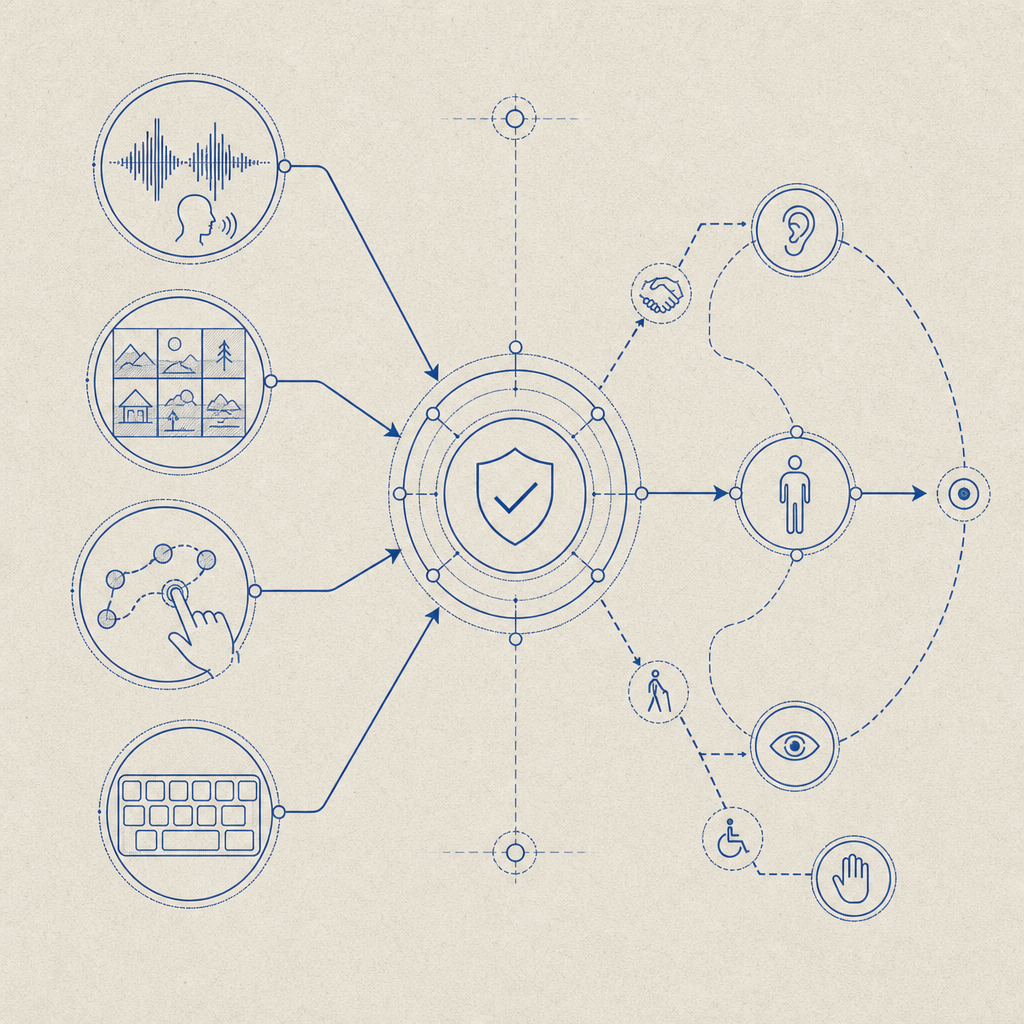
Audio CAPTCHA login provides an alternative way for users to verify themselves on websites by listening to spoken challenge prompts rather than visually identifying distorted characters or images. This option is essential for users with visual impairments or those who struggle with traditional CAPTCHAs. Beyond accessibility, audio CAPTCHAs are a critical piece of multi-modal bot defense strategies employed during login flows.
In this post, we’ll explain what audio CAPTCHA login entails, its benefits and challenges, how it compares to visual and other alternatives, and considerations for implementation. If you want to integrate robust and user-friendly audio CAPTCHA functionality, solutions like CaptchaLa offer flexible SDKs and APIs to help.
What Is Audio CAPTCHA Login and How Does It Work?
Unlike conventional visual CAPTCHAs asking users to select images or type distorted letters, audio CAPTCHAs present a spoken phrase or sequence of numbers and letters. The user listens to this audio and enters the answer, proving they are human.
Common techniques include playing several spoken characters with background noise or static to foil automated recognition. These challenges are dynamically generated and verified server-side to ensure freshness and prevent replay attacks.
For login flows, audio CAPTCHA is often offered as an accessibility alternative alongside visual challenges, complying with web accessibility standards like WCAG. Users can toggle or request the audio version if they cannot complete the visual test.
Benefits of Audio CAPTCHA Login
- Accessibility: Audio CAPTCHAs enable visually impaired users or those with dyslexia to authenticate themselves independently.
- User Experience: Providing audio options decreases frustration for users who struggle with traditional CAPTCHAs, reducing login abandonment rates.
- Multi-Modal Bot Defense: Audio presents a different verification vector, complicating automated bot attempts that rely on optical character recognition of visual puzzles.
- Compliance: Offering audio CAPTCHA helps meet legal accessibility requirements in many jurisdictions.
However, audio CAPTCHAs must be carefully designed to avoid usability pitfalls like unclear audio, confusing characters, or excessive background noise.
Comparing Audio CAPTCHA Solutions: CaptchaLa vs. Competitors
Here’s an overview table comparing popular CAPTCHA providers’ audio login features:
| Feature | CaptchaLa | reCAPTCHA | hCaptcha | Cloudflare Turnstile |
|---|---|---|---|---|
| Audio CAPTCHA Support | Yes (native SDK + server APIs) | Yes (optional audio challenge) | Yes (audio alternative) | No (focus on invisible CAPTCHA) |
| SDKs | JS/Vue/React, iOS, Android, Flutter, Electron; server SDKs (PHP, Go) | JS, mobile SDKs | JS, mobile SDKs | JS SDK only |
| Languages Supported | 8 UI languages + audio | English + some multi-language | Multi-language | Limited |
| Customization | Moderate customization via server token APIs | Limited customization | Some customization options | Not applicable |
| Pricing | Free tier (1,000/month), Pro, Business tiers | Free, pay-as-you-go | Freemium tier | No direct audio CAPTCHA |
| Privacy | First-party data only | Google data collection involved | Third-party data processing | Cloudflare data processing |
While reCAPTCHA and hCaptcha both offer audio CAPTCHA as an accessibility fallback, CaptchaLa’s strength lies in flexible SDKs across major platforms and straightforward server APIs for issuing challenges and verification. Unlike Cloudflare Turnstile, which does not currently provide an audio CAPTCHA option, CaptchaLa ensures inclusivity without compromising bot defense quality.
Technical Details for Implementing Audio CAPTCHA Login
When integrating audio CAPTCHA login, consider these key technical specifics:
- Client SDK integration: Use CaptchaLa’s native SDKs such as JavaScript (
la.captcha:captchala:1.0.2for Maven,Captchala 1.0.2CocoaPods, orcaptchala 1.3.2on pub.dev) to embed CAPTCHA widgets in your login forms supporting audio toggling. - Audio challenge issuance: Fetch server-issued challenges using POST https://apiv1.captcha.la/v1/server/challenge/issue with appropriate authentication headers (
X-App-Key,X-App-Secret). These challenges include audio data or pointers to audio resources. - User response validation: After user input, validate the answer by calling POST https://apiv1.captcha.la/v1/validate with the user’s response token and client IP to confirm authenticity before allowing login.
- Accessibility compliance: Ensure audio playback controls meet accessibility guidelines—provide volume controls, pause/resume, and clear instructions. Support multiple UI languages as CaptchaLa does (eight supported).
- Security considerations: Monitor challenge entropy to prevent automated attack bypass. Avoid overly simplistic audio CAPTCHAs that bots can decode using audio analysis or speech recognition.
// Example: Initialize CaptchaLa loader and handle audio CAPTCHA toggle
import { CaptchaLa } from 'captchala-react';  // pseudo-code import

function LoginCaptcha() {
  return (
    <CaptchaLa
      siteKey="your-site-key"
      enableAudio={true}  // Allow users to switch to audio CAPTCHA
      lang="en"           // Specify UI language
      onSuccess={token => handleLogin(token)}
    />
  );
}

// Server-side verification example (Node.js pseudo-code)
async function verifyCaptcha(passToken, clientIP) {
  const response = await fetch('https://apiv1.captcha.la/v1/validate', {
    method: 'POST',
    headers: {'X-App-Key': appKey, 'X-App-Secret': appSecret},
    body: JSON.stringify({pass_token: passToken, client_ip: clientIP})
  });
  return response.json();
}
Best Practices when Using Audio CAPTCHA Login
- Offer it as an optional or fallback method, not the default, since some users find audio CAPTCHAs difficult in noisy environments or for language reasons.
- Combine with other bot detection signals such as behavioral analysis or device fingerprinting to improve overall security posture.
- Test with real users, including those with disabilities, to ensure clarity of audio prompts and ease of use.
- Keep challenge lengths reasonable to balance difficulty and accessibility. Too many characters or complex phrases can frustrate users.
- Stay updated with provider documentation such as CaptchaLa docs to leverage the latest features and security fixes.
By thoughtfully integrating audio CAPTCHA login, you enhance the inclusiveness of your authentication while maintaining strong defenses against automated login attacks. CaptchaLa’s comprehensive SDK and API offerings simplify adoption and allow customization to fit your app’s needs.
If you’re considering adding or improving audio CAPTCHA login on your site or app, start by exploring CaptchaLa’s pricing plans and detailed developer docs. Experiment with test keys and SDKs to find the right balance between security and accessibility for your users.
Audio CAPTCHA login is an important step toward more secure and inclusive authentication processes, and with the right tools, it’s within easy reach.